
RERIOU SAT20
RERIOU Cordless Robotic Pool Vacuum User Manual
Model: SAT20 | Brand: RERIOU
1. Introduction
Thank you for choosing the RERIOU Cordless Robotic Pool Vacuum. This advanced pool cleaner is designed to provide efficient and autonomous cleaning for both inground and above-ground pools up to 2150 sq. ft. Featuring a track drive system, sonar navigation, and powerful dual 180W brushless motors, it ensures comprehensive coverage and superior debris removal from floor to waterline.
This manual provides essential information for the proper setup, operation, and maintenance of your robotic pool vacuum. Please read it thoroughly before first use to ensure optimal performance and longevity of the device.

Figure 1: RERIOU Cordless Robotic Pool Vacuum, showing its compact design and track drive system.
2. Safety Information
Always adhere to the following safety precautions to prevent injury or damage to the device:
- Read all instructions carefully before operating the cleaner.
- Do not operate the cleaner out of water.
- Ensure the charging port is completely dry before connecting the charger.
- Use only the original charger provided with the device.
- Keep children and pets away from the pool area while the cleaner is in operation.
- Do not attempt to disassemble or repair the cleaner yourself. Contact qualified service personnel.
- Store the cleaner in a cool, dry place when not in use.
3. Product Overview
3.1 Components
- Robotic Pool Vacuum Unit
- Charging Adapter
- User Manual
- Filter Basket
- Retrieval Hook
3.2 Key Features
- Precision Mobility: Engineered with industrial-grade caterpillar treads for exceptional traction across various pool surfaces, including drains, steps, and corners.
- Advanced Sonar-Based Navigation: Intelligently scans and maps the pool environment to optimize cleaning paths, ensuring comprehensive, edge-to-edge cleaning efficiency and reducing redundant overlap.
- Seamless One-Touch Activation: Designed for effortless usability, requiring no setup, syncing, or programming. Simply press the button and place it in the pool.
- Adaptive Multi-Mode Cleaning: Offers three selectable cleaning modes (Floor, Wall, and Full Coverage) to adapt to various pool geometries and materials like tiled, concrete, vinyl, or fiberglass.
- Powerful Dual Motors: Equipped with two independently controlled 180W brushless motors for superior suction and cleaning force.
- IP68-Grade Reliability: Reinforced internal architecture ensures quiet, long-lasting operation.
- Efficient Filtration: Features a 3.5L filter basket designed to trap various debris from leaves to fine particles.
- Long Runtime & Fast Charging: Provides up to 150 minutes of runtime and recharges in approximately 3 hours.

Figure 2: The robotic pool vacuum demonstrating its powerful suction, capable of collecting sand, twigs, leaves, and pet hair.
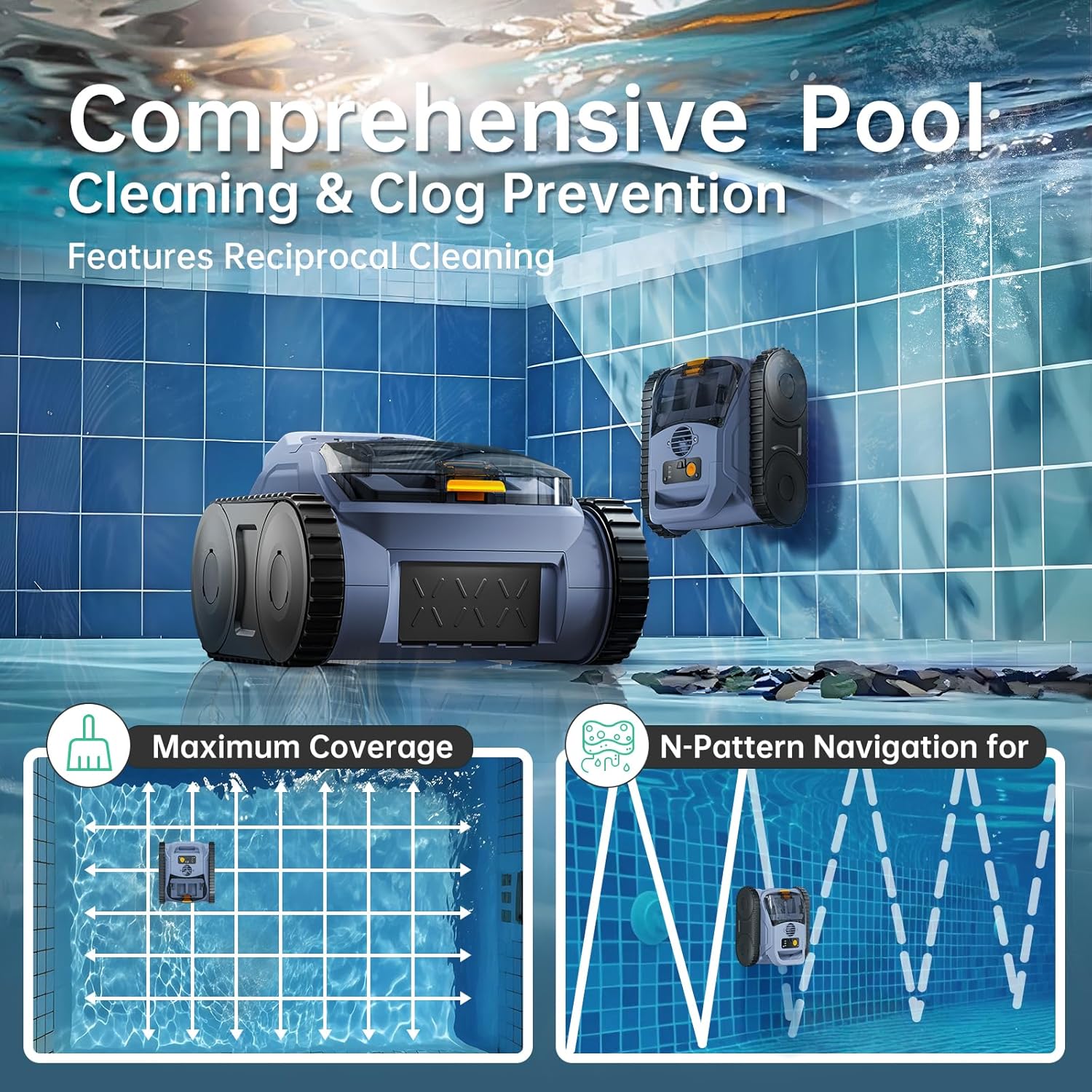
Figure 3: The cleaner's ability to provide comprehensive pool cleaning, including wall climbing, and its efficient N-Pattern navigation for maximum coverage.
4. Setup
4.1 Initial Charging
Before first use, fully charge the robotic pool vacuum. Connect the charging adapter to the cleaner's charging port and plug it into a power outlet. The charging indicator will show the charging status. A full charge typically takes 3 hours.

Figure 4: The robotic pool vacuum connected to its charger, illustrating the fast charging capability which takes approximately 2.5 to 3 hours.
4.2 Placement in Pool
Once fully charged, ensure the cleaner is powered off. Carefully place the cleaner into the pool. It will sink to the bottom. Ensure there are no obstructions in its path.
5. Operating Instructions
5.1 Starting the Cleaner
To begin cleaning, simply press the power button on the top of the unit. The cleaner will activate and begin its cleaning cycle automatically. No complex programming or syncing is required.
5.2 Cleaning Modes
The RERIOU Robotic Pool Vacuum offers three distinct cleaning modes:
- Floor Mode: Focuses cleaning on the pool floor, ideal for general debris accumulation.
- Wall Mode: Engages the wall-climbing function to clean the pool walls and waterline.
- Full Coverage Mode: Combines both floor and wall cleaning for a comprehensive clean of the entire pool surface.
Select the desired mode by pressing the mode selection button (refer to the product diagram for button location). The cleaner will adapt its navigation and cleaning patterns accordingly.

Figure 5: Illustration of the SonarNav Pro™ Navigation Technology, showing how the cleaner efficiently maps and navigates the pool for optimal cleaning coverage compared to random patterns.
5.3 Stopping the Cleaner
The cleaner will automatically return to a reachable edge or float to the surface when its cleaning cycle is complete or the battery is low. Use the provided retrieval hook to safely remove the cleaner from the pool.
6. Maintenance
6.1 Cleaning the Filter Basket
Regular cleaning of the filter basket is crucial for maintaining optimal suction and cleaning performance. It is recommended to clean the filter after each use, especially if the pool is heavily soiled.
- Remove the cleaner from the pool.
- Open the cleaner's top cover to access the filter basket.
- Remove the filter basket.
- Empty debris from the basket.
- Rinse the filter basket thoroughly with a garden hose until all debris and fine particles are removed.
- Ensure the filter basket is completely dry before reinserting it into the cleaner.

Figure 6: The cleaner's filter basket, illustrating how it collects debris during operation. Regular cleaning of this basket is essential.
6.2 General Cleaning and Storage
Wipe down the exterior of the cleaner with a soft, damp cloth. Do not use harsh chemicals. When storing the cleaner for extended periods, ensure it is clean, dry, and fully charged. Store it in a cool, dry place away from direct sunlight and extreme temperatures.
7. Troubleshooting
| Problem | Possible Cause | Solution |
|---|---|---|
| Cleaner does not start. | Battery is low or depleted. | Charge the cleaner fully (approx. 3 hours). |
| Cleaner moves slowly or stops frequently. | Filter basket is full or clogged. | Clean the filter basket thoroughly. |
| Cleaner does not climb walls effectively. | Filter basket is full; water chemistry imbalance (algae). | Clean filter. Check and balance pool water chemistry. |
| Cleaner is not picking up debris. | Filter basket is clogged or damaged; suction intake blocked. | Clean or replace filter basket. Check for and remove any blockages from the suction intake. |
| Cleaner gets stuck. | Obstruction in pool; uneven pool surface. | Remove large debris. The track drive system is designed to handle most uneven surfaces. |
If the problem persists after attempting these solutions, please contact customer support.
8. Specifications
| Feature | Detail |
|---|---|
| Model Name | SAT20 |
| Brand | RERIOU |
| Power Source | Battery Powered |
| Motor Power | Dual 180W Brushless Motors |
| Battery Type | Lithium Ion (1 included) |
| Lithium Battery Voltage | 18.5 Volts |
| Lithium Battery Energy Content | 7800 Milliamp Hours (mAh) |
| Charging Time | 3 Hours |
| Runtime | Up to 150 minutes (approx. 2.5 hours) |
| Max Pool Area | Up to 2150 Sq. Ft. |
| Filtration Capacity | 3.5L Filter Basket |
| Waterproof Rating | IP68 |
| Product Dimensions | 14"L x 13"W x 9"H |
| Item Weight | 19.8 pounds |
| Control Method | Push Button |
| UPC | 712490304260 |
9. Warranty and Support
The RERIOU Cordless Robotic Pool Vacuum comes with a Limited Warranty. Please refer to the warranty card included in your product packaging for specific terms and conditions.
For technical support, troubleshooting assistance, or warranty claims, please contact RERIOU customer service. Contact information can typically be found on the product packaging, the official RERIOU website, or through your point of purchase.
When contacting support, please have your product model number (SAT20) and purchase information readily available.
Ask a question about this manual
Ask about setup, troubleshooting, compatibility, parts, safety, or missing instructions. Manuals+ will review the question and use this page’s manual context to help answer it.