
Introduction
This manual provides detailed instructions for the operation and maintenance of your SKMEI 2269 Digital Sports Watch. Please read this manual thoroughly to understand the watch's features and ensure proper use.
Product Overview
The SKMEI 2269 is a multi-functional digital watch featuring a chronograph, alarm, countdown timer, dual time display, and LED backlight. It is designed for durability and ease of use.

Figure 1: Front view of the SKMEI 2269 Digital Sports Watch, showing the digital display and case design.

Figure 2: Diagram illustrating the digital display layout and button functions (A, B, C, D) on the SKMEI 2269 watch.
Button Functions:
- Button A (Top Left): Used for EL Backlight.
- Button B (Top Right): Used for Start/Stop in Chronograph mode, and adjusting values.
- Button C (Bottom Left): Used for Mode selection.
- Button D (Bottom Right): Used for Reset/Split in Chronograph mode, and confirming settings.
Setup: Initial Time and Date Setting
- In Timekeeping Mode, press and hold Button C for approximately 3 seconds until the seconds begin to flash. This indicates setting mode.
- Press Button D to cycle through the setting options: Seconds → Hour → Minute → Year → Month → Day → 12/24 Hour Format.
- Use Button B to adjust the flashing value. Hold Button B to rapidly increase the value.
- Once all settings are adjusted, press Button C to exit the setting mode and return to Timekeeping Mode.
- To switch between 12-hour and 24-hour format, navigate to the 12/24 Hour Format setting and press Button B.
Operating Modes
Press Button C repeatedly to cycle through the watch modes in the following order:
Timekeeping Mode → Chronograph Mode → Alarm Mode → Countdown Timer Mode → Dual Time Mode.
1. Timekeeping Mode
This is the default mode, displaying the current time, day of the week, and date. Ensure time and date are set correctly as per the "Setup" section.
2. Chronograph (Stopwatch) Mode
- From Timekeeping Mode, press Button C once to enter Chronograph Mode. The display will show "00:00:00".
- Press Button B to start the stopwatch.
- Press Button B again to stop the stopwatch.
- Press Button D to reset the stopwatch to "00:00:00".
- To record split times, press Button D while the stopwatch is running. The split time will be displayed, but the stopwatch continues to run in the background. Press Button D again to return to the running stopwatch display.
3. Alarm Mode
- From Timekeeping Mode, press Button C twice to enter Alarm Mode. The display will show the alarm time.
- Press and hold Button C until the alarm hour flashes.
- Press Button D to select between hour and minute settings.
- Use Button B to adjust the flashing value (hour or minute).
- Press Button C to confirm the alarm time and exit setting mode.
- To activate/deactivate the alarm, press Button B in Alarm Mode (without holding C). An alarm icon will appear/disappear on the display.
4. Countdown Timer Mode
- From Timekeeping Mode, press Button C three times to enter Countdown Timer Mode.
- Press and hold Button C until the countdown hour flashes.
- Press Button D to select between hour, minute, and second settings.
- Use Button B to adjust the flashing value.
- Press Button C to confirm the countdown time and exit setting mode.
- Press Button B to start or pause the countdown.
- When the countdown reaches zero, an alarm will sound. Press any button to stop the alarm.
5. Dual Time Mode
- From Timekeeping Mode, press Button C four times to enter Dual Time Mode.
- Press and hold Button C until the dual time hour flashes.
- Press Button D to select between hour and minute settings.
- Use Button B to adjust the flashing value.
- Press Button C to confirm the dual time and exit setting mode.
6. LED Backlight
Press Button A (Top Left) at any time to illuminate the display for a few seconds, providing visibility in low-light conditions.

Figure 3: The LED backlight feature of the SKMEI 2269 watch, enhancing visibility in dark environments.
Maintenance
Water Resistance (30M)
Your SKMEI 2269 watch is water-resistant up to 30 meters (3 ATM). This means it is suitable for daily use, splashes, rain, and brief recreational swimming. It is not suitable for showering, hot water activities, diving, or snorkeling. Do not operate buttons while the watch is wet or submerged.
Battery Replacement
The watch uses a CR2025 battery. When the display becomes dim or functions become erratic, it may be time to replace the battery. Battery replacement should ideally be performed by a qualified watch technician to ensure proper sealing and water resistance.

Figure 4: Back view of the SKMEI 2269 watch, indicating the model number and battery code (CR2025).
Cleaning
Wipe the watch case and band with a soft, dry cloth. For stubborn dirt, a slightly damp cloth can be used, followed by drying. Avoid using chemical cleaners or abrasive materials.
Troubleshooting
| Problem | Possible Cause | Solution |
|---|---|---|
| Display is blank or dim. | Low battery. | Replace the battery (CR2025). |
| Buttons are unresponsive. | Watch may be in a frozen state or battery is very low. | Try pressing all buttons simultaneously for a few seconds to reset. If unresponsive, replace battery. |
| Time is incorrect. | Time was not set correctly or accidentally changed. | Refer to the "Setup: Initial Time and Date Setting" section to reset the time. |
| Alarm does not sound. | Alarm is not activated or set incorrectly. | Ensure the alarm is activated (alarm icon visible) and the time is set correctly in Alarm Mode. |
Specifications
- Model: 2269
- Display Type: Digital
- Movement Type: Quartz
- Case Material: Zinc Alloy
- Band Material: Silica Gel
- Crystal Material: Glass
- Case Diameter: 40 Millimetres
- Case Thickness: 12.2 Millimetres
- Band Length: 245 Millimetres
- Water Resistance Depth: 30 Metres (3 ATM)
- Special Features: Alarm, Chronograph, Countdown Timer, 2-Time Display, LED Backlight, 12/24 Hour Modes
- Battery Type: 1 C battery (CR2025) (included)
- Item Weight: 71.7 Grams
- Country of Origin: China
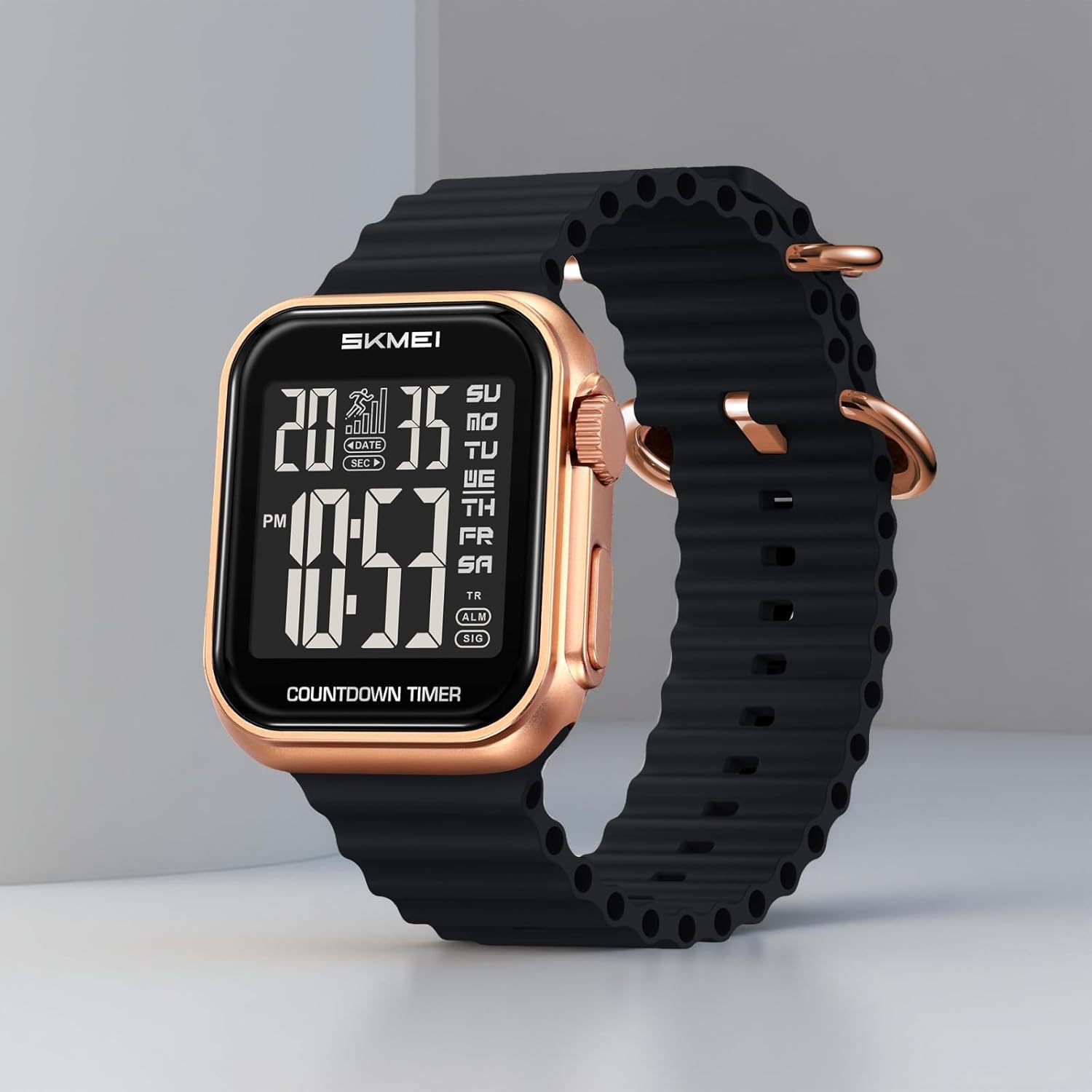
Figure 5: Diagram showing key dimensions of the SKMEI 2269 Digital Sports Watch, including case width, strap width, and case thickness.
Warranty and Support
Your SKMEI 2269 Digital Sports Watch comes with a 9-month Manufacturer Warranty from the date of purchase.
For any service-related inquiries or feedback, please contact the SKMEI India Helpline:
- Helpline Number: 1800-889-6251
- Operating Hours: Monday to Saturday, 9:00 AM to 6:00 PM (IST)
Please retain your proof of purchase for warranty claims.