
1. Introduction
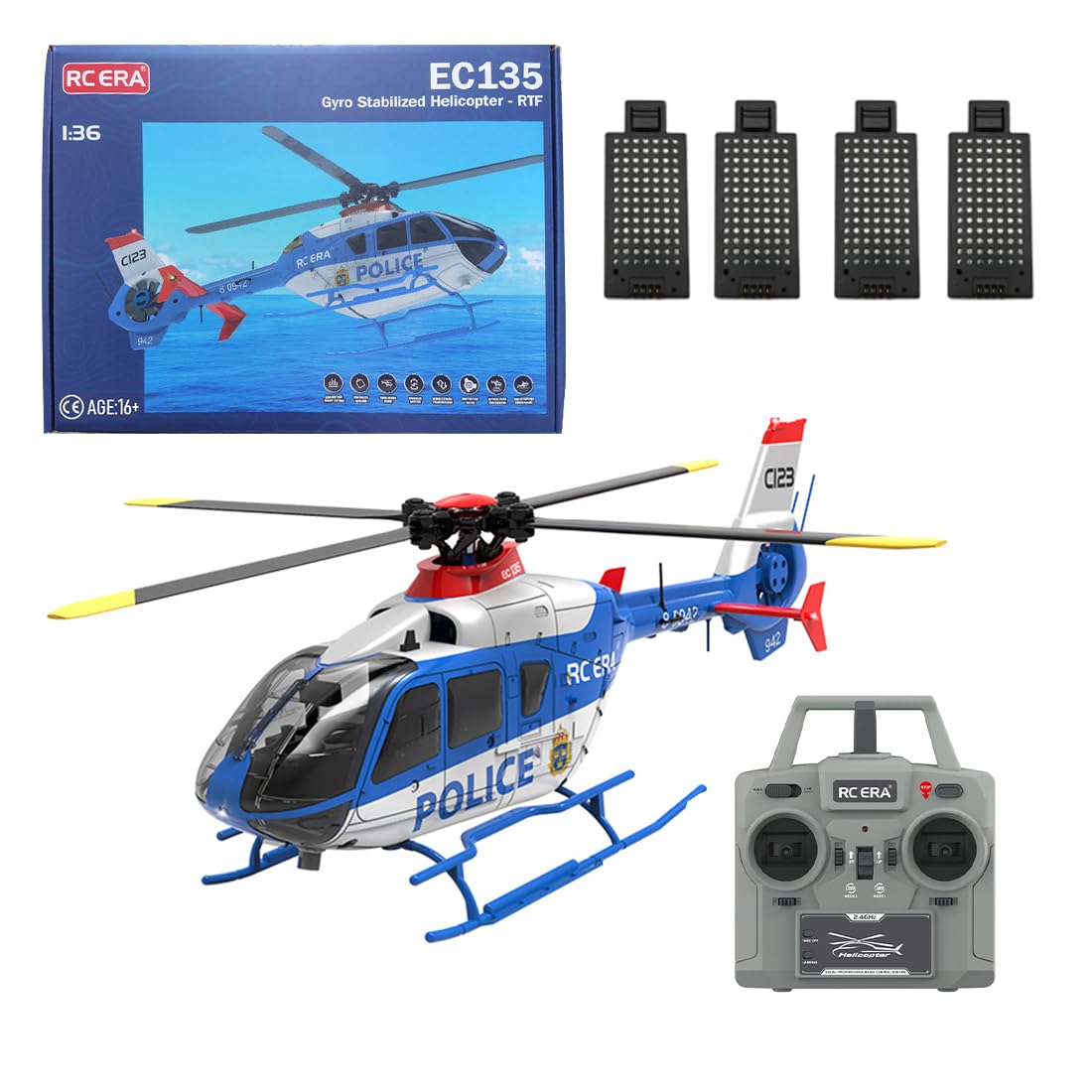
Thank you for purchasing the Meiurlex RC ERA C123 RC Helicopter. This 1/36 scale, 6-channel, 2.4G remote-controlled military aircraft model is designed for enthusiasts aged 16 and up. It features advanced flight capabilities such as altitude hold, one-key takeoff/landing, and a precision gyroscopic system for stable and enjoyable flight. Please read this manual thoroughly before operating the helicopter to ensure safe and correct usage.
2. Safety Information
Operating an RC helicopter requires caution. Failure to follow safety guidelines can result in injury or damage to the product or property.
- Age Recommendation: This product is recommended for users aged 16 years and older.
- Flight Environment: Fly in open, clear areas away from people, animals, buildings, and power lines. Avoid flying in strong winds or rain.
- Battery Safety: Use only the specified charger and batteries. Do not overcharge or short-circuit batteries. Disconnect batteries when not in use.
- Propeller Safety: Keep hands, face, and loose clothing away from rotating propellers. Always turn off the helicopter and remote control before handling.
- Supervision: Younger users should always be supervised by an adult.
- Pre-Flight Check: Always inspect the helicopter for any damage before each flight. Ensure all parts are securely attached.
3. Package Contents
Verify that all items listed below are included in your package:
- 1 x RC ERA C123 Helicopter
- 1 x Remote Control
- 1 x USB Charger
- 4 x Main Propellers (spare)
- 4 x 11.1V Lithium Polymer Batteries (for this variant)
- 1 x Screwdriver
- 1 x Hex Wrench
- 1 x Instruction Manual
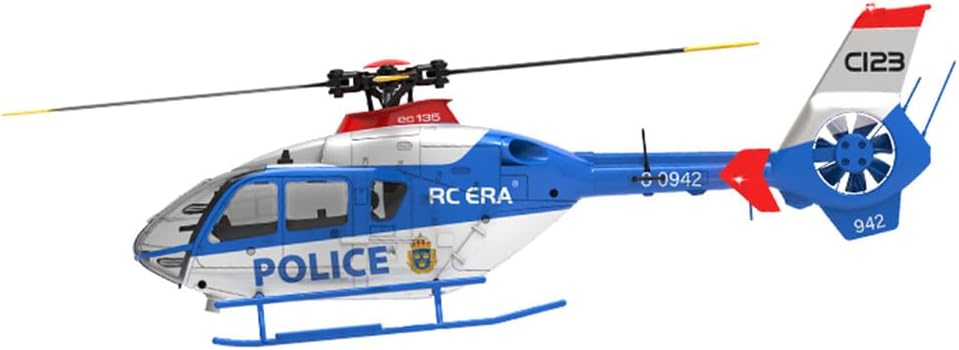
Side view of the RC ERA C123 helicopter, showing its military-style design and 'POLICE' markings.
4. Product Features
The Meiurlex RC ERA C123 helicopter is equipped with several advanced features for an enhanced flying experience:
- Realistic Military Style Design: Highly detailed appearance with a ducted tail propeller, replicating real-world aircraft.
- Precision Gyroscopic Design: 6-channel single-rotor system with 6-axis gyroscope for superior stability and effortless maneuverability, including 3D rolling capability.
- Advanced Flight Functions: Supports ascent, descent, forward/backward flight, left/right side flight, and rotation. 6G mode provides stability for beginners.
- Safety and Practical Controls: Features low voltage alarm, stall protection, loss of control protection, one-key takeoff/landing, altitude hold, and optical flow positioning for stable flight.
- Extended Flight Time and Performance: Powered by two brushless motors and a high-speed modular battery, offering up to 15 minutes of flight time with a 60-minute charging time.

Overview of the helicopter's multiple functions, including barometric height setting, brushless motor, and 6-axis gyroscope.
5. Setup
5.1 Battery Installation and Charging
- Helicopter Battery: Insert the 11.1V Lithium Polymer battery into the helicopter's battery compartment. Ensure it is securely connected.
- Remote Control Batteries: Open the battery cover on the back of the remote control and insert the required batteries (not included, typically AA batteries). Close the cover.
- Charging: Connect the helicopter battery to the USB charger. Plug the USB charger into a suitable USB power source (e.g., computer, USB wall adapter). The charging indicator will show the charging status. Charging time is approximately 60 minutes.
5.2 Pairing the Remote Control
- Ensure the helicopter battery is fully charged and installed.
- Place the helicopter on a flat, level surface.
- Turn on the helicopter's power switch. The indicator lights will flash.
- Turn on the remote control. The remote control's indicator light will flash.
- Push the throttle stick (left stick) all the way up, then all the way down. The remote control will beep, and both the helicopter and remote control indicator lights will become solid, indicating successful pairing.
6. Operating Instructions
6.1 Basic Controls
- Throttle (Left Stick Up/Down): Controls the helicopter's altitude. Push up to ascend, pull down to descend.
- Yaw (Left Stick Left/Right): Controls the helicopter's rotation around its vertical axis. Push left to rotate counter-clockwise, right to rotate clockwise.
- Pitch (Right Stick Up/Down): Controls forward and backward movement. Push up to fly forward, pull down to fly backward.
- Roll (Right Stick Left/Right): Controls left and right side flight. Push left to fly left, right to fly right.
6.2 One-Key Takeoff and Landing
After pairing, press the one-key takeoff button on the remote control. The helicopter will automatically ascend to a stable altitude. To land, press the one-key landing button, and the helicopter will slowly descend and land.

Visual representation of one-click takeoff and landing functionality, and the ducted tail rotor design.
6.3 Altitude Hold
The helicopter features an altitude hold function, which automatically maintains a stable height, allowing you to focus on directional control. This is particularly useful for beginners.
6.4 Speed Adjustment
The remote control allows for three-speed adjustments (low, moderate, high) to suit your flying skill level and environment. Refer to the remote control diagram for the speed switch location.

Details on the brushless motor for stable flight and the three-speed adjustment feature for varied flight experiences.
7. Maintenance
Regular maintenance ensures the longevity and optimal performance of your helicopter.
- Cleaning: Use a soft, dry cloth to clean the helicopter after each use. Avoid water or harsh chemicals.
- Propeller Inspection: Regularly check propellers for cracks or damage. Replace any damaged propellers immediately using the provided spare parts and screwdriver.
- Battery Care: Store batteries in a cool, dry place. Do not leave batteries fully charged or fully discharged for extended periods. Charge them to about 50% for storage.
- Storage: When not in use, store the helicopter and remote control in a safe place, away from direct sunlight and extreme temperatures.

Information on the helicopter's multidirectional flight capabilities and the convenience of its modular battery system.
8. Troubleshooting
If you encounter issues with your helicopter, refer to the following common problems and solutions:
| Problem | Possible Cause | Solution |
|---|---|---|
| Helicopter does not respond to remote control. | Not paired, low battery in remote/helicopter, out of range. | Re-pair the remote control. Charge helicopter battery. Replace remote control batteries. Ensure you are within the operating range (120-150m). |
| Helicopter cannot take off or flies unstably. | Low helicopter battery, damaged propellers, uneven takeoff surface. | Charge helicopter battery. Inspect and replace damaged propellers. Take off from a flat, level surface. |
| Helicopter drifts during flight. | Need for calibration, strong wind. | Perform gyroscope calibration (refer to remote control instructions for specific steps). Avoid flying in windy conditions. |
| Short flight time. | Battery not fully charged, aging battery. | Ensure battery is fully charged. Consider replacing the battery if it's old or damaged. |
9. Specifications
| Feature | Detail |
|---|---|
| Brand | Meiurlex |
| Model Number | PC51653C16U (C123) |
| Material | PA/PC |
| Rotor Diameter | 251 mm |
| Aircraft Battery | 11.1V Lithium Polymer Battery |
| RC Distance | 120-150 m |
| Charging Time | 60 minutes |
| Usage Time | Up to 15 minutes |
| Fuselage Dimensions | 281 x 92 x 75 mm |
| Product Weight | 400 g (Helicopter: 165 g + RC: 235 g) |
| Recommended Age | 16 years and up |
| Color | Blue and White |
10. Warranty and Support
Meiurlex products are manufactured to high-quality standards. For any questions, technical support, or warranty claims, please contact your retailer or the manufacturer directly. Please retain your proof of purchase for warranty purposes.
For further assistance, please refer to the contact information provided with your purchase or visit the official Meiurlex website.