Introduction
The WatchfulVision SN-10000 is a versatile 2K HD security camera integrated into a high-capacity 10000mAh power bank. Designed for indoor use, this device offers discreet surveillance with features such as loop recording, smart motion detection, enhanced night vision, and a gravity sensor for automatic video orientation. It operates without the need for a dedicated application, simplifying setup and usage. A 64GB SD card is included to provide immediate storage for your recordings.
What's in the Box
- WatchfulVision SN-10000 2K HD Security Camera Power Bank
- Instruction Manual
- Charging Cable (USB-A to Type-C)
- 64GB Micro SD Card
- USB Card Reader
Product Overview

Image: Front and side views of the WatchfulVision SN-10000 power bank camera, highlighting key components such as the battery level indicator, mode indicator light, USB output ports, Type-C input/charging port, date transmission port, operating buttons, TF card slot, alternate operating buttons, reset button, and camera lens.
The SN-10000 is designed to resemble a standard power bank, ensuring discreet operation. It features a digital display for battery level, multiple USB output ports for charging external devices, and a Type-C input for charging the power bank itself. The camera lens is subtly integrated into one end of the device. Control buttons and the Micro SD card slot are located under a protective rubber flap for security and concealment.
Setup
1. Charging the Device
Before first use, fully charge the power bank camera. Connect the provided USB-A to Type-C charging cable to the Type-C input port on the device and a compatible USB power adapter (not included). The digital display will show the charging progress. A full charge provides up to 30 hours of camera operation.
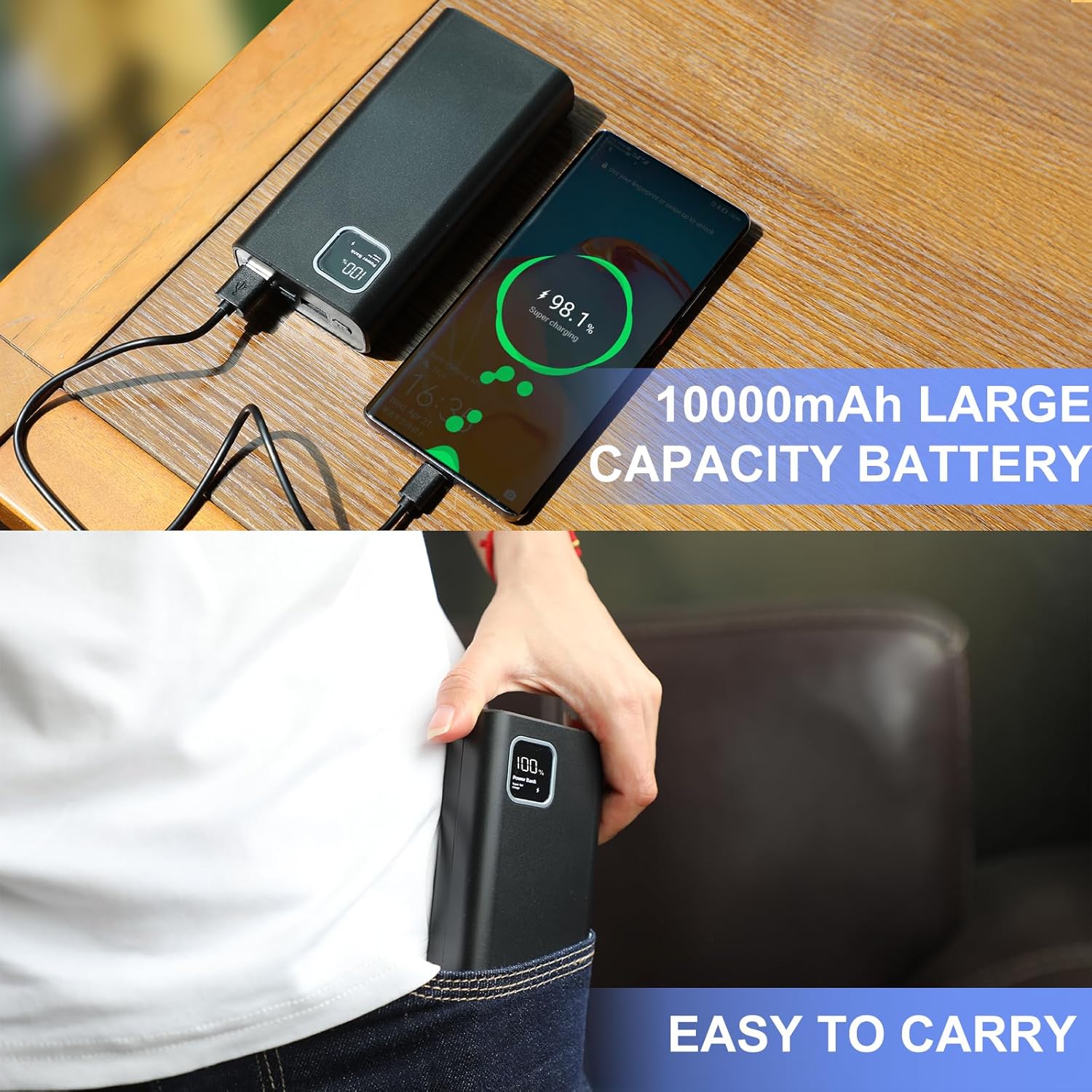
Image: The WatchfulVision SN-10000 power bank camera connected via USB cable to a smartphone, illustrating its function as a portable charger.
2. Inserting the Micro SD Card
Locate the rubber flap on the side of the device. Gently lift the flap to reveal the Micro SD card slot. Insert the included 64GB Micro SD card into the slot until it clicks into place. The device supports Micro SD cards up to 256GB.
3. Setting Date and Time
To ensure accurate timestamps on your recordings, you must manually set the date and time. This is done by creating a text file on the Micro SD card:
- Insert the Micro SD card into the provided USB card reader and connect it to your computer.
- Create a new text file (e.g., using Notepad on Windows or TextEdit on Mac) in the root directory of the Micro SD card.
- Name the file time.txt.
- Open time.txt and enter the current date and time in the format: YYYY-MM-DD HH:MM:SS (e.g., 2025-08-25 14:30:00).
- Save and close the file.
- Safely eject the Micro SD card from your computer and reinsert it into the power bank camera.
- Power on the device. The date and time will be updated automatically. The time.txt file will be automatically deleted after the update.
Operating Instructions
Power On/Off
Press and hold the power button (usually located near the USB ports) for a few seconds until the display lights up, indicating the device is powered on. To power off, press and hold the power button again until the display turns off.
Switching Recording Modes (L/M)
The device supports two recording modes: Loop Recording (L) and Motion Detection (M). To switch between these modes, locate the small toggle switch next to the Micro SD card slot, under the rubber flap. Slide the switch to 'L' for continuous loop recording or 'M' for motion-activated recording.
- Loop Recording (L): In this mode, the camera records continuously in 20-minute segments. When the SD card is full, the oldest files will be automatically overwritten to make space for new recordings.
- Motion Detection (M): When movement is detected within the camera's field of view, the device will automatically begin recording. Recordings in this mode are typically 20 minutes in length. Note that this camera does not record audio.

Image: An illustration showing the WatchfulVision SN-10000 power bank camera in a room, with a blue cone indicating its detection range, and a smaller inset showing a person being recorded by the camera, demonstrating the motion detection feature.
2K HD Video and Image Capture
The camera captures video and still images in 2K resolution (2560x1440p), providing clear and detailed footage. Recordings are saved as MP4 files on the Micro SD card.
Night Vision Function
The SN-10000 features upgraded night vision capabilities for clear recording in low-light or dark environments. To activate night vision, refer to the specific instructions in the included physical manual, as it requires manual setup for optimal performance. The camera utilizes 10 IR LEDs for illumination.

Image: A split image demonstrating the camera's performance in day and night conditions. The top half shows a living room scene in daylight, and the bottom half shows a bedroom scene in darkness with the night vision feature active, providing clear monochrome visibility.
Gravity Sensor
The integrated gravity sensor automatically adjusts the video orientation. If the camera is flipped 180 degrees during recording, the video will automatically switch to the correct upright orientation, eliminating the need for manual settings or post-production adjustments.

Image: Two views of the WatchfulVision SN-10000 power bank camera, one upright and one inverted, with arrows indicating the automatic 180-degree video switch due to the gravity sensor. An inset image shows a family with a pet, representing a typical scene that would be recorded.
Viewing Recordings
To view recorded footage, remove the Micro SD card from the device. Insert the Micro SD card into the provided USB card reader and connect the card reader to a computer. The video files (MP4 format) can then be accessed and played using standard media player software.
Maintenance
- Cleaning: Use a soft, dry cloth to clean the exterior of the device. Do not use liquid cleaners or aerosols.
- Storage: Store the device in a cool, dry place away from direct sunlight and extreme temperatures.
- Battery Care: For optimal battery life, avoid fully discharging the device frequently. Charge it regularly, even if not in active use.
- SD Card: Periodically back up important recordings from the Micro SD card to another storage device. Consider formatting the SD card every few months to maintain performance, ensuring all important data is backed up first.
Troubleshooting
| Issue | Possible Cause / Solution |
|---|---|
| Poor Video Quality | Ensure adequate lighting. While the camera offers 2K resolution, environmental factors can affect clarity. Ensure the lens is clean and free from obstructions. |
| No Audio in Recordings | This model is designed for video recording only and does not support audio capture. This is an intended feature for privacy and discreet operation. |
| Motion Detection Records Long Videos (20 minutes) | The motion detection feature is programmed to record in 20-minute segments once triggered. This is a fixed setting and cannot be adjusted to shorter durations. |
| Blue LED Light Visible During Recording | A blue indicator light may be visible during recording. To enhance discretion, you can orient the device so the LED is not visible, or cover it if necessary. The LED turns off in night vision mode. |
| Incorrect Date/Time on Recordings | Ensure you have correctly followed the "Setting Date and Time" instructions in the Setup section, including creating and saving the time.txt file on the Micro SD card. |
| Device Not Powering On | Ensure the device is fully charged. Connect it to a power source and allow it to charge for several hours. If the issue persists, try a different charging cable or adapter. |
| SD Card Not Recognized | Ensure the Micro SD card is inserted correctly and fully into the slot. Try reinserting it. If the issue persists, try formatting the card on a computer or using a different Micro SD card. The device supports up to 256GB. |
Specifications
| Feature | Detail |
|---|---|
| Brand | WatchfulVision |
| Model Name | SN-10000 |
| Video Capture Resolution | 2K (2560x1440p) |
| Effective Still Resolution | 3.7 MP |
| Video Encoding | H.264 |
| Video Capture Format | MP4 |
| Frame Rate | 30 frames per second |
| Audio Function | None |
| Battery Capacity | 10000mAh |
| Camera Operation Time | Up to 30 hours |
| Power Source | Battery Powered |
| Charging Voltage | DC-5V/2A |
| Charging Port | Type-C |
| USB Output Ports | 2 (OUT1, OUT2) |
| Flash Memory Type | Micro SD |
| Flash Memory Installed Size | 64 GB (included) |
| Flash Memory Supported Size Maximum | 256 GB |
| Night Vision Range | 3 Meters |
| Number of IR LEDs | 10 |
| Viewing Angle | 90 Degrees |
| Special Features | Gravity Sensor, HD Resolution, Motion Sensor, Night Vision, Portable |
| Indoor/Outdoor Usage | Indoor |
| Dimensions (L x W x H) | 5.6 x 2.7 x 1 inches |
| Item Weight | 15.5 ounces |
Warranty and Support
For warranty information and technical support, please refer to the contact details provided on the product packaging or visit the official WatchfulVision website. Keep your purchase receipt as proof of purchase for any warranty claims.
Manufacturer: WatchfulVision


