
1. Introduction
Thank you for choosing the PowerMax Fitness JOGPAD-2 2-in-1 Compact Foldable Treadmill. This versatile fitness equipment is designed for both walking and jogging, offering a powerful 4.0HP Peak DC motor and a compact, space-saving design. This manual provides essential information for safe operation, setup, maintenance, and troubleshooting to ensure you get the most out of your JOGPAD-2.

Figure 1: PowerMax Fitness JOGPAD-2 Treadmill in its upright position.
2. Important Safety Information
Please read all instructions carefully before using the JOGPAD-2 treadmill. Keep this manual for future reference.
- Consult a Physician: Before starting any new exercise program, consult with your physician, especially if you have pre-existing health conditions.
- User Weight Limit: Do not exceed the maximum user weight capacity of 120 kg. For running, PowerMax recommends factoring in an additional 30KG buffer.
- Proper Placement: Place the treadmill on a flat, stable surface. Ensure adequate clear space (at least 2 meters behind and 0.6 meters on each side) around the treadmill for safe operation.
- Power Source: Connect the treadmill only to a properly grounded outlet. Do not use extension cords or adapters.
- Children and Pets: Keep children and pets away from the treadmill during operation.
- Emergency Stop: Familiarize yourself with the emergency stop function and the safety key. Always attach the safety key to your clothing during use.
- Footwear: Always wear appropriate athletic footwear while using the treadmill.
- Maintenance: Perform regular maintenance as described in this manual to ensure safe and optimal performance.
- Unplug When Not in Use: Always unplug the treadmill from the power outlet when not in use, before cleaning, or before performing any maintenance.
3. Package Contents
Upon unpacking, please verify that all the following components are included:
- 1 x PowerMax Fitness JOGPAD-2 Treadmill Machine
- 1 x Assembly Tool kit
- 1 x User Manual (This document)
- 1 x Warranty Card
- 1 x Lubrication Oil (30ml)
4. Setup and Assembly
The PowerMax Fitness JOGPAD-2 treadmill is designed for minimal assembly. It comes largely pre-assembled.
- Unpacking: Carefully remove the treadmill and all components from the packaging.
- Placement: Place the treadmill on a firm, level surface. Ensure there is sufficient space around the unit for safe operation and folding.
- Unfolding (if applicable): If the treadmill is in its folded position, gently lower the handlebar assembly until it locks into the upright position. Refer to Figure 7 for visual guidance on folding/unfolding.
- Power Connection: Plug the power cord into a grounded electrical outlet.
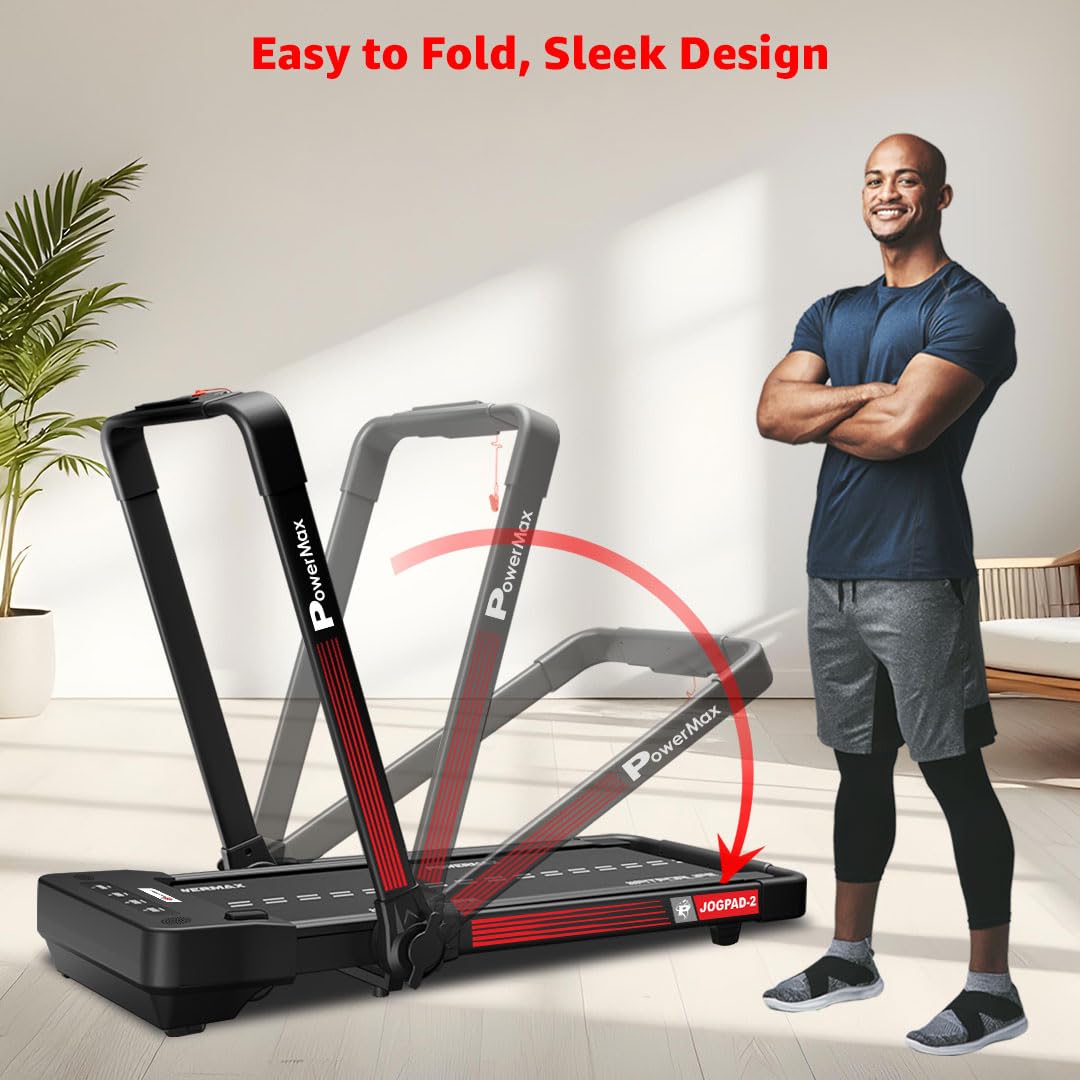
Figure 7: Illustration of the easy folding mechanism for space-saving storage.
5. Operating Instructions
5.1 Powering On/Off
- Power On: Ensure the treadmill is plugged in. Locate the main power switch (usually near the front base) and turn it to the 'ON' position. The LED display will illuminate.
- Safety Key: Attach the safety key clip to your clothing and insert the magnetic end into the designated slot on the console. The treadmill will not operate without the safety key in place.
- Power Off: To turn off, remove the safety key, then turn the main power switch to the 'OFF' position. Unplug the unit from the wall outlet for complete power disconnection.
5.2 Using the Remote Controller
The JOGPAD-2 is controlled via a convenient remote controller.

Figure 2: JOGPAD-2 Treadmill with its remote control for effortless operation.
- Start/Stop: Press the Start/Stop button to begin or end your workout.
- Speed Adjustment: Use the + and - buttons to increase or decrease the speed. The speed range is 1.0 - 14 km/hr.
- Mode/Program Selection: The M button allows you to cycle through different display modes or select preset programs.

Figure 4: Remote-controlled convenience for effortless workouts, displaying Time, Speed, Distance, and Calories.
5.3 LED Display and Programs
The 4 LED window display provides real-time workout data.
- Display Metrics: Monitor your Time, Speed, Distance, and Calories burned.
- Preset Programs: The treadmill features 6 preset programs to add variety to your workouts. Select these using the 'M' button on the remote.
- Manual Mode: In manual mode, you can freely adjust speed.

Figure 8: Manual 3 Program Modes for Time, Distance, and Calories tracking.
5.4 Running Surface and Motor
The JOGPAD-2 offers a comfortable and powerful workout experience.
- Running Surface: Enjoy a generous 1100 x 430mm (43.3 x 16.9 inch) running surface, providing ample room for various gaits. The grass texture running belt enhances grip and reduces slippage.
- Motor: Equipped with a robust 4.0HP Peak DC Motor for smooth and consistent performance across the entire speed range (1.0 - 14 km/hr).
- Cushioning: The integrated Cushion Shock Absorption system minimizes impact on your joints and contributes to quiet operation.
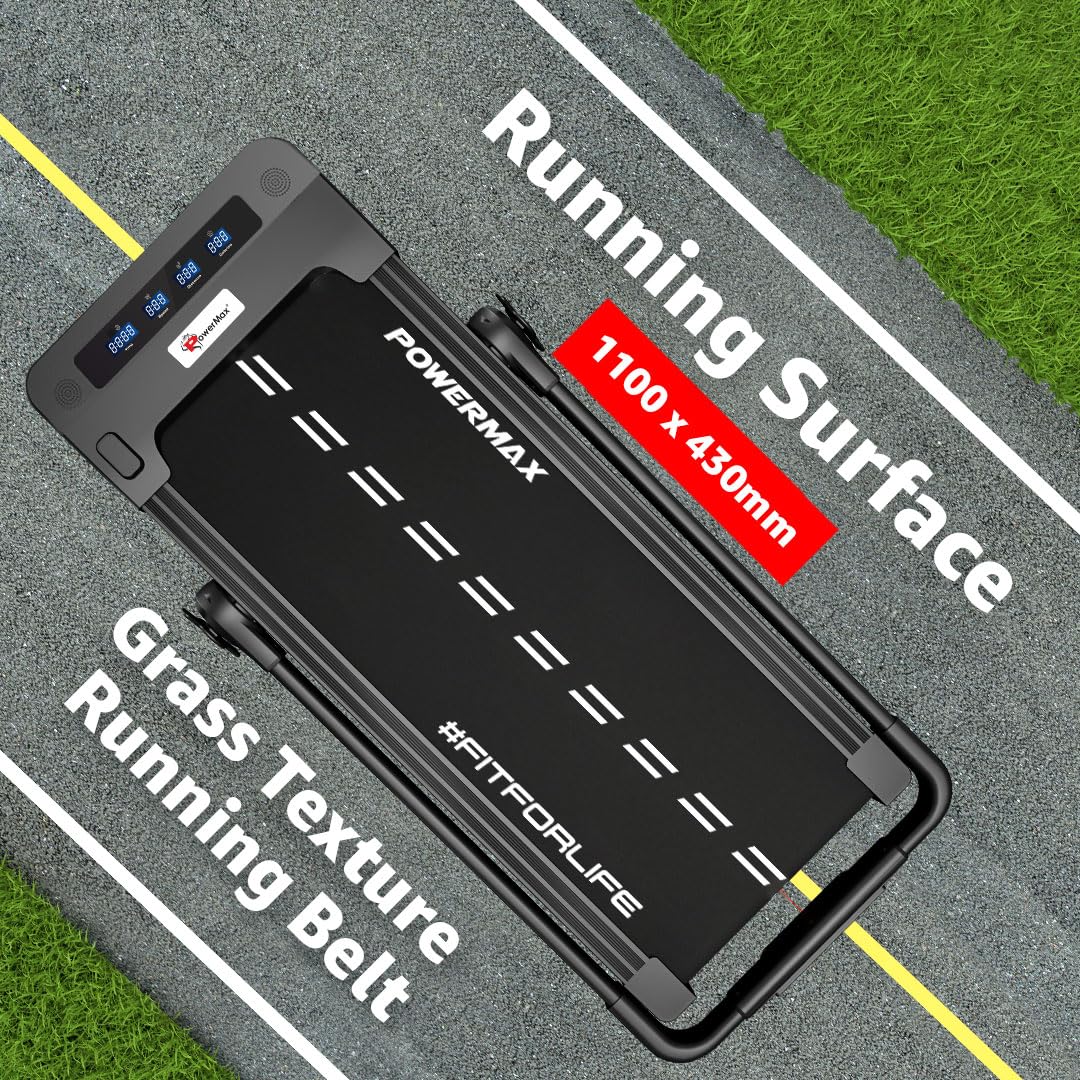
Figure 5: Detailed view of the 1100 x 430mm running surface with grass texture running belt.

Figure 3: Illustration of the 4.0HP DC Motor and speed range of 1.0 - 14 km/hr.
5.5 Additional Features
- iPad & Mobile Holder: A built-in holder allows you to place your tablet or smartphone for entertainment or tracking during your workout.

Figure 6: Integrated iPad & Mobile Holder for convenience during workouts.
6. Maintenance
Regular maintenance ensures the longevity and optimal performance of your JOGPAD-2 treadmill.
- Lubrication: The running belt requires periodic lubrication. Use the provided 30ml lubrication oil. Refer to the specific instructions in the full user manual for the correct lubrication procedure.
- Cleaning: Wipe down the treadmill with a damp cloth after each use to remove sweat and dust. Do not use abrasive cleaners.
- Belt Adjustment: Periodically check the running belt for proper tension and alignment. Adjust as needed according to the detailed instructions in the comprehensive manual.
- Motor Cover: Keep the motor cover area clean and free of dust and debris to ensure proper ventilation.
7. Troubleshooting
If you encounter issues with your JOGPAD-2 treadmill, refer to the following common troubleshooting tips. For more complex problems, contact customer support.
| Problem | Possible Cause | Solution |
|---|---|---|
| Treadmill does not power on. | Not plugged in; Power switch off; Safety key not inserted. | Ensure power cord is securely plugged in. Turn main power switch ON. Insert safety key fully. |
| Running belt slips or hesitates. | Belt tension too loose; Insufficient lubrication. | Adjust belt tension (refer to full manual). Apply lubrication oil as per maintenance instructions. |
| Unusual noise during operation. | Loose components; Belt misalignment; Motor issues. | Check for loose screws. Adjust belt alignment. If noise persists, contact customer support. |
| Remote control not responding. | Dead batteries; Obstruction between remote and sensor. | Replace remote control batteries. Ensure clear line of sight to the treadmill's sensor. |
8. Product Specifications
| Feature | Detail |
|---|---|
| Brand | PowerMax Fitness |
| Model Name | JOGPAD-2 |
| Item Model Number | PMJOGPAD-2 |
| Motor | 4.0HP Peak DC Motor |
| Speed Range | 1.0 - 14 Kilometers per Hour |
| Maximum Weight Recommendation | 120 Kilograms |
| Running Surface (Deck Length x Deck Width) | 1100 mm x 430 mm (43.3 x 16.9 inches) |
| Product Dimensions (D x W x H) | 133.5D x 68.5W x 116.5H Centimeters |
| Item Weight | 36 Kilograms |
| Material | Alloy Steel |
| Special Feature | Foldable |
| Display Type | LED |
| Included Components | Assembly Tool kit, User Manual, Treadmill Machine, Warranty Card, Lubrication Oil (30ml) |

Figure 9: The JOGPAD-2 supports a maximum user weight of 120 kg.
9. Warranty and Customer Support
Your PowerMax Fitness JOGPAD-2 Treadmill comes with a warranty. Please refer to the included Warranty Card for specific terms and conditions.
For any assistance, queries, or support, please contact PowerMax Fitness customer service:
- Phone: +91-8080-206-206
- WhatsApp: +91-8080-269-269
- Email: support@powermaxfitness.net
- Support Portal: support.powermaxfitness.net
Please have your model number (PMJOGPAD-2) and purchase details ready when contacting support.