
SKKSource B0F2MK2KX1
SKKSource 29V 5A AC Adapter Charger User Manual
Model: B0F2MK2KX1
1. Product Overview
This manual provides essential information for the safe and effective use of your SKKSource 29V 5A AC Adapter Charger. This charger is designed to be compatible with Heartway Tiara (P4AS) and R (P4ASR) models requiring an SLA Battery Charger.

Image: The SKKSource 29V 5A AC Adapter Charger, showing the main unit, the AC power cord, and the device connector cable.
Key Features:
- Safety Certified: Manufactured with high-quality materials and includes multiple smart features safeguarding against incorrect voltage (IV), short circuit (SC), and internal overheating (IO). Chargers are CE and FCC certified.
- Wide Input Voltage: Supports an input voltage range of 100-240V, suitable for various regions.
- Durable Construction: Features high-quality copper core wire, designed for extended lifespan and reliable power delivery.
2. Safety Information
Please read all safety instructions carefully before using the charger to prevent injury or damage to the device.
- Indoor Use Only: This charger is designed for indoor use. Do not expose to rain, moisture, or extreme temperatures.
- Proper Ventilation: Ensure adequate ventilation around the charger during operation. Do not cover the charger.
- Correct Voltage: Only connect the charger to power outlets within the specified input voltage range (100-240V).
- Avoid Overload: Do not overload power outlets or extension cords.
- Handle with Care: Do not drop, disassemble, or attempt to repair the charger. Refer servicing to qualified personnel.
- Cable Integrity: Regularly inspect the power cord and connector for damage. Do not use if cables are frayed or damaged.
- Unplug When Not In Use: Disconnect the charger from the power outlet when not in use or during electrical storms.
3. Setup
Follow these steps to set up your charger:
- Unpack: Carefully remove the charger and all components from the packaging.
- Inspect: Check the charger, power cord, and device connector for any visible damage. Do not proceed if damage is found.
- Connect to Device: Plug the device connector (the round, silver connector) firmly into the charging port of your Heartway Tiara (P4AS) or R (P4ASR) mobility scooter. Ensure a secure connection.
- Connect to Power Outlet: Insert the AC power cord into the charger's AC input port, then plug the other end of the AC power cord into a standard wall outlet (100-240V).
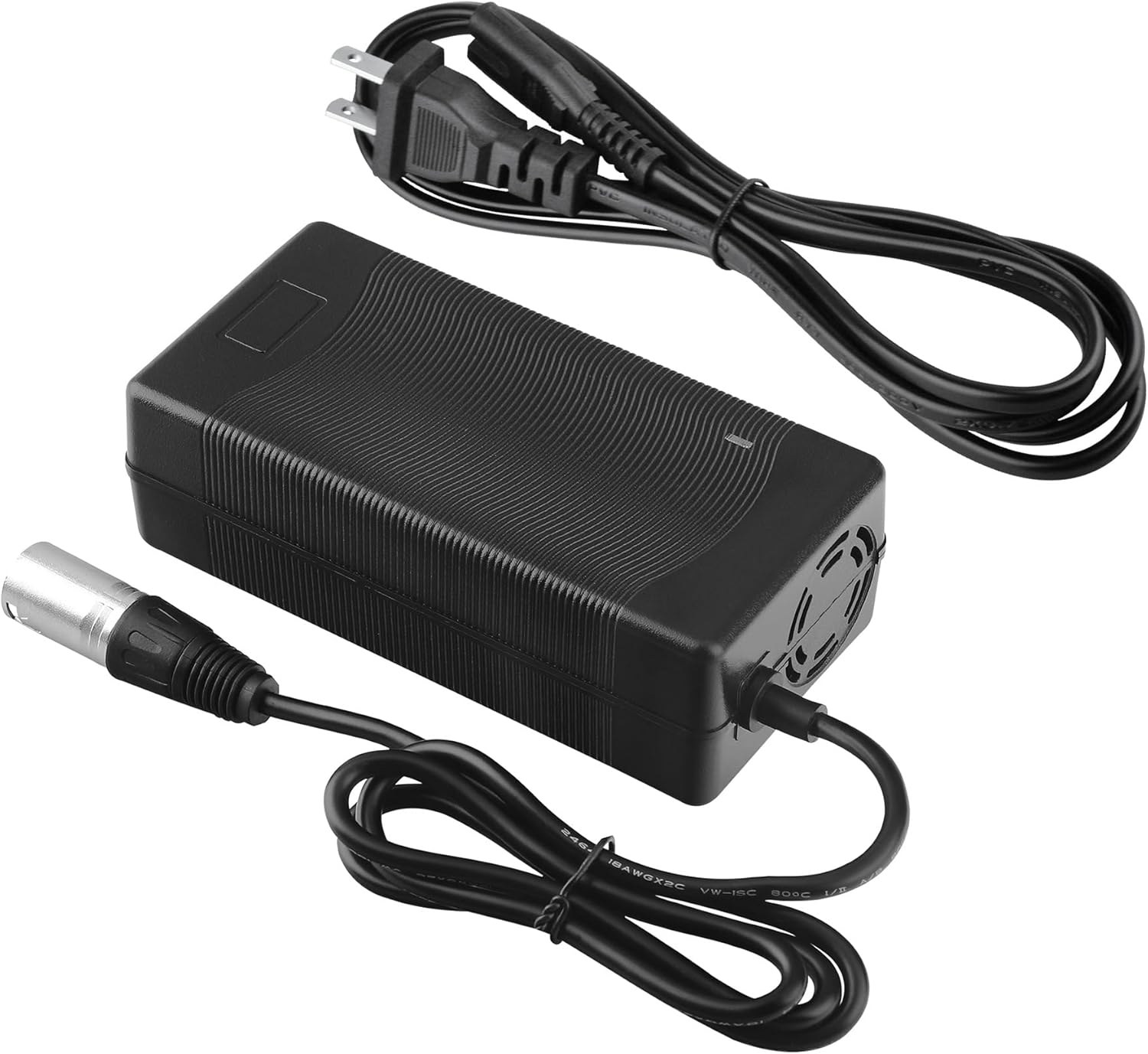
Image: The charger unit with both the AC power cord and the device connector cable attached, ready for use.
4. Operating Instructions
Once properly connected, the charger will begin the charging process.
- Charging Indicator: The charger typically features an LED indicator. A red light usually indicates that the battery is charging. A green light indicates that the battery is fully charged or that the charger is in standby mode (not connected to a device or device is fully charged).
- Charging Time: Charging time will vary depending on the battery's capacity and its current charge level. Refer to your device's manual for specific battery charging times.
- Disconnecting: Once charging is complete (indicated by a green light), first unplug the charger from the wall outlet, then disconnect the device connector from your mobility scooter.
5. Maintenance
Proper maintenance ensures the longevity and performance of your charger.
- Cleaning: Disconnect the charger from all power sources before cleaning. Use a soft, dry cloth to wipe the exterior of the charger. Do not use liquid cleaners or solvents.
- Storage: Store the charger in a cool, dry place away from direct sunlight and extreme temperatures. Coil cables neatly to prevent kinks or damage.
- Regular Inspection: Periodically check the charger and cables for any signs of wear, cuts, or damage.
6. Troubleshooting
If you encounter issues with your charger, try the following solutions:
- Charger Not Powering On/No Indicator Light:
- Ensure the AC power cord is securely plugged into both the charger and the wall outlet.
- Test the wall outlet with another device to confirm it has power.
- Check for any visible damage to the power cord or charger.
- Device Not Charging:
- Verify that the device connector is fully inserted into the charging port of your mobility scooter.
- Confirm the charger's indicator light is red (charging). If green, the battery may already be full.
- Ensure the charger is compatible with your specific device model and battery type.
- The battery itself may be faulty or at the end of its lifespan. Consult your device's manual or a technician.
- Overheating:
- Disconnect the charger immediately.
- Ensure the charger is in a well-ventilated area and not covered.
- If overheating persists, discontinue use and contact customer support.
If these steps do not resolve the issue, please contact customer support for further assistance.
7. Specifications
| Feature | Description |
|---|---|
| Model Number | B0F2MK2KX1 |
| Brand | SKKSource |
| Input Voltage | 100-240V |
| Output Voltage | 29V |
| Output Current | 5A |
| Compatible Devices | Heartway Tiara (P4AS)/ R (P4ASR) w/SLA Battery Charger |
| Color | Black |
| Material | Composite, Plastic, Metal |
| Manufacturer | Shenzhen AiNaU Technological Co., Ltd |
| Country of Origin | China |

Image: The charger unit displaying its approximate dimensions (5.88 in length, 2.90 in width, 1.81 in height).
8. Warranty and Support
This SKKSource product is covered by a manufacturer's warranty against defects in materials and workmanship. Please refer to the product packaging or the seller's information for specific warranty terms and duration.
Customer Support:
For technical assistance, troubleshooting not covered in this manual, or warranty claims, please contact the seller or manufacturer directly. You can typically find contact information on the product listing page or within your purchase documentation.
Seller: Power Supply Source
For the most up-to-date support information, please visit the official SKKSource website or the platform where you purchased this product.