
Introduction
Thank you for choosing Wishouse M9 Walkie Talkies. These long-range, rechargeable 2-way radios are designed for clear communication in various outdoor and indoor settings. Equipped with features like NOAA Weather Alert, VOX hands-free operation, a built-in flashlight, and an SOS siren, they are ideal for family activities, camping, hiking, and general communication. This manual provides essential information for setup, operation, maintenance, and troubleshooting to ensure optimal performance and safety.

Image: A person hiking outdoors, demonstrating the portability of the Wishouse walkie talkie.
What's in the Box
- 2 x Wishouse M9 Walkie Talkies
- 2 x Belt Clips
- 6 x 1000mAh AA Rechargeable Batteries
- 1 x 1-to-2 Micro USB Charging Cable
- 2 x Wearable Lanyards
- 1 x User Manual
- 1 x Color Box
Video: An unboxing and overview of the Wishouse walkie talkie set, showing the contents and initial setup.
Product Features
- Rechargeable Batteries: The walkie talkies use micro USB charging, eliminating the need for disposable batteries.
- Long Range & Clear Sound: Equipped with an upgraded custom helix gain antenna for super penetration and lossless transmission technology, allowing clear communication up to 1 mile indoors or in yards, and longer in open areas.
- NOAA Emergency Weather Broadcast: Access NOAA Weather Alerts to receive warnings about severe weather conditions, providing critical time for preparation.
- Flashlight & SOS Siren: Features a built-in flashlight for visibility in low-light conditions and an SOS alarm for emergency signaling.
- Easy to Use: Ergonomic design for comfortable grip and simple setup for quick communication.
- VOX Hands-Free: Voice and Sound Activation (VOX) system with 3 sensitivity levels allows for hands-free communication.
- Compatibility: M9 radios are compatible with all Wishouse walkie talkies and most other brands when set to the same channel and privacy code.
- Accessories: Includes belt clips and wearable lanyards for convenient carrying.

Image: A detailed diagram highlighting the key features and controls of the walkie talkie.
Setup
1. Battery Installation
- Locate the battery compartment cover on the back of the walkie talkie.
- Remove the belt clip by sliding it upwards if attached.
- Carefully open the battery compartment cover.
- Insert the 3 x 1000mAh AA rechargeable batteries, ensuring correct polarity (+/-).
- Replace the battery compartment cover and reattach the belt clip if desired.
Video: Demonstrates the simple battery installation process for the walkie talkies.
2. Charging the Batteries
- Connect the micro USB charging cable to the charging port on the walkie talkie.
- Plug the other end of the USB cable into a compatible USB power adapter (not included) or a computer USB port.
- The battery indicator on the LCD screen will show charging status.
- A full charge typically takes approximately 1.8 hours.
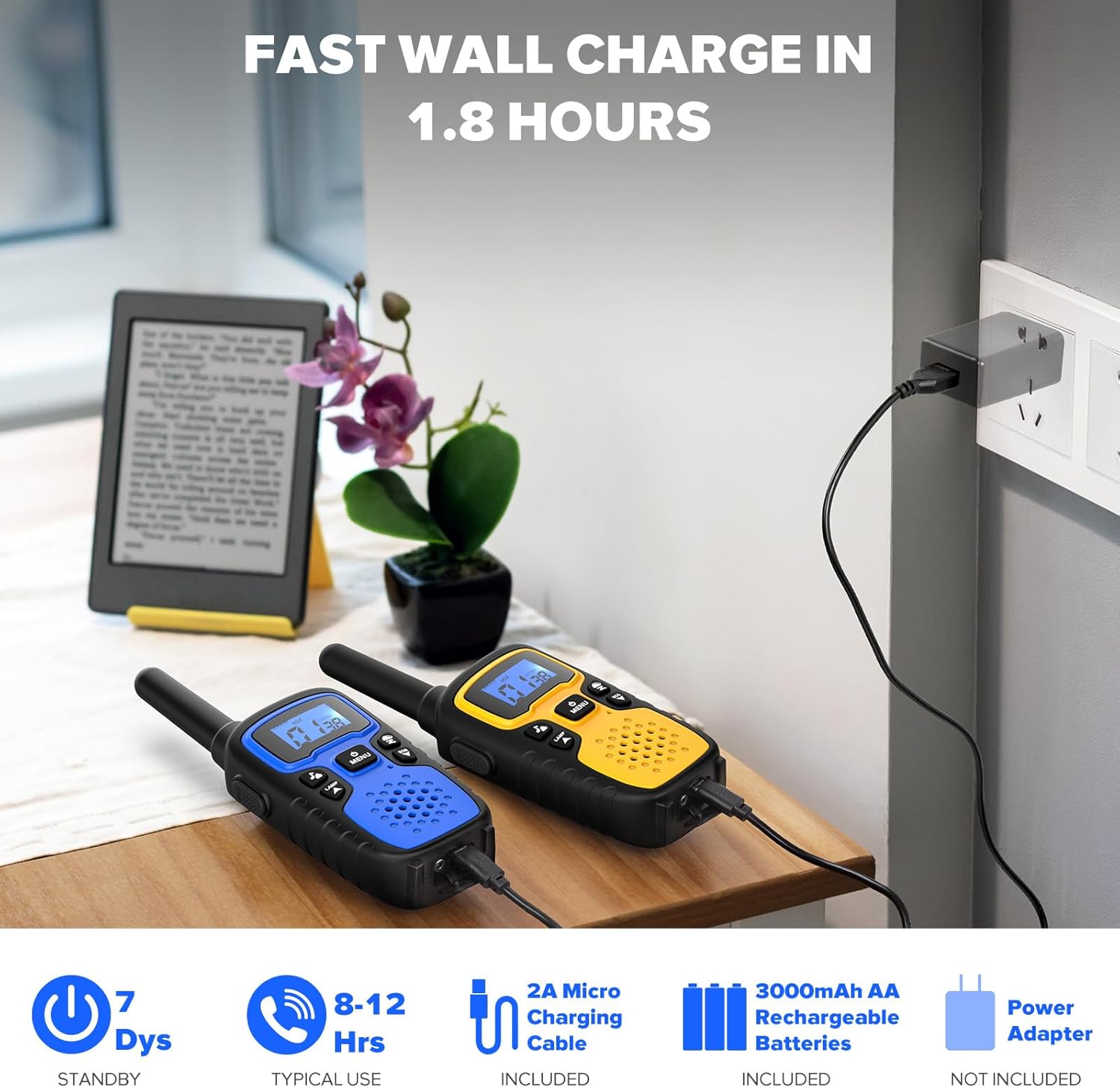
Image: Walkie talkies being charged via USB cable.
3. Attaching Lanyard/Belt Clip
- Attach the provided lanyard to the designated loop on the walkie talkie for hands-free carrying around your neck.
- The belt clip can be used to secure the walkie talkie to your belt or pocket.
Operating Instructions
1. Power On/Off
- To power on, press and hold the MENU/Power button until the LCD screen illuminates.
- To power off, press and hold the MENU/Power button until the LCD screen turns off.
2. Channel Selection
- Press the MENU button once. The channel number will flash on the LCD screen.
- Use the Up (▲) or Down (▼) buttons to select your desired channel (1-22).
- Press the PTT button to confirm the channel and exit the menu, or press MENU again to move to privacy code settings.
- Ensure all walkie talkies intended for communication are on the same channel.
3. Privacy Codes (CTCSS/DCS)
- After selecting a channel, press the MENU button again. The privacy code will flash.
- Use the Up (▲) or Down (▼) buttons to select a privacy code (0-99).
- Press the PTT button to confirm and exit.
- For private communication, all walkie talkies must be on the same channel and privacy code.
4. Push-to-Talk (PTT)
- To transmit, press and hold the PTT button located on the side of the walkie talkie. Speak clearly into the microphone.
- Release the PTT button to listen for a response.
5. VOX (Voice Activated Transmission)
- To activate VOX, press the MENU button four times until 'VOX' appears on the screen.
- Use the Up (▲) or Down (▼) buttons to select a sensitivity level (1-3, with 3 being most sensitive). 'OF' turns VOX off.
- Press PTT to confirm and exit. When VOX is active, the walkie talkie will transmit automatically when you speak, without needing to press PTT.

Image: Family using walkie talkies with VOX hands-free feature.
6. Flashlight
- Press the LAMP button (located below the PTT button) once to turn on the built-in LED flashlight.
- Press the LAMP button again to turn it off.
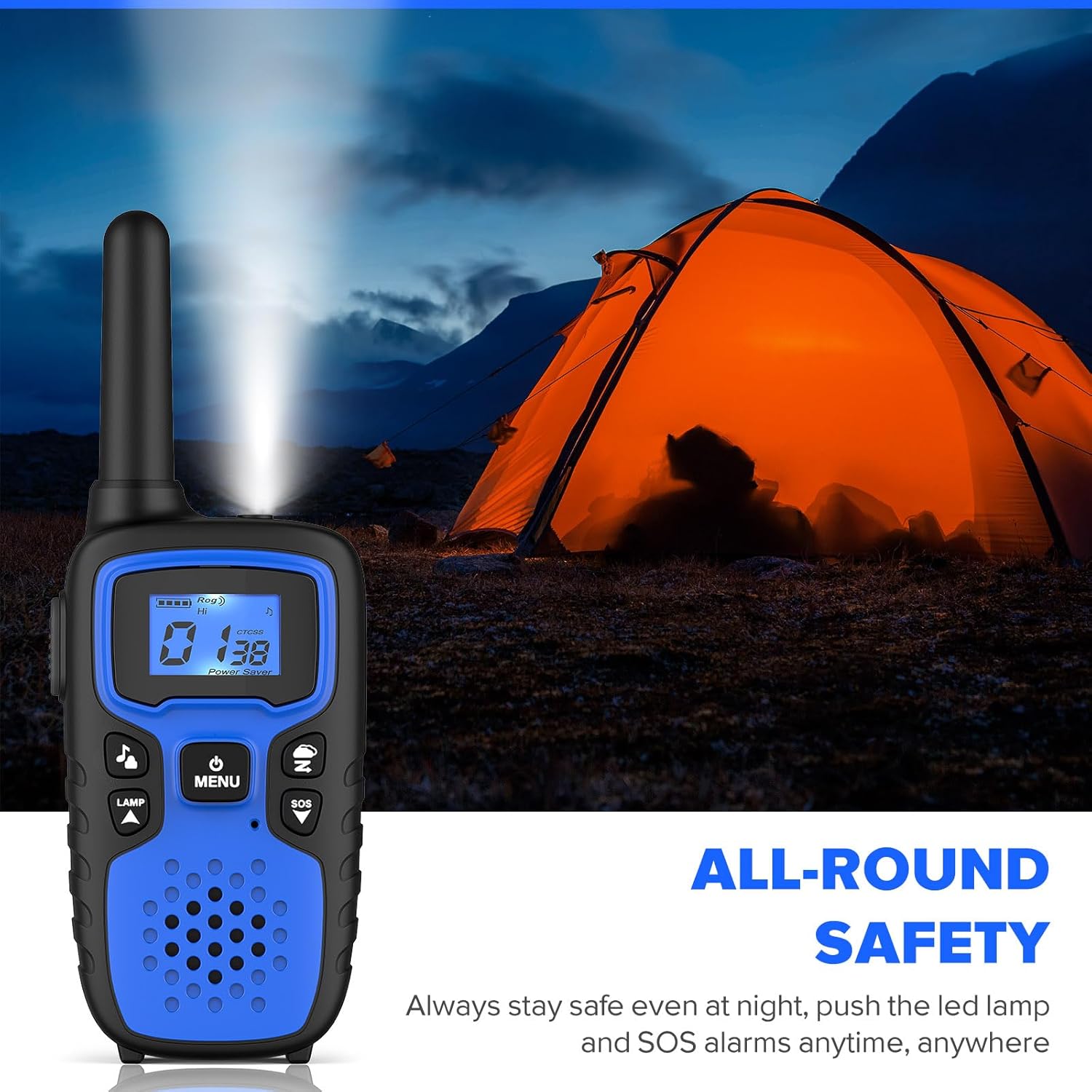
Image: Walkie talkie flashlight illuminated during camping.
7. SOS Siren
- Press the SOS button (located below the Menu button) once to activate the emergency siren.
- Press the SOS button again to turn it off.
8. NOAA Weather Alert
- To access NOAA weather channels, press the N button (NOAA/Scan) once.
- Use the Up (▲) or Down (▼) buttons to cycle through available weather channels.
- Press the N button again to exit weather mode.
Video: Demonstrates the NOAA Weather Alert feature, showing how to access weather announcements.
9. Volume Adjustment
- Use the Up (▲) or Down (▼) buttons when not in menu mode to adjust the speaker volume.
Maintenance
- Cleaning: Wipe the walkie talkie with a soft, damp cloth. Do not use harsh chemicals or abrasive cleaners.
- Battery Care: For optimal battery life, fully charge the batteries before first use. If storing for extended periods, remove the batteries.
- Storage: Store the walkie talkies in a cool, dry place away from direct sunlight and extreme temperatures.
- Water Resistance: These walkie talkies are not water resistant. Avoid exposure to rain or submersion in water.
Troubleshooting
| Problem | Possible Cause | Solution |
|---|---|---|
| No power | Low or dead batteries; Incorrect battery installation | Charge or replace batteries; Reinstall batteries correctly |
| Cannot communicate with other radios | Different channels or privacy codes; Radios out of range | Ensure all radios are on the same channel and privacy code; Move closer to other radios |
| Poor sound quality/static | Out of range; Obstructions (buildings, terrain); Low battery | Move closer; Find a clearer line of sight; Charge batteries |
| VOX not working | VOX is off or sensitivity too low | Activate VOX and adjust sensitivity level (1-3) |
| NOAA Weather Alert not receiving | Not in NOAA mode; No signal in area | Activate NOAA mode; Check local NOAA coverage |
Video: Highlights key features like sound, range, and NOAA alerts, which can help in troubleshooting communication issues.
Specifications
- Product Dimensions: 1.7 x 2.5 x 6.7 inches
- Item Weight: 15.8 ounces
- Batteries: 6 AA batteries required (included)
- Number of Channels: 22
- Frequency Range: 462.5500-462.7250 MHz, 467.5625-467.7125 MHz
- Talking Range Maximum: 5 Miles (in optimal conditions)
- Voltage: 3.6 Volts
- Water Resistance Level: Not Water Resistant
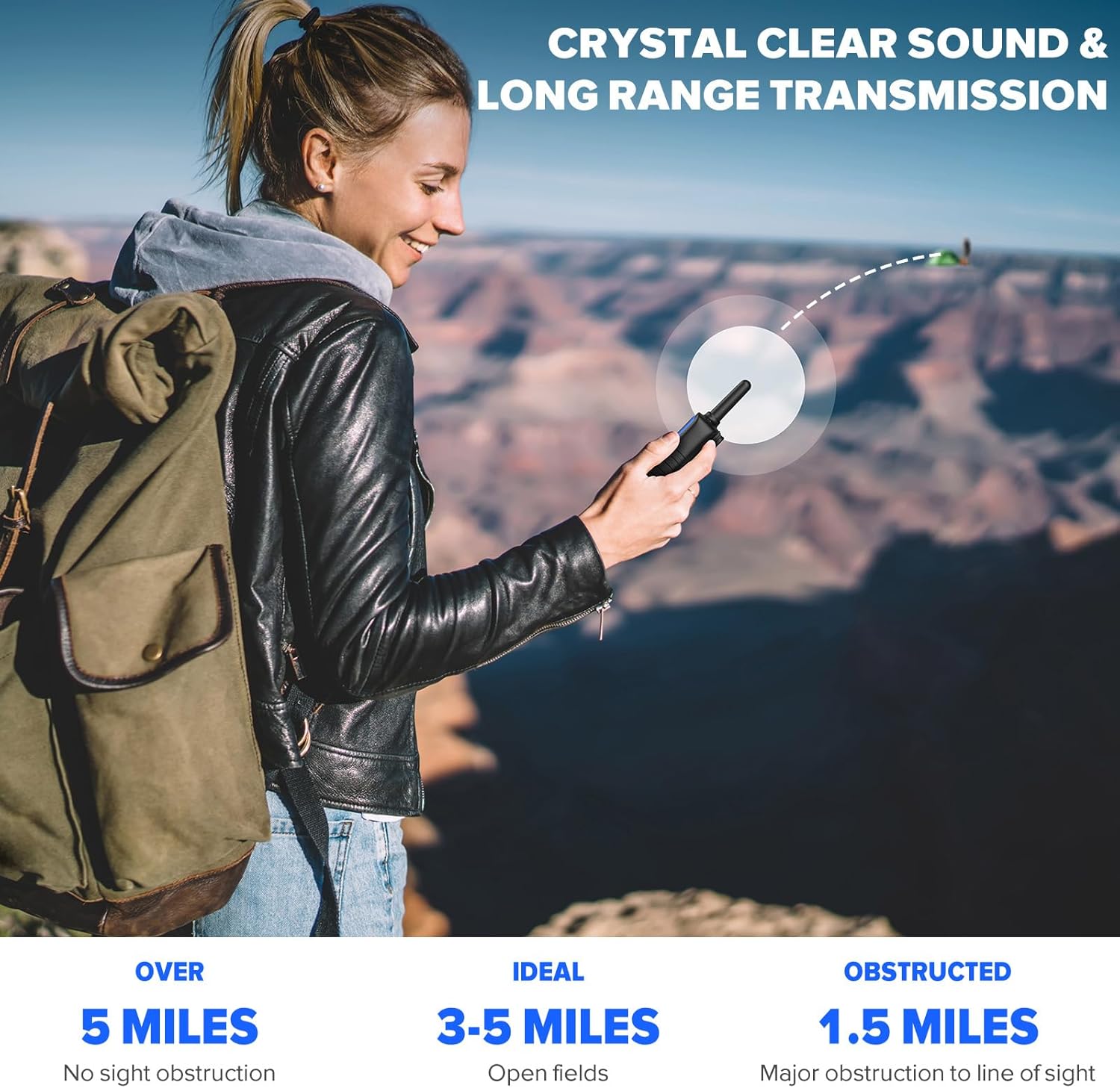
Image: Visual representation of the walkie talkie's communication range under different conditions.
Warranty & Support
Warranty: Wishouse M9 walkie talkies come with a 3-year warranty for a worry-free experience. Please retain your proof of purchase for warranty claims.
Customer Support: For any questions, technical assistance, or warranty claims, please contact Wishouse customer support through the retailer's platform or visit the official Wishouse website for contact information.


