1. Introduction
Thank you for choosing the X9 Smart Wireless Video Doorbell. This device provides enhanced home security with its 1080P HD video, infrared night vision, and two-way intercom capabilities. This manual will guide you through the installation, operation, and maintenance of your new doorbell system.
2. Product Overview
2.1 Package Contents
- 1 x X9 Smart Doorbell Unit
- 1 x Indoor Chime Unit
- 1 x User Manual
- 1 x Charging Cable
2.2 Key Features
- Motion Detection (PIR Sensor): Configured with a pyroelectric infrared sensor, the camera pushes alert messages to your APP when motion is detected.
- Night Vision: Utilizes an ICR infrared filter for powerful night vision, providing clear visibility even in low light.
- 166° Ultra-Wide Angle Lens: Captures a broad view of your doorstep, ensuring you see every detail.
- Real-time Intercom: Allows two-way audio communication with visitors via the APP, even when you are away from home.
- 1080P Full HD Video: Provides clear and detailed video footage.
- Dual Power Supply: Supports lithium battery power for wireless installation and power adapter charging for continuous power.
- Adjustable Chime: The indoor chime offers 4 ringtones and 3 adjustable volume levels (up to 100dB), including a silent mode.
- Low Battery Prompt: Customizable low battery warning threshold in the APP.
- Local and Cloud Storage: Supports photo and video recording (no SD card required) with free 7-day cloud storage.
- Voice Message Function: Pre-store up to 3 voice messages (10 seconds each) for quick responses to visitors.
- Multi-user Function: Cloudedge App supports multi-user group sharing, allowing family members to view surveillance video.
- Voice Change Intercom: Features a voice change function for privacy and security during intercom calls.
2.3 Product Components and Dimensions
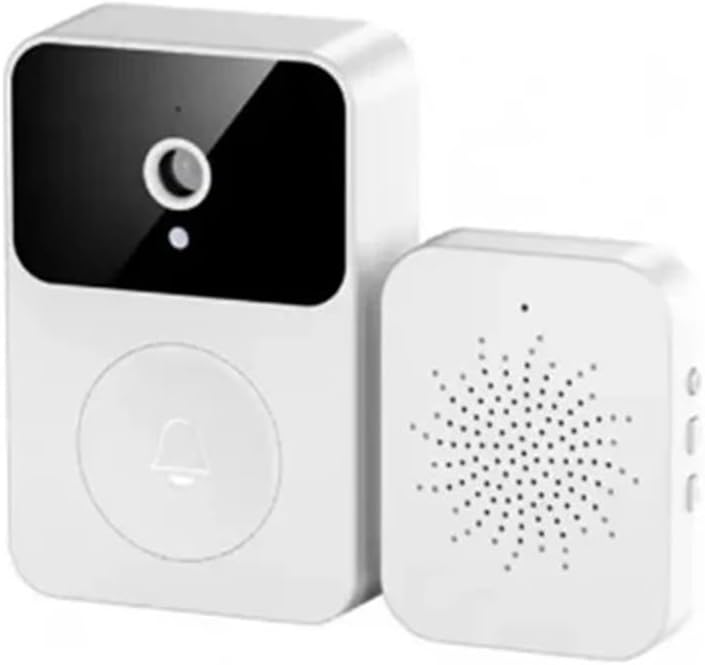
Image: The X9 Smart Wireless Video Doorbell unit and its accompanying indoor chime unit, both in white, showcasing their compact design.
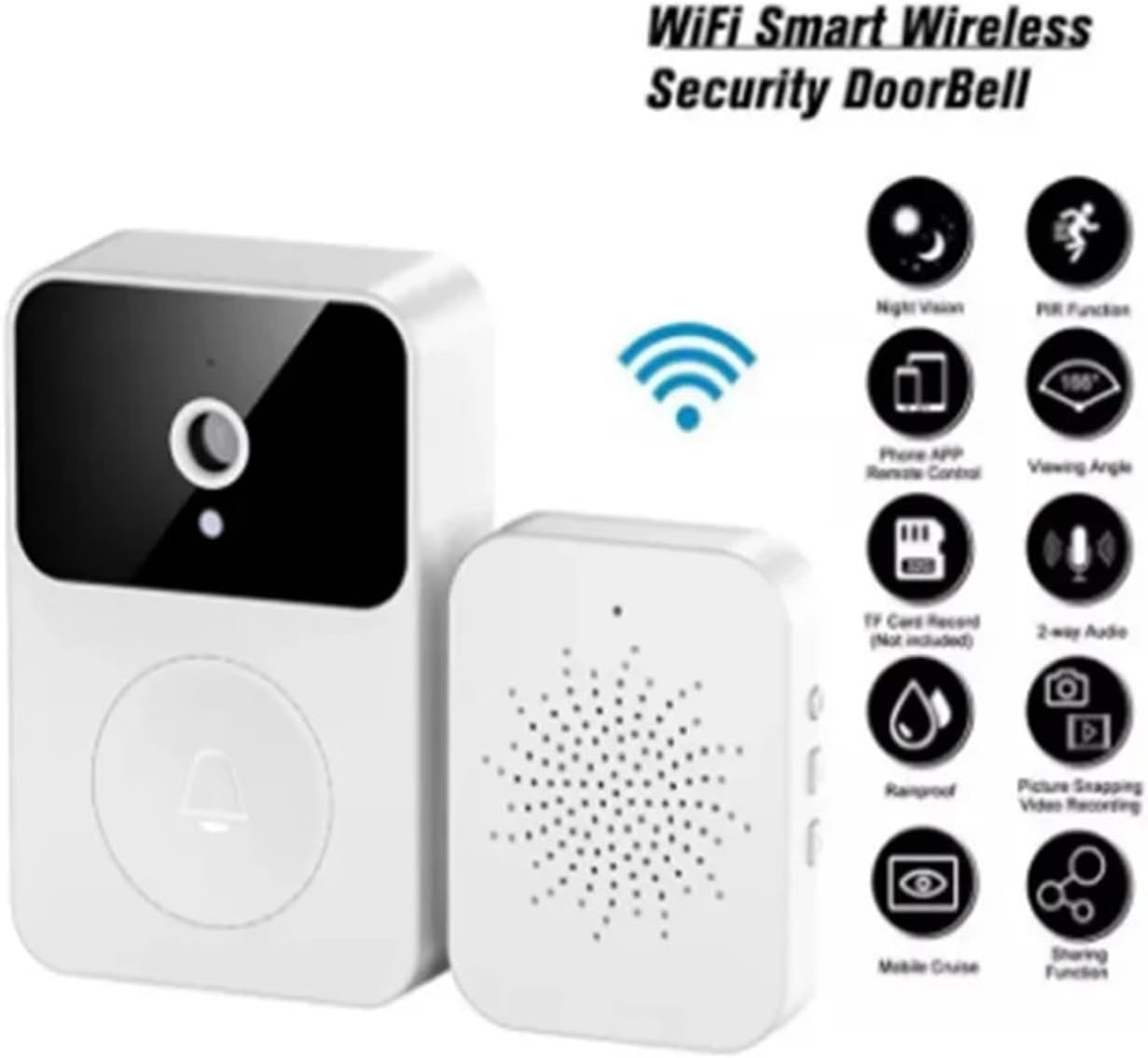
Image: An infographic highlighting key features of the X9 Smart Wireless Security Doorbell, including WiFi connectivity, night vision, PIR function, phone APP remote control, 166° viewing angle, TF card record, 2-way audio, rainproof, picture snapping, video recording, mobile cruise, and sharing function.

Image: Technical drawing showing the dimensions of the X9 Smart Doorbell unit (85mm height, 53mm width, 24mm depth) and the indoor chime unit (55mm width, 42mm depth, 13mm height).
3. Setup
3.1 Charging the Doorbell
Before initial use, ensure the doorbell unit is fully charged using the provided charging cable. The device supports lithium battery power, offering a long standby time of up to 365 days on a single charge, eliminating the need for frequent battery replacement.
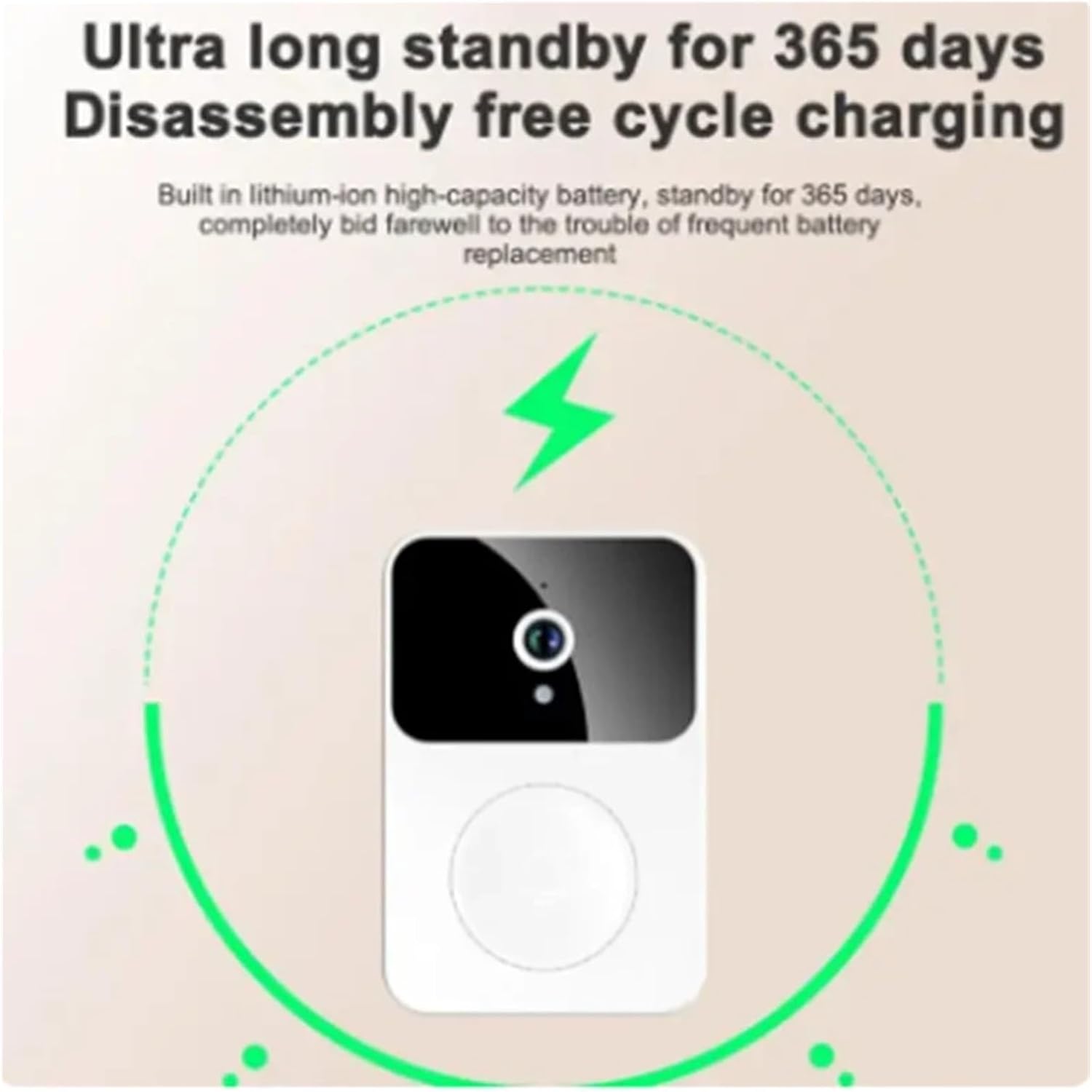
Image: An illustration depicting the X9 Smart Doorbell unit with a charging icon, emphasizing its ultra-long standby of 365 days and disassembly-free cycle charging capability.
3.2 App Installation and Pairing
- Download the Cloudedge App from your smartphone's app store (iOS or Android).
- Register for an account and log in.
- Follow the in-app instructions to add your X9 Smart Doorbell. This typically involves powering on the doorbell and connecting it to your home Wi-Fi network.
- Pair the indoor chime unit with the doorbell according to the app's instructions. The chime offers 4 ringtones and 3 adjustable volume levels.

Image: An illustration of the indoor chime unit with musical notes, indicating that it offers 38 selectable melodies and adjustable volume.
3.3 Installation
The X9 Smart Doorbell is designed for simple, wireless installation. Choose a suitable location near your front door, ensuring good Wi-Fi signal strength. Mount the doorbell unit securely using the provided hardware. No complex wiring is required.
4. Operating Instructions
4.1 Answering Calls and Intercom
When a visitor presses the doorbell, you will receive a notification on your smartphone via the Cloudedge App. You can then view the real-time video feed and engage in two-way audio communication. The app supports sharing with up to 10 family members simultaneously.

Image: A smartphone screen displaying a video call interface from the doorbell, showing a delivery person at the door. Text indicates easy handling of visitors and multi-user sharing.
4.2 Voice Change Intercom
For added security and privacy, especially when alone, utilize the voice change intercom function. This feature allows you to alter your voice during conversations with visitors. The doorbell supports original sound and an 'uncle' voice mode.

Image: A woman looking up, with a speech bubble saying "Voice changing uncle 'who are you?'" and a smartphone screen showing a video call with a male figure, illustrating the voice change intercom feature.
4.3 Pre-recorded Voice Messages
The doorbell allows you to pre-store up to 3 voice messages, each up to 10 seconds long. This enables quick responses to visitors when you are unable to answer directly.
4.4 Storage Management
The X9 Smart Doorbell supports both local and cloud storage for photos and videos. It provides a free 7-day cloud storage service. For extended storage, additional cloud plans may be purchased through the Cloudedge App.
5. Maintenance
5.1 Battery Management
The Cloudedge App allows you to set a low battery warning threshold (10%-50%). When the power drops below your set threshold, the app will send you a reminder. Recharge the doorbell unit promptly using the provided charging cable to ensure continuous operation.
5.2 Cleaning
Wipe the doorbell and chime units with a soft, dry cloth. Do not use harsh chemicals or abrasive cleaners. Ensure the lens is clean for optimal video quality.
6. Troubleshooting
- No Power: Ensure the doorbell is charged. If using battery, check battery level in the app. If using adapter, check power connection.
- No Wi-Fi Connection: Verify your Wi-Fi network is active and the doorbell is within range. Re-pair the device if necessary.
- Poor Video Quality: Check if the camera lens is clean. Ensure adequate lighting, especially at night (night vision should activate automatically).
- No Notifications: Check app settings to ensure notifications are enabled. Verify your phone's notification settings for the Cloudedge App.
- Intercom Issues: Ensure your phone's microphone and speaker are enabled for the app. Check internet connection stability.
7. Specifications
| Attribute | Detail |
|---|---|
| Product Name | Smart Doorbell |
| Model | X9 |
| Product Material | ABS |
| Product Size (Doorbell) | 15.5 x 6.8 x 3.5 cm (approx.) |
| Product Weight | 85g (approx.) |
| Video Resolution | 1080P HD |
| Viewing Angle | 166° |
| Night Vision | Infrared (ICR filter) |
| Storage | Local (no SD card required), 7-day free cloud storage |
| Power Supply | Lithium battery / Power adapter charging |
| Chime Ringtones | 4 (adjustable volume up to 100dB) |
| Manufacturer | YUD5DAS |
| Country of Origin | China |
| ASIN | B0F2M8HRF9 |
| Date First Available | March 27, 2025 |
8. Warranty and Support
For warranty information and technical support, please refer to the product packaging or contact the seller directly through your purchase platform. Keep your proof of purchase for any warranty claims.