
Introduction
This manual provides detailed instructions for the installation, operation, and maintenance of your V7 HD 1080P Smart WiFi Video Doorbell Camera. Please read this manual thoroughly before using the product to ensure proper functionality and safety.
The V7 Video Doorbell offers 1080P Full HD video, two-way audio communication, PIR motion detection, and night vision capabilities. It connects to your home's 2.4GHz Wi-Fi network, allowing remote monitoring and interaction via a mobile application compatible with iOS and Android operating systems.
Product Components
The V7 Video Doorbell system may include various components depending on the purchased option. Below is a general overview of the main unit and common accessories.

Image: Front view of the V7 HD 1080P Smart WiFi Video Doorbell Camera, showing the camera lens, light sensor, and illuminated doorbell button.

Image: Diagram illustrating various package options for the V7 Video Doorbell, including the doorbell unit, 18650 batteries, battery charger, chime units, and Wi-Fi extender.
Common components include:
- V7 Video Doorbell Unit
- 18650 Batteries (quantity may vary)
- Battery Charger (optional)
- Wireless Chime Unit (optional)
- Wi-Fi Extender (optional)
- Mounting Bracket and Screws
- USB Charging Cable (for battery charger)
Important Note: This model does not have an interface for an 18V power adapter. It operates solely on 18650 batteries.
Setup and Installation
1. Battery Installation
- Ensure the 18650 batteries are fully charged before installation.
- Locate the battery compartment on the rear of the doorbell unit.
- Insert the 18650 batteries, observing the correct polarity (+/-).
- Close the battery compartment securely.
2. Mobile Application Download and Registration
The V7 Video Doorbell requires a mobile application for setup and operation. Search for the official V7 application on your device's app store (iOS App Store or Google Play Store).
- Download and install the V7 application.
- Open the application and follow the on-screen instructions to create a new user account.
- Registration is required to utilize cloud storage features. Free cloud storage is available for 3 days within one month from the registration date. Subsequent use of cloud storage will incur charges.
3. Connecting to Wi-Fi
The doorbell connects to a 2.4GHz Wi-Fi network. Ensure your Wi-Fi router is within range (approximately 20 meters) of the installation location.
- In the V7 application, select "Add Device" or similar option.
- Follow the prompts to connect the doorbell to your home's 2.4GHz Wi-Fi network. This typically involves entering your Wi-Fi network name (SSID) and password.
- Once connected, the doorbell's indicator light will confirm successful pairing.
4. Physical Installation
Choose a suitable location for your doorbell, typically near your front door, ensuring a clear view of the entrance.
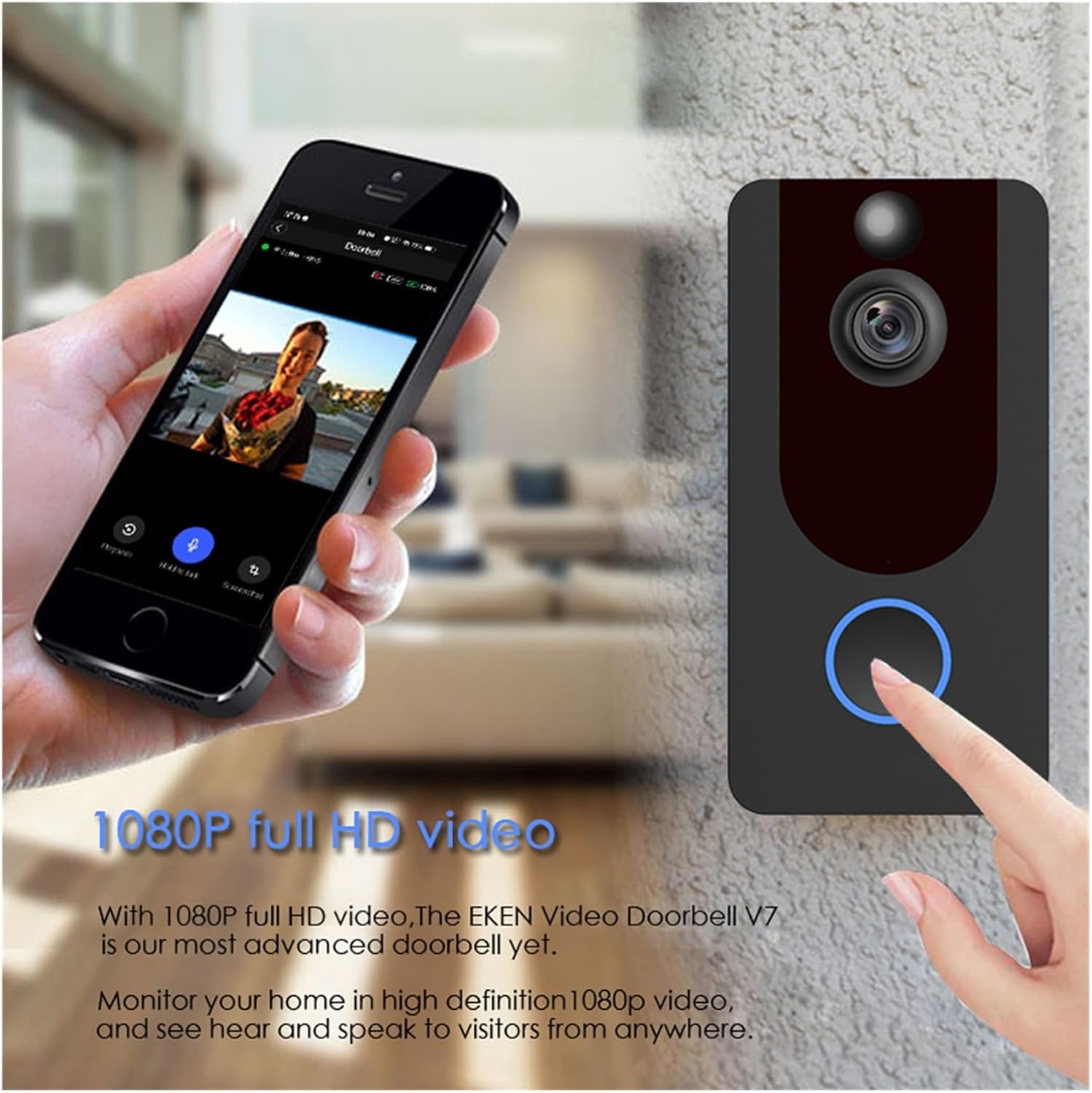
Image: Dimensions of the V7 Video Doorbell, showing a height of 5.04 inches (128mm), width of 2.56 inches (65mm), and depth of 1.02 inches (26mm).
- Mark the drilling points using the mounting bracket as a template.
- Drill holes and insert wall anchors if necessary.
- Secure the mounting bracket to the wall using the provided screws.
- Attach the V7 Video Doorbell unit to the mounting bracket, ensuring it is firmly in place.
Operating Instructions
1. Live View and Two-Way Audio
Access the live video feed and communicate with visitors through the mobile application.

Image: A smartphone screen displaying the live 1080P full HD video feed from the V7 Video Doorbell, demonstrating the ability to monitor and interact with visitors remotely.
- Open the V7 application on your smartphone.
- Select your doorbell device to view the live feed.
- To speak, tap the microphone icon in the app. To listen, ensure the speaker icon is enabled.
- The doorbell features a 166-degree wide-angle lens, providing a broad field of view.
2. PIR Motion Detection
The doorbell is equipped with Passive Infrared (PIR) motion detection to alert you to activity at your door.

Image: A split image showing the V7 Video Doorbell's day and night vision capabilities, and an illustration of PIR motion detection triggering an alert on a smartphone.
- When motion is detected, your phone will receive an immediate notification.
- You can adjust the sensitivity of the PIR motion detection within the application settings.
3. Night Vision
The V7 Video Doorbell provides clear visibility even in low-light conditions.
- The doorbell automatically switches to night mode when ambient light is low.
- You can also manually switch to Night Mode via the cam app settings.
4. Cloud Storage
Video recordings are stored securely in the cloud, accessible anytime through the application.
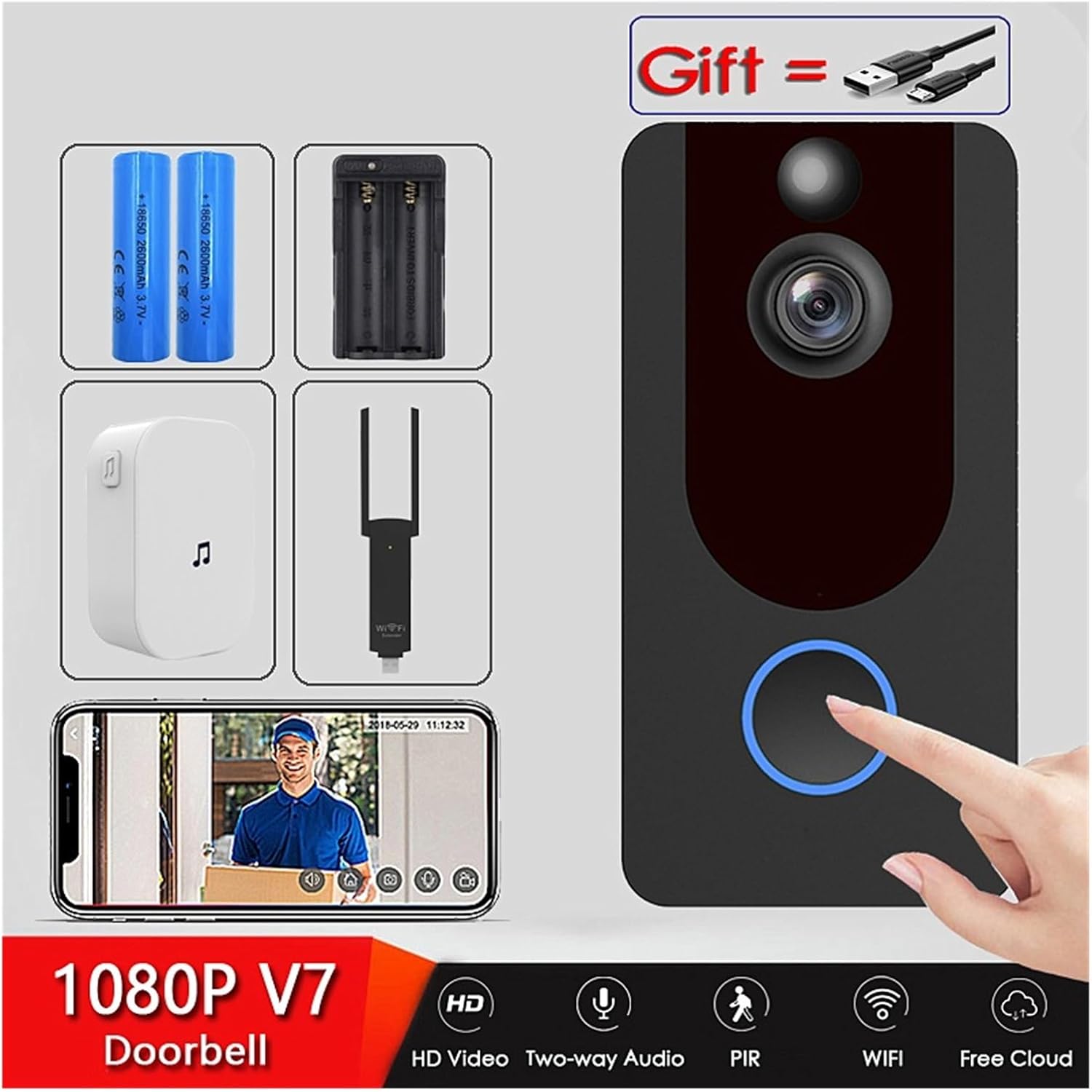
Image: A visual representation of the V7 Video Doorbell's cloud storage feature, indicating cloud storage and the ability for up to 4 mobile phones to monitor simultaneously. Note: Free cloud storage is available for 3 days within one month from the date of registration.
- View recorded videos directly from the cloud via the V7 application.
- No TF memory card is required for video storage.
- Up to 4 mobile phones can monitor the doorbell simultaneously, though only one user can engage in direct intercom communication at a time.
Maintenance
- Cleaning: Gently wipe the camera lens and doorbell surface with a soft, damp cloth. Avoid abrasive cleaners or solvents.
- Battery Life: Monitor battery levels through the application. Recharge or replace batteries as needed to ensure continuous operation. Battery life varies based on usage and environmental factors.
- Firmware Updates: Periodically check the V7 application for available firmware updates. Keeping the firmware updated ensures optimal performance and security.
- Wi-Fi Connection: Ensure your Wi-Fi network is stable and strong. A weak signal can affect video quality and notification delivery.
Troubleshooting
| Problem | Possible Cause | Solution |
|---|---|---|
| Doorbell not connecting to Wi-Fi | Incorrect Wi-Fi password; 5GHz network selected; weak signal; too far from router. |
|
| No notifications on phone | App notifications disabled; phone in Do Not Disturb mode; poor internet connection. |
|
| Poor video quality or lag | Weak Wi-Fi signal; network congestion. |
|
| Doorbell not powering on | Batteries not charged or incorrectly installed. |
|
Specifications
- Model: V7
- Video Resolution: 1080P Full HD
- Field of View: 166-degree wide-angle lens
- Audio: Two-way audio with noise cancellation
- Connectivity: 2.4GHz Wi-Fi (IEEE 802.11 b/g/n)
- Power Source: 18650 Batteries (not compatible with 18V power adapter)
- Motion Detection: PIR (Passive Infrared)
- Night Vision: Supported
- Storage: Cloud Storage (subscription may apply after initial free period)
- App Compatibility: iOS and Android operating systems
- Dimensions: Approximately 5.04 inches (H) x 2.56 inches (W) x 1.02 inches (D)
- Manufacturer: YUD5DAS
- Country of Origin: China
Warranty and Support
For warranty information, please refer to the terms and conditions provided at the time of purchase or contact your retailer. As a generic product, specific warranty details may vary.
For technical support or further assistance, please contact the seller or refer to the support section within the V7 mobile application. Ensure you have your product model (V7) and any relevant purchase details ready when seeking support.