1. Product Overview
The X9 Smart Wireless Video Doorbell is a comprehensive home security solution designed to enhance your front door monitoring. It features 1080P HD video, infrared night vision, and two-way audio communication, allowing you to see and speak with visitors from anywhere using your smartphone.
Key features include:
- Motion Detection: Equipped with a PIR sensor, the doorbell sends instant alerts to your app upon detecting movement.
- Night Vision: Utilizes an ICR infrared filter for clear visibility in low-light conditions, with a 166° ultra-wide-angle lens.
- Real-time Intercom: Engage in live two-way audio communication with visitors via the app, even when you're away.
- Dual Power Supply: Supports both lithium battery power for wireless installation and power adapter charging.
- Chime Compatibility: Can be paired with a chime offering 38 selectable melodies and 3 adjustable volume levels up to 100dB.
- Voice Change Intercom: Features a voice modification function for enhanced privacy during communication.
- Storage Options: Supports local and cloud storage for photo and video recording.
- Multi-user Sharing: Allows multiple family members to view surveillance video through the Cloudedge App.
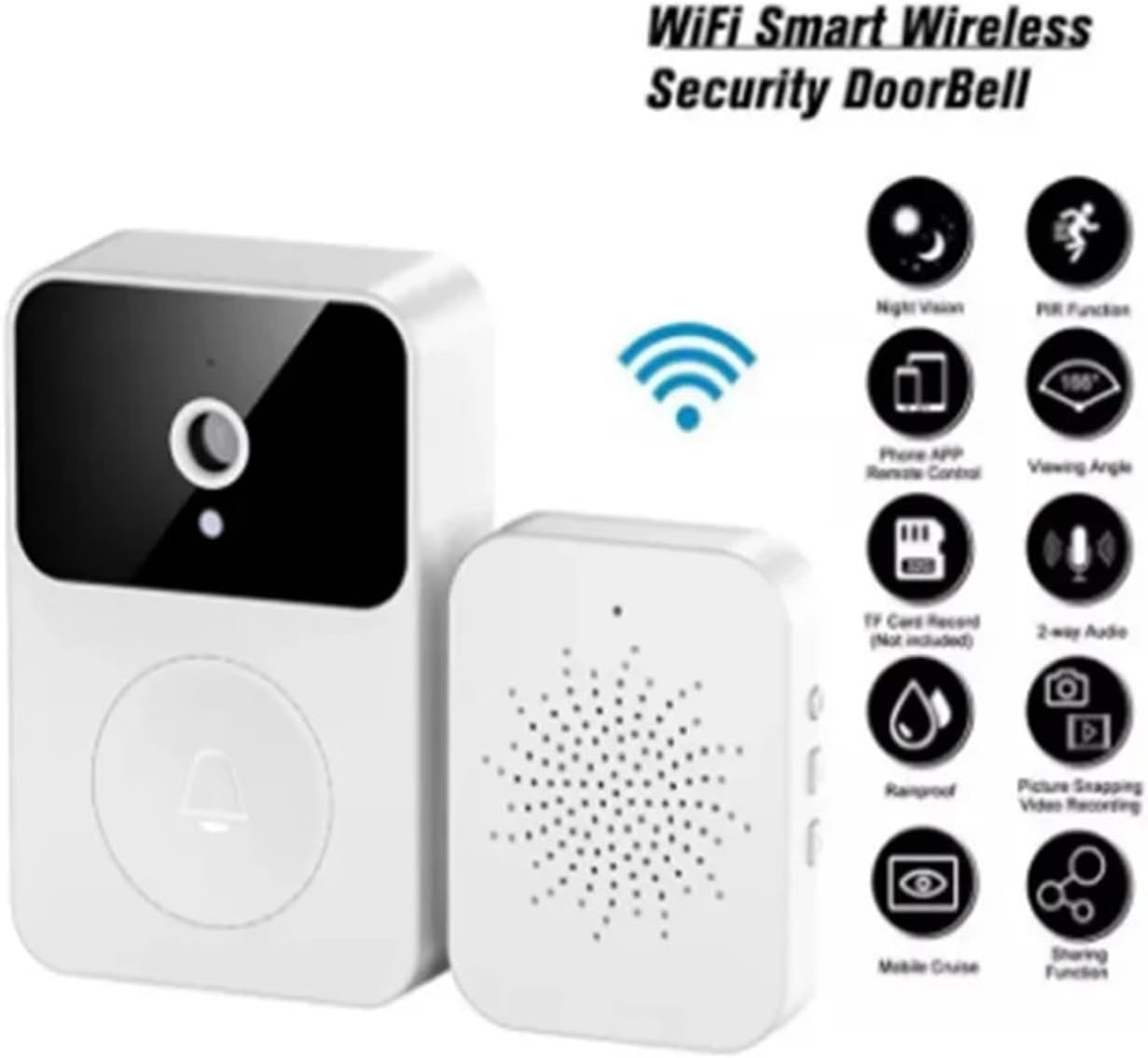
Image: Overview of the X9 Smart Wireless Security Doorbell, highlighting key features such as night vision, PIR function, phone app remote control, 166-degree viewing angle, TF card record (not included), 2-way audio, rainproof, picture snapping, video recording, mobile cruise, and sharing function.
2. Package Contents
Please verify that all items are present in your package:
- 1 x X9 Smart Wireless Video Doorbell Unit
- 1 x Indoor Chime Unit
- 1 x User Manual
- 1 x Charging Cable

Image: The main components of the X9 Smart Wireless Video Doorbell system, showing the outdoor doorbell unit with camera and call button, and the indoor chime unit with speaker grille.
3. Setup Guide
3.1 Charging the Doorbell
Before initial use, fully charge the doorbell unit using the provided charging cable. The doorbell features a built-in lithium-ion battery designed for long standby time and disassembly-free cycle charging.
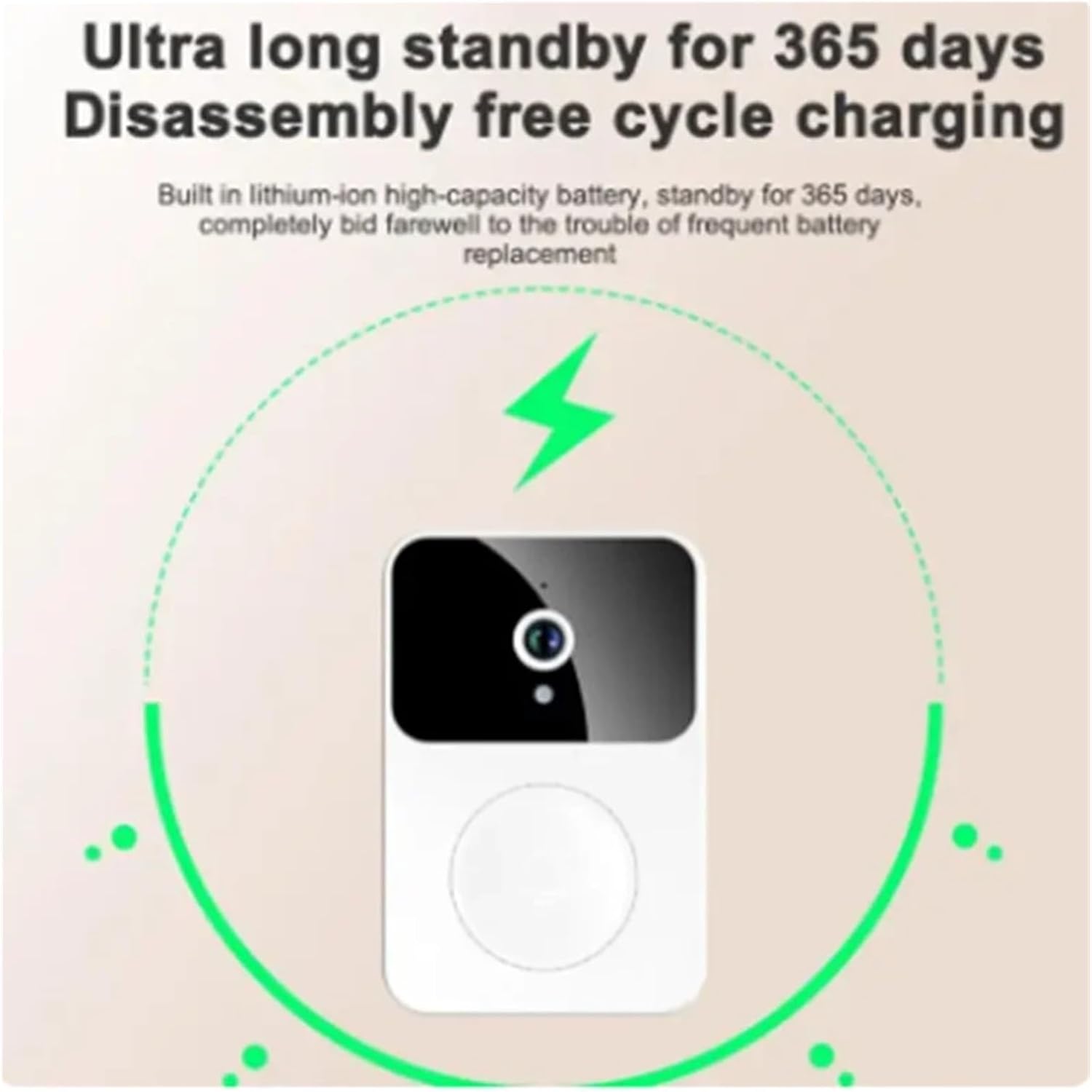
Image: An illustration showing the X9 Smart Wireless Video Doorbell with a lightning bolt icon and circular arrows, indicating its ultra-long standby time of 365 days and disassembly-free cycle charging capability.
3.2 App Installation and Pairing
- Download the "Cloudedge" App from your smartphone's app store (iOS or Android).
- Register for a new account or log in if you already have one.
- Follow the in-app instructions to add your new X9 Smart Wireless Video Doorbell. This typically involves scanning a QR code on the device or entering a device ID.
- Ensure your doorbell is powered on and in pairing mode (refer to the doorbell's LED indicator for status).
- Connect the doorbell to your home Wi-Fi network through the app.
3.3 Mounting the Doorbell
Choose a suitable location near your front door, ensuring a clear view of the entrance and good Wi-Fi signal strength. Use the provided mounting hardware to securely attach the doorbell unit. The doorbell is designed for simple installation without complex wiring.
3.4 Pairing the Indoor Chime
The indoor chime unit should automatically pair with the doorbell once both are powered on and within range. If not, refer to the chime's specific instructions for manual pairing. You can select from 38 melodies and adjust the volume (3 levels, including silent mode) on the chime unit.

Image: The indoor chime unit of the X9 Smart Wireless Video Doorbell system, surrounded by musical notes, indicating its capability to play 38 different melodies with adjustable volume.
4. Operating Instructions
4.1 Live View and Two-Way Audio
Open the Cloudedge App on your smartphone. Select your doorbell from the device list to access the live 1080P HD video feed. Tap the microphone icon to initiate two-way audio communication with visitors at your door.

Image: A smartphone screen displaying the video call interface of the X9 Smart Wireless Video Doorbell, showing a delivery person at the door. Text indicates "Video call Easy handling of visitors" and explains that the doorbell pushes notifications to the mobile phone, allowing the owner to enter the video dialogue interface and share with up to 10 members.
4.2 Motion Detection Alerts
The doorbell's PIR sensor detects motion and sends push notifications to your smartphone. You can adjust motion detection sensitivity and set activity zones within the app settings to minimize false alerts.
4.3 Night Vision
The doorbell automatically switches to infrared night vision mode in low-light conditions, providing clear black-and-white video footage of your doorstep.
4.4 Voice Change Intercom
For added privacy or security, activate the voice change function during intercom calls. This feature allows you to modify your voice to sound like an "uncle" or other preset options, making it useful when you are alone at home.

Image: An illustration demonstrating the voice change intercom feature of the X9 Smart Wireless Video Doorbell. A woman is shown with a thought bubble saying "Voice changing uncle 'who are you?'", and a smartphone screen displays a video call with a male figure, indicating the voice modification capability.
4.5 Storage and Playback
The doorbell supports both local storage (no SD card required for basic photo/video recording) and cloud storage. A free 7-day cloud storage service is provided. Access recorded events and playback history through the Cloudedge App.
4.6 Low Battery Prompt
You can set a low battery warning threshold (10%-50%) in the Cloudedge App. When the battery level falls below this threshold, the app will send you a reminder notification.
4.7 Quick Response Voice Messages
Pre-store up to 3 voice messages, each up to 10 seconds long, in the doorbell. This allows for quick responses to visitors when you are unable to answer directly.
4.8 Multi-User Function
The Cloudedge App supports multi-user group sharing. Family members can be invited to view the surveillance video. Note that only the administrator account has the right to adjust settings; other members can only view and play back video.
5. Maintenance
5.1 Charging
Recharge the doorbell unit when the low battery prompt is received. The built-in battery is designed for long-term use without frequent replacement.
5.2 Cleaning
Wipe the doorbell's camera lens and body with a soft, damp cloth to remove dust and smudges. Avoid using harsh chemicals or abrasive materials that could damage the device.
5.3 Firmware Updates
Periodically check the Cloudedge App for available firmware updates. Keeping your doorbell's firmware updated ensures optimal performance and access to new features.
6. Troubleshooting
- No Power/Not Turning On: Ensure the doorbell is fully charged. Connect it to the charging cable and allow sufficient time to charge.
- Cannot Connect to Wi-Fi:
- Verify your Wi-Fi network is 2.4GHz (5GHz networks are often not supported by smart home devices).
- Ensure the doorbell is within range of your Wi-Fi router.
- Check your Wi-Fi password for accuracy.
- Restart your router and the doorbell, then attempt pairing again.
- No Motion Detection Alerts:
- Check motion detection settings in the Cloudedge App.
- Ensure the PIR sensor is not obstructed.
- Adjust sensitivity settings if necessary.
- Poor Video Quality:
- Check your Wi-Fi signal strength at the doorbell's location.
- Clean the camera lens.
- Ensure adequate lighting for optimal video.
- Two-Way Audio Issues:
- Ensure your phone's microphone and speaker are enabled for the Cloudedge App.
- Check the doorbell's microphone and speaker for obstructions.
- Verify network connectivity.
- Chime Not Ringing:
- Ensure the chime is powered on and within range of the doorbell.
- Check the chime's volume settings.
- Re-pair the chime with the doorbell if necessary.
7. Specifications
| Feature | Detail |
|---|---|
| Product Name | Smart Doorbell |
| Model | X9 |
| Product Material | ABS |
| Video Resolution | 1080P HD |
| Viewing Angle | 166° Ultra-Wide Angle |
| Night Vision | ICR Infrared Filter |
| Motion Detection | PIR Pyroelectric Infrared Sensor |
| Power Supply | Lithium Battery (Built-in), Power Adapter Charging |
| Storage | Local (no SD card required for basic recording), 7-day Free Cloud Storage |
| Chime Ringtones | 38 selectable melodies (4 distinct ringtones mentioned in features) |
| Chime Volume Levels | 3 (up to 100dB) |
| Doorbell Unit Dimensions | 85mm (H) x 53mm (W) x 24mm (D) |
| Chime Unit Dimensions | 13mm (H) x 55mm (W) x 42mm (D) |
| Overall Product Package Size | 15.5 cm x 6.8 cm x 3.5 cm |
| Product Weight | 85g |
| ASIN | B0F2M3F45Q |
| Manufacturer | YUD5DAS |
| First Available Date | March 27, 2025 |

Image: Technical drawing showing the dimensions of the X9 Smart Wireless Video Doorbell unit (85mm H x 53mm W x 24mm D) and the indoor chime unit (13mm H x 55mm W x 42mm D).
8. Warranty and Support
For warranty information and technical support, please refer to the documentation provided with your purchase or contact the seller directly. Keep your proof of purchase for warranty claims.
For app-related inquiries or advanced troubleshooting, please visit the Cloudedge App's support section or their official website.