
Pro (XC4B416)
User Manual for Generic 2025 Wireless Ear Clip Bone Conduction Headphones
Model: Pro (XC4B416)
Introduction
Thank you for choosing the Generic 2025 Wireless Ear Clip Bone Conduction Headphones. These innovative headphones are designed to provide a comfortable, open-ear listening experience with advanced Bluetooth V5.2 technology and a convenient LED intelligent display. This manual will guide you through the setup, operation, and maintenance of your new headphones to ensure optimal performance and longevity.
Features
- Open-Ear, Pressure-Free Comfort: The innovative clip-on design ensures a secure fit without entering the ear canal, providing all-day comfort with a lightweight, nearly invisible feel.
- Fast & Stable Bluetooth 5.2: Equipped with advanced Bluetooth 5.2 technology, these earbuds offer a seamless connection, ultra-low latency, and uninterrupted audio performance.
- Wide Compatibility: Effortlessly connects with most smartphones and Bluetooth-enabled devices, supporting A2DP, AVRCP, and HFP for high-quality calls and media playback.
- HiFi Stereo Sound: Delivers crystal-clear audio with immersive stereo effects, rich bass, and balanced tones, enhancing your music, gaming, and call experience.
- Portable & Travel-Friendly: The compact charging case not only protects the earbuds but also provides extended battery life, making it perfect for workouts, travel, and daily activities.

Figure 1: Illustrates the comfortable, pressure-free design of the ear clip headphones compared to traditional in-ear models.

Figure 2: Highlighting the integrated Bluetooth V5.2 chip for stable and fast connections.
What's in the Box
- 1/2 Pcs * Earbuds Pro (depending on package)
- 1/2 Pcs * Charging Cable (depending on package)
- 1 Pc * Bag

Figure 3: Overview of the package contents, including the headphones, charging case, and accessories.
Specifications
| Specification | Detail |
|---|---|
| Model Name | Pro |
| Color | Black |
| Material | ABS |
| Bluetooth Version | 5.2 |
| Battery Life (Headphones) | 8 hours |
| Water Resistance | Life waterproof |
| Transmission Distance | Approx. 10 m / 32.81 ft |
| Charging Time | 40 minutes |
| Charging Bin Battery Capacity | 300mA |
| Headphone Battery Capacity | 35mA |
| Dimensions | 84*32*44.2mm |
| Ear Placement | Open Ear |
| Form Factor | Clip-On |
| Audio Driver Type | Bone Conduction Driver |
Setup
1. Charging the Headphones
Before first use, fully charge the headphones and the charging case. Connect the provided charging cable to the charging case and a USB power source. The LED intelligent display on the charging case will show the battery percentage, indicating charging progress. A full charge takes approximately 40 minutes.
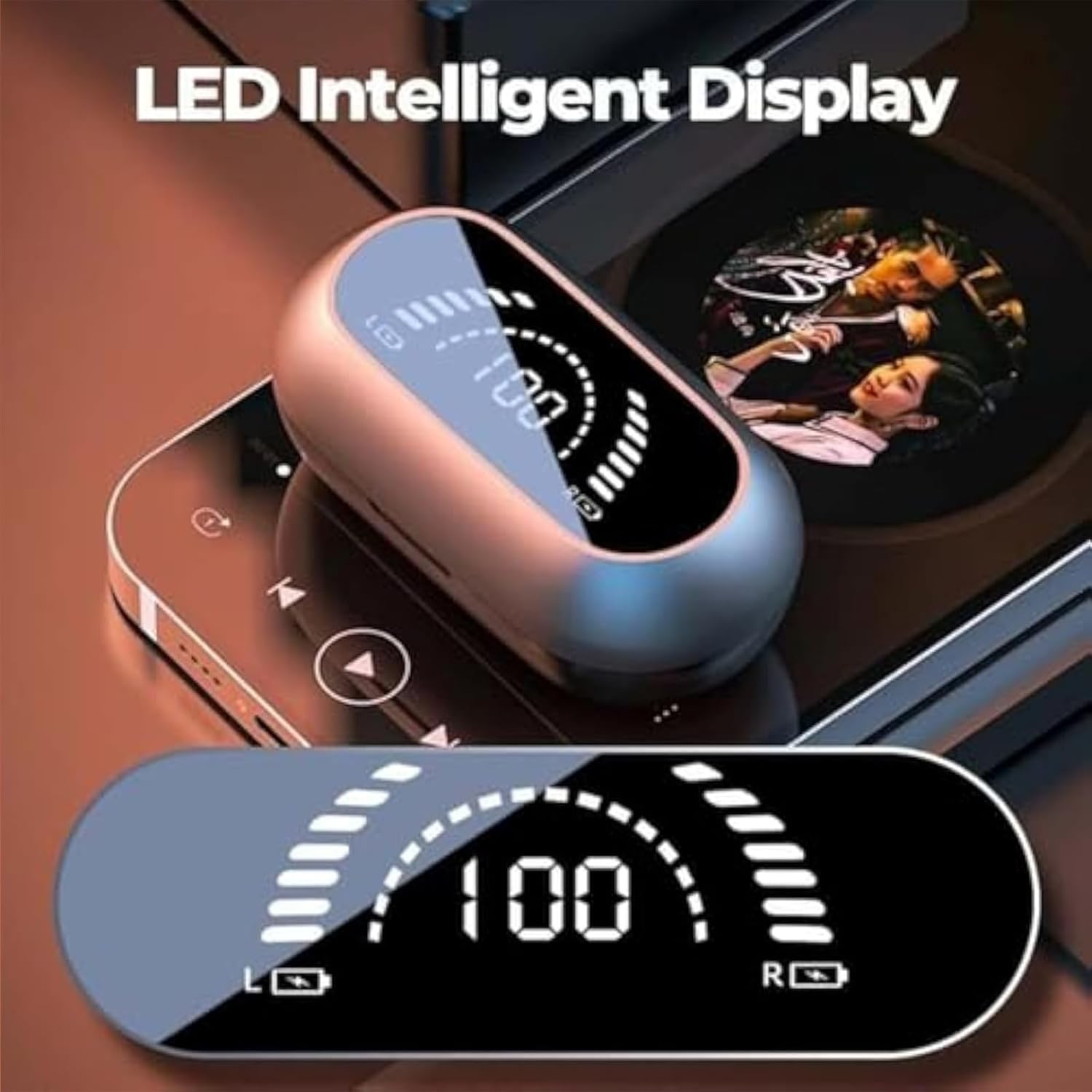
Figure 4: The LED intelligent display on the charging case indicates battery status.
2. Wearing the Headphones
The headphones feature an ear clip design for open-ear comfort. Gently clip each earbud onto your ear, ensuring the sound outlet is positioned correctly for optimal bone conduction audio. The design allows for secure placement without inserting into the ear canal.

Figure 5: Proper wearing of the ear clip headphones for comfortable and secure fit.
3. Bluetooth Pairing
- Open the charging case. The headphones will automatically enter pairing mode.
- On your device (smartphone, tablet, etc.), enable Bluetooth.
- Search for "Pro" or "XC4B416" in the list of available Bluetooth devices.
- Select the headphones to connect. Once connected, you will hear an audio prompt, and the LED indicator on the headphones may change.
The headphones will automatically reconnect to the last paired device when taken out of the case, if Bluetooth is enabled on the device.
Operating Instructions
Touch Controls
The headphones feature smart fingerprint touch controls for easy management of audio and calls. The touch sensitive area is typically located on the outer surface of each earbud.

Figure 6: Location of the smart fingerprint touch control area.
- Play/Pause: Single tap on either earbud.
- Next Track: Double tap on the right earbud.
- Previous Track: Double tap on the left earbud.
- Answer/End Call: Single tap on either earbud during an incoming call.
- Reject Call: Press and hold on either earbud during an incoming call.
- Activate Voice Assistant: Triple tap on either earbud (functionality may vary by device).
Volume Control
Volume is primarily controlled via your connected device. Adjust the volume directly on your smartphone or tablet.
Water Resistance
The headphones are designed with "Life waterproof" capabilities, meaning they are resistant to sweat and light splashes. They are not intended for submersion in water or use during swimming. Ensure the charging port is dry before charging.
Video 1: Demonstrates the wearing process, charging case functionality, and general use of the headphones in various activities.
Maintenance
- Cleaning: Use a soft, dry, lint-free cloth to clean the headphones and charging case. Do not use abrasive cleaners, alcohol, or chemical sprays.
- Storage: When not in use, store the headphones in their charging case to protect them from dust and damage. Store in a cool, dry place away from extreme temperatures.
- Battery Care: To preserve battery life, avoid fully discharging the headphones and charging case frequently. Charge them regularly, even if not used for extended periods.
Troubleshooting
No Sound or Connectivity Issues
- Ensure the headphones are charged.
- Make sure Bluetooth is enabled on your device and the headphones are within the 10-meter range.
- Try unpairing and re-pairing the headphones with your device.
- Restart your device and the headphones (by placing them back in the case and closing it, then reopening).
Charging Issues
- Verify the charging cable is securely connected to both the case and the power source.
- Ensure the charging contacts on the earbuds and inside the case are clean and free of debris.
- Try using a different USB port or power adapter.
Poor Sound Quality
- Ensure the headphones are properly positioned on your ears.
- Check the audio source quality.
- Move closer to your connected device to avoid interference.
Warranty and Support
If you encounter any problems when buying and using our products, please contact us in time. We are committed to providing 24-hour support to assist you with any issues or questions you may have regarding your Generic 2025 Wireless Ear Clip Bone Conduction Headphones.
Please refer to your purchase documentation for specific warranty terms and contact information.
Ask a question about this manual
Ask about setup, troubleshooting, compatibility, parts, safety, or missing instructions. Manuals+ will review the question and use this page’s manual context to help answer it.