
Xmenha M112
User Manual for Xmenha Open Ear Earbuds
Model: M112
Introduction
Thank you for choosing the Xmenha Open Ear Earbuds. These bone conduction headphones are designed to provide a comfortable and safe audio experience, allowing you to enjoy your music while remaining aware of your surroundings. This manual provides detailed instructions for setup, operation, maintenance, and troubleshooting to ensure optimal performance and longevity of your device.
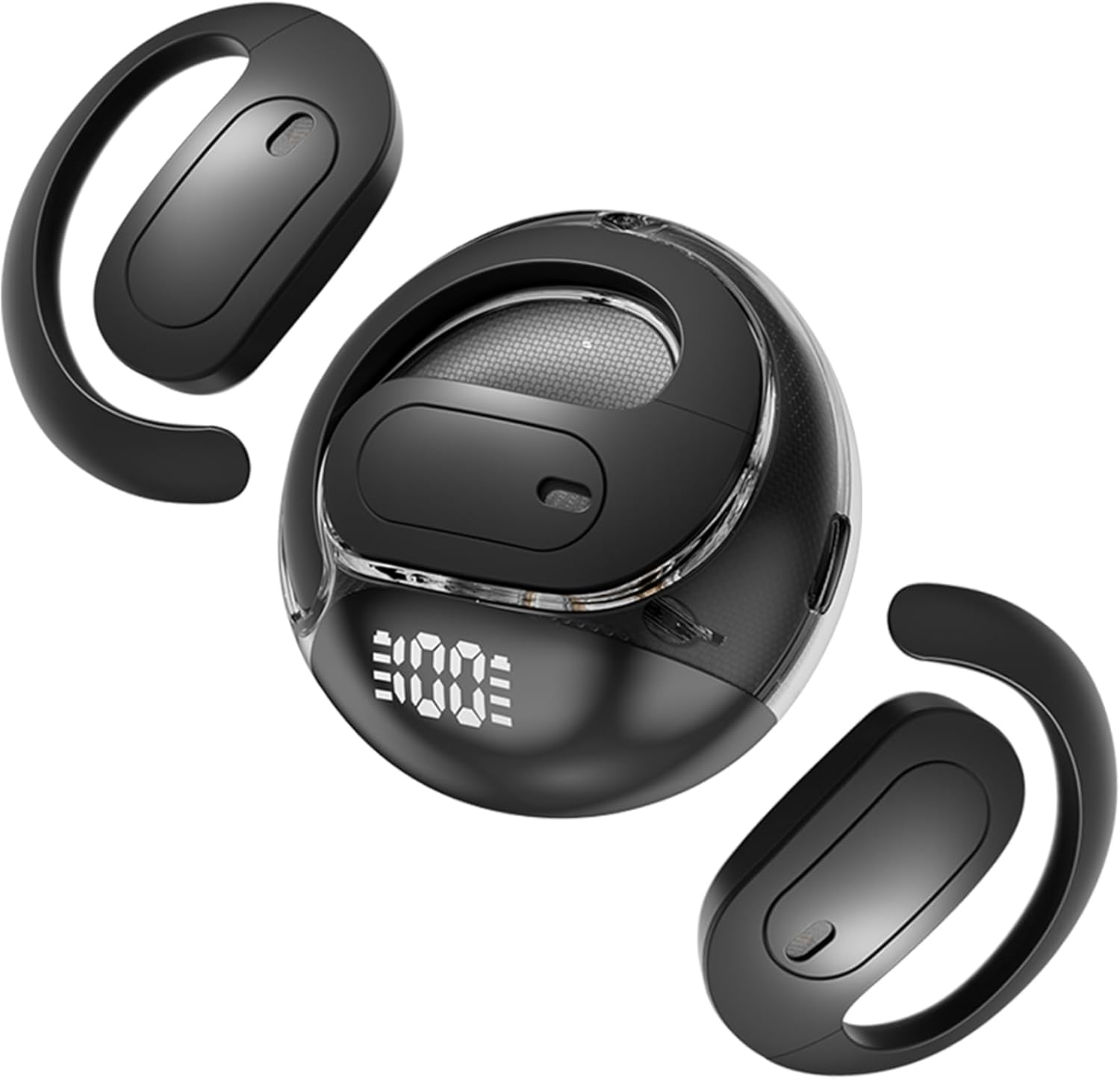
Image: The Xmenha Open Ear Earbuds in black, shown with their compact charging case. The earbuds feature an open-ear design with a hook that rests over the ear, and the case displays a digital battery percentage.
What's in the Box
Please check the package contents upon unboxing:
- 1 Pair Xmenha Open Ear Bone Conduction Headphones
- 1 USB-C Charging Cable
- 1 User Manual (this document)
- 1 Exquisite Packaging Box
Setup
1. Charging the Earbuds
Before first use, fully charge the earbuds and the charging case. The charging case has a built-in 400mAh battery and can recharge the earbuds multiple times.
- Connect the provided USB-C cable to the charging port on the case.
- Connect the other end of the cable to a USB power adapter (not included) or a computer's USB port.
- The digital display on the charging case will show the battery percentage.
- Place the earbuds into the charging case. Ensure they are correctly seated; the earbuds will begin charging automatically.
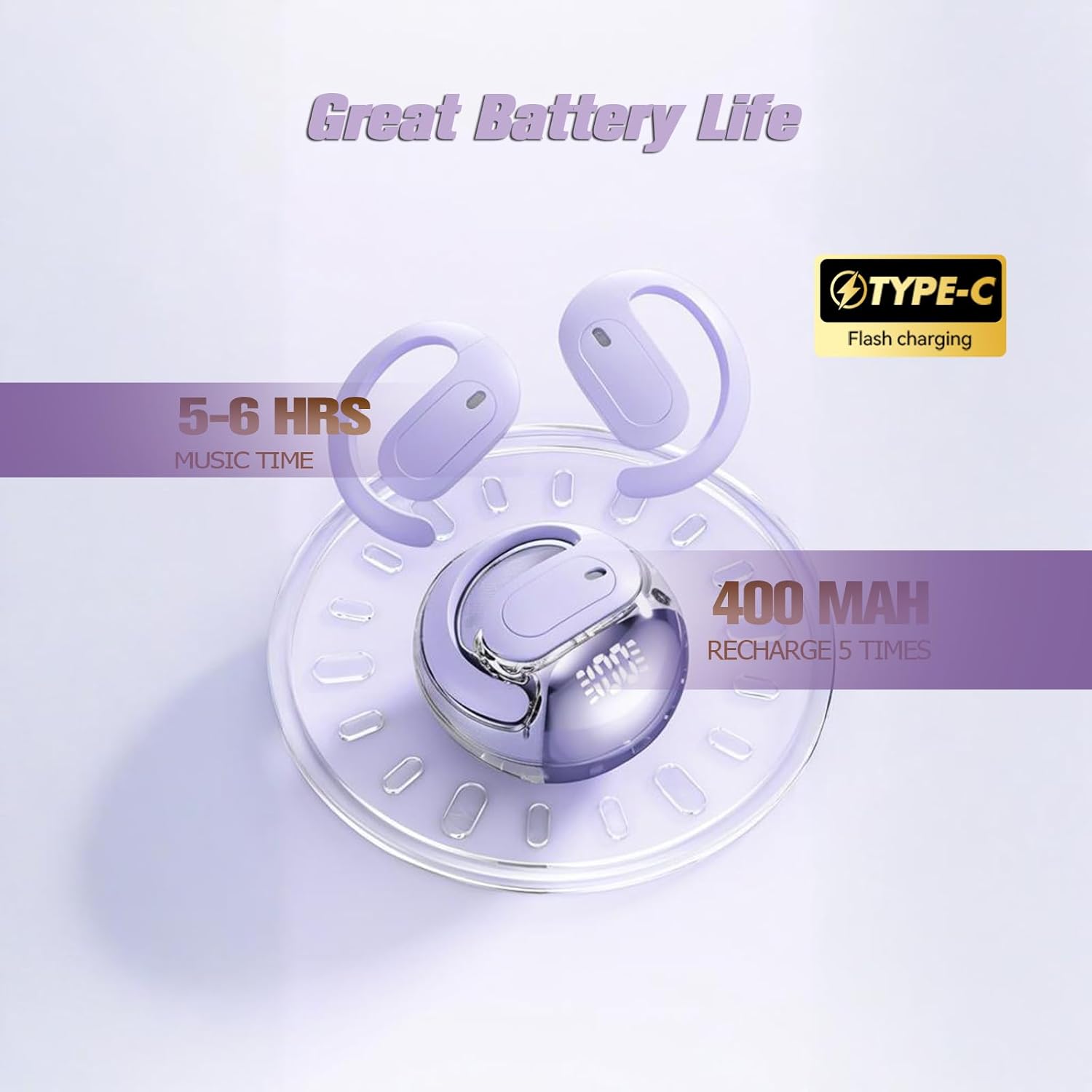
Image: A visual representation of the Xmenha earbuds charging case, highlighting its 400mAh battery capacity and the USB-C charging port. The image indicates that the earbuds can provide 5-6 hours of music time per charge, and the case can recharge them approximately 5 times.
2. Bluetooth Pairing
The earbuds will automatically enter pairing mode when taken out of the charging case.
- Ensure the earbuds are charged.
- Open the charging case and remove both earbuds. They will automatically power on and enter pairing mode.
- On your device (smartphone, tablet, computer), go to the Bluetooth settings.
- Search for available devices and select "Xmenha M112" (or similar name) from the list.
- Once connected, you will hear a confirmation tone, and the earbuds' indicator lights will change.
- The earbuds will automatically reconnect to the last paired device when removed from the case, if Bluetooth is enabled on the device.
Operating Instructions
1. Wearing the Earbuds
The Xmenha Open Ear Earbuds feature an ergonomic clip-on design for comfortable and stable wear, especially during activities.
- Gently place the earbud over your ear, ensuring the speaker portion is positioned near your ear canal without entering it.
- Adjust the ear hook to fit securely and comfortably around the back of your ear.
- The open-ear design allows you to hear ambient sounds, enhancing safety during outdoor activities.

Image: Two individuals demonstrating the comfortable fit of the Xmenha Open Ear Earbuds. The ergonomic design ensures a lightweight and non-compressive experience, suitable for extended wear.

Image: A person cycling outdoors while wearing the Xmenha Open Ear Earbuds, illustrating the safety benefit of the open-ear design which allows awareness of surroundings during physical activity.
2. Basic Controls
The earbuds feature touch controls for various functions. Specific touch patterns (single tap, double tap, long press) will control playback, calls, and voice assistant. Refer to the quick start guide included in the packaging for detailed touch control gestures, as these can vary.
- Play/Pause: Typically a single tap on either earbud.
- Next Track: Often a double tap on the right earbud.
- Previous Track: Often a double tap on the left earbud.
- Answer/End Call: Single tap during an incoming call.
- Reject Call: Long press during an incoming call.
- Activate Voice Assistant: Triple tap or long press (check specific model instructions).
Maintenance
Proper maintenance ensures the longevity and performance of your Xmenha Open Ear Earbuds.
- Cleaning: Use a soft, dry, lint-free cloth to wipe the earbuds and charging case. Do not use abrasive cleaners, alcohol, or chemical solvents.
- Water Resistance: The earbuds are waterproof and sweatproof, designed to withstand daily sweat and rain. However, they are not intended for swimming or submersion in water. Ensure the charging port is dry before charging.
- Storage: When not in use, store the earbuds in their charging case to protect them and keep them charged. Store in a cool, dry place away from extreme temperatures.
- Battery Care: To preserve battery life, avoid fully discharging the earbuds and case frequently. Charge them regularly, even if not used for extended periods.
Troubleshooting
| Problem | Solution |
|---|---|
| Earbuds won't power on. | Ensure the earbuds are charged. Place them in the charging case for a few minutes, then remove them. |
| Earbuds won't pair with device. |
|
| No sound or low volume. |
|
| Intermittent connection. |
|
Specifications
| Feature | Detail |
|---|---|
| Model Name | M112 |
| Connectivity Technology | Wireless (Bluetooth 5.4) |
| Transmission Distance | About 10m / 380ft (barrier-free) |
| Play Time | About 4-5 hours (earbuds), up to 20-30 hours with charging case |
| Battery Capacity (Case) | 400mAh |
| Charging Port | USB-C |
| Water Resistance Level | Waterproof, Sweatproof |
| Material | Silicone, Plastic |
| Item Weight | 3.2 ounces |
| Product Dimensions | 0.3 x 0.2 x 0.5 inches |
| Manufacturer | Shenzhen Xiangxing Digital Technology Co., Ltd. |

Image: An exploded view diagram illustrating the internal components of the Xmenha earbud, highlighting the 16mm large-size dynamic driver responsible for powerful bass and clear treble, contributing to the crystal clear sound quality.
Warranty and Support
Xmenha products are designed for reliability and performance. If you encounter any issues or have questions regarding your earbuds, please refer to the following:
- Warranty: Please refer to the warranty card included in your product packaging for specific warranty terms and conditions.
- Customer Support: For technical assistance or customer service inquiries, please contact Xmenha customer support through the retailer where you purchased the product or visit the official Xmenha store on Amazon: Xmenha Amazon Store.
- We are committed to solving any problems you encounter within 24 hours.
Ask a question about this manual
Ask about setup, troubleshooting, compatibility, parts, safety, or missing instructions. Manuals+ will review the question and use this page’s manual context to help answer it.