
Important Safeguards
Please read all instructions carefully before using the NUPANT Commercial Coffee Urn. Failure to follow these instructions may result in electric shock, fire, or serious personal injury.
- Always ensure the appliance is unplugged from the power outlet before cleaning or when not in use.
- Do not immerse the appliance, cord, or plug in water or other liquids.
- Keep the appliance out of reach of children.
- Do not operate any appliance with a damaged cord or plug, or after the appliance malfunctions or has been damaged in any manner.
- Avoid contact with hot surfaces. Use handles and knobs.
- Use only attachments recommended by the manufacturer.
- Do not use outdoors.
Product Overview
The NUPANT Commercial 50 Cup/8L Stainless Steel Coffee Urn is designed for brewing and dispensing large quantities of coffee, ideal for catering, events, offices, and large gatherings. Its durable 304 stainless steel construction ensures longevity and safe use.

Figure 1: NUPANT Commercial 50 Cup/8L Stainless Steel Coffee Urn.
Components:
- Urn Body: Main stainless steel container.
- Lid: Stainless steel lid with a heat-resistant handle.
- Filter Tube: Central tube for water circulation during percolation.
- Filter Basket: Holds coffee grounds for brewing.
- Dish Filter: Sits on top of the filter basket to ensure even water distribution.
- Spigot (Faucet): Two-way dripless faucet for dispensing coffee.
- Drip Tray: Removable tray to catch drips and spills.
- Water Level Indicator: External gauge to show the liquid level inside the urn.
- Control Panel: Includes power switch, heat indicator, and keep warm indicator.

Figure 2: Internal components including the filter tube and basket for brewing.
Setup
Follow these steps for initial setup and preparing your coffee urn for brewing:
- Unpack and Clean: Remove all packaging materials. Wash the urn body, lid, filter tube, filter basket, dish filter, and drip tray with warm, soapy water. Rinse thoroughly and dry.
- Place Drip Tray: Position the removable drip tray on the base of the urn, directly under the spigot.
- Add Water: Fill the urn with cold, fresh water up to the desired level, observing the external water level indicator. Do not exceed the 'MAX 8L' mark.
- Insert Filter Tube: Place the filter tube into the center of the urn, ensuring it is securely seated at the bottom.
- Install Filter Basket: Place the filter basket over the filter tube.
- Add Coffee Grounds: Add your desired amount of medium-grind coffee grounds into the filter basket. A general recommendation is 33ml water per 1g coffee. Do not overfill.
- Place Dish Filter: Position the dish filter on top of the coffee grounds in the filter basket.
- Secure Lid: Place the lid on the urn and twist to lock it securely.
- Plug In: Connect the power cord to a grounded electrical outlet.
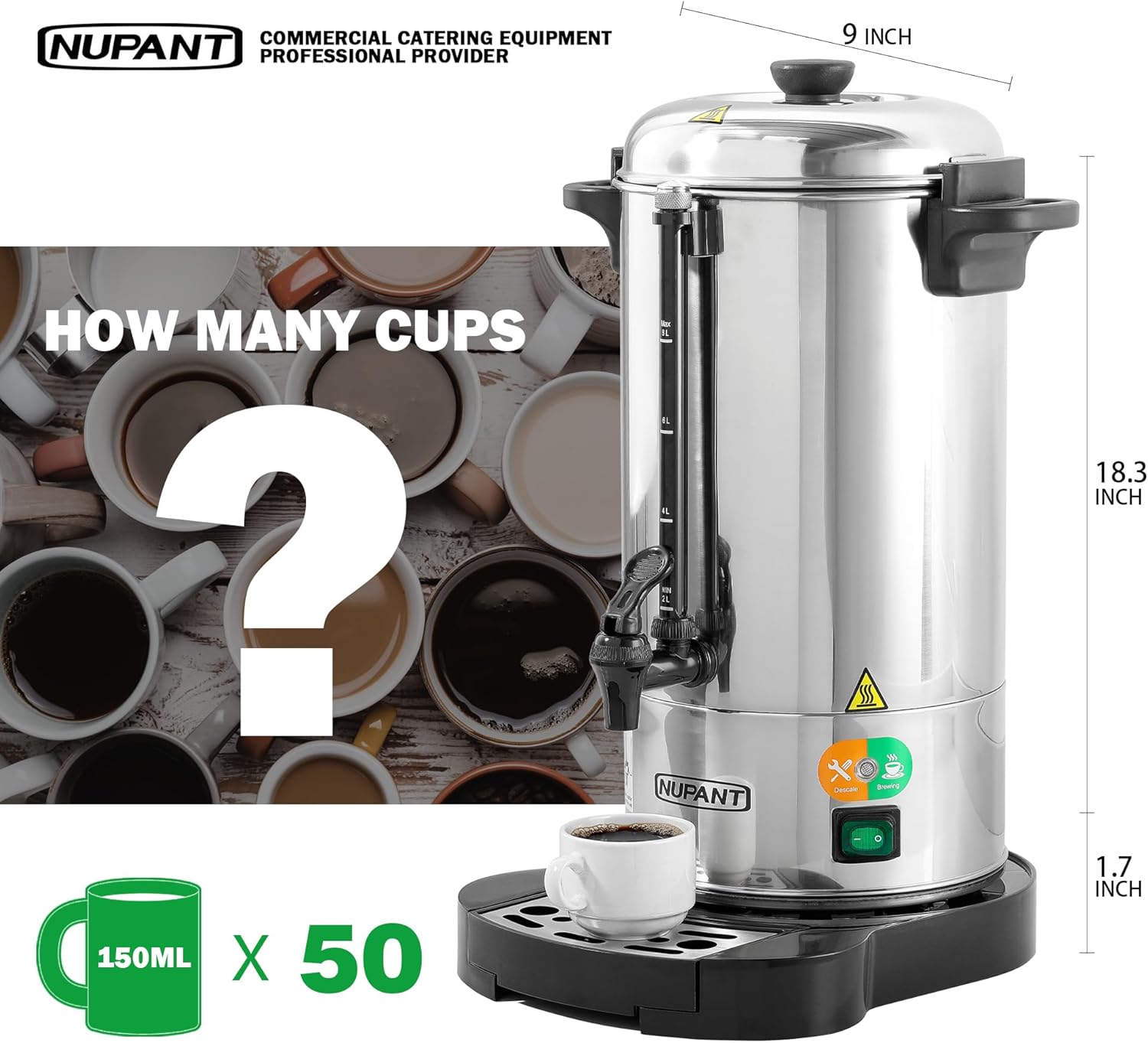
Figure 3: The urn's capacity is 8 liters, equivalent to 50 cups (150ml each).
Video 1: A visual guide demonstrating the setup process, including placing the drip tray, adding water, and installing the filter components.
Operation
Once the urn is set up, follow these steps to brew and dispense coffee:
- Start Brewing: Flip the power switch to the 'ON' position. The 'HEAT' indicator light will illuminate, signifying that the brewing process has begun.
- Brewing Process: The urn will begin to heat the water and percolate the coffee. Brewing typically takes 25-30 minutes for a full 8L capacity.
- Keep Warm Mode: Once brewing is complete, the 'HEAT' light will turn off, and the 'KEEP WARM' light will illuminate. The urn will automatically switch to a keep-warm mode, maintaining the coffee at approximately 88°C without overheating.
- Dispensing Coffee: To dispense coffee, place a cup under the spigot. Push the spigot lever down for continuous flow or pull it up for single-cup dispensing.
- Monitor Level: The external water level indicator allows you to monitor the amount of coffee remaining in the urn without opening the lid.
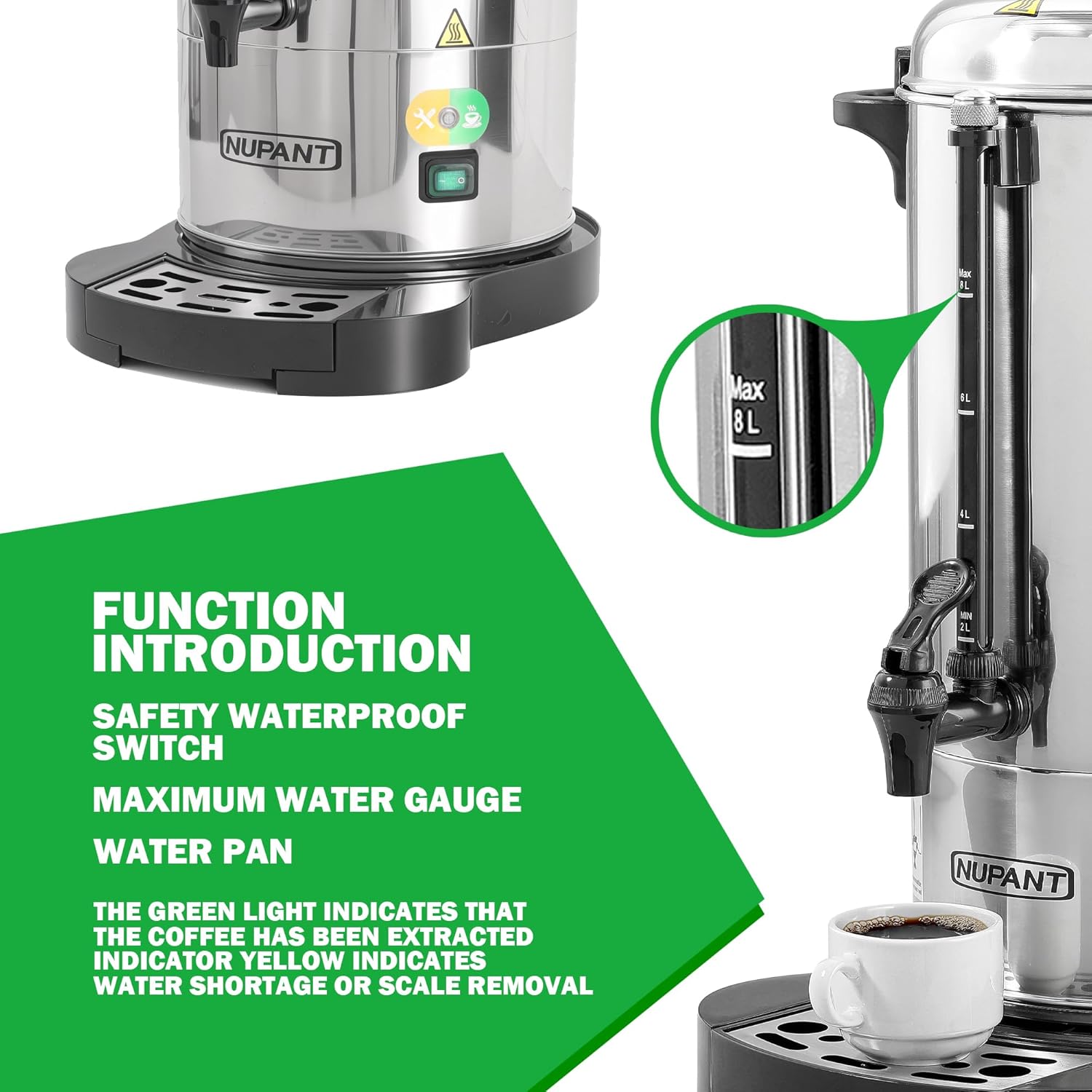
Figure 4: The water level indicator and control panel with heat and keep warm lights.
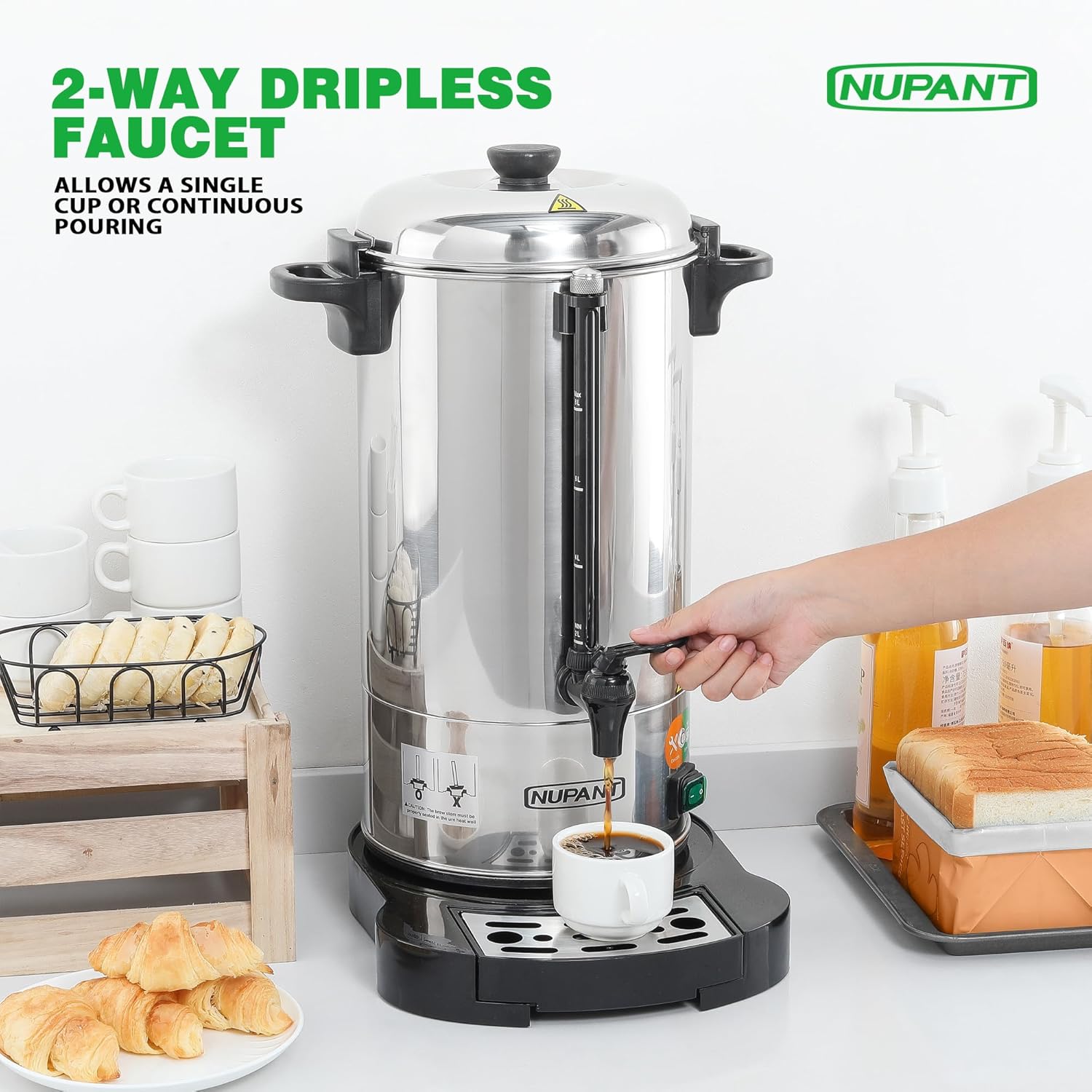
Figure 5: The two-way dripless faucet allows for easy and controlled dispensing.
Maintenance and Cleaning
Regular cleaning and maintenance will ensure the longevity and optimal performance of your coffee urn.
- Unplug and Cool: Always unplug the urn and allow it to cool completely before cleaning.
- Empty and Disassemble: Empty any remaining coffee. Remove the lid, dish filter, filter basket, and filter tube.
- Clean Components: Wash the lid, dish filter, filter basket, filter tube, and drip tray with warm, soapy water. Rinse thoroughly and dry.
- Clean Urn Interior: Clean the interior of the urn with warm, soapy water and a soft cloth or sponge. Avoid abrasive cleaners or scouring pads that could scratch the stainless steel. Rinse thoroughly.
- Clean Urn Exterior: Wipe the exterior of the urn with a damp cloth. Do not immerse the base or electrical components in water.
- Descaling: If the yellow indicator light illuminates or if you notice a decrease in brewing efficiency, descaling may be necessary. Fill the urn with a solution of water and white vinegar (e.g., 1 part vinegar to 2 parts water). Operate the urn through a brewing cycle without coffee grounds. After the cycle, discard the solution, rinse the urn thoroughly several times with fresh water, and then run a cycle with fresh water only to remove any residual vinegar taste.
Troubleshooting
If you encounter issues with your NUPANT Coffee Urn, refer to the following common problems and solutions:
- Urn does not heat or brew: Ensure the power cord is securely plugged into a working outlet and the power switch is in the 'ON' position. Check if the circuit breaker has tripped.
- Coffee is weak or watery: Ensure you are using the correct amount of medium-grind coffee grounds. Check that the filter tube is properly seated and not obstructed.
- Coffee is too strong: Reduce the amount of coffee grounds used.
- Urn is making unusual noise during brewing: This can sometimes indicate improper placement of the filter tube. Ensure the filter tube's feet click into the slots at the bottom of the urn for a secure fit.
- Leaking from the spigot: Ensure the spigot is fully closed. If leaking persists, check for any loose connections or damage to the spigot.
- Yellow indicator light is on: This indicates that the urn requires descaling or water refill. Follow the descaling instructions in the Maintenance section.
Specifications
| Feature | Specification |
|---|---|
| Brand | NUPANT |
| Model Number | PC-267 |
| Material | 304 Stainless Steel |
| Color | Sliver |
| Capacity | 8 Liters (50 Cups) |
| Product Dimensions | 9"W x 18.3"H |
| Item Weight | 7.6 Pounds |
| Special Features | Auto-Keep Warm Mode, Home & Business Use, Lightweight |
| Included Components | Coffee Urn |
Warranty and Support
NUPANT products are manufactured to high-quality standards and are backed by a manufacturer's warranty. For specific warranty details, product support, or to inquire about replacement parts, please contact NUPANT customer service. Keep your purchase receipt as proof of purchase for warranty claims.