
1. Introduction
This manual provides essential information for the safe and efficient operation, maintenance, and troubleshooting of your TaskStar Cordless Stick Water Transfer Pump P025. Please read this manual thoroughly before using the product and retain it for future reference.
The TaskStar P025 is a portable, battery-powered water transfer pump designed for various applications including draining pools, ponds, aquariums, basements, and boats. Its cordless design offers flexibility and ease of use in locations without direct power access.
2. Safety Instructions
WARNING: Failure to follow these safety instructions may result in electric shock, fire, or serious injury.
- Always wear appropriate personal protective equipment, such as safety glasses and gloves, when operating the pump.
- Do not operate the pump with damaged cords or hoses. Inspect all components before each use.
- Ensure the battery is fully charged before use. Use only the charger provided by TaskStar.
- Do not immerse the battery or charger in water. Keep them dry at all times.
- This pump is designed for water transfer. Do not use it for flammable liquids such as gasoline, oil, or corrosive chemicals.
- Keep children and pets away from the operating area.
- Disconnect the battery before performing any maintenance or cleaning.
- Do not run the pump dry for extended periods, as this can cause damage.
- Ensure the pump intake is clear of debris to prevent clogging and motor damage.
- Do not modify the pump or its components. Use only genuine TaskStar replacement parts.
3. Package Contents
Verify that all items listed below are included in your package. If any items are missing or damaged, please contact TaskStar customer support.
- Stick Transfer Pump (1 unit)
- 4000mAh 21V Lithium-Ion Battery (2 units)
- 21V Battery Charger (1 unit)
- 3.28 Feet Water Pipe (1 unit)

Figure 3.1: Included Components of the TaskStar P025
4. Product Overview
The TaskStar P025 features a robust design for efficient water transfer. Key components include:
- Motor Housing: Contains the powerful 11,000 RPM motor.
- Battery Port: For attaching the 21V 4000mAh Lithium-Ion battery.
- On/Off Switch: Simple one-touch operation.
- Water Outlet: Threaded 3/4" outlet for secure hose connection.
- Extension Shaft: Provides extended reach for deep water sources.
- Pump Intake with Filter: Prevents debris from entering the pump.

Figure 4.1: Key Features of the TaskStar P025
5. Setup
5.1 Battery Charging
- Insert a 4000mAh 21V Lithium-Ion battery into the provided charger.
- Plug the charger into a standard electrical outlet.
- The indicator light on the charger will show the charging status. A full charge typically takes approximately 2 hours.
- Once fully charged, disconnect the charger and remove the battery.

Figure 5.1: Battery Charging Process
5.2 Assembling the Pump
- Attach the water pipe to the threaded 3/4" outlet on the pump. Ensure a secure, leak-proof connection.
- Insert a fully charged battery into the battery port on the top of the pump handle until it clicks into place.
- Position the pump with the intake end submerged in the water source you wish to transfer.
6. Operating Instructions
6.1 Starting and Stopping the Pump
- Ensure the pump intake is fully submerged in water and the discharge hose is directed to the desired drainage location.
- Press the one-touch On/Off switch located on the pump handle to start the pump. Water will begin to flow through the hose.
- To stop the pump, press the On/Off switch again.

Figure 6.1: Efficient Water Transfer
6.2 Applications
The TaskStar P025 is versatile for various water transfer needs:
- Pools and Ponds: Quickly drain or transfer water from swimming pools, hot tubs, or garden ponds.
- Basements: Remove standing water from flooded basements or crawl spaces.
- Boats and Kayaks: Efficiently bilge water from marine vessels.
- Rain Barrels: Transfer collected rainwater for garden irrigation.
- Aquariums: Facilitate water changes for large aquariums.
- Wells: Its stick design is suitable for deep, narrow wells.

Figure 6.2: Versatile Applications
6.3 Key Performance Features
- High Flow Rate: Drains up to 720 Gallons Per Hour (GPH), capable of draining a 6-gallon bucket in approximately 30 seconds.
- High Lift: Can move water vertically up to 32 feet.
- Low Suction: Drains water down to 5/8 inch, minimizing residual standing water.
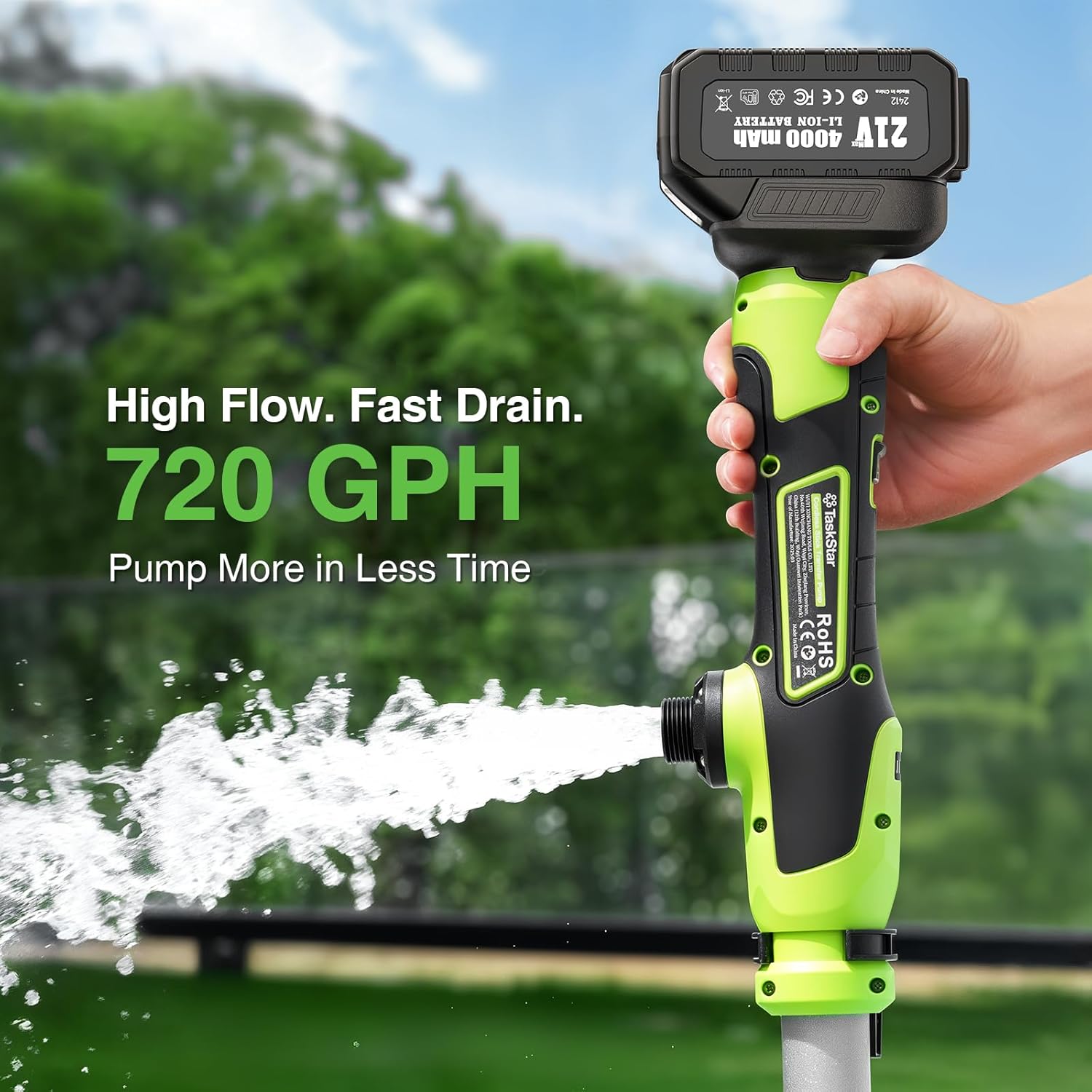
Figure 6.3: High Flow Rate

Figure 6.4: 32FT High Lift Capability

Figure 6.5: Low Suction Drainage
6.4 Video Demonstrations
Video 6.6: Demonstration of the TaskStar P025 pump draining a kayak.
Video 6.7: Overview of TaskStar P025 features including high flow, lift, and battery life.
Video 6.8: The TaskStar P025 pump quickly draining a bucket of water.
Video 6.9: Using the TaskStar P025 pump to remove water from a pool cover.
Video 6.10: The TaskStar P025 pump drawing water from a natural stream.
Video 6.11: The TaskStar P025 pump efficiently draining a bucket.
7. Maintenance
7.1 Cleaning
- After each use, rinse the pump intake and hose with clean water to remove any debris or sediment.
- Wipe down the exterior of the pump with a damp cloth. Do not use harsh chemicals or abrasive cleaners.
- Ensure all components are thoroughly dry before storage.
7.2 Battery Care
- Store batteries in a cool, dry place away from direct sunlight and extreme temperatures.
- For long-term storage, charge batteries to approximately 50% capacity.
- Recharge batteries every 3-6 months during long-term storage to maintain their lifespan.
7.3 Storage
- Store the pump and accessories in a dry, protected area.
- Avoid storing the pump in areas where it may be exposed to freezing temperatures, as residual water can cause damage.
8. Troubleshooting
| Problem | Possible Cause | Solution |
|---|---|---|
| Pump does not start | Battery not inserted correctly Battery discharged On/Off switch faulty | Ensure battery is securely clicked into place Charge battery fully Contact customer support |
| Low water flow | Pump intake clogged Hose kinked or blocked Battery low Water source too shallow | Clear debris from pump intake filter Straighten hose, check for blockages Charge battery Ensure pump is adequately submerged |
| Pump runs but no water flows | Pump not fully submerged Air lock in pump/hose Intake filter completely blocked | Submerge pump fully Lift and re-submerge pump to release air Clean intake filter thoroughly |
| Water leaks from connections | Hose not securely attached Damaged O-ring or seal | Tighten hose connections Inspect and replace O-rings/seals if necessary |
9. Specifications
- Model Number: P025
- Brand: TaskStar
- Power Source: Battery Powered
- Battery Type: 21V 4000mAh Lithium-Ion (2 included)
- Run Time: Up to 52 minutes per charge (approx. 624 gallons transferred)
- Charging Time: Approximately 2 hours
- Maximum Flow Rate: 720 GPH (12 Gallons Per Minute)
- Maximum Lifting Height: 32 Feet
- Minimum Water Level for Drainage: 5/8 inch
- Motor Speed: 11,000 RPM
- Product Dimensions: 6"L x 4"W x 49"H
- Item Weight: 7.4 Pounds
- Material: Aluminum; TPE
- Color: Green
- Included Components: Stick Transfer Pump, 2x 4000mAh Battery, 21V Charger, 3.28 Feet Water Pipe

Figure 9.1: Internal Features and Protections
10. Warranty
The TaskStar Cordless Stick Water Transfer Pump P025 comes with a 1-year warranty from the date of purchase. This warranty covers defects in materials and workmanship under normal use. It does not cover damage resulting from misuse, abuse, accident, unauthorized repairs, or normal wear and tear.
Please retain your proof of purchase for warranty claims.
11. Support
For technical assistance, warranty claims, or general inquiries, please contact TaskStar customer support through the retailer where the product was purchased or visit the official TaskStar website.
Online Resources: For additional information, FAQs, and product registration, please visit the TaskStar brand store on Amazon: TaskStar Store