
BWHEKMO SWS
MYAILOCK Smart Bluetooth Lock User Manual
Model: SWS
Brand: BWHEKMO
Introduction
The MYAILOCK Smart Bluetooth Lock (Model SWS) is an advanced security solution designed for modern homes and offices. This intelligent lock offers multiple convenient unlocking methods, robust security features, and seamless integration with the TuYa application for remote management. It is engineered for durability and ease of use, providing enhanced safety and smart access control for various door types.
This manual provides detailed instructions for the installation, operation, maintenance, and troubleshooting of your MYAILOCK Smart Bluetooth Lock. Please read it carefully before use to ensure proper functionality and to maximize the lifespan of your device.
Setup and Installation
1. Unboxing and Components
Carefully unpack all items from the box. Verify that all components are present:
- Electronic Lock * 1
- Lock Cylinder * 1
- Lock Body * 1
- AA Batteries * 4 (Note: Batteries are not included and need to be purchased separately)
- Square Steel Shaft 7 cm * 1
- Square Steel Shaft 9 cm * 1
- Square Steel Shaft 11 cm * 1
- Accessory Kit * 1
- Mechanical Keys * 2
- IC Cards * 2
- User Manual * 1

Image: Overview of the MYAILOCK Smart Bluetooth Lock and its main components, including the lock unit, IC cards, and mechanical keys.
2. Door Compatibility and Preparation
This smart lock is designed for doors with a thickness ranging from 4 cm to 12 cm. It is suitable for wooden doors, metal doors, and aluminum doors. Ensure your door meets these specifications before proceeding with installation.

Image: Detailed diagram illustrating the compatible door thickness (4-12 cm) and the precise dimensions of the lock body and installation requirements.
For optimal installation, a margin of 9.6 cm is required for the lock body, and a 2.5 cm margin on the lateral end. The lock comes with voice prompts in Spanish to guide you through the setup process, making installation straightforward.
3. Battery Installation
The lock operates on 4 AA batteries. Locate the battery compartment, typically on the interior side of the lock. Insert the batteries, ensuring correct polarity. The lock will provide a voice prompt upon successful battery installation.

Image: Illustration of the smart lock's battery compartment, highlighting the use of 4 AA batteries for power.
Operating Instructions
1. Unlocking Methods
The MYAILOCK Smart Bluetooth Lock offers six distinct methods for unlocking, providing flexibility and convenience:
- Fingerprint Recognition: Utilize the high-sensitivity semiconductor fingerprint sensor for quick and secure access. The lock has a recognition rate of less than 0.1 seconds and can store up to 50 groups of fingerprints.
- Password Entry: Enter your pre-set numerical password on the keypad. The lock supports anti-peeping functionality, allowing you to enter random digits before or after your actual password to prevent others from guessing it.
- IC Card: Tap the provided IC card against the designated area on the lock for swift entry.
- Bluetooth via TuYa App: Connect to the lock via Bluetooth using the TuYa application on your smartphone. This allows for remote unlocking and management.
- Temporary Password: Generate temporary passwords through the TuYa App for guests or service personnel, which can be set to expire after a specific period or number of uses.
- Mechanical Key: In case of emergency or battery depletion, use the traditional mechanical keys provided to unlock the door.
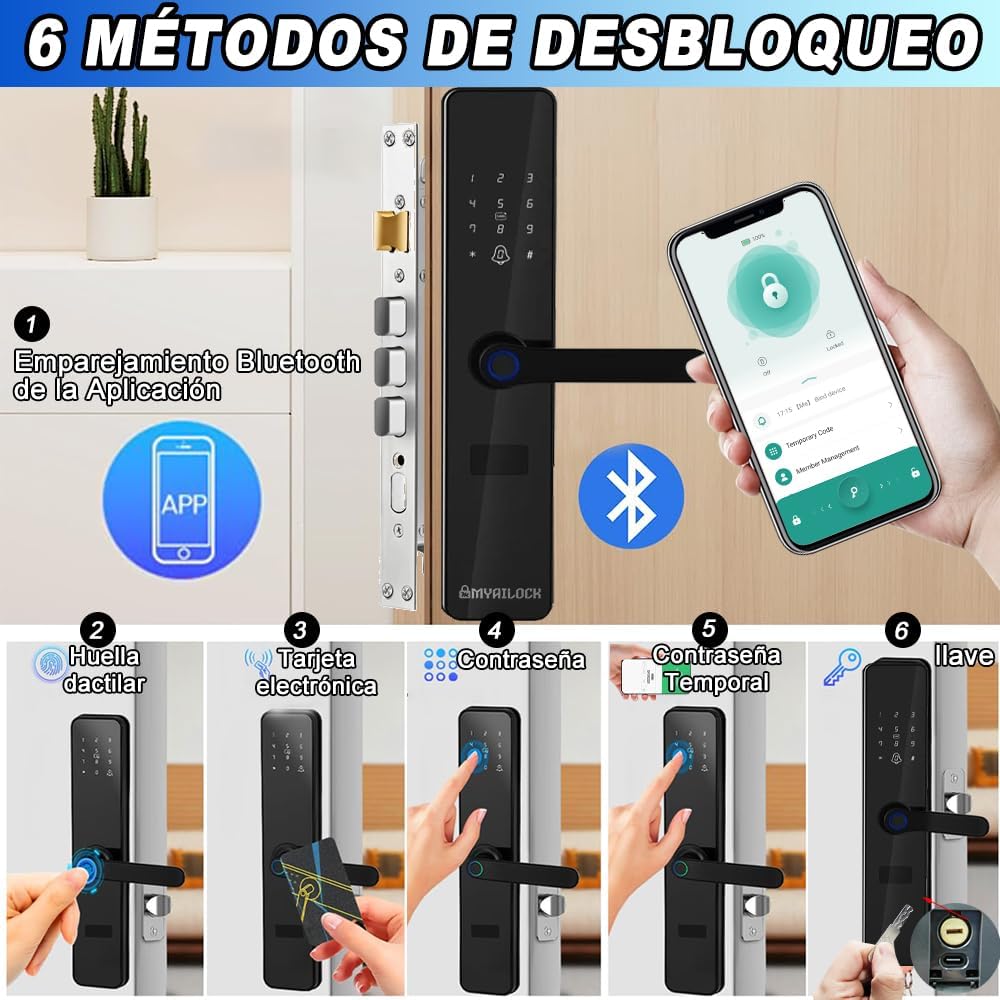
Image: A visual representation of the six different methods available to unlock the MYAILOCK Smart Bluetooth Lock.
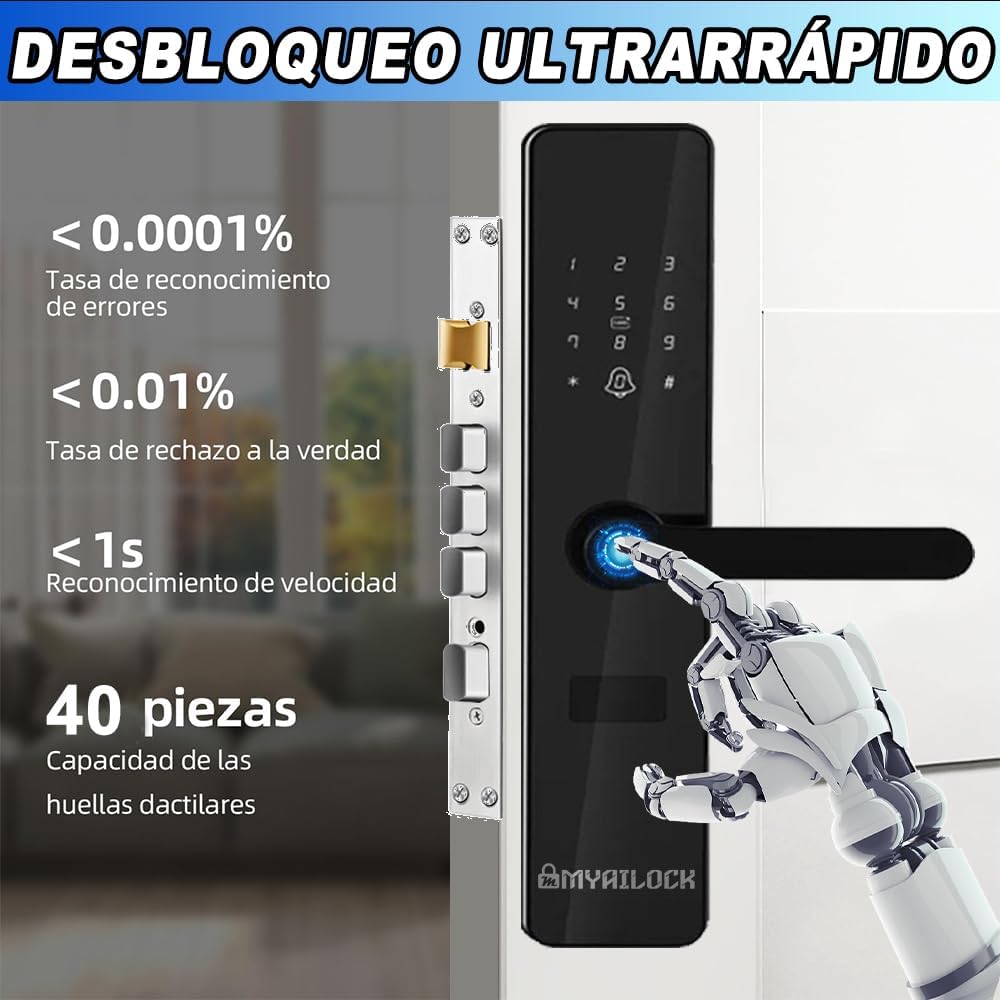
Image: Demonstrates the ultra-fast unlocking speed and high recognition rate of the fingerprint sensor, capable of storing 40 fingerprints.

Image: Explains the temporary password feature with anti-peeping protection and lists various alarm notifications.
2. TuYa Application Management
The TuYa App provides comprehensive control and monitoring capabilities for your smart lock:
- User Management: Easily add or remove fingerprints, passwords, and IC cards for up to 100 users.
- Real-time Records: Monitor unlock records in real-time, providing a history of who accessed the door and when.
- Temporary Passwords: Generate and manage flexible temporary passwords for convenient access control.
- Lock Status: Check the lock's status, including battery level, directly from the app.
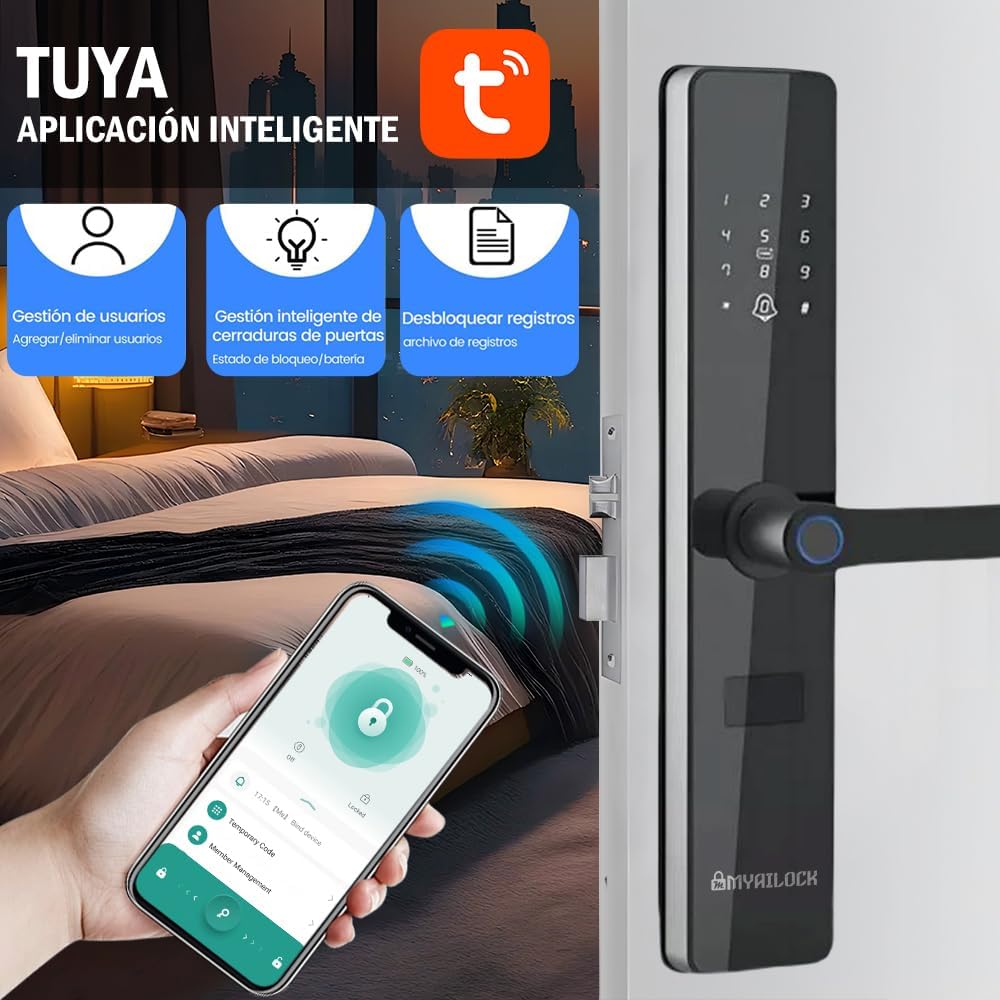
Image: The TuYa Smart Application interface, showing options for user management, smart door lock control, and unlocking records.
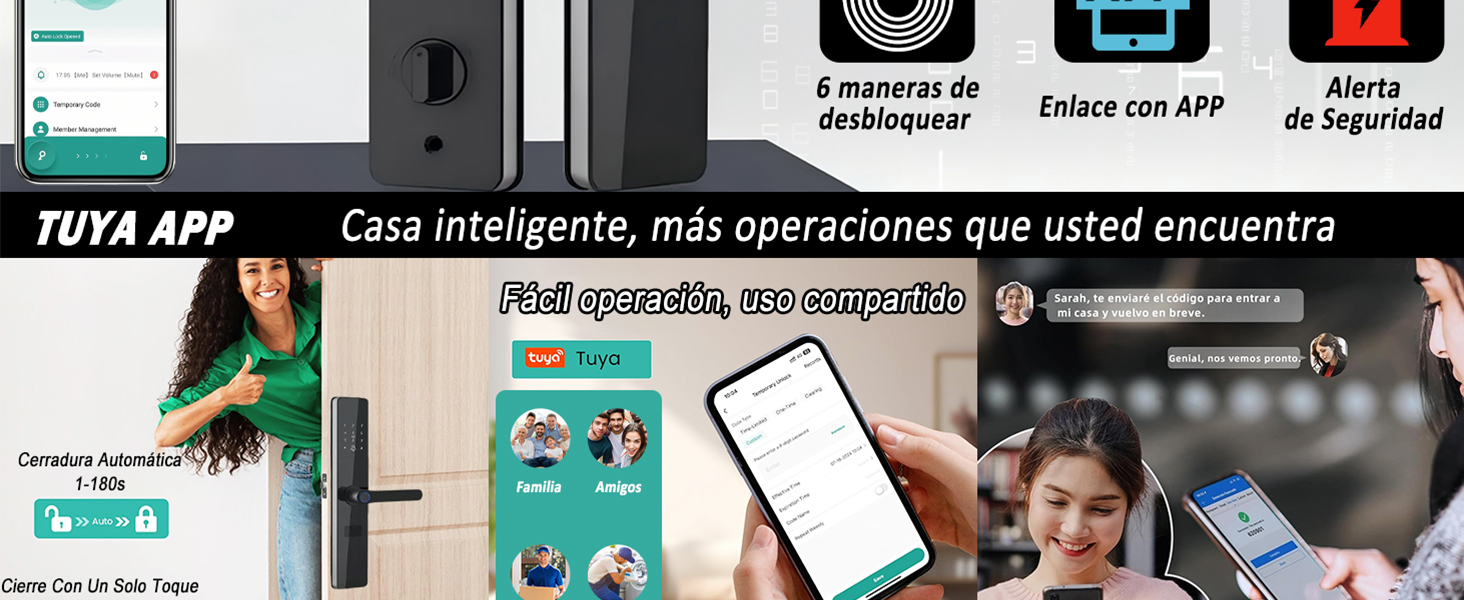
Image: Illustrates the TuYa App's capabilities for smart home integration, easy operation, and shared access management for family and friends.
3. Security Features and Alarms
The MYAILOCK Smart Bluetooth Lock incorporates advanced security measures to protect your property:
- Level 3 Anti-theft Protection: Designed with robust anti-theft mechanisms to resist forced entry.
- Electromagnetic Interference Resistance: Equipped with a powerful chip that resists electromagnetic interference from potential intruders.
- Chip-level Encryption: Ensures secure data transmission and storage, enhancing overall security.
- Multiple Alarm Notifications: The lock provides various alerts to your phone via the TuYa App, including:
- Fingerprint trial and error alarm
- Password trial and error alarm
- IC card trial and error alarm
- Anti-pry alarm
- Key insertion alarm
- Low battery alarm
- Battery exhaustion alarm
- Vibration alarm
- High temperature alarm
- Locked tongue not ejected alarm
- Closed timeout alarm
- Anti-alarm fabric (likely refers to tamper detection)

Image: Illustrates the superior security of the Level 3 anti-theft smart lock compared to easily forced standard locks.
Maintenance
1. Battery Management
The MYAILOCK Smart Bluetooth Lock is powered by 4 AA batteries, offering an average battery life of 6 months. To ensure continuous operation:
- Low Power Reminder: The lock features a smart low power reminder that provides an automatic voice alert when the battery voltage is insufficient. Replace batteries promptly when this alert occurs.
- Emergency Power: In case of complete battery depletion, the lock supports Type-C emergency power supply. Connect a Type-C cable to the designated port on the lock to temporarily power it and gain access.
- Battery Type: Use high-quality AA alkaline batteries for optimal performance and longevity.
2. Cleaning and Care
To maintain the appearance and functionality of your smart lock:
- Wipe the lock's surface with a soft, dry cloth.
- Avoid using abrasive cleaners, solvents, or harsh chemicals, as these can damage the finish and electronic components.
- Ensure the fingerprint sensor and keypad are kept clean and free of dust or debris for accurate recognition.
- The lock is designed to withstand various environments, including resistance to water splashes (IP52), and extreme temperatures (-13°F to 158°F / -25°C to 70°C).
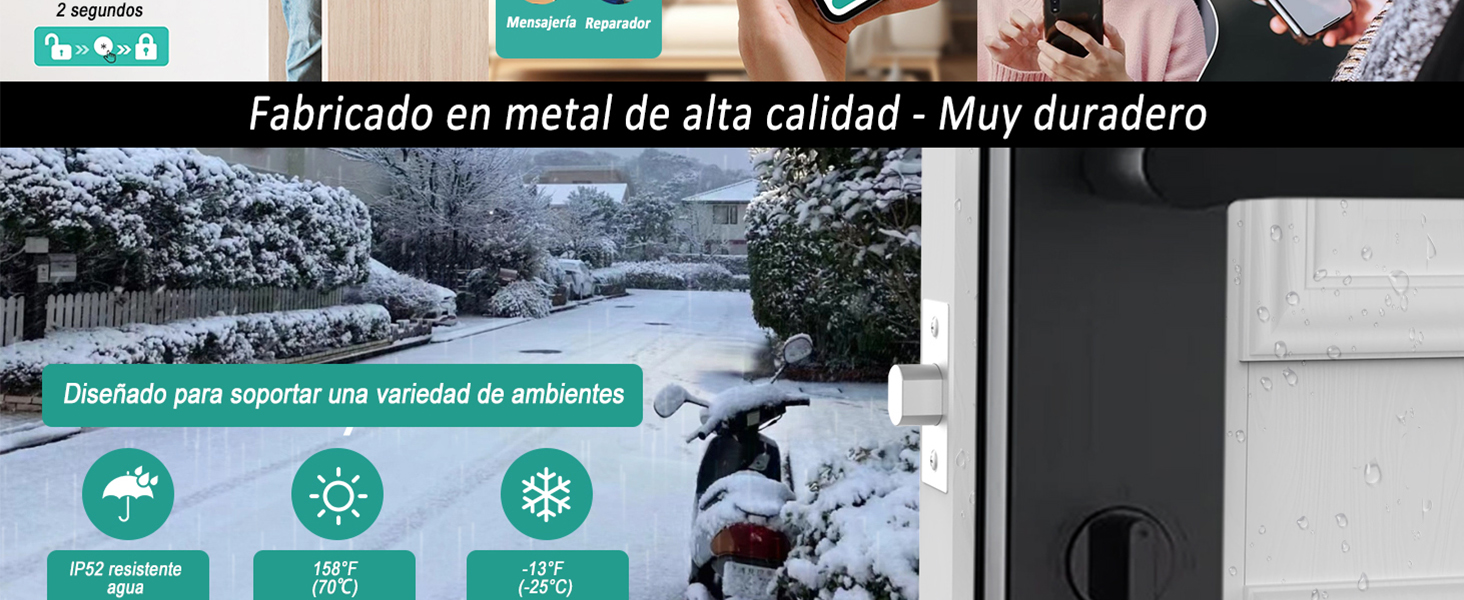
Image: Demonstrates the lock's robust construction from high-quality metal, designed to endure diverse environmental conditions including rain, heat, and cold.
Troubleshooting
If you encounter issues with your MYAILOCK Smart Bluetooth Lock, refer to the following common problems and solutions:
| Problem | Possible Cause | Solution |
|---|---|---|
| Lock does not respond or power on. | Batteries are dead or incorrectly installed. | Replace the 4 AA batteries, ensuring correct polarity. Use Type-C emergency power if needed. |
| Fingerprint not recognized. | Fingerprint sensor is dirty; finger is wet or damaged; fingerprint not properly registered. | Clean the sensor. Ensure your finger is clean and dry. Re-register your fingerprint through the TuYa App if necessary. |
| Remote locking via app only disables the handle, not the security pins. | This is a design characteristic of the anti-theft version. The remote lock function primarily prevents external handle operation. | When the electronic lock is remotely closed, it only deactivates the handle for external opening. For full security, ensure the physical deadbolt is engaged if applicable, or understand this specific operational mode. |
| Cannot connect to TuYa App via Bluetooth. | Bluetooth is off on phone; lock is out of range; app issue. | Ensure Bluetooth is enabled on your phone. Move closer to the lock. Restart the TuYa App or your phone. |
| Voice prompts are not clear or in the wrong language. | Language setting issue. | Refer to the TuYa App settings or the full user manual for instructions on changing voice prompt language. |
Specifications
| Feature | Detail |
|---|---|
| Manufacturer | BWHEKMO |
| Model Number | SWS |
| Color | Black |
| Style | Anti-theft Version |
| Material | Stainless Steel |
| Special Features | Anti-shock, Multiple Unlocking Methods, App Control, Alarms |
| Power Source | 4 x AA Batteries (not included) |
| Emergency Power | Type-C USB |
| Door Thickness Compatibility | 4 cm - 12 cm (1.57 inches - 4.72 inches) |
| Product Dimensions (L x W x H) | 36.5 x 7.01 x 3.81 cm (14.37 x 2.76 x 1.5 inches) |
| Weight | 2.54 kg (5.6 lbs) |
| Fingerprint Capacity | Up to 50 groups |
| User Capacity | Up to 100 users (fingerprints, passwords, IC cards) |
Warranty and Support
Your MYAILOCK Smart Bluetooth Lock comes with a quality guarantee to ensure your satisfaction and peace of mind.
- Quality Guarantee: This product offers a 6-month quality guarantee. If any issues arise during normal use that are not caused by user error, the product can be returned without cost during this period.
- Customer Support: We provide 24-hour customer assistance in Mexico. For any problems or inquiries, please contact us immediately.
- Electronic Invoice (CFDI): An electronic invoice (CFDI) valid and recognized by the Mexican Ministry of Finance and Public Credit (SAT) is available for all purchases. This is ideal for business purchases and tax deductions. You can easily request it after placing your order.
Ask a question about this manual
Ask about setup, troubleshooting, compatibility, parts, safety, or missing instructions. Manuals+ will review the question and use this page’s manual context to help answer it.