
Uzoli EM3385US
Uzoli Wireless Pool Thermometer EM3385US User Manual
Model: EM3385US
1. Introduction
Thank you for choosing the Uzoli Wireless Pool Thermometer. This device provides real-time water temperature, indoor temperature, and humidity readings, designed for use in swimming pools, hot tubs, fish tanks, and spas. Please read this manual thoroughly before use to ensure proper operation and longevity of the product.
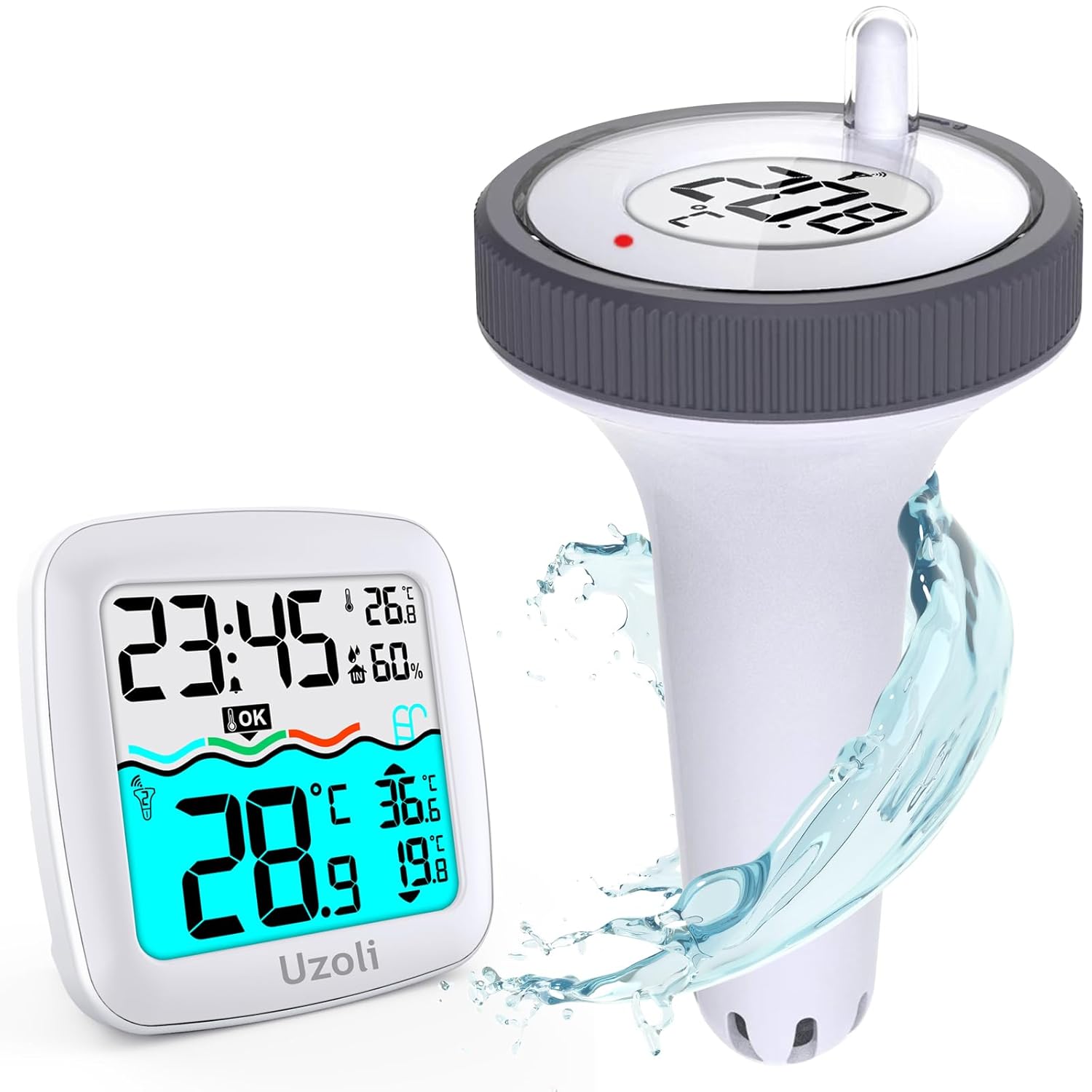
Image 1.1: The Uzoli Wireless Pool Thermometer system, showing the indoor display unit and the floating outdoor sensor.
2. Product Components
- Indoor Display Monitor: Displays water temperature, indoor temperature, indoor humidity, time, and 24-hour max/min records.
- Floating Thermometer Sensor: Waterproof sensor for measuring water temperature.
- User Manual: This document.
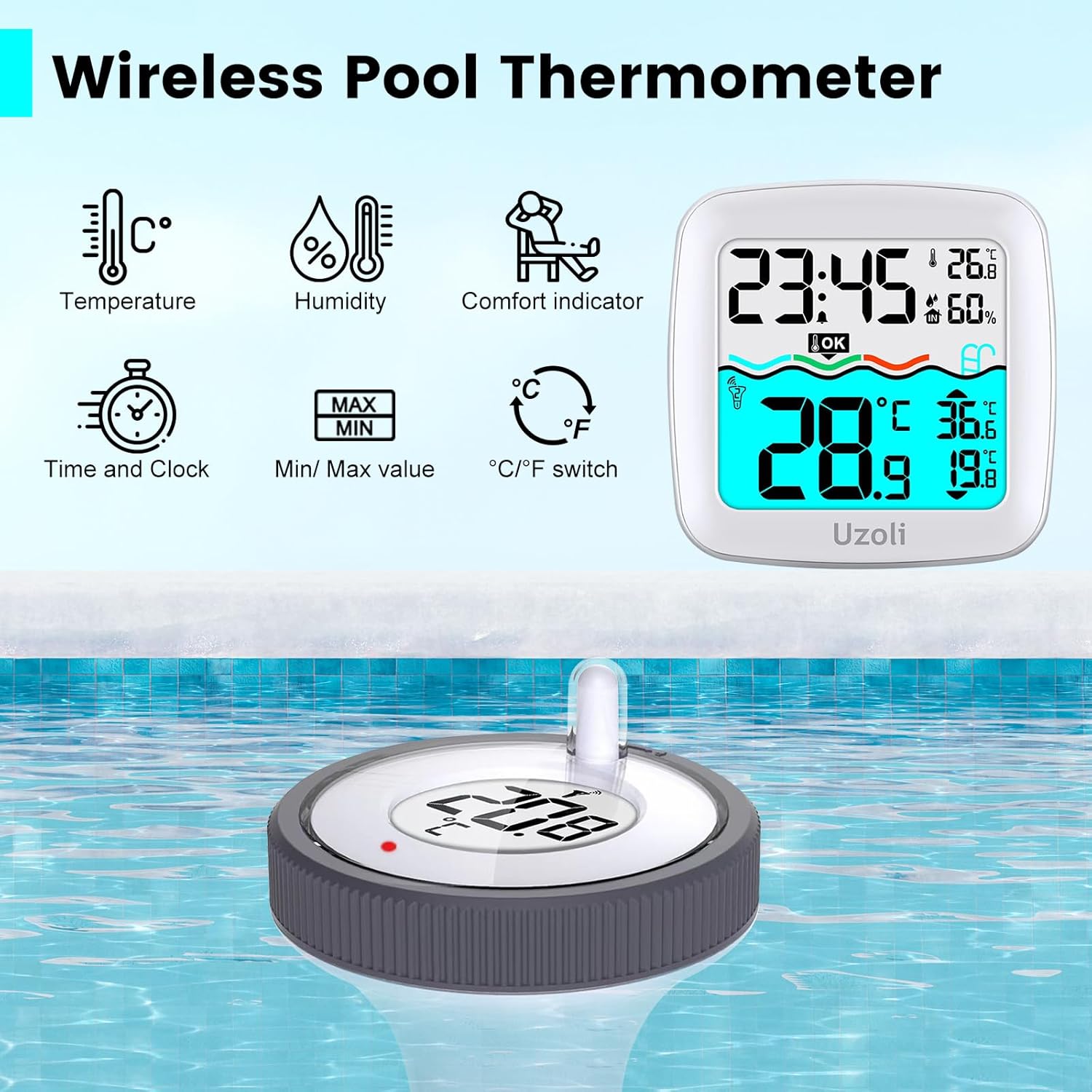
Image 2.1: The indoor display monitor highlighting its various readouts including temperature, humidity, time, and comfort indicator.
3. Setup Instructions
Follow these steps for initial setup:
- Insert Batteries into Main Unit: Open the battery compartment on the back of the indoor display monitor and insert 2 AAA batteries (not included), observing polarity.
- Insert Batteries into Sensor: Open the battery compartment of the floating thermometer sensor and insert 2 AAA batteries (not included), observing polarity. Select the desired channel (1, 2, or 3) using the switch inside the compartment.
- Select Channel on Main Unit: On the indoor display monitor, press the "CH" button to select the channel corresponding to the sensor you just set up.
- Secure Sensor Cover: Ensure the sensor cover is tightly secured to prevent water ingress.
- Place Sensor in Water: Gently place the floating sensor into the water of your pool, hot tub, or other desired location.

Image 3.1: Visual guide for installing batteries in both the indoor unit and the floating sensor, selecting the channel, and placing the sensor in water.
The indoor unit can be placed on a desk or mounted on a wall using the integrated hanging hole.

Image 3.2: Close-up of the wall-mount hole on the back of the indoor display unit.
4. Operating Instructions
4.1 Display Functions
The indoor display monitor provides the following information:
- Time: Current time.
- Indoor Temperature & Humidity: Readings from the indoor monitor's built-in sensors.
- Outdoor Temperature: Water temperature transmitted from the floating sensor.
- Max/Min Records: 24-hour maximum and minimum temperature readings for both indoor and outdoor.
- Comfort Indicator: Visual representation of indoor comfort levels based on temperature and humidity.
- Sensor Channel: Indicates which sensor (1, 2, or 3) is currently being displayed.

Image 4.1: Detailed view of the indoor monitor's display, labeling each information section for clarity.
4.2 Backlight Activation
To activate the backlight for nighttime viewing, press the top button on the indoor display monitor for 2 seconds. The backlight will illuminate for 10 seconds.
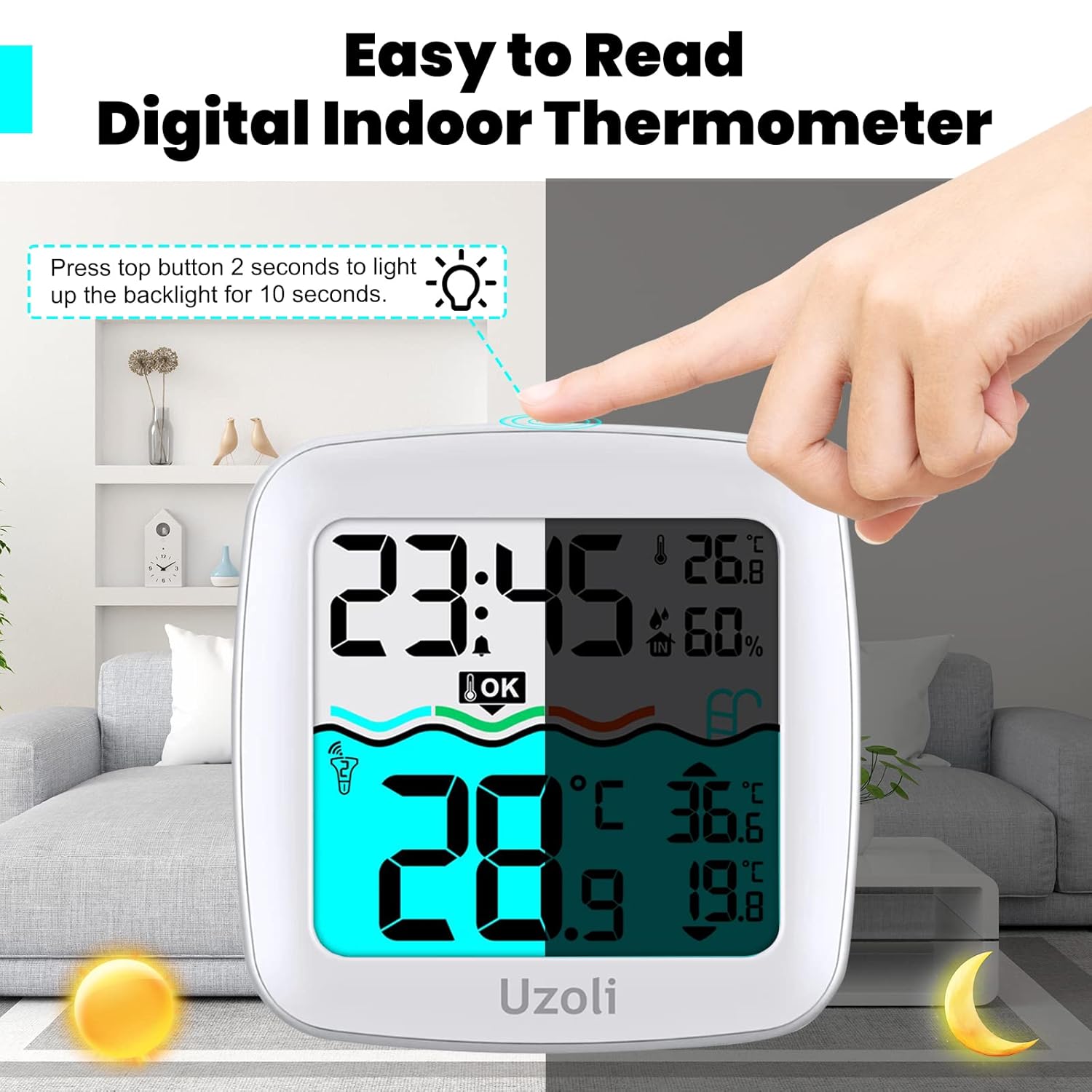
Image 4.2: Illustration of pressing the top button on the indoor unit to activate the backlight.
4.3 Temperature Unit Switching
The temperature unit can be switched between Celsius (°C) and Fahrenheit (°F). Refer to the specific button on your indoor display unit, usually labeled "°C/°F" or integrated with another function button, to toggle between units.
4.4 Max/Min Records
The indoor monitor automatically records the maximum and minimum temperature and humidity values over a 24-hour period. These values are displayed on the screen.

Image 4.3: Close-up of the display showing the recorded maximum (MAX) and minimum (MIN) temperature values.
4.5 Alarm Clock with Snooze
The device includes an alarm clock function. You can set customizable alarms for various purposes. To activate the 8-minute snooze function, tap the designated button when the alarm sounds.

Image 4.4: An icon representing the alarm clock feature with a digital time display.
4.6 Wireless Tracking
The base station can monitor up to 3 pool thermometer sensors simultaneously (one sensor is included with the product). The wireless transmission range is up to 197 feet (60 meters) in an open area, allowing for convenient monitoring from indoors.

Image 4.5: Diagram illustrating the 197ft/60m wireless transmission range from the floating sensor to the indoor monitor, with examples of use in a pool, pond, and fish tank.
5. Maintenance and Care
- Waterproof Seal: Always ensure the floating sensor's battery cover is tightly secured to prevent water ingress.
- Avoid Prolonged Sun Exposure: To ensure the durability and accuracy of the pool thermometer, avoid prolonged exposure of the floating sensor to direct sunlight.
- Chemical Exposure: Remove the temperature sensor from the water when disinfecting your pool with chemicals to prevent damage to the unit.
- Water Type: Avoid prolonged immersion in saltwater or foam pools, as this may affect the sensor's performance and lifespan.
- Cleaning: Clean the units with a soft, damp cloth. Do not use abrasive cleaners or solvents.

Image 5.1: The floating sensor in a pool, highlighting its IPX7 waterproof rating and important care instructions regarding sun exposure and chemical use.
6. Troubleshooting
- No Display on Indoor Unit: Check if batteries are correctly inserted and have sufficient charge. Replace if necessary.
- No Outdoor Temperature Reading: Ensure the floating sensor has fresh batteries and its channel matches the indoor unit. Reduce the distance between the sensor and the indoor unit, and remove any obstructions.
- Inaccurate Readings: Ensure the sensor is fully submerged in the water and not exposed to direct sunlight for prolonged periods. Verify the indoor unit is in a stable environment.
- Water Ingress in Sensor: Immediately remove the sensor from water, open the battery compartment, and allow it to dry completely. Ensure the cover is tightly sealed before re-use.
7. Specifications
| Feature | Specification |
|---|---|
| Model Number | EM3385US |
| Water Temperature Range | -40°F to 158°F (-40°C to 70°C) |
| Indoor Temperature Range | 14.2°F to 122°F (-9.9°C to 50°C) |
| Indoor Humidity Range | 20%RH to 95%RH |
| Wireless Transmission Range | Up to 197 ft (60 m) in open space |
| Waterproof Level (Sensor) | IPX7 |
| Power Source (Indoor Unit) | 2 x AAA batteries (not included) |
| Power Source (Floating Sensor) | 2 x AAA batteries (not included) |
| Display Type | Digital LCD |
| Included Components | Floating Thermometer Gauge, Indoor Display Monitor |

Image 7.1: Diagram showing the dimensions of both the indoor display unit and the floating sensor, along with their respective battery requirements.
8. Support
If you encounter any issues or have questions regarding your Uzoli Wireless Pool Thermometer, please refer to the troubleshooting section or contact Uzoli customer support for assistance. Contact information can typically be found on the product packaging or the official Uzoli website.