
1. Introduction
This user manual provides comprehensive instructions for the Poly Voyager Legend 50 Bluetooth Headset. Designed for clear communication and comfort, this headset features advanced noise cancellation and extended battery life. Please read this manual thoroughly to ensure optimal performance and longevity of your device.
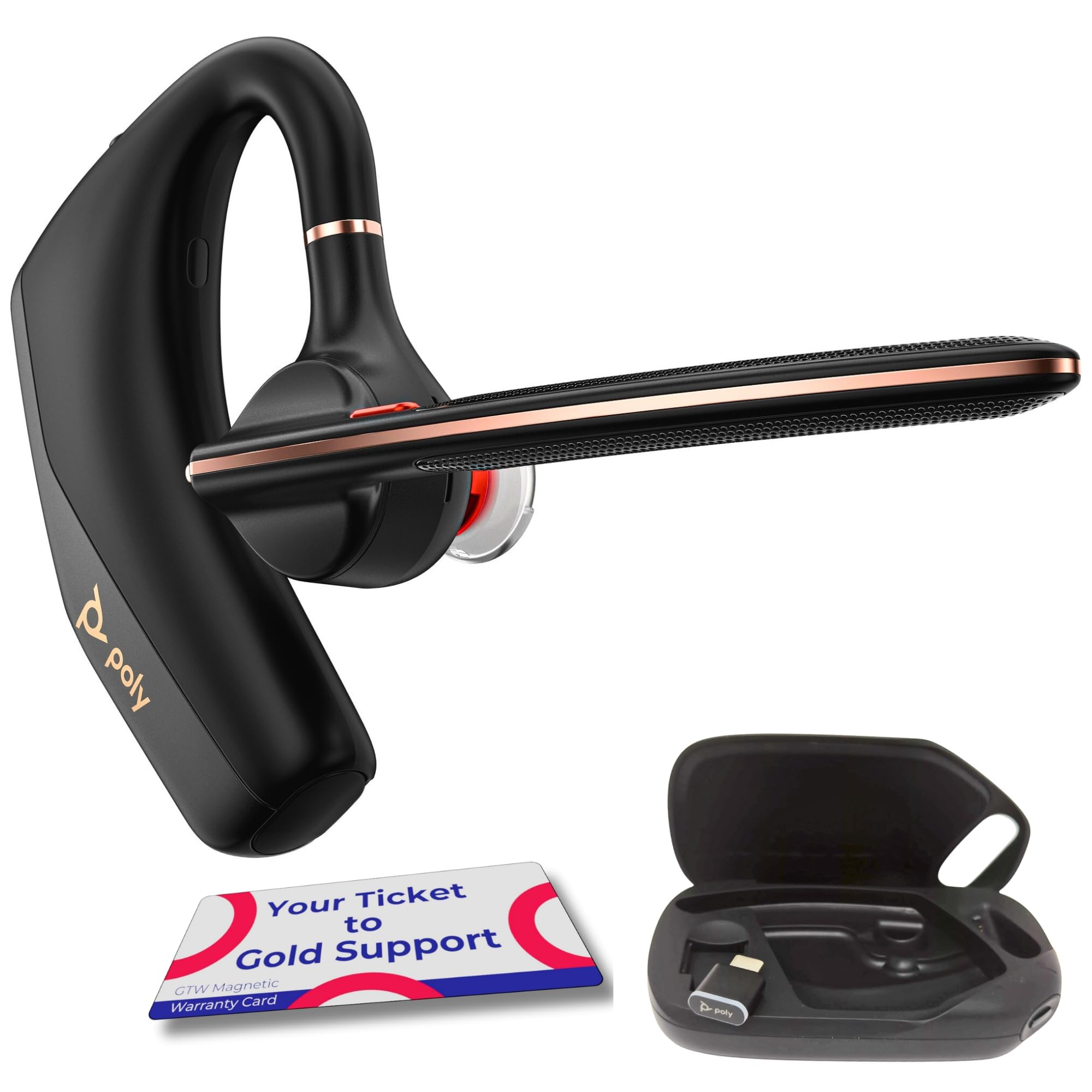
Figure 1: Poly Voyager Legend 50 Bluetooth Headset
2. What's in the Box
Verify that all items are present in your package:
- Poly Voyager Legend 50 Bluetooth Earpiece (Pack of 5)
- BT700 Bluetooth Type C adapter
- Charging case and Quick start guide
- USB Type C to USB Type A adapter
- USB Type-C charging cable & GTW Warranty Card
3. Product Overview
The Poly Voyager Legend 50 is engineered for superior audio quality and user convenience. Key features include:
- AI-Powered Noise Cancellation: Features Poly NoiseBlock AI and WindSmart technology with a 4-microphone array to block wind and background noise, ensuring clear voice transmission.
- Long-lasting Battery: Provides up to 10 hours of talk time with USB Type-C fast charging.
- Wireless Freedom: Bluetooth 5.4 with an ultra-long 98-ft range.
- Multipoint Connectivity: Pair up to 8 devices and connect two simultaneously for seamless switching.
- Ergonomic Design: Lightweight with three ear tip sizes for a secure fit. P2i nano-coating offers moisture protection.
- Smart Sensor Technology: Automatically answers calls when worn and mutes when removed.
- Intuitive Controls: One-touch controls for power, mute, volume, pairing, call answering, and voice assistant activation.

Figure 2: Headset with volume and mute controls

Figure 3: Headset worn for comfortable use
4. Setup
4.1. Charging the Headset
Before first use, fully charge your headset. The charging case provides additional battery life.
- Place the headset into the charging case. Ensure the magnetic connectors align.
- Connect the USB Type-C charging cable to the charging case and then to a USB power source (e.g., computer, wall adapter).
- The LED indicator on the headset and/or case will show charging status. A full charge typically takes approximately 1.5 hours.

Figure 4: Headset placed in its charging case
4.2. Pairing with a Device
The headset can be paired with up to 8 devices and connected to two simultaneously.
- Initial Pairing: When you first turn on your headset, it automatically enters pairing mode. The LED will flash red and blue.
- Manual Pairing: If the headset is not in pairing mode, press and hold the Call button until the LED flashes red and blue.
- On your smartphone, tablet, or computer, enable Bluetooth and search for new devices.
- Select "Poly Voyager Legend 50" from the list of available devices.
- Once paired, the LED will stop flashing and remain solid blue.
Note: For optimal performance with a computer, use the included BT700 Bluetooth Type C adapter.
5. Operating the Headset
5.1. Power On/Off
Slide the Power switch to turn the headset On or Off.
5.2. Making and Answering Calls
- Answer a Call: Tap the Call button or simply put on the headset (Smart Sensor feature).
- End a Call: Tap the Call button.
- Reject a Call: Press and hold the Call button for 2 seconds.
- Redial Last Number: Double-tap the Call button.
5.3. Volume Control
Use the Volume Up (+) and Volume Down (-) buttons on the headset to adjust call and media volume.
5.4. Mute/Unmute
During a call, tap the Mute button to mute or unmute your microphone. The headset will provide voice alerts when muted.
5.5. Voice Assistant
Press and hold the Call button for 2 seconds to activate your smartphone's voice assistant (Siri, Google Assistant, etc.).
5.6. Wearing the Headset
The headset is designed for comfortable wear on either ear. Rotate the microphone boom to position it correctly for your chosen ear.
Video: Poly Voyager Legend 50 UC Headset - Mic Noise Canceling Demo. This video demonstrates the noise-canceling capabilities of the headset's microphone in various environments.
6. Maintenance
To ensure the longevity and optimal performance of your Poly Voyager Legend 50 headset, follow these maintenance guidelines:
- Cleaning: Use a soft, dry cloth to clean the headset. Do not use liquid cleaners or aerosols.
- Moisture Protection: The headset features a P2i nano-coating for moisture protection. However, avoid submerging it in water or exposing it to heavy rain.
- Storage: When not in use, store the headset in its charging case to protect it and keep it charged.
- Ear Tips: Regularly check and clean the ear tips. Replace them if they become worn or damaged to maintain comfort and sound quality.
7. Troubleshooting
If you encounter issues with your headset, try the following solutions:
7.1. No Power
- Ensure the headset is fully charged. Connect it to the charging case and a power source.
- Check the charging cable and power adapter for damage.
7.2. Cannot Pair with Device
- Ensure the headset is in pairing mode (LED flashing red and blue).
- Turn off Bluetooth on other nearby devices to prevent interference.
- Delete "Poly Voyager Legend 50" from your device's Bluetooth list and try pairing again.
- Restart both your headset and the device you are trying to pair with.
7.3. Poor Audio Quality / Noise Issues
- Ensure the headset is worn correctly and the ear tip provides a good seal.
- Move closer to your paired device to reduce potential interference or range issues.
- Check for any obstructions between the headset and your device.
- Confirm that the microphone boom is positioned correctly towards your mouth.
- If using with a computer, ensure the BT700 adapter is properly connected and recognized.
7.4. Smart Sensors Not Working
- Ensure the sensors are clean and free from debris.
- Try resetting the headset (refer to the Quick Start Guide for specific instructions).
8. Specifications
| Feature | Detail |
|---|---|
| Model Name | Voyager Legend 50-M |
| Connectivity Technology | Wireless (Bluetooth 5.4) |
| Bluetooth Range | Up to 98 feet (30 meters) |
| Noise Control | Active Noise Cancellation (Poly NoiseBlock AI, WindSmart Technology) |
| Microphone | 4-Mic Array |
| Battery Life (Talk Time) | Up to 10 Hours |
| Charging | USB Type-C Fast Charging |
| Water Resistance Level | Water Resistant (P2i Nano-coating) |
| Compatible Devices | Smartphones (Android & iOS), Tablets, Laptops, Desktop Computers, Bluetooth-enabled devices |
| Item Weight | 7.8 ounces |
| Product Dimensions | 1.15 x 4.05 x 2.52 inches |
9. Warranty and Support
Your Poly Voyager Legend 50 Bluetooth Headset comes with a manufacturer's warranty. Please refer to the Global Teck Worldwide magnetic warranty card included in your package for specific warranty terms and conditions.
For technical support, troubleshooting assistance, or warranty claims, please contact Global Teck Worldwide customer service. Contact information can be found on the warranty card or by visiting the official Global Teck Worldwide website.
It is recommended to register your product to receive updates and support.