1. Product Overview
The Cbersmg Q3-01 Anti-Barking Device is designed to assist in dog training and behavior modification using ultrasonic sound. It provides a safe and effective method to deter unwanted behaviors such as excessive barking, digging, chewing, and other disruptive actions. The device features multiple ultrasonic modes and a built-in flashlight for enhanced utility.

Image 1.1: The Cbersmg Q3-01 Anti-Barking Device, shown with a Doberman Pinscher in the background, highlighting its primary function.
Key Features:
- Effective Bark Control: Helps to reduce and stop excessive barking and other undesirable dog behaviors.
- Dual Ultrasonic Modes: Includes a fixed 25KHz stable wave ultrasonic mode and a flexible 20-30KHz jump wave ultrasonic mode for varied effectiveness across different dogs.
- Safety: Emits ultrasonic frequencies undetectable to humans, ensuring no vibration, noise, or physical contact with the dog. Safe for all dog sizes.
- Portability: Compact and lightweight design for easy carrying.
- Safety Lock: Prevents accidental activation.
- Auto-Off Function: Automatically turns off after 10 seconds of use to conserve energy and enhance safety.
- Integrated LED Flashlight: Features stable and flashing modes for convenience during night walks or as an additional deterrent.

Image 1.2: The Cbersmg Q3-01 device demonstrating its pocket-sized design and safety lock feature, emphasizing portability and secure handling.
2. Setup and Charging
2.1 Unboxing and Initial Inspection
Upon receiving your Cbersmg Q3-01 device, carefully remove it from its packaging. Inspect the device for any visible damage. The package typically includes the anti-barking device and a charging cable. No other components are usually included.
2.2 Charging the Device
The Cbersmg Q3-01 features a rechargeable battery. Before first use, it is recommended to fully charge the device.
- Locate the charging port on the device.
- Connect the provided charging cable to the device and a suitable USB power source (e.g., computer USB port, wall adapter).
- The charging indicator light will illuminate, typically red, during charging.
- A full charge usually takes approximately 2 hours. The indicator light will change color (e.g., green) or turn off once charging is complete.
A fully charged device can provide up to 30 days of daily use and has a standby time of up to 180 days.
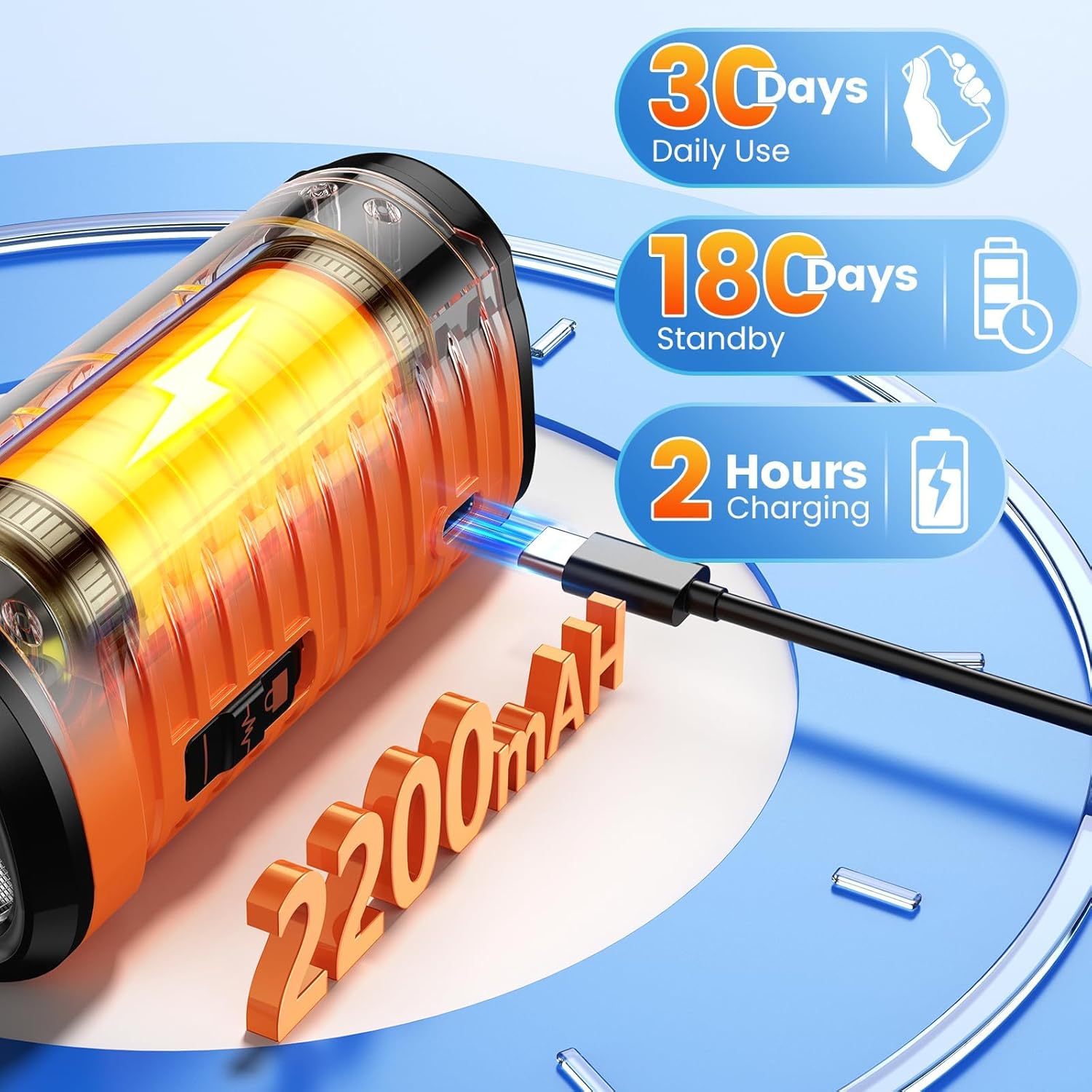
Image 2.1: Illustration of the Cbersmg Q3-01 device being charged via USB, detailing battery life and charging duration.
3. Operating Instructions
The Cbersmg Q3-01 device is designed for ease of use. Familiarize yourself with the buttons and their functions before use.

Image 3.1: Visual representation of the Cbersmg Q3-01 device's control buttons and the different operational modes: Ultrasonic Mode, Ultrasonic Deterrence Mode, Beep Mode, and Torch Light Mode.
3.1 Button Functions
- Top Button (Light Icon): Activates the LED flashlight. Press once for stable light, press again for flashing light (strobe mode), press a third time to turn off.
- Middle Button (Sound Wave Icon): Activates the ultrasonic sound. This button typically cycles through the different ultrasonic modes (fixed 25KHz, flexible 20-30KHz, or beep mode if available). Refer to the device's specific markings for mode selection.
- Bottom Button (Speaker Icon): May activate a specific ultrasonic mode or a beep sound. Consult the device's markings for precise function.
- Safety Lock Switch: Located on the side of the device. Slide to lock or unlock the buttons to prevent accidental activation.
3.2 Using the Anti-Barking Function
When your dog exhibits unwanted behavior (e.g., barking, digging, chewing), follow these steps:
- Ensure the safety lock is disengaged.
- Point the device directly towards the dog. The effective range is approximately 50 feet (15 meters).
- Press and hold the appropriate ultrasonic button (Middle or Bottom button, depending on desired mode). The device will emit an ultrasonic sound that is unpleasant to the dog but harmless.
- Release the button once the dog stops the unwanted behavior. The device has a 10-second auto-off function if the button is held continuously.
- Use verbal commands (e.g., "Quiet," "No") in conjunction with the device for more effective training. Reward desired behavior.
Experiment with both the fixed 25KHz and flexible 20-30KHz ultrasonic modes to determine which is most effective for your specific dog, as different dogs may respond differently to various frequencies.

Image 3.2: The Cbersmg Q3-01 device in use, illustrating its effective range of up to 50 feet for stopping unwanted dog behaviors.
3.3 Using the LED Flashlight
The integrated LED flashlight can be used for illumination or as an additional deterrent.
- Press the top button (Light Icon) once for a steady beam of light (Torchlight Mode).
- Press the top button again for a flashing light (Strobe Flash Mode). This can be used to startle a dog or for signaling.
- Press the top button a third time to turn off the flashlight.

Image 3.3: The Cbersmg Q3-01 device demonstrating its flashlight capabilities, including both Torchlight and Strobe Flash modes, useful for night walks.
4. Care and Maintenance
- Cleaning: Wipe the device with a soft, dry cloth. Do not use harsh chemicals or abrasive cleaners.
- Storage: Store the device in a cool, dry place away from direct sunlight and extreme temperatures.
- Water Exposure: The device is not waterproof. Avoid exposing it to water or high humidity.
- Battery Care: To prolong battery life, avoid fully discharging the device frequently. Charge it regularly, especially if storing for extended periods.
- Handling: Handle the device with care. Avoid dropping it or subjecting it to strong impacts.
5. Troubleshooting
| Problem | Possible Cause | Solution |
|---|---|---|
| Device not turning on or responding. | Battery is low or depleted. Safety lock is engaged. | Charge the device fully. Disengage the safety lock switch. |
| Dog does not respond to the ultrasonic sound. | Dog may be deaf or hard of hearing. Dog may be accustomed to the frequency. Device not pointed correctly. | Ensure the device is pointed directly at the dog. Try switching between the fixed (25KHz) and flexible (20-30KHz) ultrasonic modes. Ensure the device is within the effective range (up to 50 feet). |
| Flashlight not working. | Battery is low. Faulty LED. | Charge the device. If the issue persists after charging, contact customer support. |
| Device accidentally activates in pocket. | Safety lock not engaged. | Always engage the safety lock when carrying the device in a pocket or bag. |
6. Product Specifications
| Model Number | Q3-01 |
| Brand | Cbersmg |
| Dimensions (LxWxH) | 7.62 x 5.08 x 12.7 cm (approx. 3 x 2 x 5 inches) |
| Item Weight | 210 g (approx. 7.4 oz) |
| Ultrasonic Frequencies | Fixed 25KHz, Flexible 20-30KHz |
| Effective Range | Up to 50 feet (15 meters) |
| Battery Capacity | 2200mAh (implied from image) |
| Charging Time | Approx. 2 hours |
| Daily Use Battery Life | Up to 30 days |
| Standby Battery Life | Up to 180 days |
| Included Components | Anti-barking device, USB charging cable (implied) |
7. Warranty and Support
7.1 Warranty Information
Cbersmg products are typically covered by a limited warranty against defects in materials and workmanship. Please refer to the product packaging or the retailer's website for specific warranty terms and duration. Keep your purchase receipt as proof of purchase for any warranty claims.
7.2 Customer Support
For technical assistance, troubleshooting, or warranty inquiries, please contact Cbersmg customer support. Contact information can usually be found on the product packaging, the official Cbersmg website, or through the retailer where the product was purchased.
When contacting support, please have your product model number (Q3-01) and purchase details ready.