
Introduction
This manual provides essential instructions for the safe and effective use of your CareTech A606 Oversize 4D Massage Chair. Please read this manual thoroughly before operating the chair and retain it for future reference. Proper installation, operation, and maintenance will ensure optimal performance and longevity of your massage chair.
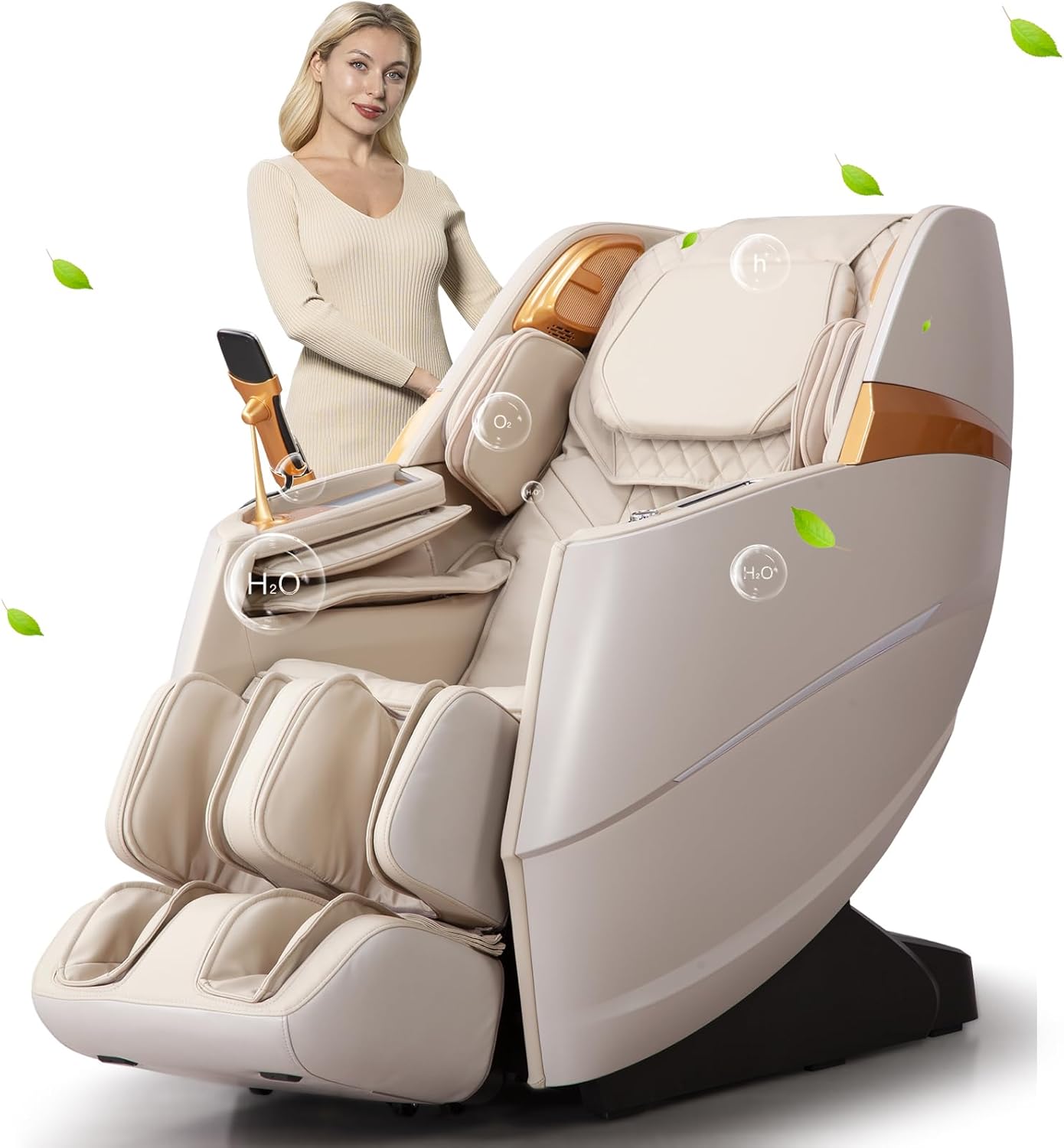
Image: The CareTech A606 Oversize 4D Massage Chair in Ivory Beige, showcasing its design and features.
Important Safety Information
Caution: Do not use in wet or damp conditions. Maximum weight capacity is 350 pounds. Always consult a physician before using any massage device if you have pre-existing medical conditions, are pregnant, or have a pacemaker.
- Ensure the power cord is securely plugged into a grounded outlet.
- Keep children and pets away from the chair during operation.
- Do not attempt to repair or disassemble the chair yourself. Contact customer service for assistance.
- Avoid prolonged use in one area of the body to prevent discomfort.
Setup and Installation
1. Unpacking and Placement
The massage chair arrives in two main parts: the main body and the leg rest. Carefully remove all packaging materials. Ensure you have adequate space for the chair, considering its dimensions and the space-saving recline feature.

Image: Diagram illustrating the chair's dimensions in upright and reclined positions, package size, and recommended door width for installation.
The chair features a 5cm space-saving design, allowing it to recline smoothly even when placed close to a wall.

Image: The CareTech A606 massage chair illustrating its space-saving recline mechanism, requiring only 5cm from a wall.
2. Attaching the Leg Rest
Align the leg rest with the main body of the chair. Secure it using the provided screws. Refer to the detailed assembly diagram in the separate assembly guide for precise instructions. Ensure all connections are firm before use.
3. Power Connection
Connect the power cord to the chair's power inlet and then plug it into a standard 110V-220V ~ 60Hz electrical outlet. Ensure the power switch on the chair is in the "Off" position before plugging in.
Operating Instructions
1. Power On/Off
Locate the power button on the side control panel. Press once to power on the chair. Press and hold to power off.

Image: Close-up of the chair's control panel, highlighting the mobile wireless charging pad, massage mode switch keys, and the On/Off switch with massage intensity adjustment knob.
2. Body Scan Technology
Upon powering on, the chair will automatically perform a body scan to detect your shoulder position and customize the massage experience to your body type. Remain still during this process.
3. Massage Modes and Techniques
The A606 offers 15 automatic massage modes and 9 distinct massage techniques. Use the control panel or remote to select your desired mode.
- 4D Full Body Massage: Utilizes a 135cm SL massage track, 40 airbags (shoulders to feet), back heating, and foot rollers for a comprehensive massage.
- Zero Gravity Mode: Reclines the chair to a position that mimics weightlessness, reducing pressure on the spine and promoting full body relaxation. Adjustable in 3 levels.
- Yoga Stretch Mode: Imitates Thai massage techniques to gently stretch and pull the back, waist, and legs.

Image: The CareTech A606 massage chair demonstrating the 4D Thai Stretching mode, which gently extends the user's body.

Image: An illustration detailing the full body massage capabilities of the A606, including graphene heating on the back, foot scraping massage rollers, and motorized leg extension.

Image: The CareTech A606 massage chair reclined into the zero gravity position, designed to minimize body pressure.
4. Adjustments
Customize your massage experience:
- Massage Speed, Width, Strength: Individually adjustable via the control panel.
- Airbag Pressure: Adjust the intensity of the airbag compression. Upper and lower body airbags can be controlled separately.
- Back and Leg Angle: Adjust the recline angle of the backrest and the elevation of the leg rest to your preference.
- Motorized Leg Extension: The leg rest can be extended or retracted automatically to accommodate different user heights.

Image: An illustration showing the silicone simulated massage hands and controls for adjusting back massage speed, strength, and width.
5. Additional Features
- O2 Ionizer: Located in the headrest, it releases negative oxygen ions to purify the air during your massage.
- Bluetooth Audio: Connect your device via Bluetooth to play music through the chair's 3D surround sound system.
- Wireless Charging: A mobile wireless charging pad is integrated into the armrest for convenient device charging.
- Voice Prompts & Buzzer: These can be turned on or off, and their volume adjusted, via the control settings.

Image: The CareTech A606 massage chair in a room setting, highlighting the release of negative oxygen ions for air purification.

Image: Close-up view of the calf kneading airbags, showing their inflation and deflation for massage.

Image: Detail of the integrated tablet holder on the armrest, designed to securely hold a mobile device.

Image: Close-up of the adjustable headrest cushion, providing comfort and support during massage.
Maintenance
Cleaning
To clean your massage chair, simply wipe it with a clean, damp cloth. Do not use harsh chemicals, abrasive cleaners, or excessive moisture, as this may damage the upholstery or internal components. Ensure the chair is unplugged before cleaning.
Storage
When not in use for extended periods, store the chair in a cool, dry place away from direct sunlight and extreme temperatures.
Troubleshooting
- Chair does not power on:
- Check if the power cord is securely plugged into both the chair and the wall outlet.
- Ensure the wall outlet is functional by testing it with another device.
- Verify the main power switch on the chair is in the "On" position.
- Massage rollers feel too intense:
- Adjust the massage strength setting via the control panel.
- Consider placing a thin cushion or blanket over the backrest for reduced intensity.
- Foot massage is uncomfortable:
- Adjust the intensity of the foot rollers or airbags.
- Ensure your feet are properly positioned within the footrest.
- Bluetooth connection issues:
- Ensure Bluetooth is enabled on your mobile device.
- Make sure the chair's Bluetooth is discoverable and not connected to another device.
- Restart both the chair and your device.
For issues not covered here, please contact CareTech customer support.
Specifications
| Feature | Detail |
|---|---|
| Brand | CareTech |
| Model Name | A606 |
| Color | A606 Ivory Beige |
| Product Dimensions (Upright) | 55.11"D x 32.28"W x 45.23"H |
| Product Dimensions (Reclined) | 74.8"D x 32.28"W x 30.7"H |
| Rated Voltage | 110V-220V ~ 60Hz |
| Rated Power | 150W |
| Rated Time | 20 Minutes |
| Net Weight | 200 lbs |
| Maximum Load Weight | 350 lbs |
| Recommended Height Range | 5.3ft - 6.3ft |
| Recline Angle | 120-190 Degrees |
| Special Features | 4D Massage, SL Track, Zero Gravity, O2 Ionizer, Calf Kneading, Yoga Stretch, Back Heating, Bluetooth Audio, Wireless Charging, Space Saving |
Image: A visual representation of the chair's key specifications, including voltage, power, weight, and dimensions.
Warranty and Support
CareTech offers a 3-year commitment of carefree protection for your massage chair. For any questions, technical assistance, or warranty claims, please contact our customer service team.
To contact the seller:
- Log in to your Amazon account.
- Go to "Your Orders".
- Find the order ID for your CareTech A606 massage chair.
- Click on "Contact Seller".
Our friendly customer service team is available to assist you.