
LLA-41EDD4630FF29A97CEB24BCFC1944468
Instruction Manual
Lilianos Pickup Feed Roller Kit
Model: LLA-41EDD4630FF29A97CEB24BCFC1944468
1. Product Overview
This manual provides essential information for the installation, operation, and maintenance of the Lilianos 6LA06886000 6LA06828000 Pickup Feed Roller Kit. This kit is designed as a replacement part for various Toshiba printer models, ensuring reliable paper feeding performance.
Key Features:
- Product name: Pickup Feed Roller Kit
- OEM NO: 6LA06886000, 6LA06828000
- Compatibility: For Toshiba 550, 555, 556, 650, 655, 656, 755, 756, 810, 855, 856, 520, 523, 557, 600, 603 series printers.
- Quantity: Available in various sets (e.g., 20set as per this product variant).
- Designed for reliable paper pickup and feeding.

Figure 1: Overview of the Lilianos Pickup Feed Roller Kit components.
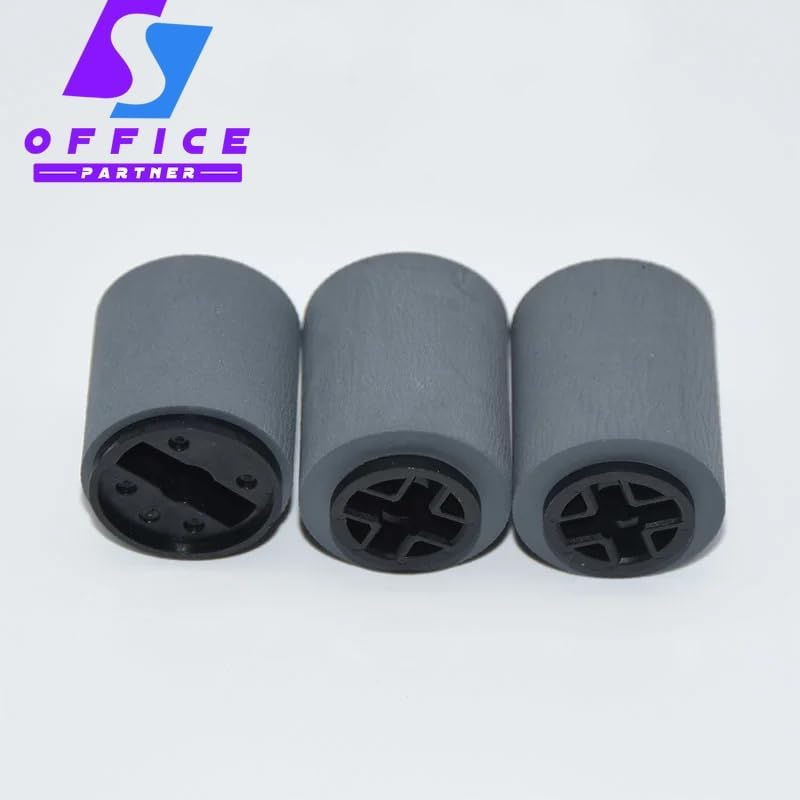
Figure 2: A close-up view of three individual pickup feed rollers, showing their textured surface and internal mechanism.
2. Setup and Installation
The Lilianos Pickup Feed Roller Kit is a replacement part. Installation typically involves replacing worn-out rollers within your Toshiba printer's paper feeding mechanism. It is recommended that installation be performed by a qualified technician or an individual with experience in printer maintenance.
Safety Precautions:
- Always power off and unplug the printer from the electrical outlet before attempting any installation or maintenance.
- Allow the printer to cool down if it has been recently in use.
- Wear appropriate personal protective equipment, such as gloves, if necessary.
- Refer to your specific Toshiba printer's service manual for detailed instructions on accessing and replacing the pickup feed rollers.
- Handle components carefully to avoid damage.
General Installation Steps (Consult Printer Manual for Specifics):
- Access the Roller Assembly: Open the necessary covers or panels on your Toshiba printer to gain access to the paper pickup and feed roller assembly. This often involves opening the paper tray area or side panels.
- Remove Old Rollers: Carefully detach the old, worn-out pickup feed rollers. They are typically held in place by clips or a simple locking mechanism. Note their orientation for correct reinstallation.
- Install New Rollers: Align the new Lilianos rollers with the shafts or mounting points. Gently push or snap them into place until they are securely seated. Ensure they rotate freely.
- Reassemble Printer: Close all covers and panels that were opened during the installation process. Ensure all latches are securely fastened.
- Test Functionality: Plug in the printer and power it on. Perform a test print or paper feed operation to confirm that the new rollers are functioning correctly and paper is feeding smoothly without jams.
3. Operating Principles
The pickup feed rollers are integral components of your printer's paper handling system. Their primary function is to accurately pick up individual sheets of paper from the paper tray and feed them into the printer's internal path for printing.
Once installed, these rollers operate automatically as part of the printer's normal function. When a print job is initiated, the rollers engage, rotate, and grip the top sheet of paper, pulling it into the printer. Proper functioning of these rollers is crucial for preventing paper jams, misfeeds, and ensuring consistent print quality.
4. Maintenance
While the Lilianos Pickup Feed Roller Kit is designed for durability, regular inspection and occasional cleaning can extend its lifespan and maintain optimal printer performance.
Recommended Maintenance:
- Regular Inspection: Periodically inspect the rollers for signs of wear, such as flattening, cracking, or excessive dust/paper residue buildup.
- Cleaning: If paper feeding issues arise due to dust or paper fibers, gently clean the roller surfaces.
- Power off and unplug the printer before cleaning.
- Use a lint-free cloth lightly dampened with distilled water or a printer-safe roller cleaner.
- Wipe the surface of the rollers to remove any debris. Avoid harsh chemicals or abrasive materials.
- Allow rollers to dry completely before powering on the printer.
- Replacement: Replace rollers when they show significant signs of wear or if paper feeding problems persist despite cleaning. The typical lifespan for these parts can vary depending on usage, but the product information suggests a 3-month period for the part itself, implying a recommended replacement interval for optimal performance.
5. Troubleshooting
If you experience issues with paper feeding after installing the new rollers, consider the following troubleshooting steps:
- Paper Jams:
- Ensure paper is loaded correctly in the tray and is not creased or damaged.
- Verify that the paper guides are adjusted properly to the paper size.
- Check for any foreign objects inside the paper path.
- Inspect the rollers for any debris or excessive wear that might be causing misfeeds.
- Multiple Sheets Feeding:
- This often indicates worn or dirty separation pads or rollers. Clean the rollers as described in the Maintenance section.
- Ensure you are using recommended paper types and weights for your printer.
- No Paper Pickup:
- Confirm the paper tray is not empty.
- Check if the rollers are installed correctly and are making proper contact with the paper.
- Inspect the rollers for severe wear or damage.
- Incorrect Installation: Double-check that the rollers are installed in the correct orientation and are securely seated. Refer to your printer's service manual.
If problems persist after following these steps, it may indicate an issue beyond the rollers themselves, or further professional assistance may be required.
6. Technical Specifications
| Attribute | Detail |
|---|---|
| Product Name | Pickup Feed Roller Kit |
| OEM Part Numbers | 6LA06886000, 6LA06828000 |
| Brand | Generic (Lilianos) |
| Model Number | LLA-41EDD4630FF29A97CEB24BCFC1944468 |
| Compatibility | Toshiba 550, 555, 556, 650, 655, 656, 755, 756, 810, 855, 856, 520, 523, 557, 600, 603 series |
| Color | 20set (referring to quantity in this variant) |
| Manufacturer | Generic |
| ASIN | B0F2FK3RRS |
| Date First Available | March 25, 2025 |
7. Warranty Information
The Lilianos Pickup Feed Roller Kit comes with a stated "Time: 3month" period, which typically refers to a warranty or expected operational lifespan from the manufacturer. For specific details regarding warranty coverage, terms, and conditions, please refer to the seller's return policy or contact the seller directly.
As per the product listing, a return policy of 30 days is available for refund/replacement.
8. Customer Support
For technical assistance, installation queries, or any issues not covered in this manual, please contact the seller, Lilianos, through the platform where the product was purchased. Provide your order details and a clear description of the issue to facilitate prompt support.
You may also refer to the official service manual for your specific Toshiba printer model for detailed diagrams and instructions related to component replacement.
Ask a question about this manual
Ask about setup, troubleshooting, compatibility, parts, safety, or missing instructions. Manuals+ will review the question and use this page’s manual context to help answer it.