
1. Introduction
This manual provides comprehensive instructions for the installation, maintenance, and general information regarding your new Generic replacement brush rollers. These brush rollers are designed to restore optimal cleaning performance to your compatible Shark upright vacuum cleaner by effectively agitating carpet fibers and picking up debris.
2. Compatibility
These replacement brush rollers (Part # 1483FC2000) are compatible with the following Shark upright vacuum cleaner models:
- Shark LA702
- Shark LA700
- Shark LA555
- Shark LA455
- Shark LA500
- Shark LA500WM
- Shark LA502
- Shark UV900
- Shark UV850

Image 2.1: The replacement brush roller shown alongside a compatible Shark upright vacuum cleaner, illustrating its intended use.
3. Package Contents
Your package includes:
- Two (2) Replacement Brush Rollers (Part # 1483FC2000)

Image 3.1: Two replacement brush rollers as included in the package.
4. Installation Instructions
Follow these steps to replace the brush roller in your Shark upright vacuum cleaner. Always ensure the vacuum cleaner is unplugged from the power outlet before performing any maintenance or installation.
- Power Off and Unplug: Disconnect your Shark vacuum cleaner from the electrical outlet.
- Access Brush Roll Area: Lay the vacuum cleaner flat on its back to access the brush roll housing. Depending on your specific Shark model, you may need to remove a cover plate or release latches to expose the brush roller. Refer to your vacuum cleaner's original manual for precise instructions on accessing the brush roll.
- Remove Old Brush Roller: Carefully lift out the worn or damaged brush roller. Note the orientation of the ends for correct installation of the new roller.
- Clean Housing: Remove any accumulated hair, debris, or obstructions from the brush roller housing and end caps.
- Install New Brush Roller: Insert the new replacement brush roller into the housing, ensuring the end caps align correctly with the vacuum's drive mechanism. The roller should fit securely and rotate freely.
- Secure Cover: Reattach any covers or secure latches that were removed to access the brush roll.
- Test: Plug in the vacuum cleaner and test its operation to ensure the new brush roller functions correctly.

Image 4.1: Detailed view of the brush roller's top joints and high-quality material construction, designed for secure fitment.
5. Maintenance
Regular maintenance of your brush roller ensures optimal performance and extends the life of your vacuum cleaner.
5.1 Cleaning the Brush Roller
Periodically inspect the brush roller for tangled hair, threads, or debris. Use scissors to carefully cut away any tangled material. The brush roller is washable for thorough cleaning.
- Remove Roller: Follow the initial steps in Section 4 to remove the brush roller from the vacuum.
- Wash: Rinse the brush roller under running water until clean. Use mild soap if necessary.
- Dry Completely: Allow the brush roller to air dry completely for at least 24 hours before reinstalling it into the vacuum cleaner. Ensure no moisture remains to prevent damage to the vacuum.
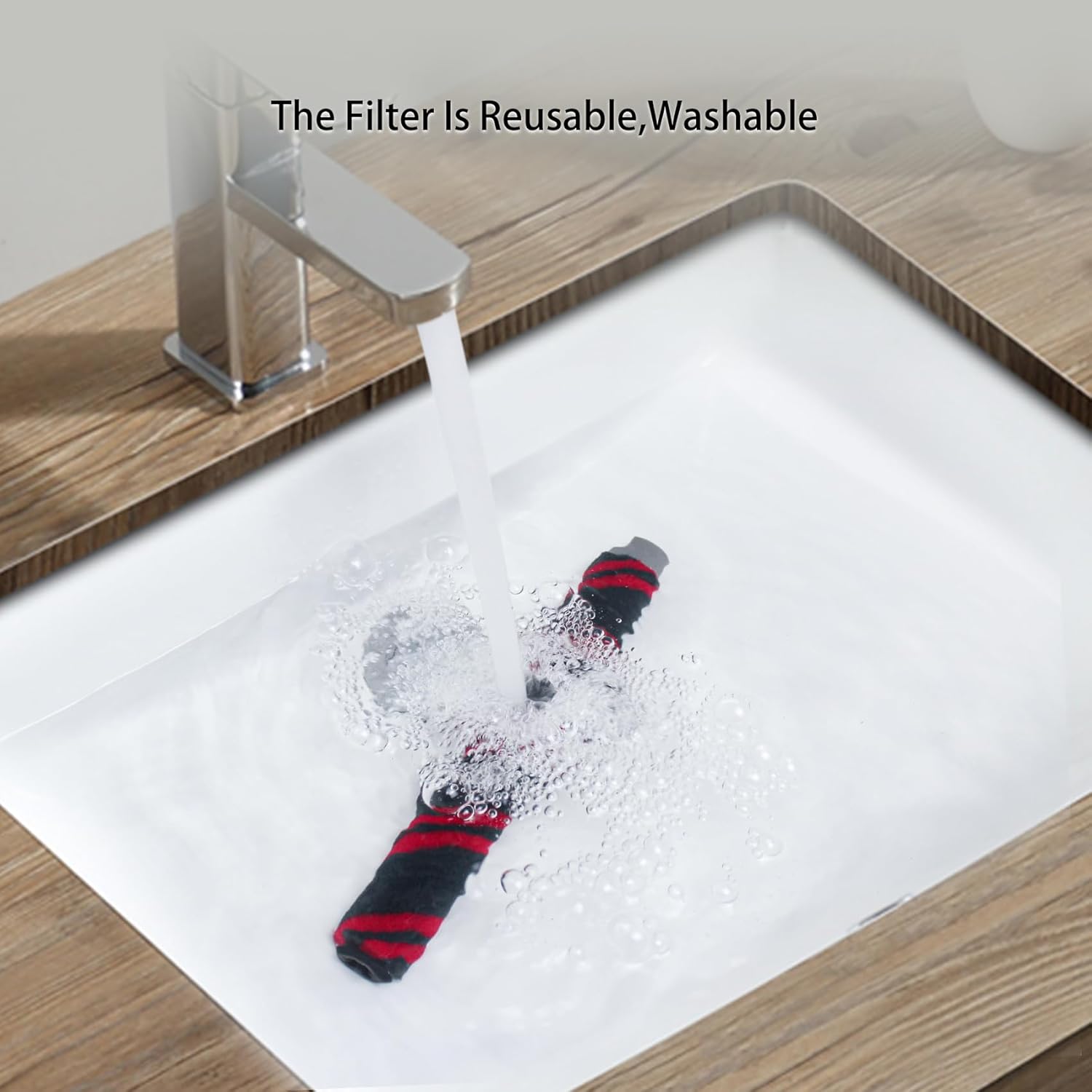
Image 5.1: The brush roller being washed under running water, demonstrating its reusable and washable design.
5.2 Replacement Frequency
For optimal cleaning results, it is recommended to replace the brush roller every 6 to 12 months, depending on usage frequency and household conditions. Regular replacement helps maintain effective debris pickup and carpet agitation.
6. Specifications
| Feature | Detail |
|---|---|
| Part Number | 1483FC2000 |
| Product Dimensions | Approximately 10.35 inches (length) |
| Item Weight (per roller) | Approximately 0.53 pounds (1.06 pounds for 2-pack) |
| Material | High-quality, durable materials |
| Compatibility | Shark LA702, LA700, LA555, LA455, LA500, LA500WM, LA502, UV900, UV850 Upright Vacuum Cleaners |

Image 6.1: The brush roller displaying its approximate length of 10.35 inches.
7. Troubleshooting
If you encounter issues after installing the new brush roller, consider the following:
- Brush Roller Not Spinning: Ensure the vacuum is unplugged. Check for any hair or debris still tangled around the brush roller ends or within the housing. Verify that the brush roller is correctly seated in its designated slots and that any covers are securely fastened.
- Reduced Suction: While the brush roller primarily aids in agitation, a severely clogged roller can impact airflow. Ensure the roller is clean and spinning freely. Also, check other vacuum components like filters and hoses for blockages.
- Unusual Noise: If the brush roller makes unusual noises, unplug the vacuum and inspect the roller for any foreign objects or damage. Ensure it is installed correctly and not rubbing against any part of the housing.
8. Support and Contact Information
For any questions, concerns, or assistance regarding your replacement brush rollers, please contact the manufacturer or seller through the platform where the purchase was made. Provide your order details and a description of the issue for prompt support.
