
CareTech A606
CareTech A606 Oversize 4D Massage Chair
User Instruction Manual
1. Introduction
Thank you for choosing the CareTech A606 Oversize 4D Massage Chair. This advanced massage recliner is designed to provide a comprehensive full-body massage experience, incorporating innovative features such as a 4D movement system, SL track, O2 Ionizer, motorized leg extension, calf kneading massage, yoga stretch, and back heating. This manual provides essential information for safe operation, setup, maintenance, and troubleshooting to ensure you get the most out of your massage chair.

Figure 1: CareTech A606 Oversize 4D Massage Chair
2. Safety Instructions
Please read all safety instructions carefully before using the massage chair to prevent injury or damage to the product.
- Caution: Do not use in wet or damp conditions.
- Maximum Weight Capacity: The chair is designed to support a maximum weight of 350 pounds (158 kg). Exceeding this limit may cause damage to the chair or injury to the user.
- Ensure the power cord is securely plugged into a grounded outlet and is not damaged.
- Keep children and pets away from the chair, especially during operation.
- Do not insert any objects into the chair's openings.
- If you experience any discomfort or pain during use, immediately stop the massage and consult a healthcare professional.
- Unplug the chair from the power outlet when not in use or before cleaning.
3. Setup and Assembly
The CareTech A606 massage chair typically arrives in two main parts: the main chair body and the footrest assembly. Basic assembly is required to connect these components.
- Carefully unpack all components and ensure all parts are present according to the packing list.
- Position the main chair body in your desired location, ensuring sufficient space for reclining and leg extension (refer to product dimensions below).
- Attach the footrest assembly to the main chair body. This usually involves aligning the connection points and securing them with screws. A review noted that one screw might be particularly tight and require extra effort to remove during initial setup.
- Connect any necessary cables between the main body and the footrest, if applicable.
- Plug the power cord into a suitable electrical outlet.

Figure 2: Product Dimensions for Placement Consideration
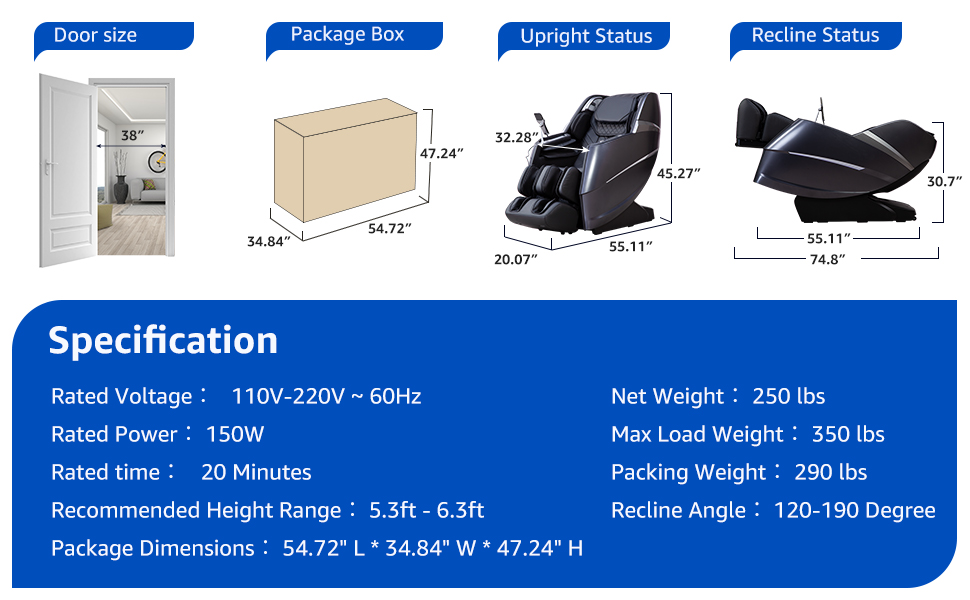
Figure 3: Space-Saving Recline Mechanism
4. Operating Instructions
4.1. Controls and Interface
The massage chair features an intuitive control panel, often located on the armrest, allowing easy access to various functions.

Figure 4: Integrated Control Panel
- On/Off Switch & Massage Intensity Adjustment Knob: Used to power the chair on/off and adjust the overall massage intensity.
- Massage Modes Switch Keys: Select from various pre-programmed massage modes.
- Mobile Wireless Charging: Conveniently charge compatible devices during your massage.
- Voice Prompts & Buzzer Beeps: These can be turned on or off, and their volume adjusted for a personalized experience.
4.2. Key Massage Features
- 4D Full Body Massage: Equipped with a 4D movement system and a 135CM SL massage track, providing comprehensive coverage from neck to glutes.
- Airbag Compression Massage: Features 40 airbags strategically placed from shoulders to feet, offering full-body compression. The airbags for the upper and lower body can be controlled separately.
- Back Heating: Integrated heating function on the back for enhanced relaxation and muscle relief.
- Foot Rollers: Dedicated massage rollers for the feet to target pressure points.

Figure 5: Ultimate Full Body Massage Features
- Silicone Simulated Massage Hands: The massage mechanism is designed to mimic human hands, with adjustable speed, strength, and width for a customized experience.

Figure 6: 4D Strength Massage Mechanism
- Negative Oxygen Ion Health Massage: The head of the chair is equipped with an O2 Ionizer to release negative oxygen ions, purifying the air and promoting metabolism.
- 3D Surround Sound & Bluetooth: Connect your device via Bluetooth to enjoy relaxing music through the integrated 3D surround sound system.
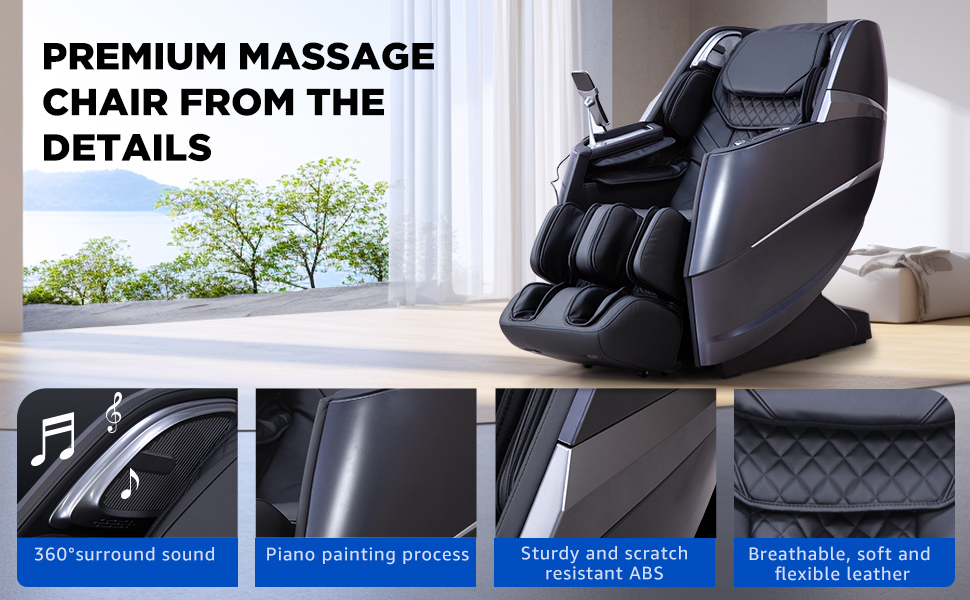
Figure 7: Negative Oxygen Ion Feature
- Calf Kneading Massage: The leg rest provides a soothing kneading massage for the calves.

Figure 8: Calf Kneading Massage
- Automatic Body Scan: The chair automatically scans your body to locate shoulder position, ensuring a personalized massage experience.
- Adjustable Settings: Customize massage speed, width, strength, and airbag pressure. The angle of the back and legs can also be adjusted to your preference.
- 15 Automatic Modes & 9 Techniques: Choose from a wide variety of pre-programmed massages and techniques.
- Yoga Stretch Massage: A specialized mode that imitates Thai massage to stretch and pull your back, waist, and legs.
- Zero Gravity Massage: Experience a feeling of weightlessness, reducing body pressure and relaxing muscles. This mode can be adjusted in 3 levels.
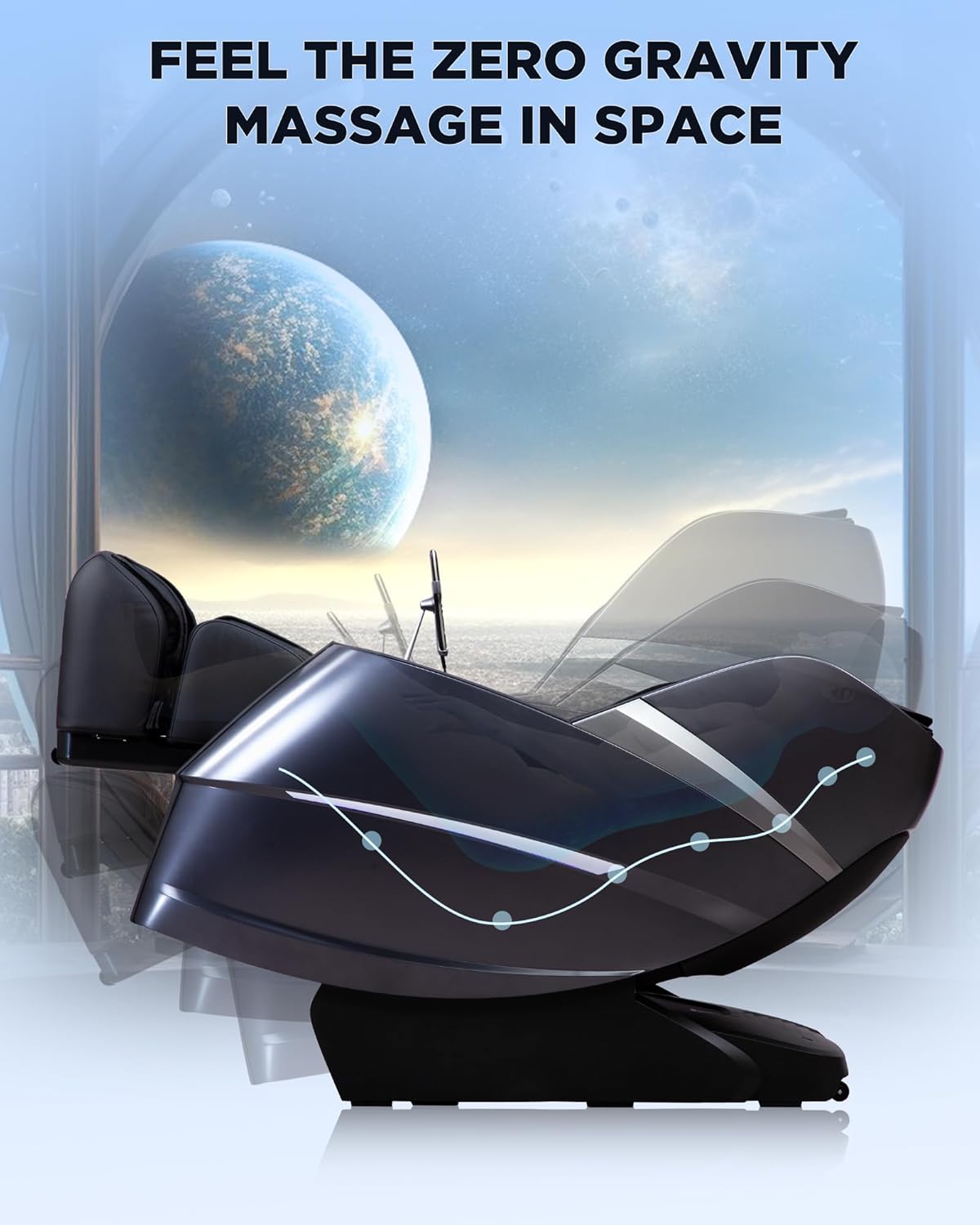
Figure 9: Zero Gravity Recline

Figure 10: Feel the Zero Gravity Massage in Space
4.3. Official Product Video
Video 1: A600 Series Upgraded Full Body Massage Chair Concept Video. This video demonstrates various features and the overall design of the A600 series massage chair, including the 4D massage, negative ion function, and automatic recline.
5. Maintenance
Proper maintenance ensures the longevity and optimal performance of your massage chair.
- Cleaning: Wipe clean with a soft, damp cloth. Do not use abrasive cleaners or harsh chemicals. Ensure the chair is unplugged before cleaning.
- Storage: Store the chair in a dry, cool place away from direct sunlight and extreme temperatures.
- Inspection: Regularly check the power cord for any damage. Ensure all connections are secure.
- Avoid spilling liquids on the chair. If spills occur, wipe them immediately.
6. Troubleshooting
If you encounter any issues with your CareTech A606 massage chair, please refer to the following common troubleshooting tips:
- Chair does not power on: Ensure the power cord is securely plugged into a working electrical outlet. Check if the main power switch on the chair is in the 'ON' position.
- Massage functions not working: Verify that the chair is powered on and not in standby mode. Check if any specific massage modes are selected.
- Unusual noises: Minor operational noises are normal. If you hear loud or unusual noises, discontinue use and contact customer support.
- Remote control/control panel unresponsive: Ensure the control panel is properly connected. If battery-operated, check and replace batteries if necessary.
For persistent issues or problems not listed here, please contact CareTech customer service.
7. Specifications
| Feature | Detail |
|---|---|
| Brand | CareTech |
| Model Name | A606 |
| Color | A606 Glossy Black |
| Product Dimensions (D x W x H) | 55.11" x 32.28" x 45.23" |
| Item Weight | 200 pounds (90.7 kg) |
| Maximum Weight Recommendation | 350 Pounds (158 kg) |
| Rated Voltage | 110V-220V ~ 60Hz |
| Rated Power | 150W |
| Recommended Height Range | 5.3ft - 6.3ft |
| Reclining Position Count | 3 |
| Special Feature | Ergonomic |
| Included Components | Massage chair, massage chair legrest |
8. Warranty and Support
CareTech offers a 3-year commitment of carefree protection and friendly customer service for your massage chair. If you have any questions or require support regarding your product, please follow these steps:
- Login to your Amazon account.
- Navigate to "Your Orders".
- Find the order ID for your CareTech A606 Massage Chair.
- Click on "Contact Seller" to reach CareTech customer service directly.
Our dedicated support team is ready to assist you with any inquiries or issues you may have.
Ask a question about this manual
Ask about setup, troubleshooting, compatibility, parts, safety, or missing instructions. Manuals+ will review the question and use this page’s manual context to help answer it.