
Introduction
Thank you for choosing the Generic Narrow Console Table. This manual provides essential information for the safe assembly, operation, maintenance, and troubleshooting of your new furniture. Please read these instructions carefully before beginning assembly and retain them for future reference.

Image: The Narrow Console Table, showcasing its design and placement suitability in an entryway or living room.
Safety Information
- Always assemble the table on a soft, clean surface to prevent scratches.
- Ensure all screws and fasteners are securely tightened before use. Periodically check and re-tighten as needed.
- Do not exceed the maximum weight capacities: Tabletop: 200 lbs, Drawer: 22 lbs, Bottom Shelf: 100 lbs.
- Keep small parts away from children during assembly to prevent choking hazards.
- Do not stand or climb on the table.
- If any parts are missing or damaged, do not proceed with assembly. Contact customer support immediately.
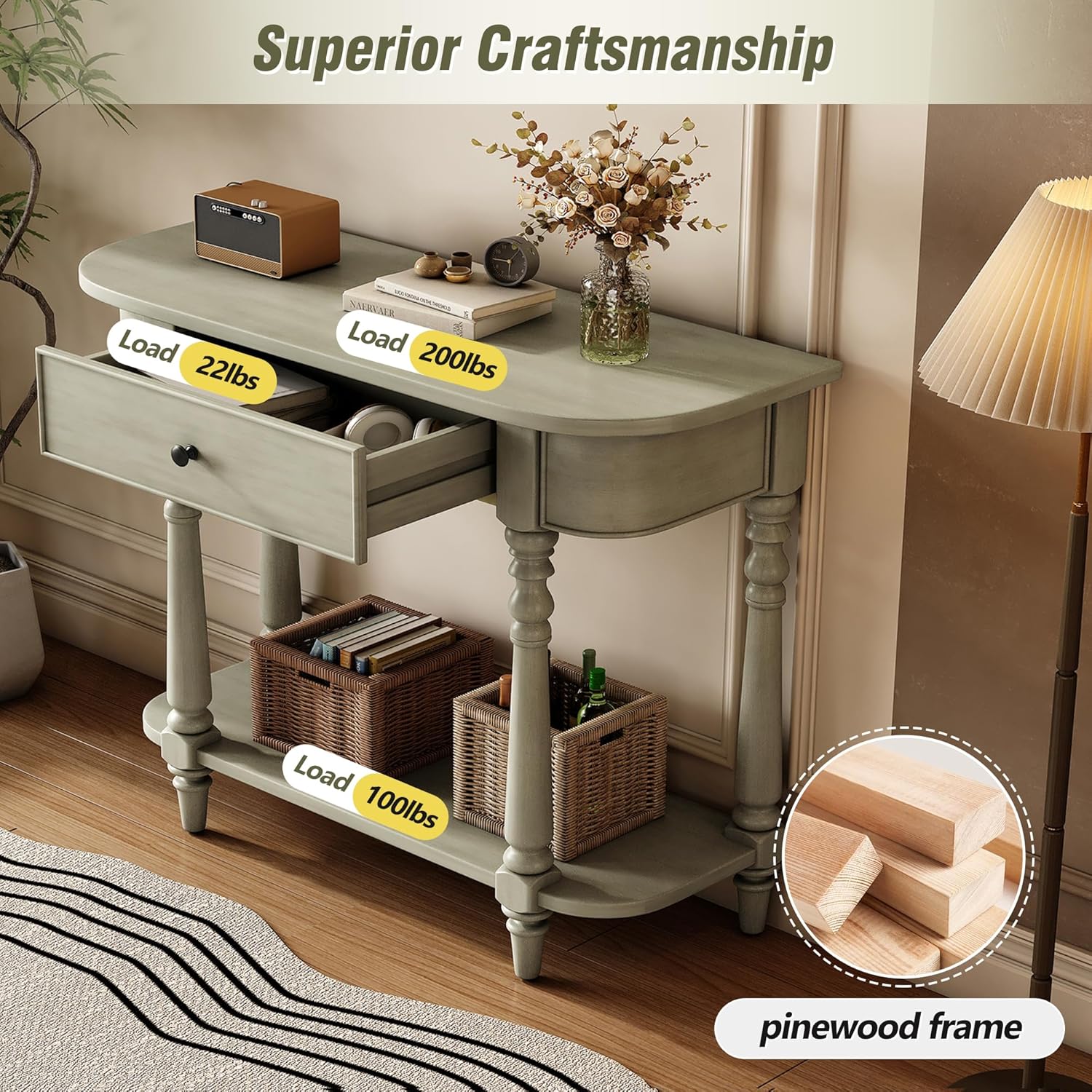
Image: A visual representation of the console table highlighting its load capacities for the tabletop (200 lbs), drawer (22 lbs), and bottom shelf (100 lbs), along with a close-up of the pinewood frame material.
Package Contents
Before beginning assembly, please verify that all components are present and undamaged. Refer to the included parts list (if provided separately) to ensure you have everything required. If any items are missing or appear damaged, please contact customer support.
Setup and Assembly
This console table requires partial assembly. Follow the detailed instructions provided in the separate assembly guide included with your product. Ensure you have adequate space and the necessary tools (typically a screwdriver) before starting.
- Unpack all components and lay them out on a protected surface.
- Identify each part using the assembly diagram.
- Follow the step-by-step instructions to attach the legs, shelf, and any other components.
- Ensure all connections are firm and stable before moving the table to its final position.

Image: A technical drawing illustrating the overall dimensions of the console table, including height, width, depth, and internal drawer measurements, to assist with assembly and placement.
Operating and Usage
The Narrow Console Table is designed for versatile use in various areas of your home, such as entryways, hallways, or living rooms. Its compact design allows it to fit well in narrow spaces.
- Tabletop: Use the spacious tabletop for decorative items, lamps, or other display purposes, ensuring the weight limit of 200 lbs is not exceeded.
- Drawer: The full-width drawer provides concealed storage for small essentials like keys, notepads, or remote controls.
- Open Shelf: The lower open shelf is ideal for storage baskets, books, or additional decorative items, with a weight capacity of 100 lbs.

Image: The console table with its drawer partially open, revealing internal storage, and two woven baskets placed on the lower shelf, demonstrating its versatile storage capabilities.

Image: A detailed view of the console table, with labels pointing to the spacious tabletop, full-width drawer, and easy-access shelf, illustrating its functional storage design.
Maintenance
- Cleaning: Wipe the table surface with a soft, damp cloth. Avoid using harsh chemicals, abrasive cleaners, or polishes that may damage the finish.
- Spills: Clean spills immediately with a dry cloth to prevent staining or water damage.
- Stability Check: Periodically check all screws and bolts to ensure they remain tight. Re-tighten if necessary to maintain stability.
- Environment: Avoid placing the table in direct sunlight or near heat sources, as this can cause fading or warping.
Troubleshooting
- Wobbling Table: Ensure all assembly screws are fully tightened. Check that the table is placed on a level surface. Adjust leg levelers if present.
- Drawer Not Sliding Smoothly: Check for any obstructions in the drawer glides. Ensure the drawer is correctly aligned within its runners.
- Scratches/Minor Damage: For minor scratches, a furniture repair marker or wax stick in a matching color may be used.
Specifications
| Brand | Generic |
| Model | LC751 ST447 |
| Product Dimensions (Overall) | 36" (Depth) x 14" (Width) x 30" (Height) |
| Color | Gray |
| Material | Solid Pinewood Frame and Legs, MDF Tabletop with Natural Pinewood Veneer |
| Tabletop Load Capacity | 200 lbs |
| Drawer Load Capacity | 22 lbs |
| Bottom Shelf Load Capacity | 100 lbs |

Image: Detailed views highlighting the smooth, curved corners of the tabletop and the intricately carved turned legs, showcasing the table's aesthetic features and craftsmanship.
Customer Support
For any questions, missing parts, or assistance with assembly or product use, please contact the retailer or manufacturer directly. Refer to your purchase documentation for specific contact information.