
Introduction
Thank you for purchasing the LIKIMIO 5-Drawer 43" Tall Dresser. This dresser is designed to provide ample storage and includes a convenient built-in charging station. This manual provides essential information for assembly, operation, maintenance, and troubleshooting to ensure safe and efficient use of your new furniture.
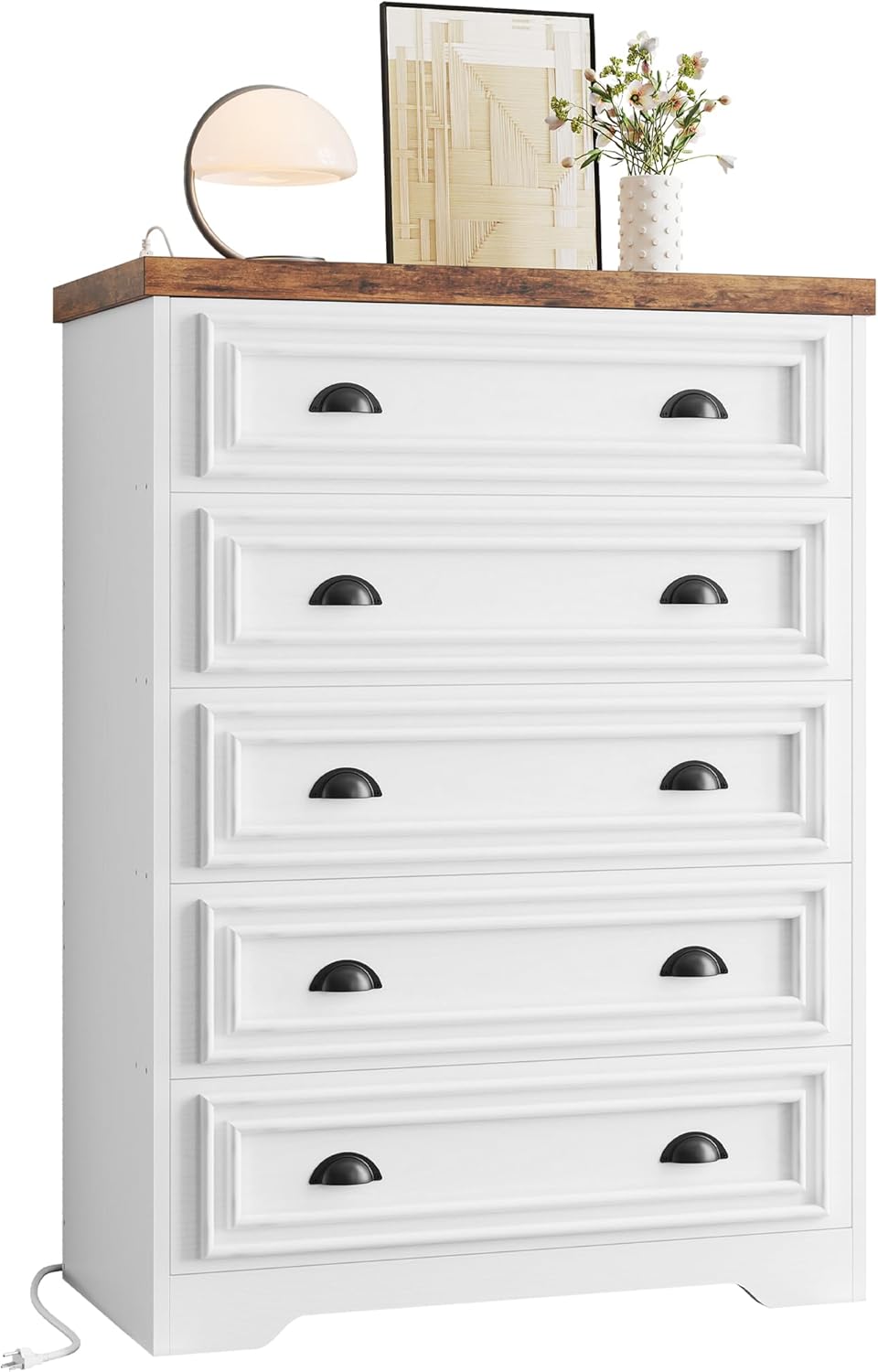
Image: The LIKIMIO 5-Drawer Dresser, showcasing its farmhouse style and five spacious drawers.
Video: An overview of the LIKIMIO 5-Drawer Dresser, highlighting its design and features.
Safety Information
Please read and understand all safety warnings before assembly and use. Failure to follow these instructions may result in injury or damage to the product.
- Always use the included anti-tip safety device to secure the dresser to a wall. This prevents accidental tipping, which can cause serious injury, especially to children.
- Do not allow children to climb on the dresser or open multiple drawers simultaneously, as this can destabilize the unit.
- Ensure the dresser is placed on a flat, stable surface.
- Do not overload drawers. Distribute weight evenly.
- When using the charging station, ensure cables are not pinched or damaged. Do not exceed the rated electrical capacity.
- Keep liquids away from the charging station to prevent electrical hazards.
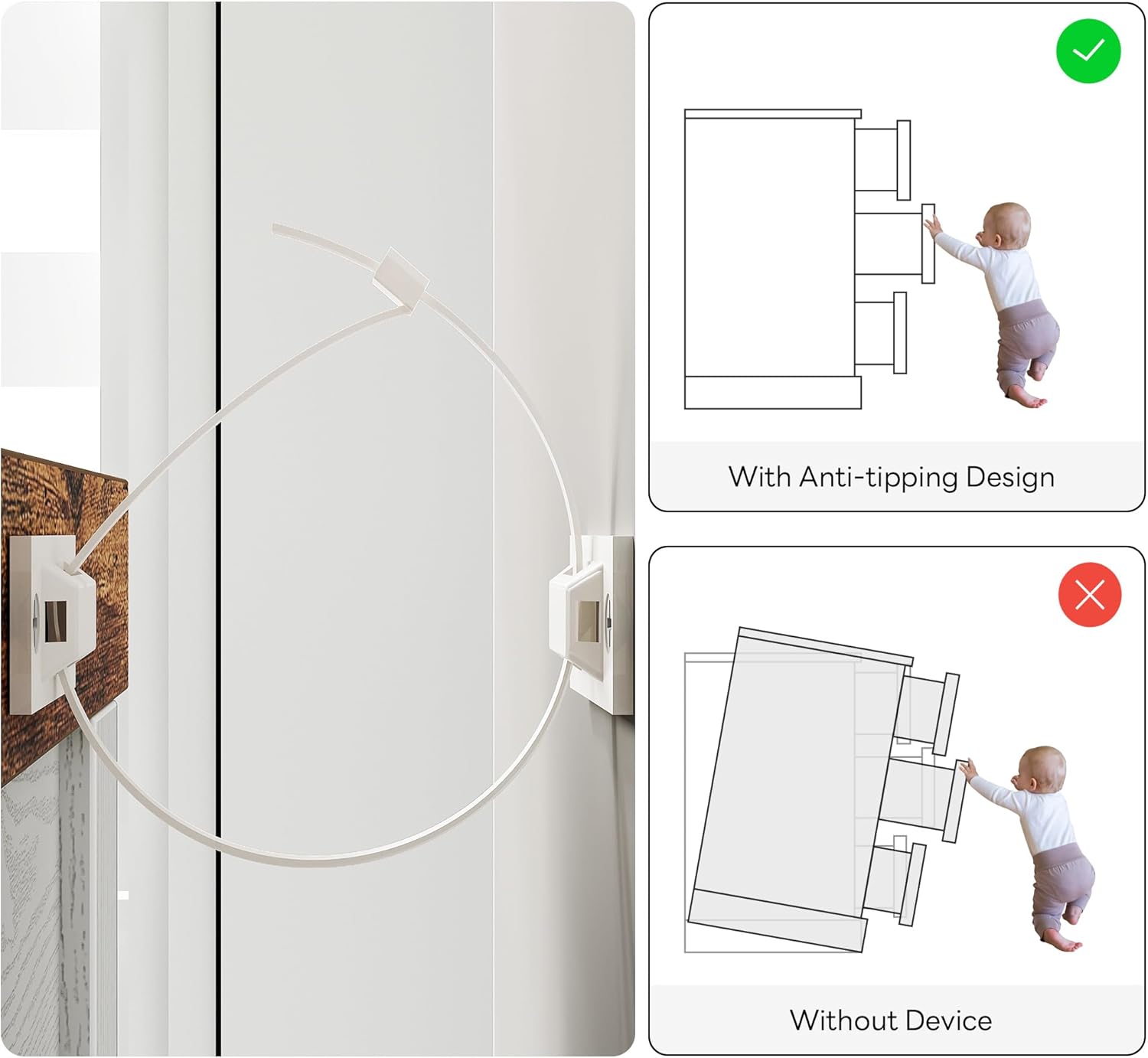
Image: Illustration demonstrating the importance of the anti-tip safety device to prevent the dresser from falling over.
Package Contents
Before beginning assembly, verify that all parts listed in the assembly instructions are present and undamaged. If any parts are missing or damaged, please contact customer support.
- Dresser panels (top, bottom, sides, back)
- 5 Drawer components (fronts, sides, backs, bottoms)
- Drawer slides (metal)
- Hardware pack (screws, dowels, cam locks, etc.)
- Built-in charging station with power cord
- Anti-tip safety kit
- Assembly instructions manual
Specifications
| Feature | Detail |
|---|---|
| Product Dimensions (Overall) | 31.5"W x 15.8"D x 43.3"H |
| Drawer Dimensions (Internal) | Approx. 28.9"W x 12"D x 5.1"H |
| Number of Drawers | 5 |
| Material | High-grade MDF (Wood) |
| Color | Brown & White |
| Charging Station | 1 USB Port (5V/2A), 1 USB-C Port (5V/2A), 2 AC Outlets (125V/12A) |
| Power Cord Length | 6.56 ft |
| Weight Capacity (Top) | Up to 200 lbs |
| Weight Capacity (Each Drawer) | Up to 40 lbs |
| Assembly Required | Yes |

Image: Visual representation of the dresser's overall dimensions and the internal dimensions of a single drawer.
Setup and Assembly Instructions
Assembly typically requires two people and takes approximately 2-3 hours. Follow the detailed, picture-based instructions provided in the separate assembly manual included with your product. All parts are labeled for easy identification, and holes are pre-drilled.
- Unpack and Identify Parts: Carefully remove all components from the packaging. Lay them out on a clean, soft surface to prevent scratches. Identify each part using the labels and the parts list in the assembly manual.
- Assemble the Frame: Begin by assembling the main frame of the dresser according to the step-by-step diagrams. Ensure all connections are secure.
- Install Drawer Slides: Attach the metal drawer slides to the dresser frame and to the drawer sides as indicated in the instructions. Ensure they are aligned correctly for smooth operation.
- Assemble Drawers: Construct each of the five drawers. Pay attention to the orientation of the drawer fronts and bottoms.
- Install Charging Station: Integrate the built-in charging station into the designated slot on the top panel. Secure it firmly.
- Insert Drawers: Carefully slide the assembled drawers into their respective slots on the dresser frame.
- Attach Anti-Tip Device: This is a critical safety step. Secure the anti-tip device to the back of the dresser and to a wall stud using the provided hardware.
- Final Checks: Verify that all screws are tightened, and the dresser is stable. Test each drawer for smooth opening and closing.

Image: The dresser with drawers open, illustrating the storage capacity for clothing items like shirts and pants.

Image: Detail of the metal drawer slides, designed for smooth and quiet drawer operation.
Operating Instructions
Using the Built-in Charging Station
The LIKIMIO dresser features a built-in charging station for your convenience. It includes 1 USB port, 1 USB-C port, and 2 standard AC outlets.
- Connect to Power: Plug the dresser's power cord into a standard wall outlet.
- Charge Devices:
- For USB-compatible devices, use the USB-A or USB-C ports.
- For devices requiring a standard wall adapter, use the two AC outlets.
- Safety Precautions:
- Do not overload the charging station. Refer to the specifications for maximum output.
- Avoid leaving devices plugged in overnight unattended, especially if the charging station feels excessively warm.
- Ensure proper ventilation around the charging station.
- Unplug the dresser from the wall outlet when not in use or during electrical storms.

Image: Detailed view of the charging station, showing its USB, USB-C, and two standard power outlets.
Maintenance
Proper care will extend the life and appearance of your dresser.
- Cleaning: Wipe the dresser surfaces with a dry, soft cloth. Avoid abrasive cleaners or harsh chemicals, which can damage the finish.
- Spills: Immediately wipe up any spills with a dry cloth to prevent staining or water damage.
- Drawer Slides: Periodically check drawer slides for smooth operation. If they become stiff, a small amount of silicone-based lubricant can be applied.
- Hardware: Occasionally check all screws and fasteners to ensure they remain tight. Retighten if necessary.
- Sunlight and Heat: Avoid placing the dresser in direct sunlight or near heat sources, as this can cause fading or warping.
Troubleshooting
| Problem | Possible Cause | Solution |
|---|---|---|
| Drawers do not slide smoothly. | Misaligned slides, loose hardware, debris in tracks. | Check alignment of drawer slides. Ensure all screws are tight. Clean tracks of any dust or debris. Apply silicone lubricant if needed. |
| Dresser feels wobbly or unstable. | Loose assembly hardware, uneven floor, anti-tip device not installed. | Retighten all assembly screws. Ensure the dresser is on a level surface. Install the anti-tip safety device as per instructions. |
| Charging station is not working. | Not plugged into wall, wall outlet issue, overloaded circuit. | Ensure the dresser's power cord is securely plugged into a functional wall outlet. Test the wall outlet with another device. Reduce the number of devices plugged into the charging station. |
| Missing or damaged parts during assembly. | Shipping damage, packaging error. | Do not proceed with assembly. Contact LIKIMIO customer support immediately for replacement parts. |
Warranty Information
The LIKIMIO 5-Drawer Dresser comes with a Lifetime Warranty. This warranty covers manufacturing defects and ensures the product's quality and durability under normal use. Please retain your proof of purchase for warranty claims. For specific details regarding warranty coverage and claims, refer to the warranty documentation included with your product or contact customer support.
Customer Support
If you have any questions, require assistance with assembly, or need to report missing/damaged parts, please contact LIKIMIO customer support. Our team is available to help you.
- Online Support: Visit the LIKIMIO Store on Amazon for FAQs and contact options.
- Email: Refer to your product packaging or assembly manual for direct email contact.