
1. Introduction
Thank you for choosing the bakb T09 Wireless Earbuds. This manual will guide you through the setup, operation, maintenance, and troubleshooting of your new earbuds, ensuring you get the best audio experience.
2. Package Contents
Please check the package for the following items:
- bakb T09 Wireless Earbuds (Left and Right)
- Charging Case
- USB-C Charging Cable
- User Manual
3. Setup
3.1 Initial Charging
Before first use, fully charge the earbuds and the charging case. Place the earbuds into the charging case. Connect the USB-C charging cable to the charging port on the case and plug the other end into a USB power adapter (not included).
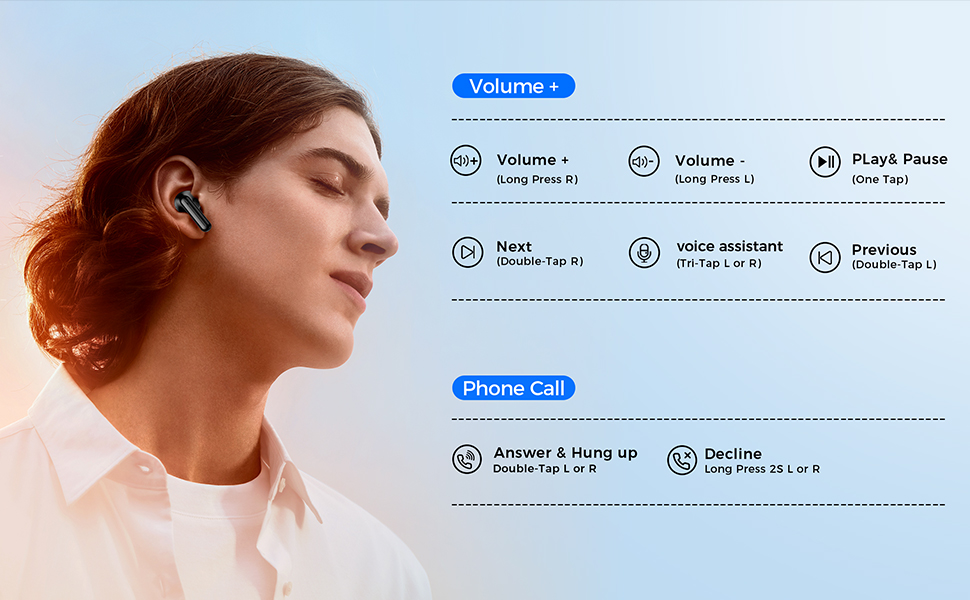
Image: The earbuds and charging case, illustrating the 48-hour total playtime and charging indicators. The LED display on the case shows battery percentage.
The LED display on the charging case will show the battery level (0-100%). A 10-minute charge provides approximately 1 hour of playtime. A full charge takes about 1.5 hours.
3.2 Pairing with Your Device
- Ensure the earbuds are charged.
- Open the charging case. The earbuds will automatically enter pairing mode.
- On your smartphone or Bluetooth-enabled device, go to the Bluetooth settings.
- Search for available devices and select "T09" from the list.
- Once connected, you will hear a confirmation sound, and the earbuds will be ready for use.
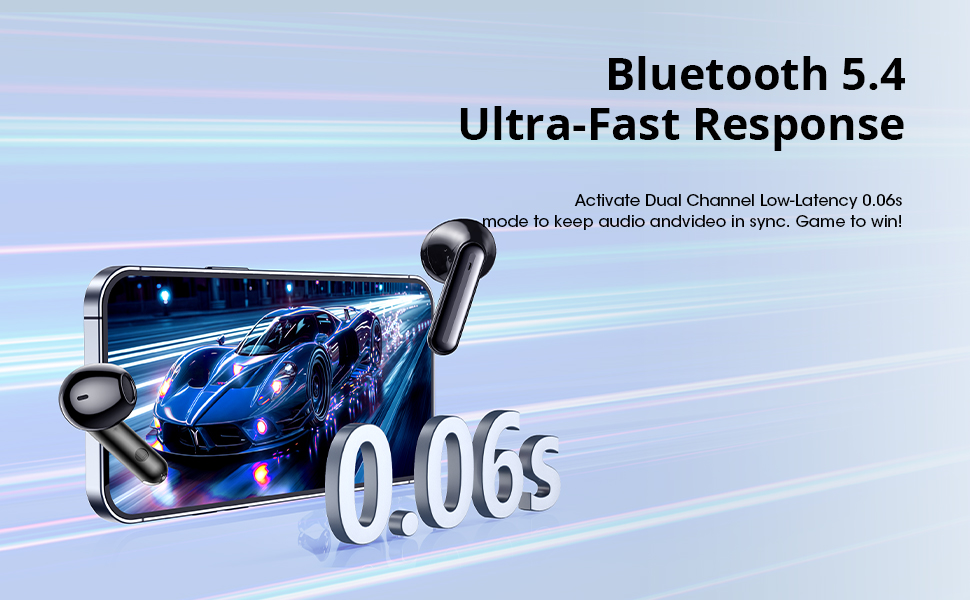
Image: A smartphone displaying its Bluetooth settings, showing the "T09" earbuds as a discoverable device, ready for one-step pairing.
4. Operating Instructions
4.1 Touch Controls
The bakb T09 earbuds feature intuitive touch controls for various functions:
| Action | Function |
|---|---|
| One Tap (L or R) | Play/Pause Music |
| Double Tap (R) | Next Track |
| Double Tap (L) | Previous Track |
| Long Press (R) | Volume + |
| Long Press (L) | Volume - |
| Tri-Tap (L or R) | Activate Voice Assistant |
| Double Tap (L or R) during call | Answer/Hang Up Call |
| Long Press (2S L or R) during call | Decline Call |

Image: A man wearing the earbuds, illustrating the various tap controls for music playback, volume adjustment, and call management.
4.2 Voice Assistant
To activate your device's voice assistant (e.g., Siri, Google Assistant), perform a Tri-Tap on either earbud. This allows for hands-free control and commands.
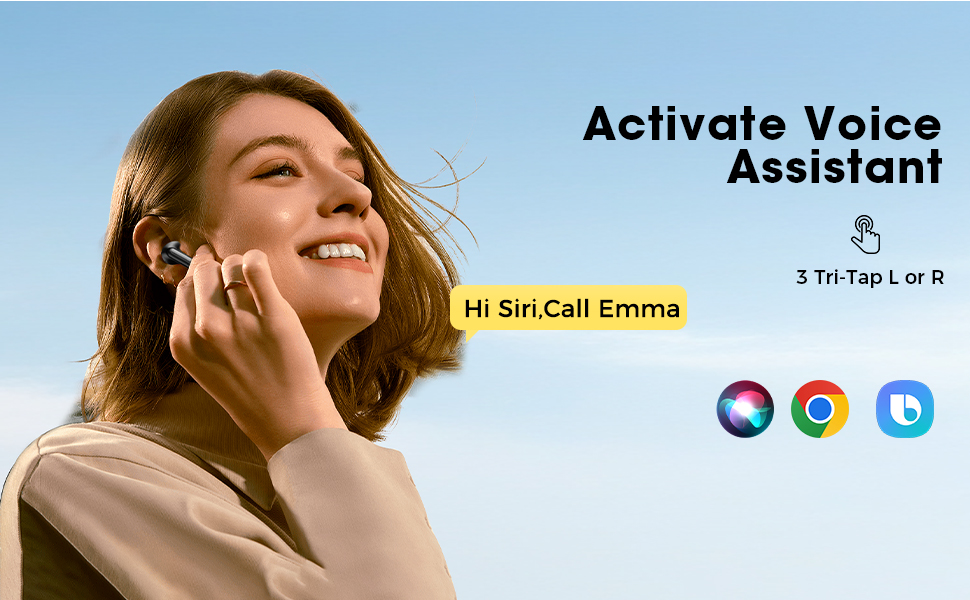
Image: A woman wearing the earbuds, engaged in a video call on a laptop, demonstrating the seamless audio and video synchronization provided by Bluetooth 5.4.
5. Maintenance
5.1 Cleaning
Regularly clean your earbuds and charging case to ensure optimal performance and hygiene. Use a soft, dry, lint-free cloth. Do not use abrasive materials or harsh chemicals. For ear tips, gently wipe with a slightly damp cloth and allow to air dry completely before reattaching.
5.2 Water Resistance
The bakb T09 earbuds are IPX7 water-resistant, meaning they can withstand immersion in water up to 1 meter for 30 minutes. This makes them suitable for sports and workouts, protecting against sweat and rain. However, the charging case is not waterproof. Do not submerge the earbuds or charging case in water for extended periods or expose them to saltwater or chemicals.
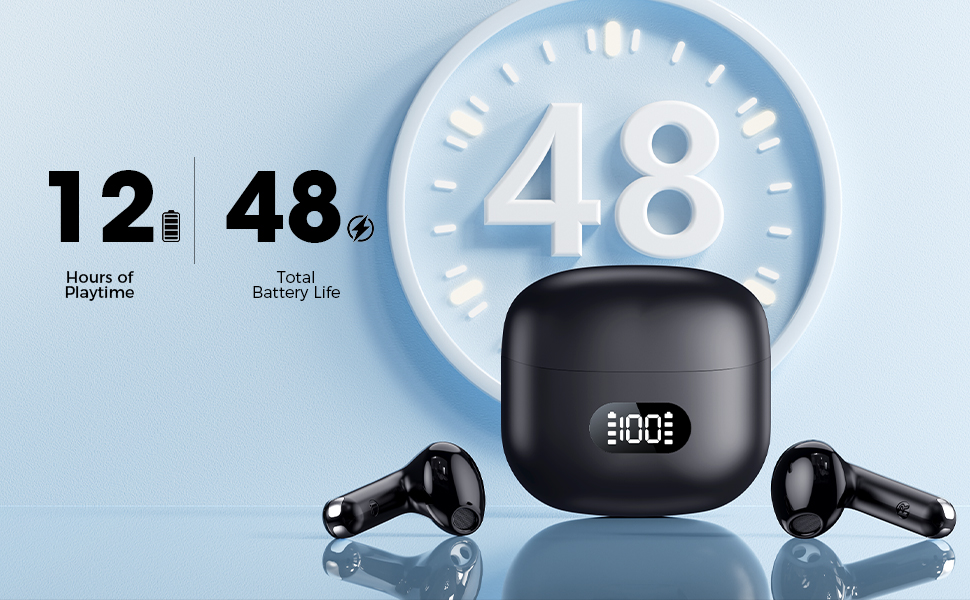
Image: A close-up view of the earbuds with water droplets, visually representing their IPX7 water-resistant rating.
5.3 Storage
When not in use, store the earbuds in their charging case to protect them and keep them charged. Avoid storing them in extreme temperatures or humid environments.
6. Troubleshooting
If you encounter any issues with your bakb T09 earbuds, please refer to the following common solutions:
- Earbuds not pairing:
Ensure both earbuds are in the charging case and have sufficient charge. Take them out of the case to activate pairing mode. Turn off and on your device's Bluetooth, then try pairing again. - Only one earbud working:
Place both earbuds back into the charging case, close the lid, wait a few seconds, then open the lid and take them out. This often re-syncs them. If the issue persists, try resetting the earbuds. - No sound or low volume:
Check the volume level on both your connected device and the earbuds. Ensure the earbuds are properly seated in your ears. Try disconnecting and reconnecting the Bluetooth connection. - Charging issues:
Ensure the charging cable is securely connected to both the case and the power source. Check if the charging port is clean and free of debris. Try a different USB-C cable or power adapter. - Resetting the Earbuds:
If you experience persistent issues, you may need to reset your earbuds. Consult the manufacturer's website or contact support for specific reset instructions, as this can vary.
7. Specifications
| Feature | Specification |
|---|---|
| Model Name | T09 |
| Connectivity Technology | Wireless (Bluetooth) |
| Bluetooth Version | 5.4 |
| Bluetooth Range | 33 Feet (10 meters) |
| Battery Life (Earbuds) | Up to 9 Hours |
| Total Playtime (with Case) | Up to 48 Hours |
| Charging Time (10 min charge) | 1 Hour Playtime |
| Water Resistance Level | IPX7 |
| Control Method | Touch |
| Noise Control Features | Sound Isolation |
| Item Weight | 3.2 ounces (0.09 Kilograms) |
| Product Dimensions | 4.57 x 3.6 x 1.1 inches |
8. Warranty and Support
8.1 Warranty Information
Your bakb T09 Wireless Earbuds are covered by a manufacturer's warranty against defects in materials and workmanship. Please refer to the warranty card included in your package or visit the official bakb website for detailed warranty terms and conditions.
8.2 Customer Support
For technical assistance, troubleshooting, or any questions regarding your product, please contact bakb customer support. Contact details can typically be found on the product packaging, the official bakb website, or through your retailer.