1. Introduction
This user manual provides comprehensive instructions for the Piluyaa 4K Camera Glasses XV16. Please read this manual carefully before using the product to ensure proper operation and to maximize its features. These smart glasses are designed to combine fashion with advanced technology, offering high-definition video recording, photo capture, and integrated Bluetooth functionalities for music and calls.
Package Contents:
- Piluyaa 4K Camera Glasses XV16
- Charging Cable
- User Manual (this document)
- Eyeglasses Cleaning Cloth
- Packaging Box
- 16GB Memory Card (pre-installed or included separately)
2. Safety Information
- Do not expose the device to extreme temperatures, direct sunlight, or high humidity.
- Avoid dropping or subjecting the glasses to strong impacts.
- Keep out of reach of children.
- Use only the provided charging cable and a compatible power source.
- Do not attempt to disassemble or repair the device yourself. Contact customer support for assistance.
- The polarized lenses enhance driving safety by blocking strong light. However, always exercise caution and adhere to local traffic laws when operating vehicles.
3. Product Overview
Familiarize yourself with the components of your Piluyaa 4K Camera Glasses XV16.

Figure 3.1: Front view of the Piluyaa 4K Camera Glasses XV16, showing the camera lens positioned above the bridge and the orange tinted lenses. A smaller inset image shows the glasses with clear lenses and another pair with orange lenses.

Figure 3.2: Angled view of the glasses highlighting key features: "2K Ultra HD camera glasses", "Listen to music and talk", "Eye view shooting", and "Video/Photo" capabilities.

Figure 3.3: The camera glasses connected to a laptop via a USB cable, illustrating the convenience of connecting to a computer for file transfer and playback. The text indicates that the memory card can also be removed and used with a card reader.
4. Setup
4.1 Charging the Device
Before first use, fully charge your camera glasses. The built-in battery supports approximately 90 minutes of continuous recording on a full charge.
- Locate the charging port on the glasses (typically on one of the temples).
- Connect the provided charging cable to the glasses and the other end to a USB power adapter (not included) or a computer's USB port.
- The indicator light will show charging status (refer to LED indicator section for details).
- A full charge typically takes approximately 2 hours.

Figure 4.1: The glasses are shown with text indicating 90 minutes of continuous recording and the ability to connect to an external charging bank to extend recording time. The image emphasizes the long battery life and flexibility for extended use.
4.2 Memory Card Installation (if applicable)
Your glasses come with a 16GB memory card. If you need to replace or access it directly:
- Locate the memory card slot (consult product diagram if unsure).
- Gently insert the memory card with the gold contacts facing down until it clicks into place.
- To remove, gently push the card in until it springs out.
5. Operating Instructions
5.1 Powering On/Off
- Power On: Press and hold the power button (usually located on the temple) for 3 seconds until the indicator light turns on.
- Power Off: Press and hold the power button for 3 seconds until the indicator light turns off.
5.2 Video Recording
The glasses support 2K HD video recording and 4K photo capture.
- Ensure the glasses are powered on.
- Press the video recording button once to start recording. The indicator light will change (e.g., blink slowly) to indicate recording is in progress.
- Press the video recording button again to stop recording. The video file will be saved automatically to the memory card.

Figure 5.1: A man wearing the camera glasses while driving, illustrating their use as a dashcam. The text emphasizes that the glasses are not only a dashcam but also allow listening to music and making phone calls, offering wide-angle shooting and hands-free operation for safe driving.
5.3 Photo Capture
- Ensure the glasses are powered on.
- Press the photo capture button once to take a photo. The indicator light will flash briefly.
- The photo file will be saved automatically to the memory card.
5.4 Bluetooth Connection and Functions
The glasses can connect via Bluetooth to your smartphone for music playback and calls.
- Pairing:
- Ensure the glasses are powered on and in pairing mode (indicator light may flash rapidly).
- On your smartphone, go to Bluetooth settings and search for available devices.
- Select "Piluyaa XV16" (or similar name) from the list to connect.
- Once connected, the indicator light will become solid.
- Music Playback:
- Play music on your connected smartphone. Audio will be routed through the glasses' semi-open cavity speakers.
- Use the volume controls on the glasses (if available) or your smartphone to adjust audio levels.
- Answering Calls:
- When a call comes in, press the multi-function button once to answer.
- Press the multi-function button again to end the call.
- Press and hold the multi-function button to reject an incoming call.

Figure 5.2: A man cycling while wearing the camera glasses, emphasizing the high-quality loudspeaker and semi-open voice cavity design for stereo HD sound. This illustrates the audio-visual and one-click call features during outdoor activities.
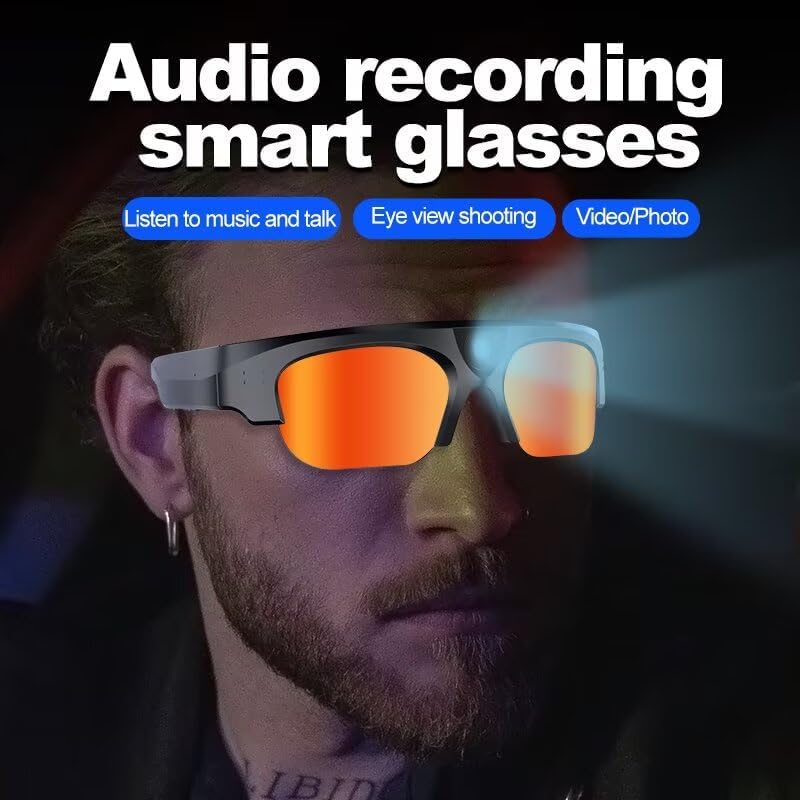
Figure 5.3: A close-up of the glasses with text "Audio recording smart glasses", reiterating their capabilities for listening to music, talking, eye-view shooting, and video/photo functions.
5.5 Connecting to a Computer
You can connect the glasses directly to a computer to transfer files or play back recordings.
- Connect the glasses to your computer using the provided USB cable.
- The glasses will appear as a removable disk drive on your computer.
- Navigate to the appropriate folder to access your video and photo files.
- Alternatively, you can remove the memory card and use a card reader to connect it to your computer for faster file transfer.
6. Maintenance
6.1 Cleaning the Glasses and Lenses
- Use the provided eyeglasses cleaning cloth to gently wipe the lenses and frame.
- For stubborn smudges, slightly dampen the cloth with water or a lens cleaning solution. Do not use harsh chemicals.
- Avoid touching the camera lens directly with your fingers.
6.2 Battery Care
- Charge the battery regularly, even if not in use, to maintain battery health.
- Avoid completely draining the battery frequently.
- Store the glasses in a cool, dry place when not in use.
6.3 Storage
- Store the glasses in their protective carrying case to prevent scratches and damage.
- Keep away from dust and moisture.
7. Troubleshooting
| Problem | Possible Cause | Solution |
|---|---|---|
| Device does not power on. | Low battery. | Charge the device fully. |
| Cannot record video/take photos. | Memory card full or not inserted correctly. | Check memory card; delete old files or replace card. Ensure it's inserted correctly. |
| Bluetooth connection issues. | Glasses not in pairing mode; smartphone Bluetooth off; interference. | Ensure glasses are in pairing mode. Turn smartphone Bluetooth off/on. Move closer to the device. |
| Poor audio quality during calls/music. | Low volume; poor Bluetooth connection; environmental noise. | Adjust volume. Re-pair Bluetooth. Move to a quieter environment. |
| Cannot connect to computer. | Faulty USB cable; driver issue; glasses not powered on. | Try a different USB port/cable. Ensure glasses are powered on. Restart computer. |
8. Specifications
| Feature | Detail |
|---|---|
| Model Number | ZFH-Camera-XV16-16G |
| Video Resolution | 2K HD (also supports 1080P and 4K effects) |
| Photo Resolution | 4K |
| Memory Card | 16GB (included) |
| Battery Type | Lithium Ion |
| Battery Capacity | 5000 mAh |
| Continuous Recording Time | Up to 90 minutes |
| Connectivity | Bluetooth |
| Item Weight | 3.52 ounces (0.1 Kilograms) |
| Package Dimensions | 1.57 x 0.39 x 0.39 inches |
| Special Features | Lightweight, Outdoor sports, Phone calls, Listening to music, Navigation, Playing games, Intelligent control operation assistant, Easy automatic pairing, Remote photo taking, Bluetooth audio calling, Wake up voice assistant, High-definition polarized lenses, Waterproof and sweat-proof, High-quality speakers, Semi-open cavity design. |
| Compatible Devices | Smartphone |
9. Warranty and Support
Piluyaa products are engineered for durability and performance.
9.1 Warranty Information
This product is backed by a 2-year warranty. Please retain your proof of purchase for warranty claims. The warranty covers manufacturing defects and malfunctions under normal use. It does not cover damage caused by misuse, accidents, unauthorized modifications, or normal wear and tear.
9.2 Customer Support
For any questions, technical assistance, or warranty claims, please contact Piluyaa customer support. Our team is available 24/7 to assist you.
You can visit the official Piluyaa store on Amazon for more information and support resources: Piluyaa Store