
1. Introduction
Thank you for choosing the SVBONY SC002 Digital Eyepiece Camera. This device is designed to enhance your observation experience with telescopes and spotting scopes by allowing you to view, capture, and share images and videos directly on your smartphone or tablet via Wi-Fi. This manual provides detailed instructions for setup, operation, and maintenance to ensure optimal performance.
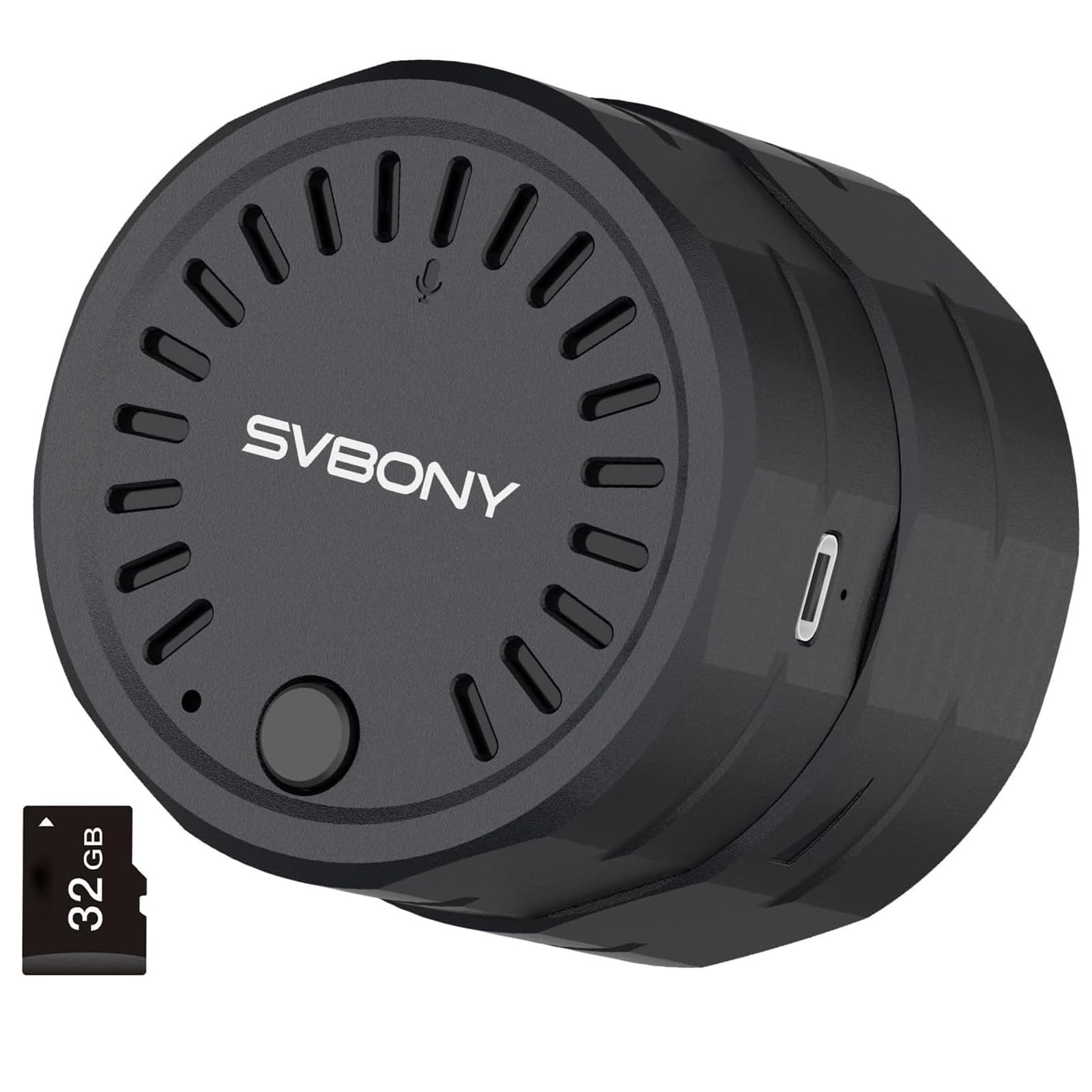
Figure 1.1: SVBONY SC002 Digital Eyepiece Camera in use with a spotting scope and smartphone.
2. Product Overview
The SVBONY SC002 is a compact and lightweight digital eyepiece camera that connects wirelessly to your mobile devices. It features a 2MP sensor, 1080p video recording, and a built-in 32GB TF card for storage. Its innovative design allows for wide compatibility with various optical instruments.
2.1 Package Contents
- SC002 Digital Eyepiece Camera x 1
- TF Card (32GB) x 1
- USB Cable (Type-C) x 1
- User Manual x 1

Figure 2.1: Package Contents of the SVBONY SC002.
2.2 Device Components
Familiarize yourself with the different parts of your SC002 camera:
- Lens Protection Sheet: Protects the internal lens.
- Claw Liner Pad: Provides a secure grip on the eyepiece.
- TF Card Slot: For inserting the microSD card.
- Knob Adjustment: Adjusts the grip for different eyepiece diameters.
- Type-C Charging Port: For charging the device.
- Power ON/OFF Button: Controls device power.

Figure 2.2: SVBONY SC002 Component Diagram.
3. Setup
3.1 Attaching to a Spotting Scope/Telescope
- Adjust the Knob: Rotate the knob on the SC002 to adjust the internal claws to fit the outer diameter of your eyepiece. The adjustable range is 37mm to 56mm.
- Secure the Eyepiece: Gently slide the SC002 onto the eyepiece of your spotting scope or telescope. Ensure a snug fit.
- Tighten the Grip: Rotate the knob again to securely lock the SC002 onto the eyepiece. Do not overtighten.
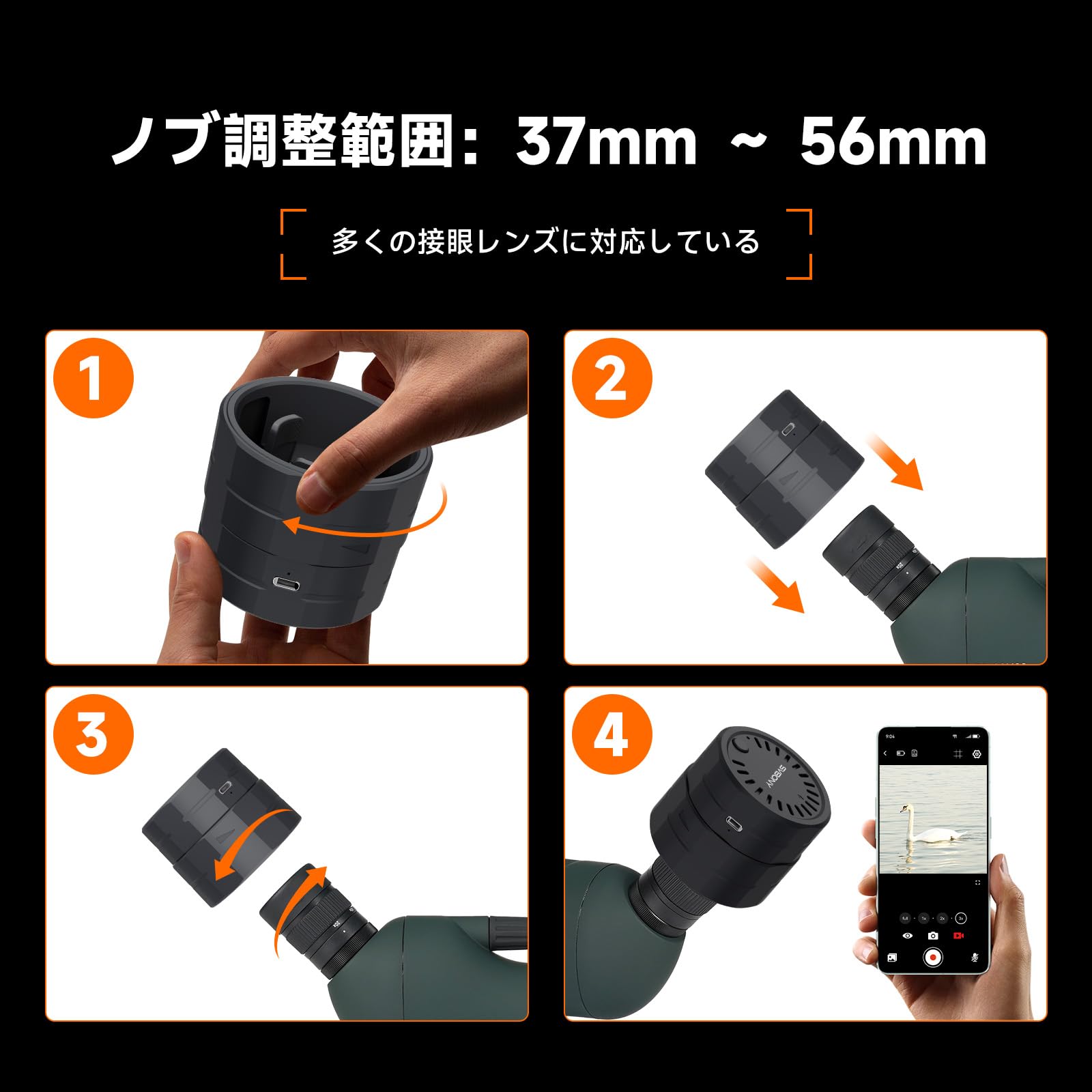
Figure 3.1: Attaching the SC002 to an Eyepiece.
3.2 Powering On and Connecting to the App
- Power On: Press and hold the power button on the SC002. The red and blue lights on the back cover will illuminate, indicating the device is powered on. The red light will turn off once connected to Wi-Fi. If the red light remains on, it indicates a Wi-Fi disconnection. The blue light will stay on, indicating normal camera operation.
- Download App: Download the "SVBONY Cam" app from your smartphone's app store (available for iOS and Android).
- Connect via Wi-Fi: Open your smartphone's Wi-Fi settings and connect to the SC002's Wi-Fi network. The network name will typically start with "SVBONY_SC002...".
- Launch App: Open the "SVBONY Cam" app. The live view from the SC002 should now be displayed on your screen.

Figure 3.2: Wireless Connection via Wi-Fi.

Figure 3.3: Power Button and Indicator Lights.
4. Operating Instructions
4.1 Real-time Viewing and Digital Zoom
Once connected, the SVBONY Cam app will display a real-time view from your optical instrument. You can use the app's interface to adjust the digital zoom. The SC002 offers 4 levels of digital zoom: Full, 1x, 2x, and 3x. While digital zoom magnifies the image on screen, the final saved photos and videos will retain the original 1920x1080 resolution for optimal quality.

Figure 4.1: Digital Zoom Modes.
4.2 Photo and Video Capture
The SVBONY Cam app supports various capture modes:
- Photo Shooting: Capture high-resolution still images.
- Video Recording: Record 1080p videos.
- Scheduled Shooting: Set a timer for automatic photo or video capture.
All captured media is saved to the built-in 32GB TF card (expandable up to 256GB). You can manage files and share them directly from the app.
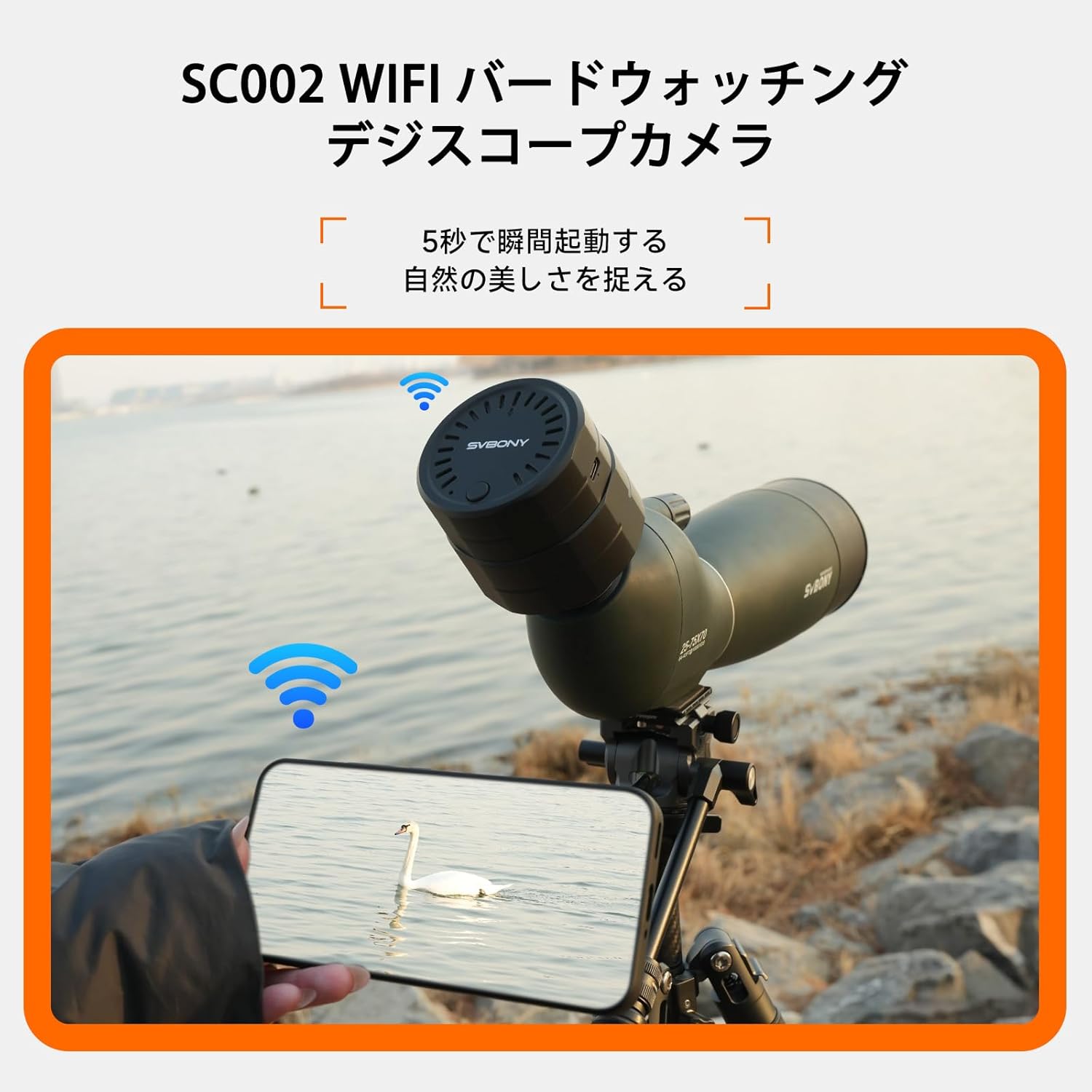
Figure 4.2: Photo and Video Capture Interface.
4.3 Multi-Device Viewing
The SC002 supports simultaneous connection to two smartphones or tablets. One device can be used for shooting and recording, while the other provides a real-time preview. This feature is ideal for sharing the observation experience with family and friends.

Figure 4.3: Multi-Device Simultaneous Viewing.
5. Maintenance
5.1 Cleaning
- Use a soft, lint-free cloth to clean the exterior of the camera.
- For the lens, use a specialized lens cleaning solution and a microfiber cloth to avoid scratches.
- Do not use abrasive cleaners or solvents.
5.2 Storage
- Store the SC002 in a cool, dry place away from direct sunlight and extreme temperatures.
- Ensure the lens cap is on to protect the lens from dust and damage.
- If storing for extended periods, periodically charge the battery to maintain its health.
6. Troubleshooting
| Problem | Possible Cause | Solution |
|---|---|---|
| Device does not power on. | Low battery. | Charge the device using the provided USB Type-C cable. |
| Cannot connect to Wi-Fi. | Wi-Fi is off or out of range. | Ensure the device is powered on and within 10 meters of your smartphone. Restart both devices. |
| No image in the app. | App not launched or connection failed. | Verify Wi-Fi connection, then restart the app. Ensure the SC002 is securely attached to the eyepiece. |
| Image quality is poor. | Eyepiece not properly aligned or dirty lens. | Adjust the SC002 on the eyepiece for optimal alignment. Clean the lens of both the SC002 and your optical instrument. |
| TF card error. | Card not inserted correctly or corrupted. | Reinsert the TF card. If the issue persists, try formatting the card (this will erase all data) or use a different TF card. |
7. Specifications
| Feature | Detail |
|---|---|
| Brand | SVBONY |
| Model Number | F9396A |
| Product Weight | 157 grams |
| Compatible Eyepiece Outer Diameter | 37mm - 56mm |
| Still Image Effective Resolution | 2 MP |
| Video Pixels | 1080p |
| Video Capture Format | MP4 |
| File Format | JPEG, MP4 |
| Digital Zoom Magnification | 3:1 (Full, 1x, 2x, 3x) |
| Focus Function | Auto Focus |
| Light Sensitivity (ISO) | 100-3200 |
| Battery Type | 1500mAh Lithium Battery |
| Average Battery Life | 3.5 Hours (intermittent use) |
| Storage | 32GB TF Card (included), expandable up to 256GB |
| Connectivity | Wi-Fi (up to 10m range) |
| Compatible Devices | Smartphones, Tablets (iOS, Android) |
| Waterproof Type | Not Waterproof |
8. Warranty and Support
SVBONY offers a quality assurance policy for its telescope accessories:
- Within 6 Months of Purchase: If the product becomes unusable due to quality issues, a free replacement service will be provided.
- After 6 Months (within 1 Year): Only warranty service will be provided. Customers may be responsible for warranty fees. Shipping costs for repaired items and transportation costs for bringing in the product are to be borne by the customer.
Additional warranty fees may be required in the following cases:
- Product malfunction caused by misuse, excessive use, improper settings, testing, or calibration by the purchaser or a third-party user.
- If the free warranty period has been exceeded.
For further support or inquiries, please visit the official SVBONY website or contact customer service.