
Introduction
Thank you for choosing the SWZA 3541 Super Bright Rechargeable Headlamp. This headlamp is designed to provide powerful and versatile illumination for various outdoor activities and tasks, featuring 2000 lumens brightness, multiple lighting modes, and a durable, waterproof design. Please read this manual thoroughly before use to ensure proper operation and maintenance.
Safety Information
- Do not look directly into the LED light when it is on, as it can cause temporary vision impairment.
- Keep out of reach of children.
- Ensure the USB-C port cover is securely closed when not charging to maintain water resistance.
- Use only the provided charging cable or a compatible USB-C cable for charging.
- Do not attempt to disassemble or modify the headlamp, as this may void the warranty and pose a safety risk.
Package Contents
- 1 x SWZA 3541 Rechargeable Headlamp
- 1 x USB-C Charging Cable
- 1 x Product Manual
- 3 x Nonstandard Battery (pre-installed)
Setup
1. Battery Installation
The headlamp comes with 3 nonstandard batteries pre-installed in the rear battery pack. To access the battery compartment, gently open the cover on the back of the unit. Ensure the batteries are inserted with the correct polarity as indicated inside the compartment. Close the cover securely.
2. Adjusting the Headband
The elastic headband is adjustable to fit various head sizes, including helmets. Adjust the side straps and the top strap to achieve a comfortable and secure fit. The soft foam pad on the forehead section enhances comfort during extended wear.
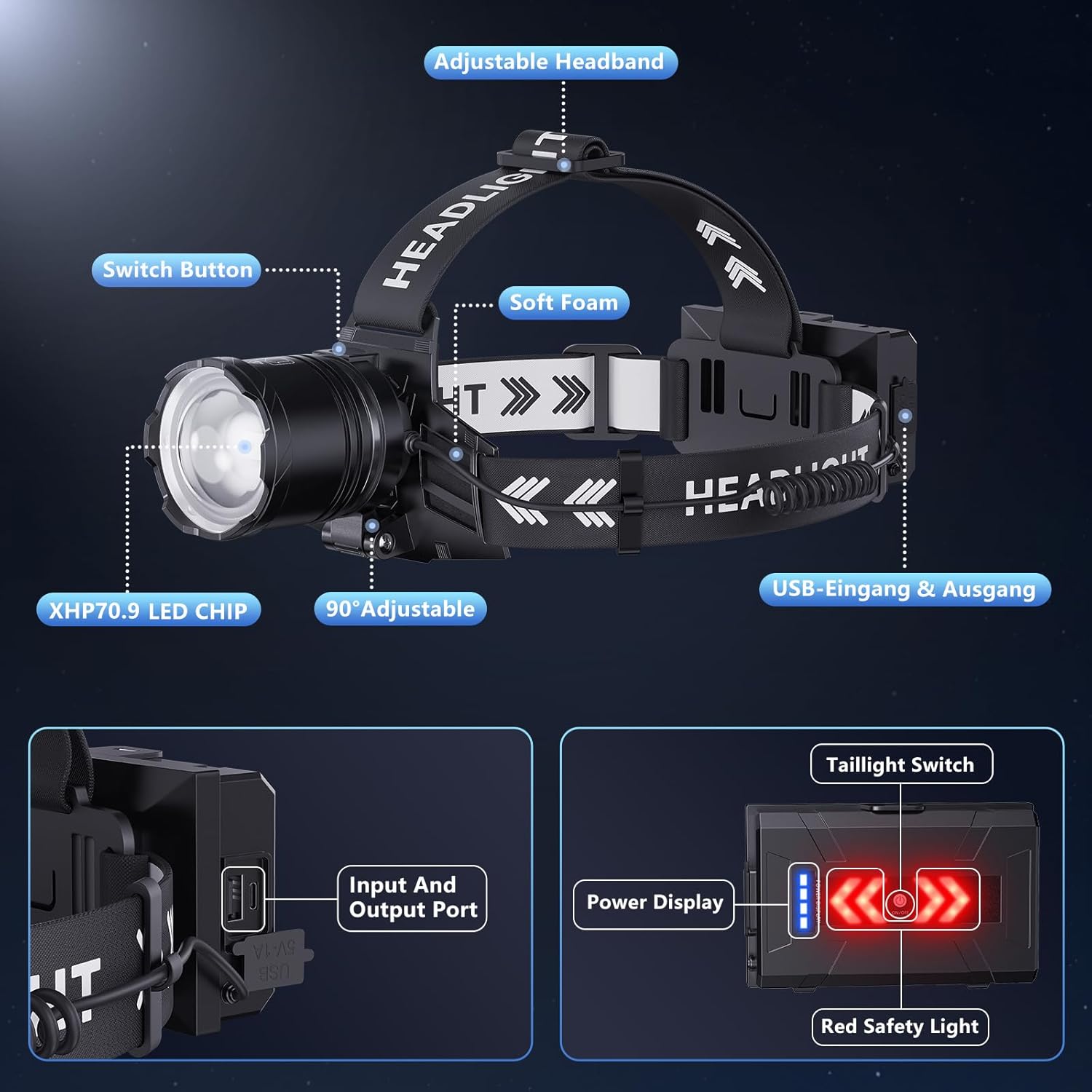
Image: Detailed view of the headlamp showing the adjustable headband and soft foam for comfort.
Operating Instructions
1. Power On/Off
Press the main power button located on the top of the headlamp unit to turn the light on or off.
2. Light Modes
The headlamp features 5 distinct lighting modes. Press the power button repeatedly to cycle through the modes:
- High Beam: Maximum brightness for extensive illumination.
- Medium Beam: Balanced brightness for general use.
- Low Beam: Reduced brightness for close-range tasks and extended battery life.
- Strobe: Flashing light for signaling or emergency situations.
- SOS: International Morse code signal for distress.

Image: Visual representation of the headlamp's five lighting modes.
3. Zoom and Tilt Function
The headlamp's beam can be adjusted for focus and direction:
- Zoom: Slide the head of the lamp forward or backward to switch between a wide floodlight for broad area coverage and a focused spotlight for long-distance viewing.
- Tilt: The lamp head can be tilted up to 90 degrees to direct the beam precisely where needed, ideal for hands-on tasks or navigating varied terrain.
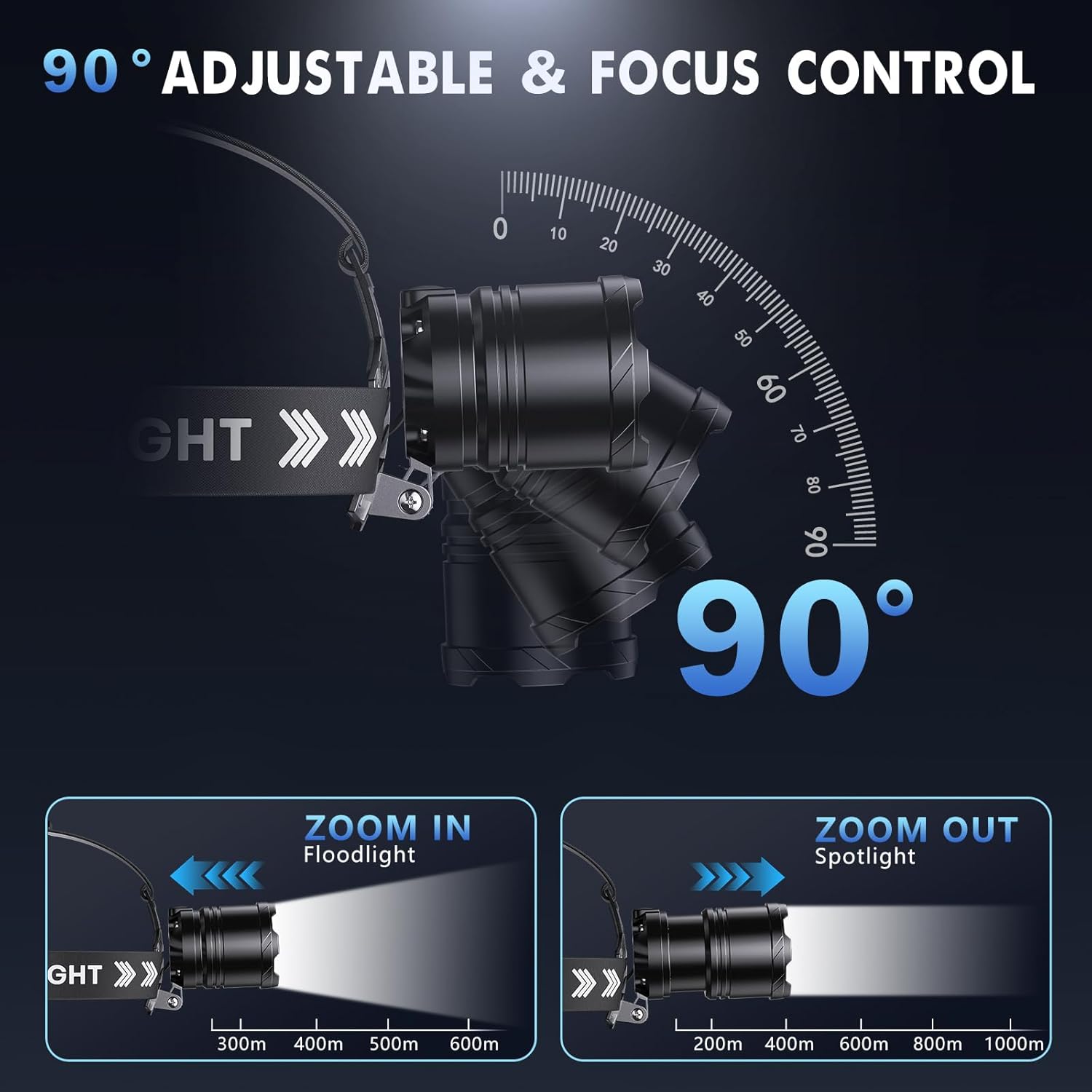
Image: Illustration of the headlamp's adjustable tilt and zoom capabilities.
4. Rear Safety Light
The rear battery pack features a red safety light with solid and flashing modes. Use the separate switch on the battery pack to activate or deactivate this light, enhancing visibility from behind, especially in low-light conditions or traffic.
5. Power Bank Function
The headlamp's battery pack can also function as an emergency power bank. Connect your device to the USB output port on the battery pack using a compatible cable to charge it.
Charging
1. USB-C Fast Charging
To charge the headlamp, connect the provided USB-C cable to the input port on the battery pack and to a suitable USB power source. A full charge typically takes 3-6 hours.

Image: The headlamp's battery pack with charging time and runtime details.
2. Battery Indicator
The rear battery pack includes a five-level digital display that shows the remaining battery power, allowing you to monitor charge status at a glance.
Maintenance
1. Waterproofing
The headlamp is IPX7 waterproof, making it resistant to rain, splashes, and temporary submersion. Ensure all ports are sealed when exposed to water.
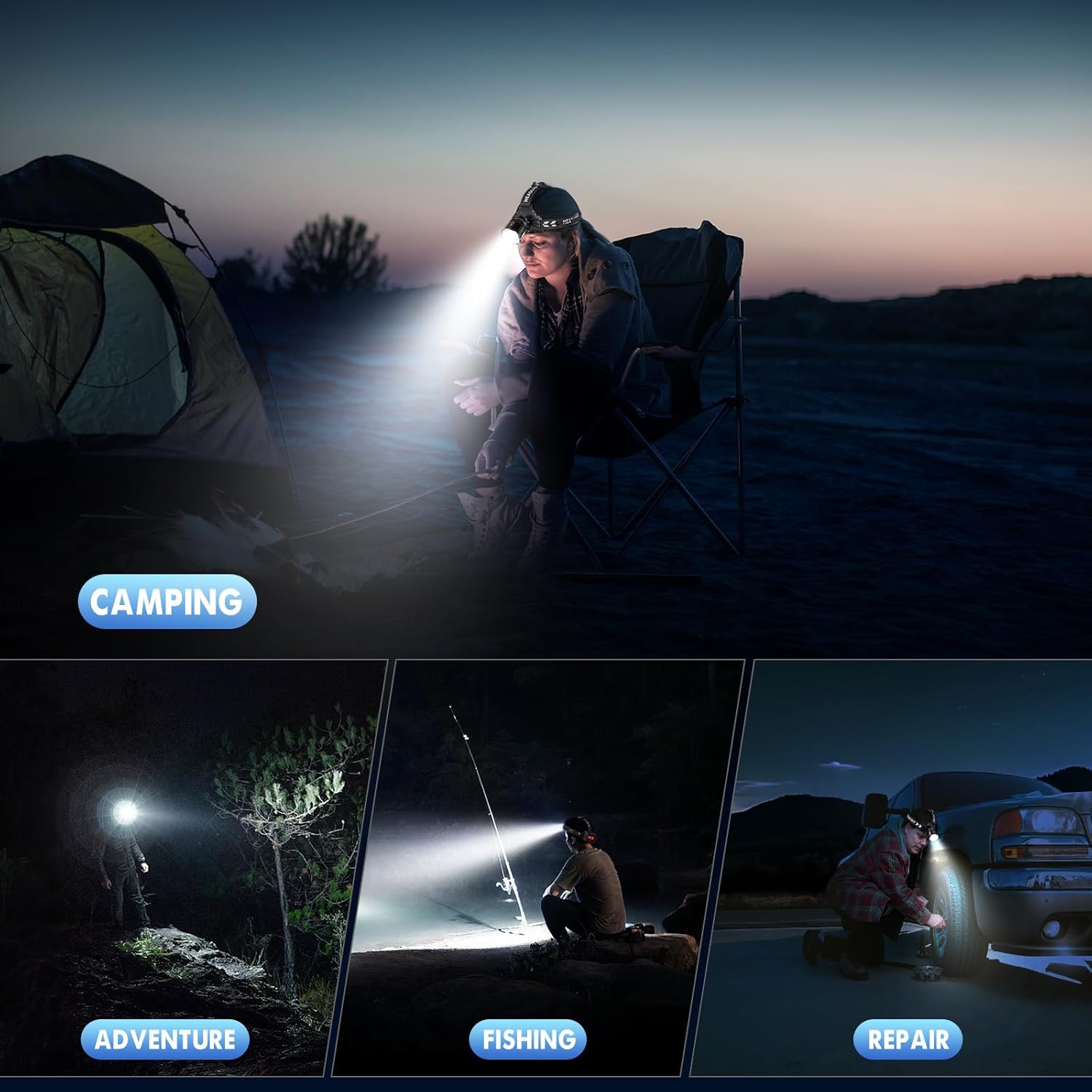
Image: The headlamp shown in a waterproof scenario.
2. General Care
Clean the headlamp with a soft, damp cloth. Avoid using abrasive cleaners or solvents. Store in a cool, dry place when not in use.
Troubleshooting
- Light not turning on: Check battery charge level. Ensure batteries are correctly installed.
- Dim light: Recharge the battery.
- Charging issues: Ensure the USB-C cable is properly connected to both the headlamp and the power source. Try a different cable or power adapter.
Specifications
| Feature | Detail |
|---|---|
| Brightness | 2000 Lumens |
| Light Modes | High, Medium, Low, Strobe, SOS |
| Adjustability | 90° Tilt, Adjustable Focus (Zoom) |
| Battery Capacity | 9000mAh (3 Nonstandard Battery included) |
| Charging Time | 3-6 hours |
| Runtime | 12-24 hours (depending on mode) |
| Water Resistance | IPX7 |
| Material | Aluminum Alloy |
| Special Features | Rear Safety Light, Power Bank Function, Battery Display |
Warranty and Support
This SWZA headlamp is covered by a 30-day return window and a 1-year limited warranty. For support or warranty claims, please contact SWZA customer service through your purchase platform.
Official Product Video
Video: An official product video from SWZA Direct showcasing the Super Bright Rechargeable Headlamp's features and functionality.