
1. Introduction and Product Overview
Thank you for choosing the ASALL Socket Breeze Socket Fan Light. This portable ceiling fan with an integrated LED light is designed for easy installation and convenient operation in various indoor spaces. Please read this manual thoroughly before installation and use to ensure safe and optimal performance.
Key Features:
- Easy Installation: Screws directly into standard E26/E27 light bulb sockets. No wiring required.
- Integrated Fan: 12-watt fan with three adjustable wind speeds.
- Dimmable LED Light: 10-watt LED light with 1000 lumens brightness. Adjustable color temperature (cold white, warm light, natural light) and brightness (10%-100%). Night light mode included.
- Remote Control: Full control over fan speeds, light settings, and timer functions.
- Compact Design: Diameter 16.54 inches, height 6.29 inches, weight 1 pound.
2. What's in the Box
- Socket Fan Light Unit (with integrated LED light)
- Remote Control
- Mounting Hardware (for optional hardwiring)
3. Safety Information
- Ensure the power to the light socket is turned OFF before installation or maintenance.
- Do not operate the fan if any part is damaged.
- Keep fingers and other objects away from the fan blades during operation.
- This product is designed for indoor use only. Do not expose to water or high humidity.
- Use only with E26/E27 compatible light bulb sockets.
- If hardwiring, ensure installation is performed by a qualified electrician in accordance with local electrical codes.
4. Setup and Installation
The ASALL Socket Breeze Socket Fan Light offers quick and easy installation, similar to screwing in a light bulb.
Step-by-Step Installation:
- Turn Off Power: Before beginning, ensure the power supply to the light fixture is completely turned off at the circuit breaker.
- Attach Fan Blades: Gently snap the five fan blades into their designated slots on the main unit. Ensure they are securely fastened.
- Screw into Socket: Carefully screw the fan light unit into a standard E26 or E27 light bulb socket until it is snug. Do not overtighten.
- Restore Power: Turn the power back on at the circuit breaker.
- Test with Remote: Use the provided remote control to test the fan and light functions.
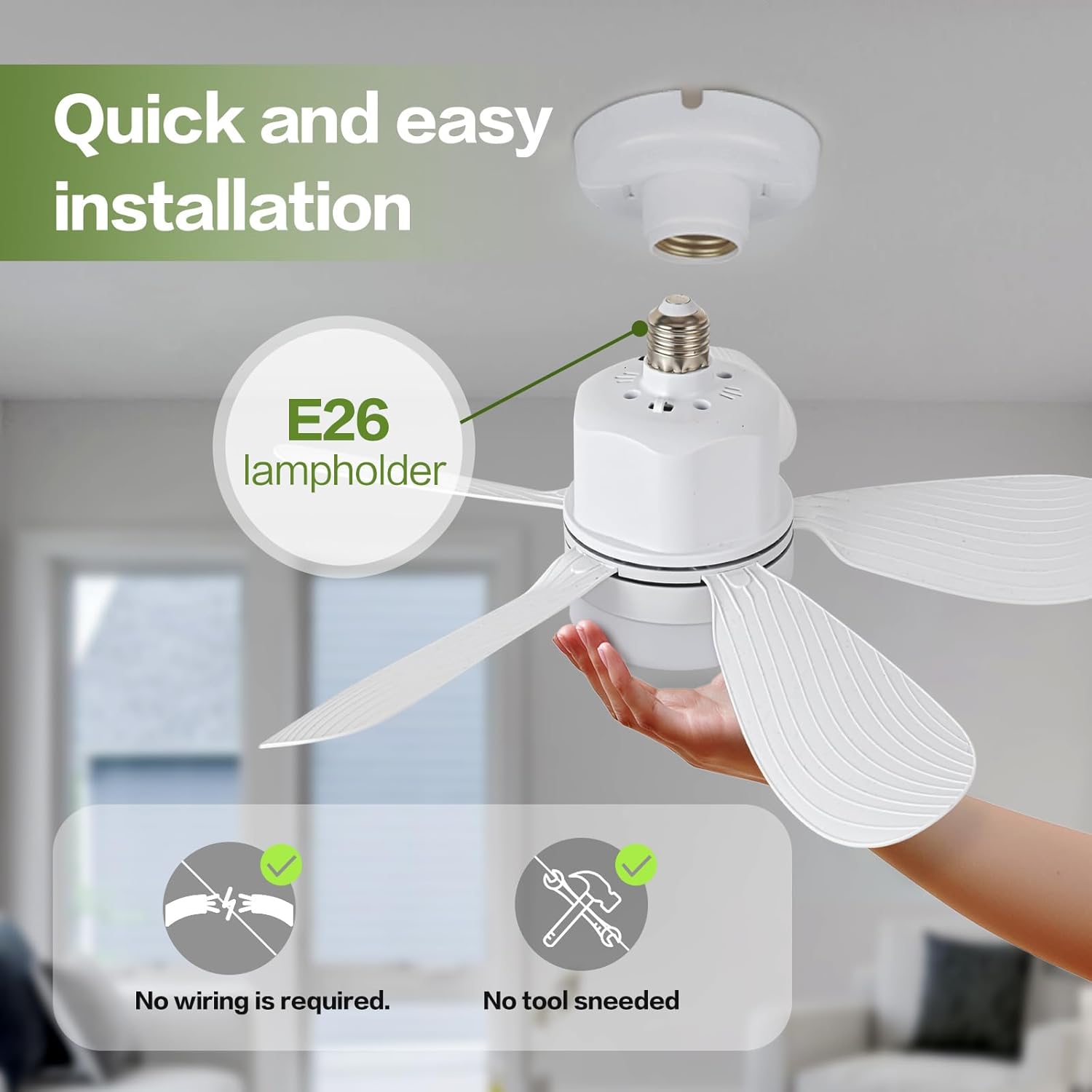
Image: Easy installation into an E26 lampholder. No wiring or tools needed for basic setup.

Image: Visual guide demonstrating the simple screw-in process into a ceiling light socket.
5. Operating Instructions
The ASALL Socket Breeze Socket Fan Light is operated using the included remote control.
Remote Control Functions:
- Power On/Off: Press the power button to turn the unit on or off.
- Light On/Off: Press the light bulb icon button to toggle the light.
- Brightness Adjustment: Use the '+' and '-' buttons (often labeled with sun icons) to increase or decrease light brightness (10%-100%).
- Color Temperature Adjustment: Use the 'CCT+' and 'CCT-' buttons to cycle through cold white, warm light, and natural light settings.
- Fan Speed Control: Buttons labeled '1', '2', '3' (or similar wave icons) control the fan speed. There are three distinct speed settings.
- Night Light Mode: Press the moon icon button to activate a soft night light.
- Timer Function: Set the fan/light to turn off automatically after 1, 2, or 4 hours using the respective buttons.

Image: Remote control layout with functions for adjusting light color temperature (3000K, 4500K, 6000K) and brightness.

Image: Demonstrates the three adjustable color temperatures (3000K, 4500K, 6000K) and brightness levels (100%, 50%, 10%).

Image: Illustrates the three wind speed settings: 1 Speed (Comfortable Wind for sleep), 2 Speeds (Natural Breeze for relaxation), and 3 Speeds (Strong Wind for hot summer).

Image: Depicts the three fan speed settings: 1 speed for comfortable sleep, 2 speed for moments of relaxation, and 3 speed suitable for hot summer days.
6. Maintenance
- Cleaning: Ensure the power is off before cleaning. Wipe the fan blades and light cover with a soft, dry cloth. Do not use abrasive cleaners or solvents.
- Blade Inspection: Periodically check that the fan blades are securely attached and free from damage.
- Storage: If storing the unit for an extended period, remove it from the socket, clean it, and store it in a cool, dry place.
7. Troubleshooting
- Fan/Light Not Working:
- Check if the power to the light socket is on.
- Ensure the unit is screwed in tightly to the E26/E27 socket.
- Verify that the remote control batteries are correctly inserted and not depleted.
- Weak Airflow:
- Increase the fan speed using the remote control.
- Ensure there are no obstructions blocking the fan blades.
- Light Flickering/Incorrect Color:
- Adjust the brightness and color temperature settings using the remote.
- Ensure the unit is receiving stable power.
8. Specifications
| Brand | ASALL |
| Model Name | FAN011-42 |
| Size | 16.54 inches (Diameter) |
| Product Dimensions | 16.54"L x 16.54"W x 6.29"H |
| Item Weight | 3.2 ounces |
| Fan Power | 12 Watts |
| Light Power | 10 Watts |
| Brightness | 1000 Lumens |
| Color Temperature | Adjustable (Cold White, Warm Light, Natural Light) |
| Voltage | 85V - 265V |
| Bulb Base | E26/E27 |
| Control Method | Remote Control |
| Material | Acrylic, Acrylonitrile Butadiene Styrene |
| Indoor/Outdoor Usage | Indoor |

Image: Detailed dimensional data including diameter, height, motor power (12 Watts), and light source power (10 Watts).

Image: Noise level comparison chart, indicating the fan operates at a quiet 25dB, suitable for sleep.
9. Warranty and Support
ASALL products are certified by FCC, CE, and GS, ensuring quality and consumer protection. If you have any questions or require assistance with this product, please contact ASALL customer service via Amazon. We provide 24-hour service to address your concerns.


