
Introduction
Thank you for purchasing the kamapulo Pocket AM FM Radio. This compact and versatile device offers multiple playback options including AM/FM radio, Bluetooth 5.4 streaming, and MP3 playback via TF card. Designed for portability and ease of use, it features a large speaker, stereo earphone jack, and a convenient sleep timer function. This manual provides detailed instructions for setup, operation, and maintenance to ensure optimal performance and longevity of your radio.
Safety Information
- Do not expose the device to extreme temperatures, direct sunlight, or high humidity.
- Avoid dropping or subjecting the radio to strong impacts.
- Keep the device away from water and other liquids.
- Do not attempt to disassemble or repair the radio yourself. Refer to qualified service personnel.
- Use only the provided Type-C cable for charging.
- Dispose of batteries responsibly according to local regulations.
Package Contents
- kamapulo Pocket AM FM Radio (Model: MI04)
- Type-C Charging Cable
- Wired Earphones
- Detachable Hanging Strap
- User Manual

Image: The kamapulo Pocket AM FM Radio shown alongside its accessories, including the charging cable, wired earphones, and the user manual, all neatly arranged next to its retail box.
Product Overview
Familiarize yourself with the various parts and controls of your kamapulo Pocket AM FM Radio.

Image: A detailed front view of the black kamapulo Pocket AM FM Radio, highlighting its digital display, numeric keypad for direct frequency input, and integrated speaker. The telescopic antenna is extended, and wired earphones are connected.
Key Components:
- Telescopic Antenna: For improved radio reception.
- LED Display: Shows frequency, mode, battery status, and other indicators.
- Numeric Keypad (0-9): For direct frequency input and station presets.
- Speaker: Integrated 3W high-quality speaker for clear audio output.
- 3.5mm Earphone Jack: For private listening with wired headphones.
- Type-C Charging Port: For recharging the internal battery.
- TF Card Slot: For MP3 playback from a microSD card (up to 32GB).
- Power/Mode Button: To turn the radio on/off and switch between modes.
- Volume Buttons (+/-): To adjust the audio volume.
- Tuning Buttons: To manually tune radio frequencies or navigate tracks.
Image: A close-up view of the radio's large LED screen, demonstrating its clear and bright display of frequency and battery status, designed for easy readability.

Image: The radio's compact dimensions (3.59 x 2.22 x 0.94 inches) are illustrated, showing it easily fitting into a pocket or attached to a backpack with its detachable lanyard, emphasizing its portability for outdoor activities.
Setup
1. Charging the Battery
The radio is equipped with a built-in 1100mAh rechargeable lithium battery. Before first use, fully charge the device.
- Locate the Type-C charging port on the side of the radio.
- Connect the provided Type-C USB cable to the radio's charging port.
- Plug the other end of the USB cable into a compatible USB power adapter (not included) or a computer's USB port.
- The battery indicator on the LED display will show charging status. It will be full when all segments are lit.
A full charge provides approximately 24 hours of continuous use at maximum volume.

Image: The radio connected to a power outlet via its Type-C charging cable, illustrating the charging process and highlighting its 1100mAh battery capacity for extended playback.
2. Antenna Adjustment
For optimal FM/AM reception, extend the telescopic antenna fully and adjust its direction.

Image: The radio with its extended 10.2-inch (26cm) telescopic antenna, indicating its capability for excellent AM/FM reception across a wide frequency range, suitable for various listening environments.
3. Inserting TF Card (for MP3 Playback)
To play MP3 files, insert a TF (microSD) card (max. 32GB) into the designated slot.
- Locate the TF card slot on the side of the radio.
- Gently insert the TF card with the metal contacts facing down until it clicks into place.
- To remove, push the card in slightly until it springs out.
4. Connecting Headphones
For private listening, plug the wired earphones into the 3.5mm earphone jack on the top of the radio.
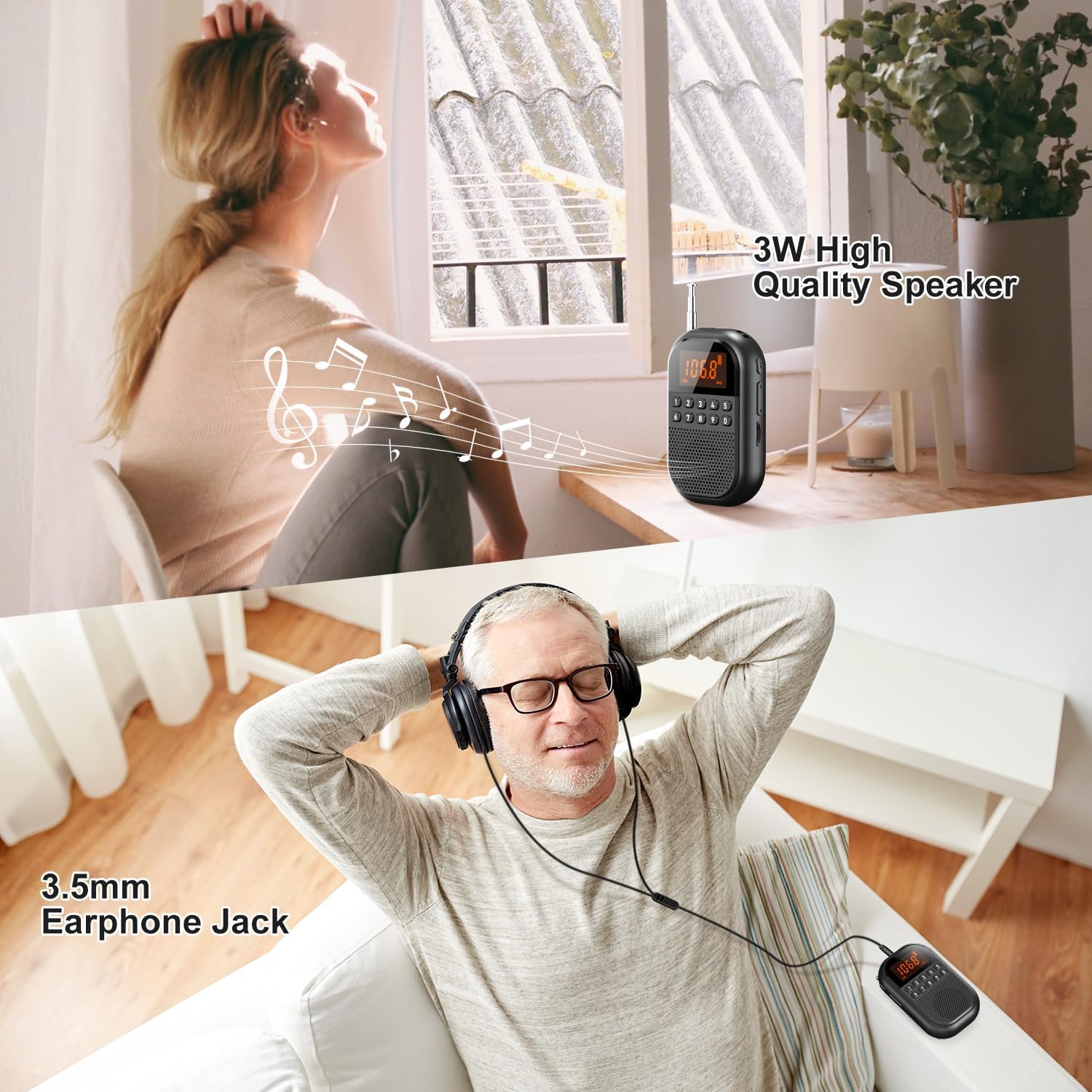
Image: Demonstrates both the radio's 3W high-quality speaker for room-filling sound and the option for private listening via the 3.5mm earphone jack with included wired headphones.
Operating Instructions
1. Power On/Off
Press and hold the Power/Mode button to turn the radio on or off.
2. Mode Selection
Once powered on, short press the Power/Mode button to cycle through available modes: FM Radio, AM Radio, Bluetooth, and TF Card (if inserted).

Image: Illustrates the radio's versatility with multiple playback options, including seamless Bluetooth connectivity for streaming from a smartphone and a TF card slot for playing stored MP3 files.
3. Tuning Radio Stations (FM/AM)
In FM or AM mode:
- Auto Scan: Press and hold the Play/Pause button (often integrated with the Mode button or a dedicated scan button) to automatically scan and save available stations. The radio can store up to 30 station presets.
- Manual Tuning: Use the Tuning buttons (often marked with arrows or +/-) to fine-tune the frequency step by step.
- Direct Frequency Input: Use the numeric keypad (0-9) to directly enter the desired frequency. For example, to tune to 106.8 FM, press 1-0-6-8.
- Accessing Presets: After auto-scanning, use the numeric keypad to directly select a saved preset station (e.g., press '1' for the first saved station).
Image: The radio with its extended 10.2-inch (26cm) telescopic antenna, indicating its capability for excellent AM/FM reception across a wide frequency range, suitable for various listening environments.
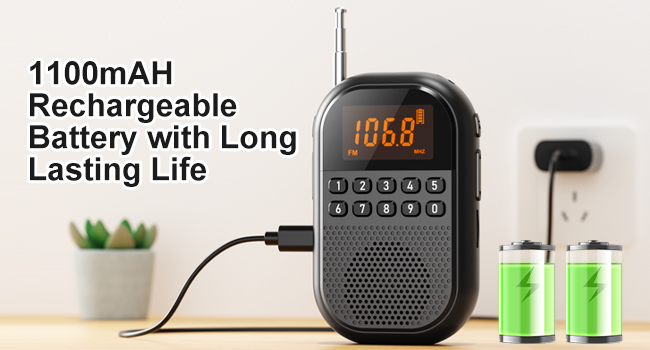
Image: A visual representation of the radio's ability to store and quickly access up to 30 preset radio stations, simplifying station selection.
4. Bluetooth Pairing
To connect your radio to a Bluetooth device:
- Switch the radio to Bluetooth mode. The display will show "BT" or a similar indicator, and the radio will enter pairing mode.
- On your smartphone or other Bluetooth device, enable Bluetooth and search for available devices.
- Select "MI04" or "kamapulo Radio" from the list of found devices.
- Once paired, the radio will confirm the connection, and you can play audio from your device through the radio.
5. TF Card Playback
If a TF card with MP3 files is inserted, switch the radio to TF Card mode. Playback will begin automatically. Use the tuning buttons to skip tracks.
6. Volume Control
Use the Volume + and Volume - buttons on the side of the radio to adjust the listening volume.
7. Sleep Timer Function
The radio features an intelligent sleep timer to automatically shut off after a set period.
- While the radio is on, press the Sleep Timer button (refer to product diagram for exact button, usually marked with a clock icon or integrated).
- Repeatedly press the button to cycle through available sleep timer settings (e.g., 15min, 30min, 45min, 60min, 75min, 90min).
- The selected time will be displayed, and the radio will automatically turn off after the set duration.

Image: A visual guide to the radio's sleep timer function, showing selectable intervals from 10 to 90 minutes, designed to allow users to fall asleep to their preferred radio program.
Maintenance
- Cleaning: Use a soft, dry cloth to clean the exterior of the radio. Do not use abrasive cleaners or solvents.
- Storage: When not in use for extended periods, store the radio in a cool, dry place, away from direct sunlight and extreme temperatures.
- Battery Care: To prolong battery life, avoid fully discharging the battery frequently. Charge it regularly, even if not in constant use.
Troubleshooting
| Problem | Possible Cause | Solution |
|---|---|---|
| Radio does not turn on. | Low battery; Power button not pressed correctly. | Charge the battery; Press and hold the Power/Mode button for a few seconds. |
| Poor radio reception. | Antenna not extended; Weak signal area; Interference. | Fully extend and adjust the telescopic antenna; Move to an area with better signal; Avoid sources of electronic interference. |
| No sound from speaker/earphones. | Volume too low; Incorrect mode; Earphones not fully plugged in. | Increase volume; Ensure correct mode (FM/AM/BT/TF); Re-insert earphones firmly. |
| Bluetooth not connecting. | Radio not in pairing mode; Device Bluetooth off; Too far from device. | Switch radio to Bluetooth mode; Enable Bluetooth on your device; Ensure devices are within 10 meters. |
| TF card not playing. | TF card not inserted correctly; Unsupported file format; Corrupted card. | Re-insert TF card; Ensure files are MP3 format; Try a different TF card. |
Specifications
| Feature | Detail |
|---|---|
| Brand | kamapulo |
| Model Number | MI04 |
| Product Dimensions | 2.22 x 0.94 x 3.6 inches |
| Item Weight | 5.9 ounces |
| Battery | 1100mAh Rechargeable Lithium Battery (included) |
| Tuner Technology | AM/FM |
| FM Frequency Range | 76-108 MHZ |
| AM Frequency Range | 520-1710 KHZ |
| Connectivity Technology | Bluetooth 5.4 |
| Speaker Output | 3W |
| TF Card Support | Max. 32GB (MP3 playback) |
| Earphone Jack | 3.5mm Stereo |
| Sleep Timer Settings | 15-90 minutes |
Official Product Video
Video: This official product video demonstrates the key features and functionality of the kamapulo Pocket AM FM Radio, including its compact size, radio tuning, Bluetooth connectivity, and TF card playback. It provides a visual guide to operating the device.
Warranty and Support
kamapulo products are designed and manufactured to the highest quality standards. For information regarding warranty coverage, technical support, or service inquiries, please refer to the contact information provided on the product packaging or visit the official kamapulo website. Please retain your proof of purchase for warranty claims.