
1. Introduction
Thank you for choosing the vannect Walking Pad Treadmill. This manual provides essential information for the safe and efficient operation, maintenance, and troubleshooting of your new fitness equipment. Please read this manual thoroughly before initial use and retain it for future reference.
2. Safety Instructions
To ensure safe operation and prevent injury, please adhere to the following safety guidelines:
- Read all instructions in this manual before using the treadmill.
- Place the treadmill on a flat, stable surface, ensuring adequate space around it.
- Keep children and pets away from the treadmill during operation.
- The maximum recommended user weight is 150 kg (330 lbs). Do not exceed this limit.
- Wear appropriate athletic footwear during use.
- If you experience pain, dizziness, or shortness of breath, stop exercising immediately.
- Ensure the power cord is not damaged or placed under the treadmill.
- Always unplug the treadmill from the power outlet when not in use, before cleaning, or before performing maintenance.
3. What's in the Box
Upon unpacking, please verify that all components are present:
- vannect Walking Pad Treadmill
- Remote Control
- User Manual (this document)
4. Setup
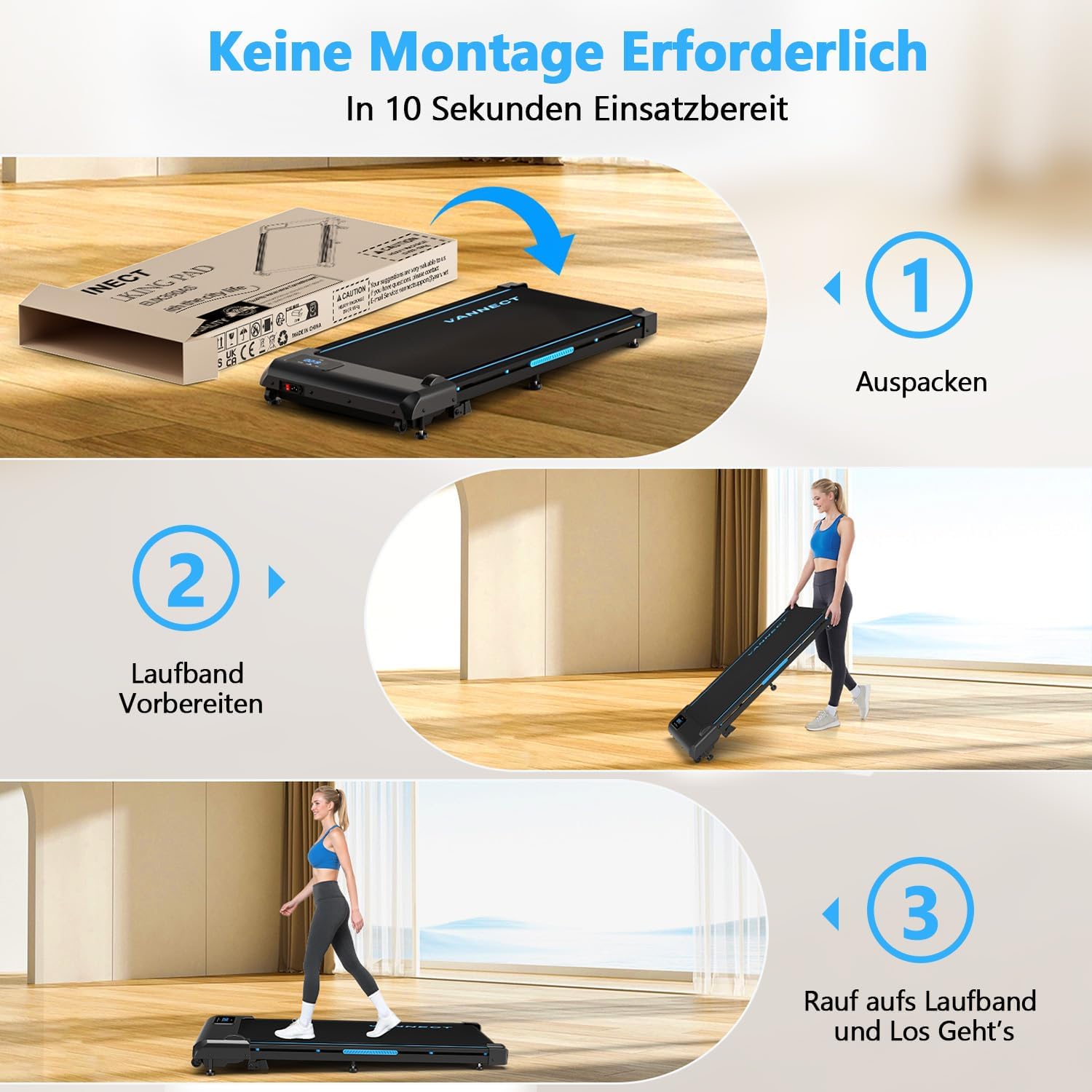
The vannect Walking Pad Treadmill requires no assembly, making setup quick and easy.
- Unpack the Treadmill: Carefully remove the treadmill from its packaging.
- Positioning: Place the treadmill on a firm, level surface. Ensure there is clear space of at least 0.6 meters (2 feet) behind and on each side of the treadmill for safety.
- Power Connection: Plug the power cord into a grounded electrical outlet.
- Initial Check: Before first use, ensure the running belt is centered. If it appears off-center, refer to the 'Maintenance' section for belt adjustment instructions.
5. Operating Instructions
Your vannect Walking Pad is designed for intuitive use with a wireless remote control and an integrated LED display.
5.1 Powering On/Off
- To power on, ensure the treadmill is plugged in and press the power button on the treadmill or remote control.
- To power off, press the power button again or unplug the unit.
5.2 Using the Remote Control
The wireless remote control allows you to manage the treadmill's functions without touching the unit.
- Start/Stop: Press the 'Start' button to begin the belt movement. Press 'Stop' to halt it.
- Speed Adjustment: Use the '+' and '-' buttons to increase or decrease the walking speed. The speed can be adjusted from 1 km/h up to 10 km/h.

5.3 LED Display
The integrated LED display provides real-time feedback on your workout:
- Time: Duration of your workout.
- Distance: Total distance covered.
- Speed: Current walking/running speed.
- Calories: Estimated calories burned.
5.4 Usage Modes
The treadmill supports various exercise intensities:
- Climbing Mode (3-6 km/h): Suitable for a brisk walk or light incline simulation.
- Working Out Mode (1-3 km/h): Ideal for walking while working at a standing desk.
- Walking Mode (4-6 km/h): For moderate-paced walking.
- Running Mode (7-10 km/h): For jogging or light running.

5.5 Incline Feature
The treadmill features an adjustable incline up to 9% to enhance your workout intensity.
6. Maintenance
Regular maintenance ensures the longevity and optimal performance of your treadmill.
6.1 Cleaning
- Always unplug the treadmill before cleaning.
- Wipe down the display and exterior surfaces with a soft, damp cloth. Avoid abrasive cleaners or solvents.
- Periodically vacuum under the treadmill to prevent dust buildup.
6.2 Running Belt Adjustment
If the running belt shifts to one side or feels loose, it may require adjustment. A tool for this purpose is included.
- Centering the Belt: If the belt is too far to the left, turn the left rear roller bolt clockwise a quarter turn. If it's too far to the right, turn the right rear roller bolt clockwise a quarter turn. Run the treadmill at a low speed (e.g., 2 km/h) for a few minutes and observe. Repeat adjustments as necessary until the belt is centered.
- Tightening the Belt: If the belt slips during use, it may be too loose. Turn both rear roller bolts clockwise a quarter turn simultaneously. Test the belt and repeat if necessary. Do not overtighten.
6.3 Lubrication
The running belt requires periodic lubrication to reduce friction and extend its lifespan. Refer to the specific instructions provided with your treadmill's lubricant for frequency and application method.
7. Troubleshooting
This section addresses common issues you might encounter with your treadmill.
| Problem | Possible Cause | Solution |
|---|---|---|
| Treadmill does not power on | Power cord not plugged in; Power outlet malfunction; Power button not pressed | Ensure power cord is securely plugged in; Test outlet with another device; Press the power button firmly. |
| Running belt slips | Belt too loose; Belt worn out | Refer to 'Running Belt Adjustment' in Maintenance section; Contact customer support if belt is worn. |
| Running belt is off-center | Belt requires centering adjustment | Refer to 'Running Belt Adjustment' in Maintenance section. |
| Unusual noise during operation | Loose components; Lack of lubrication; Foreign object under belt | Check for loose screws and tighten; Lubricate belt if needed; Inspect under the belt for obstructions. If noise persists, contact support. |
| Remote control not working | Battery low or dead; Remote not paired | Replace remote control battery; Refer to remote control pairing instructions (if applicable, usually in a separate remote manual). |
8. Specifications
Detailed technical specifications for the vannect Walking Pad Treadmill:
| Feature | Specification |
|---|---|
| Brand | vannect |
| Product Dimensions (D x W x H) | 116 cm x 50 cm x 12.5 cm (45.7 in x 19.7 in x 4.9 in) |
| Item Weight | 18 Kilograms (39.7 lbs) |
| Maximum Speed | 10 Kilometers per hour (6.2 mph) |
| Maximum Power | 2.75 Horsepower |
| Maximum Incline Percentage | 9% |
| Assembly Required | No |
| Display Type (Metrics) | Time, Distance, Speed, Calories |
| Maximum Recommended Load | 150 Kilograms (330 lbs) |
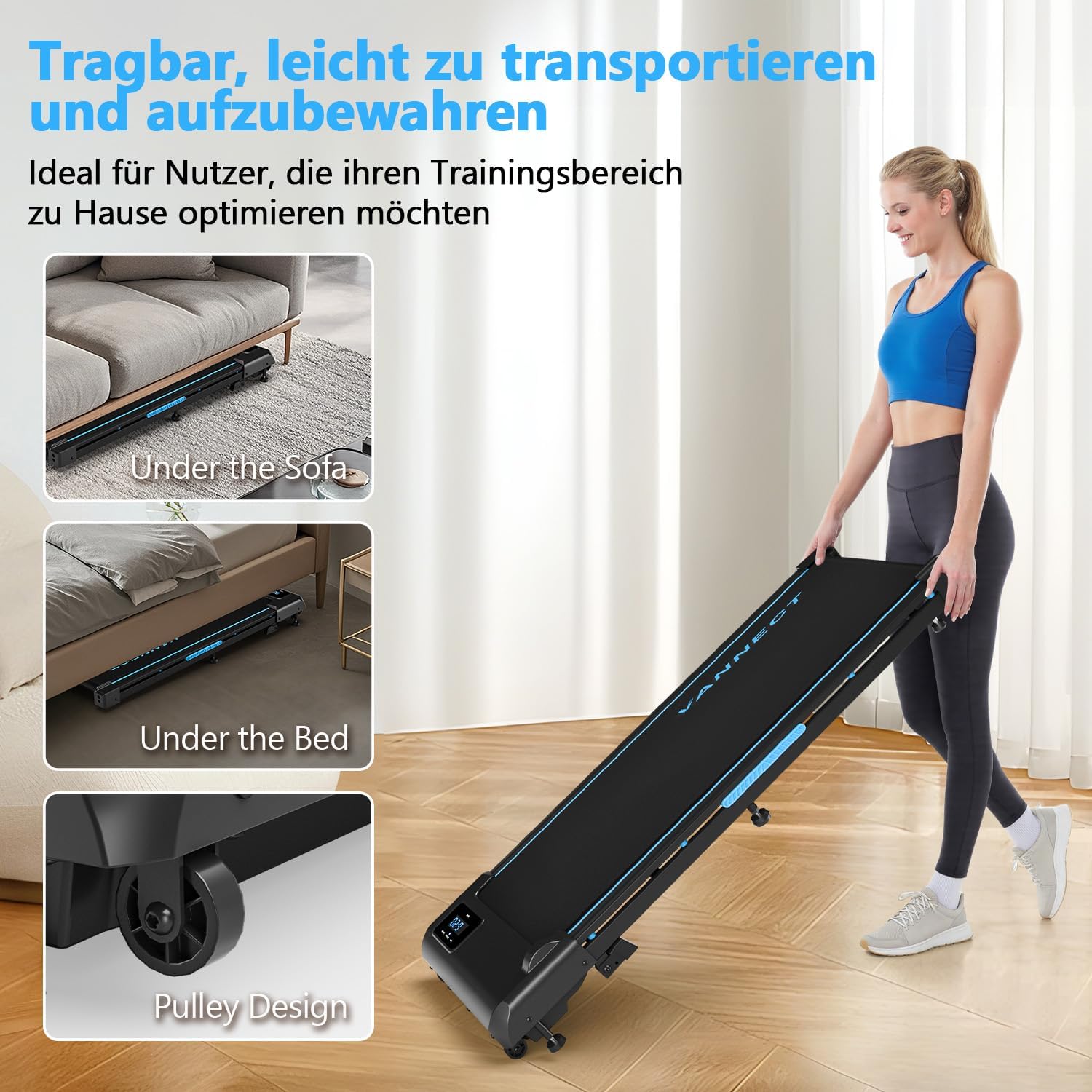
| Folded Size | 116 x 50.5 x 12.5 cm (45.7 x 19.9 x 4.9 in) |
| Frame Material | Aluminium |
| UPC | 734257410649 |
| ASIN | B0F29B1CSC |


9. Warranty and Support
vannect is committed to providing high-quality products and excellent customer service.
- Customer Support: For any questions, concerns, or technical assistance, please contact our specialized customer support.
- Technical Support: We offer lifetime technical support for products purchased on Amazon to ensure a premium customer experience.
Please refer to your purchase documentation for specific warranty terms and contact information.