
Introduction
This manual provides instructions for the LiuShan 360-Degree Rotation Stand PU Cover, designed specifically for the 12.7-inch Lenovo Idea Tab Pro TB373FU Tablet. This case offers comprehensive protection and versatile viewing options for your device.
Setup
To install your tablet into the LiuShan case, follow these steps:
- Gently align your 12.7-inch Lenovo Idea Tab Pro TB373FU Tablet with the case's frame.
- Carefully press the tablet into the case, ensuring all corners and edges are securely seated within the protective frame.
- Verify that all ports, buttons, and camera cutouts align correctly with your tablet's features.

Image: The LiuShan case with a tablet securely installed, demonstrating the precise fit and overall appearance.
Operating Instructions
360-Degree Rotation and Stand Function
The case features a unique 360-degree swivel design, allowing you to rotate your tablet to either vertical or horizontal viewing orientations. This provides flexibility for various activities such as reading, watching videos, or typing.

Image: Illustration of the dual viewing mode, demonstrating how the case rotates for both portrait and landscape orientations.
Additionally, the case includes a rotatable kickstand with three distinct stand angles (approximately 100°, 80°, and 60°). To adjust the viewing angle, simply position the tablet's edge into one of the three grooves on the case's interior cover. This allows for comfortable hands-free viewing.
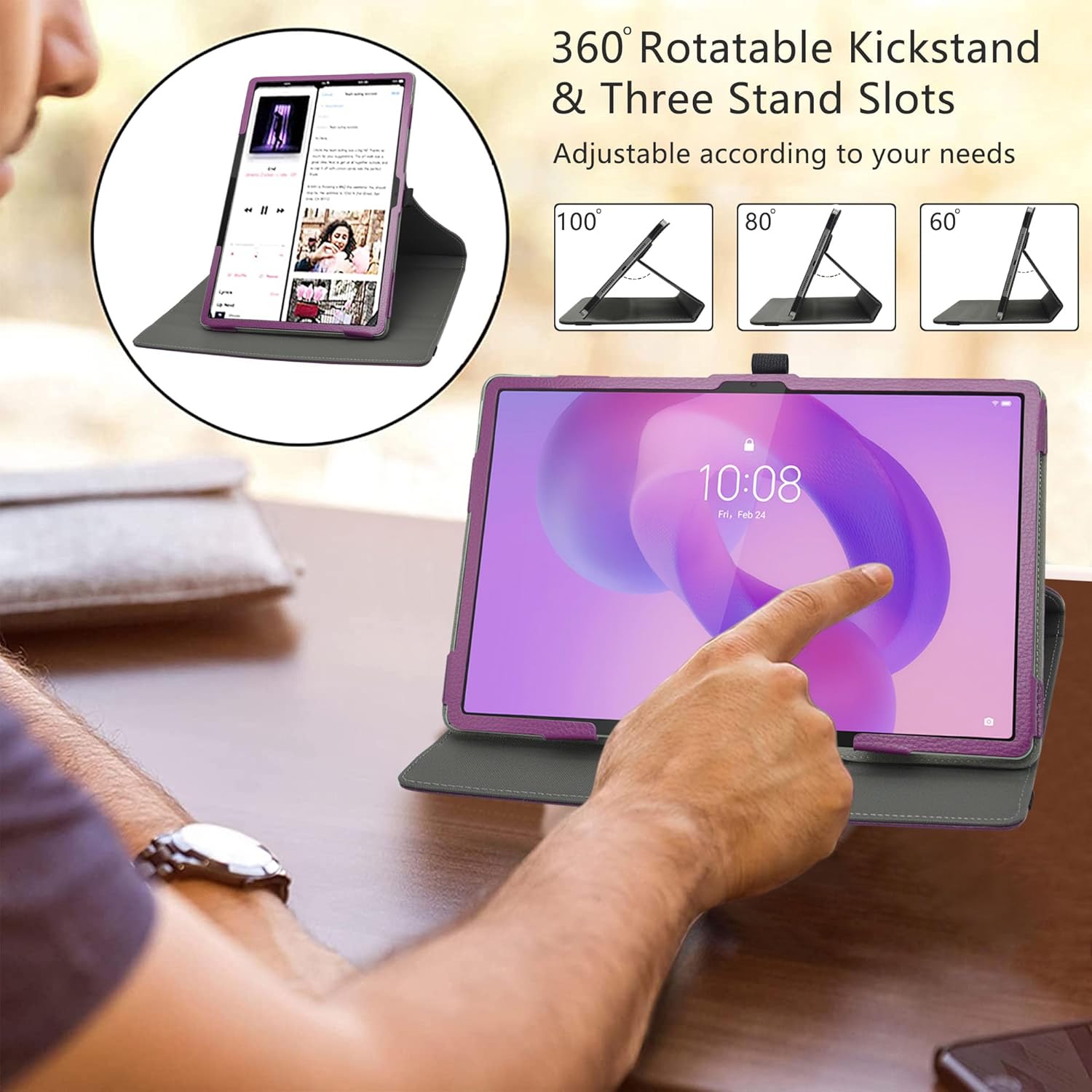
Image: A user interacting with the tablet in its case, showcasing the adjustable stand angles for optimal viewing.
Secure Closure
When not in use, the case can be securely closed using the integrated elastic band. Wrap the band around the back cover to hold the tablet closed, protecting the screen and device from accidental opening.

Image: Visual guide demonstrating the use of the elastic band to keep the case securely closed.
Stylus Loop Design
The case includes a convenient stylus loop, allowing you to keep your stylus (not included) readily accessible. This loop is designed to hold most standard-sized styluses securely.

Image: Close-up of the stylus loop, demonstrating its placement and function for holding a stylus.
Maintenance
To ensure the longevity and appearance of your LiuShan tablet case, follow these maintenance guidelines:
- Cleaning: Wipe the exterior surface with a soft, slightly damp cloth. Avoid using harsh chemicals, abrasive cleaners, or solvents, as these may damage the PU leather material.
- Interior Care: The soft microfiber interior helps protect your tablet's screen from scratches. Keep the interior free of dust and debris by gently wiping it with a dry, soft cloth.
- Storage: Store the case in a cool, dry place away from direct sunlight and extreme temperatures to prevent material degradation.
- Avoid Damage: Protect the case from sharp objects, excessive force, and prolonged exposure to moisture.

Image: Detail view of the case's materials, highlighting the durable exterior and soft interior lining.
Troubleshooting
If you encounter any issues with your LiuShan tablet case, consider the following:
- Tablet Does Not Fit: Ensure your tablet is the correct model (12.7-inch Lenovo Idea Tab Pro TB373FU). This case is specifically designed for this model and may not fit others.
- Stand Instability: Make sure the tablet is properly seated in one of the three grooves for the stand function. Adjust the position until it feels stable.
- Case Not Closing Securely: Ensure no foreign objects are preventing the case from closing fully. Use the elastic band to secure the cover when not in use.
For further assistance, please refer to the contact information provided by your retailer or the manufacturer.
Specifications
| Feature | Detail |
|---|---|
| Brand | LiuShan |
| Model Number | LS00903-2 |
| Compatible Device | 12.7" Lenovo Idea Tab Pro TB373FU Tablet |
| Material | Synthetic PU Leather (Exterior), Soft Microfiber (Interior) |
| Rotation | 360-Degree Rotary Motion |
| Stand Angles | 3 adjustable angles (approx. 100°, 80°, 60°) |
| Closure | Elastic Band |
| Additional Features | Stylus Loop, Premium Button Covers |
| Package Dimensions | 10 x 5 x 0.5 inches |
| Item Weight | 3.2 ounces (0.2 Pounds) |
| Color | Purple |
Warranty and Support
Specific warranty information for the LiuShan Compatible with Lenovo Idea Tab Pro TB373FU Case is not provided within the product details. For inquiries regarding warranty coverage, returns, or technical support, please contact the retailer from whom you purchased the product or refer to the manufacturer's official website for their customer service contact information.