
1. Introduction
Thank you for choosing the JNHCD Carbon Monoxide Detector (Model C-00908). This device is designed to provide continuous monitoring for carbon monoxide (CO) gas, offering an essential layer of safety for your home or office. It features a high-sensitivity electrochemical sensor and an LCD display for clear CO concentration readings. Please read this manual thoroughly before installation and use to ensure proper operation and safety.
Product Features:
- Dual Detection: Equipped with a high-sensitivity and stable electrochemical sensor for reliable carbon monoxide detection.
- Clear Alerts: An integrated LCD screen displays current CO concentrations, allowing for immediate awareness of potential hazards.
- Battery Convenience: The unit provides a low battery warning, chirping every 60 seconds when the battery voltage drops below 3.6V, indicating it's time for replacement.
- Easy to Use: A dedicated test button allows for quick verification of the detector's function and initiates a self-test.
- Easy Installation: Designed for simple wall or ceiling mounting with included hardware.
2. Important Safety Information
WARNING: This carbon monoxide alarm is designed to detect carbon monoxide gas from any source of combustion. It is NOT designed to detect smoke or fire. This device is not a substitute for a smoke alarm.
- Never ignore any alarm. Investigate the cause and take appropriate action.
- Do not paint the detector. Paint can clog the sensor openings and interfere with the unit's ability to detect CO.
- Regularly test the detector as instructed in this manual.
- Ensure proper ventilation in areas where combustion appliances are used.
- Keep the detector clean and free from dust.
3. Setup and Installation
3.1 Unpacking and Components
Carefully remove the carbon monoxide detector and all components from the packaging. Verify that all items are present:
- JNHCD Carbon Monoxide Detector (Model C-00908)
- Mounting bracket
- Screws and wall anchors
- 3 AA batteries
- Instruction Manual (this document)
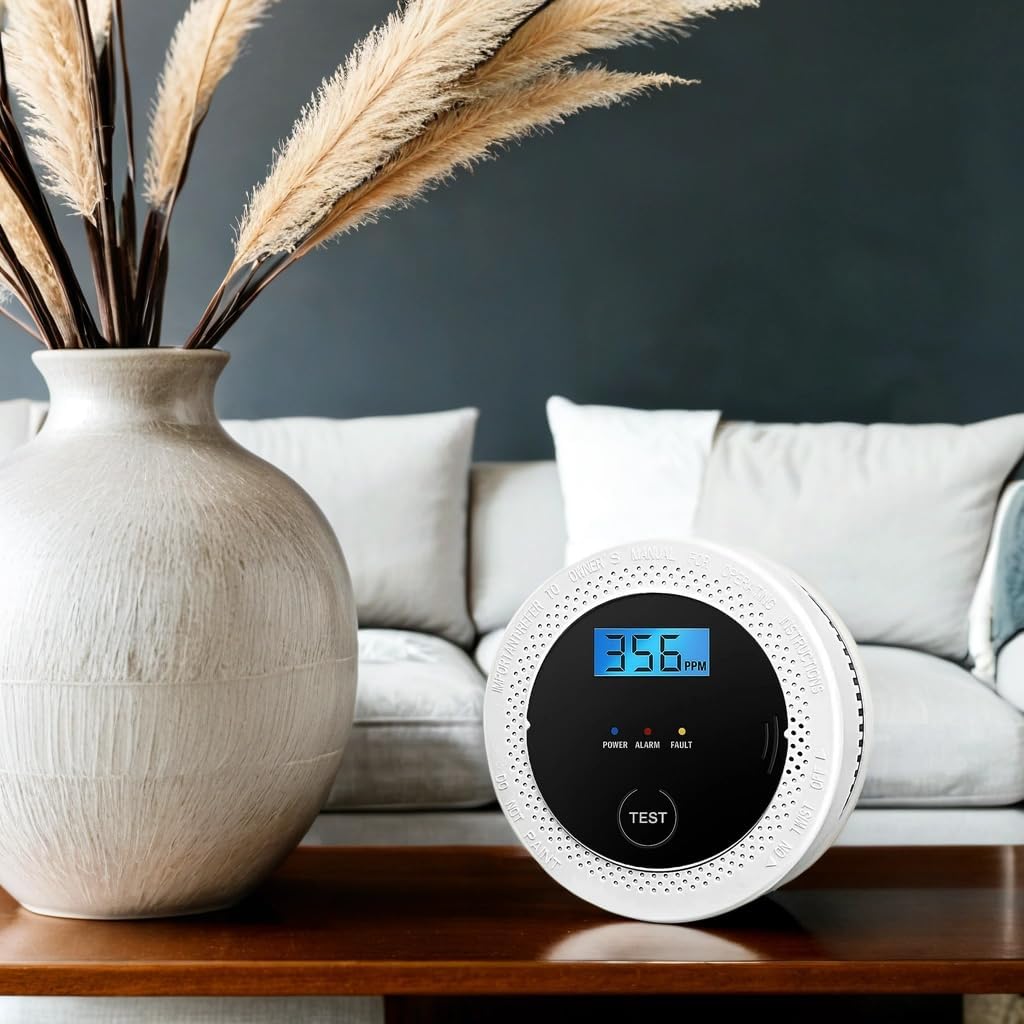
Image: The JNHCD Carbon Monoxide Detector (Model C-00908) displayed in a home setting, showcasing its compact design and LCD screen.
3.2 Battery Installation
- Twist the back cover of the detector counter-clockwise to open the battery compartment.
- Insert the three (3) AA batteries into the compartment, ensuring correct polarity (+ and -) as indicated inside the compartment.
- Close the battery compartment by aligning the cover and twisting clockwise until it clicks securely into place.
- The detector will emit a short beep and the LCD will display "CO 0 ppm" indicating it is powered on and performing a self-test.
Video: No official seller video available for battery installation. Please refer to the text instructions above.
3.3 Choosing a Location
For optimal performance and safety, consider the following when selecting a location for your CO detector:
- Install at least one detector on each level of your home, especially near sleeping areas.
- Place the detector at least 5 feet (1.5 meters) away from fuel-burning appliances to avoid false alarms during startup.
- Avoid placing the detector in direct sunlight, near windows or doors, or in areas with high humidity (e.g., bathrooms).
- Mount the detector on a wall or ceiling. If mounting on a wall, place it at least 1 foot (30 cm) from the ceiling. If mounting on the ceiling, place it in the center of the room.
- Do not place the detector behind curtains, furniture, or in areas where airflow is obstructed.

Image: The JNHCD Carbon Monoxide Detector installed on a wall, demonstrating a suitable placement in a living space.

Image: Detailed view of the JNHCD Carbon Monoxide Detector, highlighting its compact dimensions for easy placement.
3.4 Mounting the Detector
- Once you have selected a suitable location, use the mounting bracket as a template to mark the positions for drilling holes.
- Drill two holes at the marked positions. Insert the wall anchors if installing into drywall or plaster.
- Attach the mounting bracket to the wall or ceiling using the provided screws.
- Align the detector with the mounting bracket and twist it clockwise until it locks securely into place.
4. Operation
4.1 Power-Up and Self-Test
After battery installation, the detector will automatically perform a self-test. The LCD display will show "CO 0 ppm" and the green "POWER" indicator will flash, indicating normal operation.
4.2 Normal Operation
During normal operation, the green "POWER" indicator light will flash approximately once every 30 seconds. The LCD display will show "0 ppm" if no carbon monoxide is detected. If CO is detected, the display will show the current concentration in parts per million (ppm).
4.3 Testing the Detector
It is recommended to test your CO detector weekly to ensure it is functioning correctly.
- Press and hold the "TEST" button located on the front of the detector for approximately 3 seconds.
- The alarm will sound loudly (85dB) and the red "ALARM" indicator will flash. The LCD display will show a test value.
- Release the button. The alarm will stop, and the detector will return to normal monitoring mode.
Note: The test function simulates a CO alarm and does not indicate the presence of actual carbon monoxide.
4.4 Carbon Monoxide Alarm
If the detector senses a dangerous level of carbon monoxide, it will activate the alarm:
- The red "ALARM" indicator will flash rapidly.
- The alarm will emit a loud, pulsating sound (85dB).
- The LCD display will show the detected CO concentration.
What to do if the alarm sounds:
- Immediately move to fresh air outdoors or open all doors and windows to ventilate the area.
- Do a head count to check that all persons are accounted for.
- Do not re-enter the premises until the alarm has stopped and the area has been thoroughly ventilated.
- Call the fire department or a qualified technician to investigate the source of the carbon monoxide.
5. Maintenance
5.1 Battery Replacement
The detector will indicate a low battery condition by chirping once every 60 seconds and displaying a low battery icon on the LCD. Replace all three (3) AA batteries immediately when this occurs.
- Twist the detector counter-clockwise from its mounting bracket to remove it.
- Open the battery compartment and remove the old batteries.
- Insert three new AA batteries, observing correct polarity.
- Close the battery compartment and re-attach the detector to its mounting bracket by twisting clockwise until secure.
- Test the detector after replacing batteries (refer to Section 4.3).
5.2 Cleaning Your Detector
Clean your CO detector at least once a month to prevent dust and debris from interfering with its operation.
- Gently wipe the exterior of the detector with a soft, damp cloth.
- Do not use cleaning solvents or chemicals, as these can damage the sensor or plastic housing.
- Do not spray cleaning agents directly onto the detector.
- Do not paint the detector.
6. Troubleshooting
| Problem | Possible Cause | Solution |
|---|---|---|
| Detector chirps every 60 seconds. | Low battery. | Replace all three (3) AA batteries. |
| Alarm sounds without visible CO source. |
|
|
| Detector does not power on after battery installation. |
|
|
| LCD display is blank or shows error. |
|
|
7. Specifications
| Feature | Detail |
|---|---|
| Model Number | C-00908 |
| Brand | JNHCD |
| Detection Method | Electrochemical Sensor |
| Power Source | 3 x AA 1.5V Batteries (included) |
| Battery Cell Type | Zinc Carbon |
| Alarm Loudness | 85dB at 1 meter |
| Display | LCD (shows CO concentration) |
| Product Dimensions | 4.95 x 1.85 x 4.65 inches (approx.) |
| Item Weight | 6.2 ounces (approx.) |
8. Warranty and Support
For warranty information or technical support, please refer to the contact details provided with your purchase documentation or visit the official JNHCD website. Keep your purchase receipt as proof of purchase.
Manufacturer: JNHCD
Model: C-00908