
1. Product Overview
The Morelax ER262-Azure-US is an advanced ear wax removal tool featuring a 1080P HD camera and a comprehensive 8-piece ear set. Designed for precise and hygienic ear cleaning, this device provides a clear visual of the ear canal through its integrated camera and dedicated mobile application. It is compatible with both iOS and Android devices, offering a safe and effective solution for personal ear care.

Figure 1.1: Morelax Ear Wax Removal Tool and included accessories.
2. Product Components
Your Morelax Ear Wax Removal Kit includes the following items:
- 1 x Otoscope with integrated light and camera
- 1 x Type-C charging cable
- 6 x Silicone ear spoons (various sizes)
- 1 x User Manual
- 1 x 8-piece ear wax removal tool kit (additional metal tools)

Figure 2.1: Detailed view of the ear wax removal tool, silicone ear spoons, and charging cable.
3. Setup Guide
Follow these steps to set up your Morelax Ear Wax Removal Tool:
- APP Download: Scan the QR code provided in the manual or on the product packaging to download the exclusive mobile application. The app is compatible with iOS, iPadOS, and Android devices.
- Power On: Press and hold the power button on the device to turn it on.
- Connect to Wi-Fi: Go to your phone's Wi-Fi settings and connect to the device's Wi-Fi network, typically named 'YW tool'. No password is required.
- Open APP and Start: Launch the downloaded application and press the start button within the app to begin viewing the live feed from the camera.
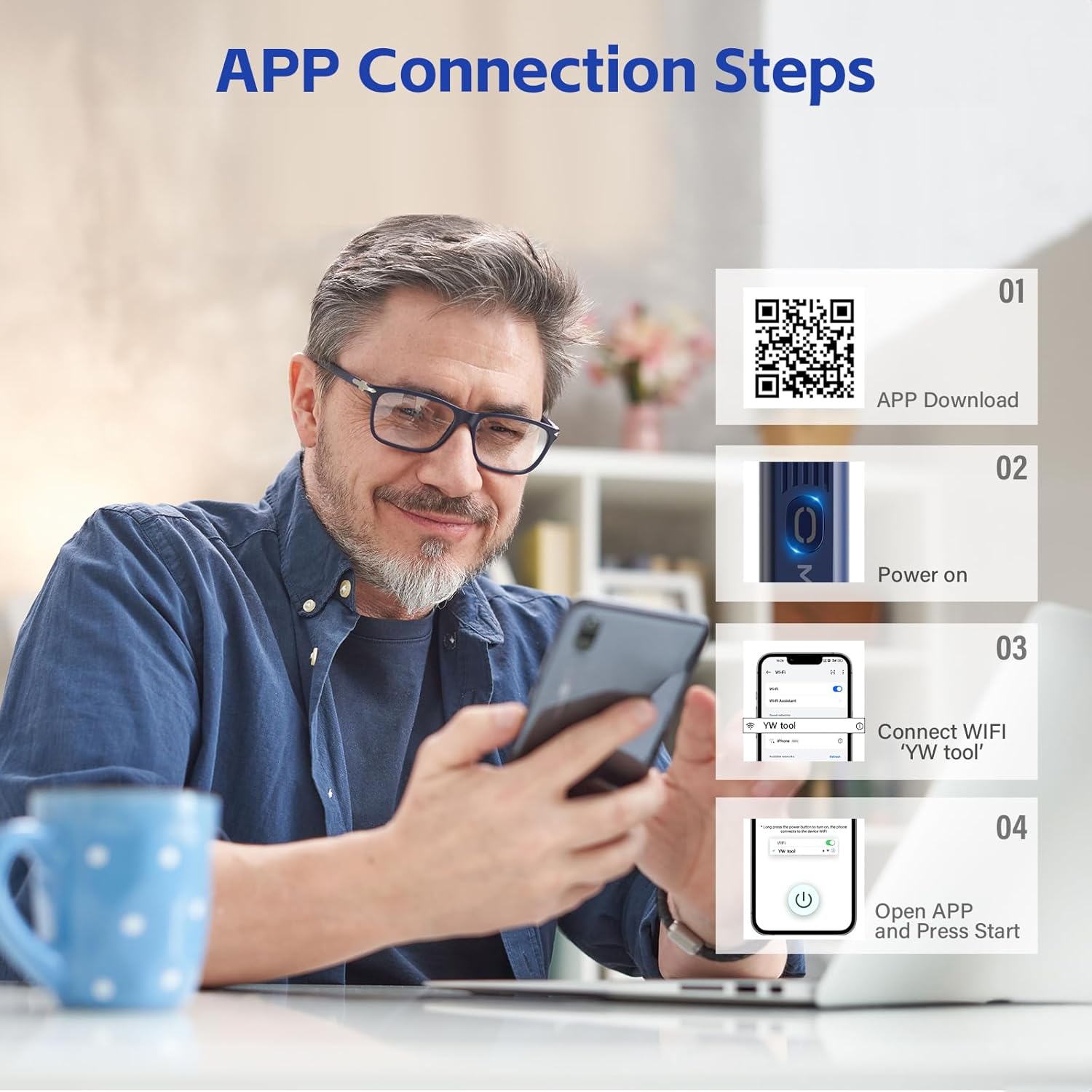
Figure 3.1: Visual guide for APP connection steps. Download the app by scanning the QR code: https://qr21.cn/DW4Y92
4. Operating Instructions
The Morelax Ear Wax Removal Tool is designed for ease of use and precision. It features a 5-million-pixel high-precision lens with a 360° wide-angle view and 6 LED lights, providing a clear 1080P HD resolution image of your ear canal.
4.1. Visual Operation via APP
Once connected to the app, you will see a live, lag-free video feed (20fps transfer rate) of your ear canal. The app allows you to take photos and record videos of your ear cleaning process, which are stored in the app's gallery.
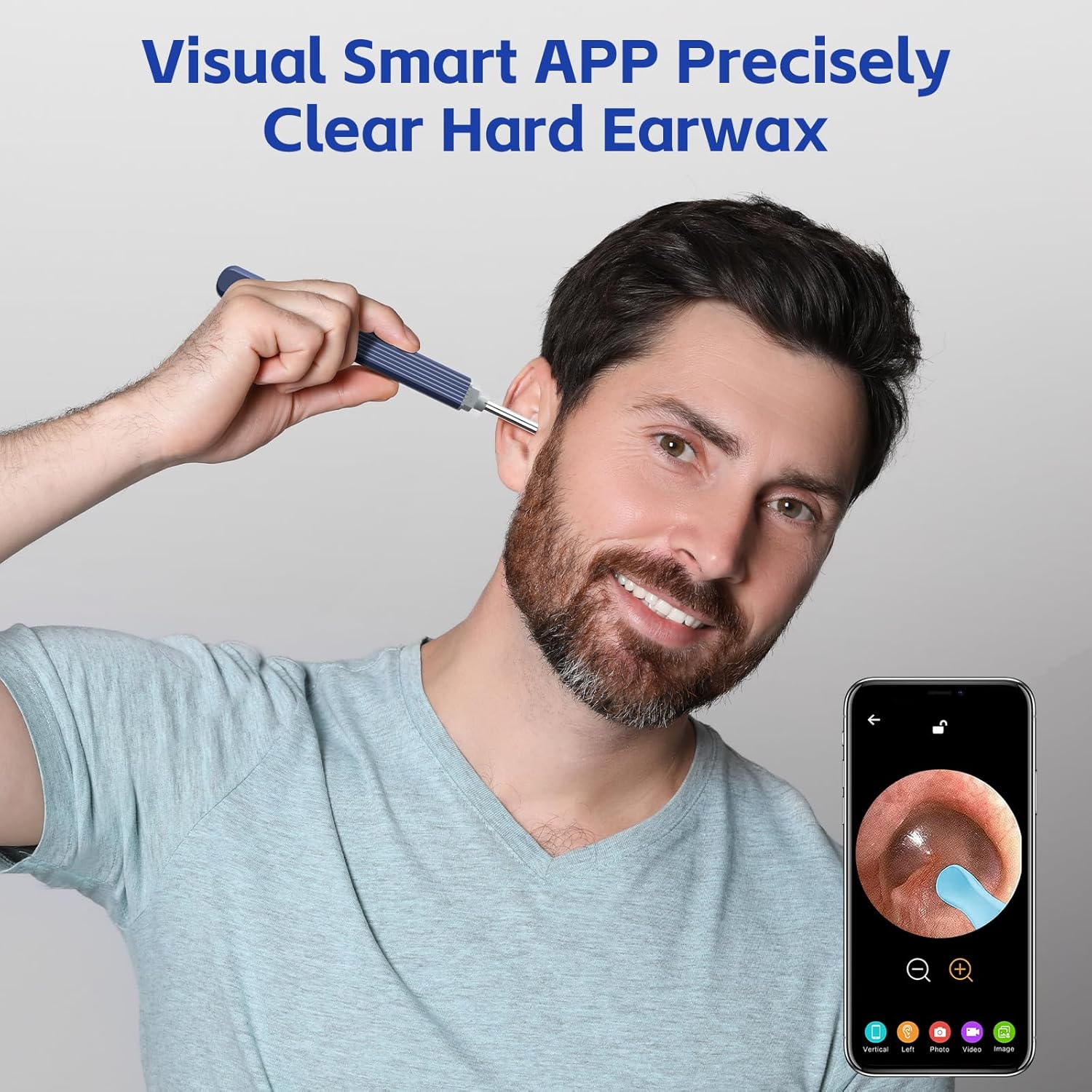
Figure 4.1: User demonstrating visual ear cleaning with the smart APP.
4.2. Integrated Ear Scoop Design
The ear scoop is integrated with the camera, ensuring it does not fall off during use, enhancing safety and simplifying the cleaning process. The silicone ear covers provide a soft and comfortable experience.

Figure 4.2: Illustration of the upgraded integrated ear spoon design for enhanced safety.
4.3. Versatile Applications
Beyond ear wax removal, the tool's camera can be used for inspecting other areas such as the nose, teeth, and skin, making it a versatile diagnostic aid for personal health.
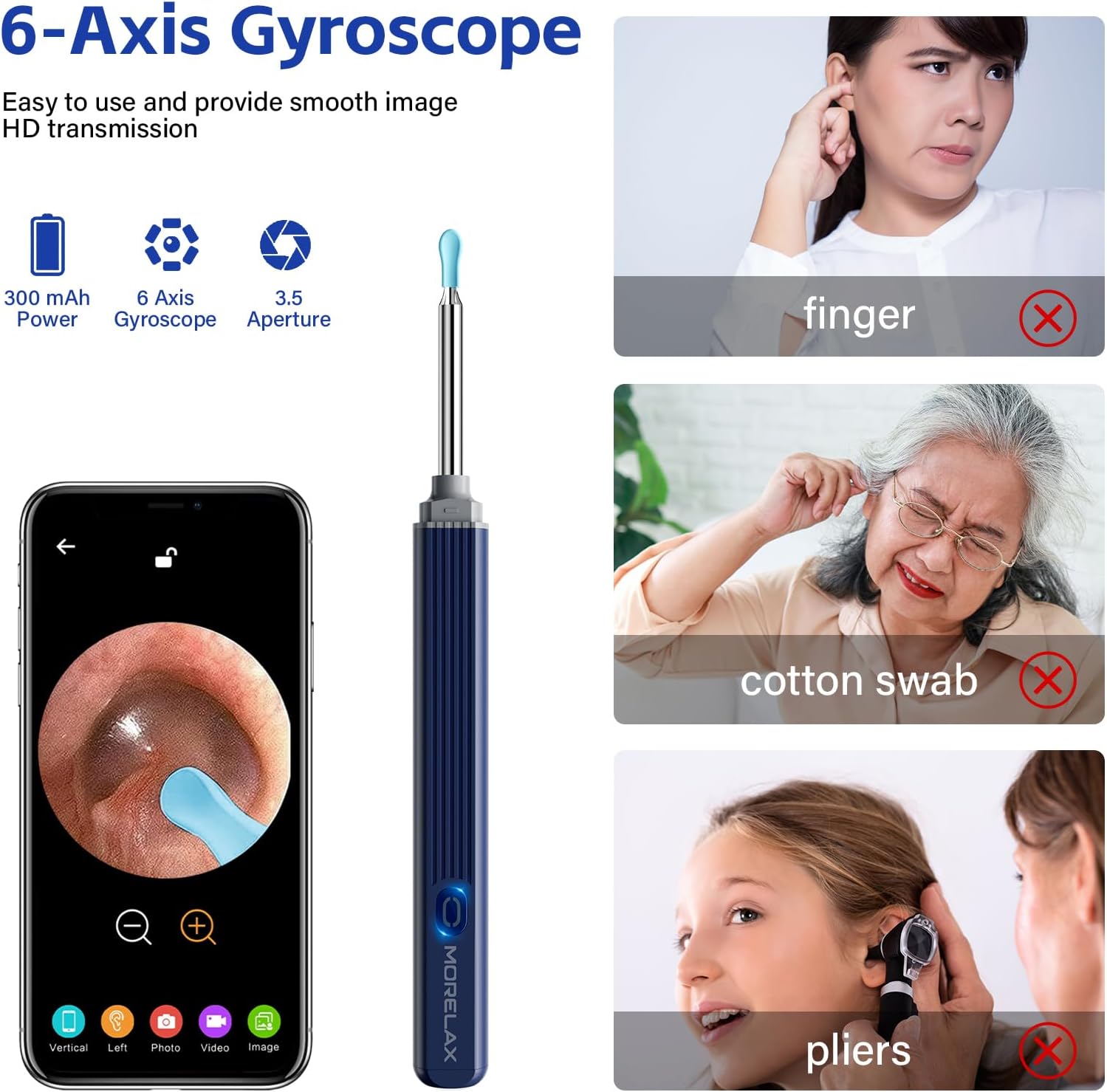
Figure 4.3: Examples of versatile applications for the Morelax tool.
5. Maintenance and Care
Proper maintenance ensures the longevity and hygiene of your device:
- Cleaning: The otoscope, earplugs, and lenses are IP67 waterproof. After each use, clean them with water or wipe with alcohol swabs.
- Important: Do not submerge the entire otoscope device in water. Only the tip with the camera and ear spoon is waterproof.
- Charging: The device has a built-in 350mAh rechargeable battery. A full charge provides approximately 90 minutes of use, with a standby time of up to 30 days. Use the provided Type-C charging cable.

Figure 5.1: The IP67 waterproof camera tip allows for easy cleaning.
6. Troubleshooting
If you encounter any issues, refer to the following common problems and solutions:
- Device refused to connection?
If the device Wi-Fi is connected to another phone, the app cannot use the product. If your phone has set Wi-Fi to automatically replace with its own Wi-Fi when it detects abnormal Wi-Fi, then the product's Wi-Fi will be disconnected and cannot be used. - Wi-Fi connection unstable?
If the Wi-Fi prompts "connected but no Internet access, whether to switch", please click "No". If you click "Yes", it automatically switches to an Internet network and the product cannot be used. If your own Internet Wi-Fi coverage area is strong, the device Wi-Fi will be automatically replaced. At this point, it is recommended to go to areas with weak or no Wi-Fi to connect the product's own Wi-Fi and use it. If you want to surf the Internet while using this product, you can only use your own traffic to surf the Internet, and the Wi-Fi is still connected to their own products. If you frequently connect to the Internet, you can only delete all your connected Internet Wi-Fi. - The APP connection is unstable.
Close and restart the product, and then reconnect to the APP. - Why does the device ring off?
This is a reminder to use the equipment carefully and not to dig too deep, to pay attention to safety. - Not turn on or light up?
Please charge the item fully first to have a check. Try another charger to test.
7. Specifications
| Feature | Specification |
|---|---|
| Product Dimensions | 4.33 x 3.94 x 58.66 inches |
| Item Model Number | ER262-Azure-US |
| Batteries | 1 Lithium Ion battery (included) |
| Weight | 0.63 ounces |
| Manufacturer | Morelax |
| Camera Resolution | 1080P HD, 5 Million Pixels |
| Field of View | 360° Omnidirectional Wide Angle |
| LED Lights | 6 LED Lights |
| Waterproof Rating | IP67 (camera tip) |

Figure 7.1: Technical specifications of the camera lens and lighting.
8. Safety Information
Please read and adhere to the following safety guidelines:
- Charging Safety: Never use the product during the charging process to ensure safe and stable operation.
- Water Exposure: While the camera tip is IP67 waterproof, do not put the entire otoscope device in water.
- Ear Canal Safety: Use caution and avoid digging too deep into the ear canal. The device may emit a sound as a safety warning if inserted too far.
- Medical Disclaimer: This product is intended for personal hygiene and inspection. Statements regarding dietary supplements and medical devices have not been evaluated by the FDA and are not intended to diagnose, treat, cure, or prevent any disease or health condition. Consult a medical professional for any health concerns.
- Children and Pets: This product is suitable for adults, children over 6 years old, and pets for examining ear canals, nose, teeth, and other body parts. Always supervise children and pets during use.
9. Warranty and Support
Information regarding product warranty and customer support contact details was not provided in the available product data. Please refer to the product packaging or the seller's information on the purchase platform for specific warranty terms and support contacts.