
1. Product Overview
The KALPADIVES RT-G5Plus Smartwatch is a versatile wearable device designed for men, featuring a 1.75-inch AMOLED display with 466x466 resolution. It supports Bluetooth calls, health monitoring, and various fitness tracking modes. Crafted with premium zinc alloy, tempered glass, and a stainless steel band, it offers durability and a modern aesthetic. The smartwatch is IP67 waterproof, making it suitable for daily wear and various activities.

Figure 1: KALPADIVES Smartwatch RT-G5Plus main view, showcasing its vibrant AMOLED display with various data points.
2. Package Contents
The KALPADIVES Smartwatch RT-G5Plus package includes the following items:
- KALPADIVES Smartwatch RT-G5Plus (with pre-installed band)
- Additional Watch Band (silicone or metal, depending on variant)
- Magnetic Charging Cable (USB-A)
- User Manual
- Band Adjustment Tool (for metal bands)
3. Initial Setup
3.1. Charging the Smartwatch
Before first use, fully charge your smartwatch. Connect the magnetic charging cable to the charging points on the back of the watch. Ensure the magnets align correctly for a secure connection. Plug the USB-A end into a compatible power adapter (not included) or a computer USB port. A full charge typically provides 5-7 days of regular use or up to 15 days on standby.
3.2. Attaching/Changing Watch Bands
The smartwatch comes with a quick-release pin mechanism for easy band changes. To attach a band:
- Locate the small pin on the back of the watch band.
- Align one end of the pin with the corresponding hole on the watch lug.
- Pull the small lever on the pin inwards to retract the other end.
- Insert the retracted end into the other hole on the watch lug and release the lever.
- Gently tug the band to ensure it is securely attached.
For metal bands, an adjustment tool is provided to add or remove links for a perfect fit. Follow the instructions provided with the tool to adjust the band length.
3.3. App Installation and Pairing (RDFit)
To unlock the full potential of your smartwatch, download and install the companion app, 'RDFit', on your smartphone. The app is compatible with Android 4.4+ and iOS 9.0+ devices.
- Scan the QR code provided in the user manual or search for 'RDFit' in your smartphone's app store.
- Install and open the 'RDFit' app.
- Follow the on-screen prompts to create an account or proceed as a guest.
- Enable Bluetooth on your smartphone and grant necessary permissions to the app.
- In the app, navigate to the device pairing section and search for your smartwatch (e.g., 'RT-G5Plus').
- Select your smartwatch from the list to initiate pairing. Confirm the pairing request on both your smartphone and smartwatch.
- Once paired, the app will synchronize data and allow you to customize settings and view health/fitness data.
Video 1: This video demonstrates the various functions and features of the smartwatch, including navigation, settings, and health monitoring. It provides a visual guide to operating the device.
4. Operating Instructions
4.1. Basic Navigation
The smartwatch features a responsive AMOLED touchscreen and physical buttons for navigation:
- Swipe Up/Down: Scroll through menus and notifications.
- Swipe Left/Right: Access quick functions or different data screens.
- Tap: Select an item or confirm an action.
- Long Press: Customize watch faces (from the home screen).
- Side Buttons: Used for power on/off, returning to the home screen, or accessing specific functions depending on configuration.
4.2. Key Features
4.2.1. Bluetooth Calls & Notifications
Once paired with your smartphone, the RT-G5Plus allows you to make and receive calls directly from your wrist. It also displays real-time notifications for calls, messages, and social media alerts.

Figure 2: The smartwatch showing an incoming call, demonstrating its Bluetooth call functionality.
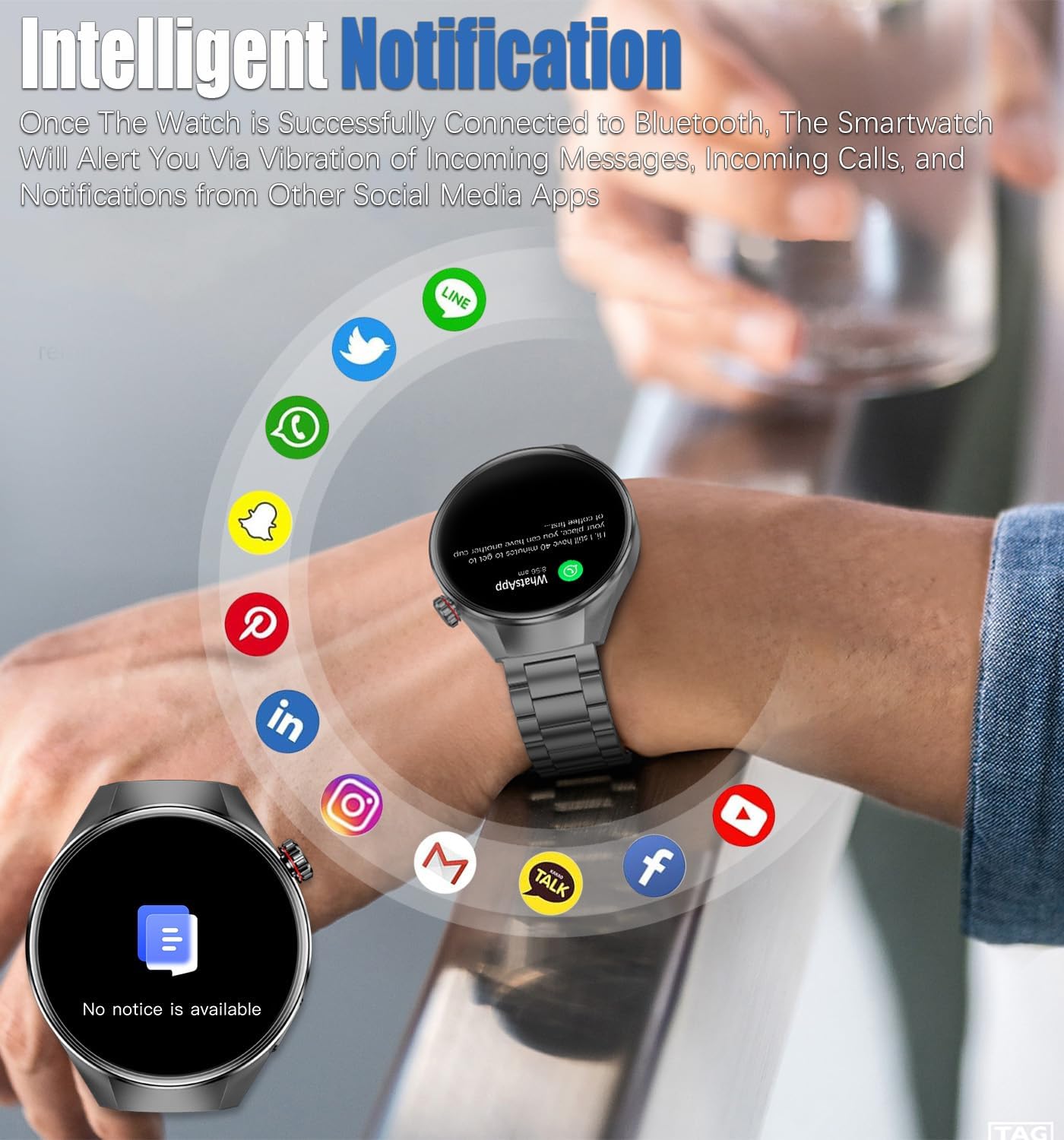
Figure 3: The smartwatch displaying intelligent notifications from various social media applications.
4.2.2. Health Monitoring
The smartwatch continuously tracks vital health metrics:
- Heart Rate: Monitors your heart rate 24/7, providing data on daily activity, exercise, and rest.
- Blood Oxygen: Measures blood oxygen levels (SpO2), useful for monitoring during high-intensity exercise or mental work.
- Sleep Patterns: Tracks sleep duration and quality, identifying different sleep stages to help improve sleep habits.
- Sedentary Reminder: Alerts you to move after periods of inactivity.

Figure 4: Detailed health monitoring features including heart rate, blood oxygen, and sleep tracking.
4.2.3. Fitness Tracking (Sports Modes)
With over 100 professional sports modes, the smartwatch accurately records comprehensive workout data for various activities, including walking, running, cycling, basketball, badminton, soccer, elliptical, yoga, and more. Data such as calories burned, distance, training time, and steps are tracked.
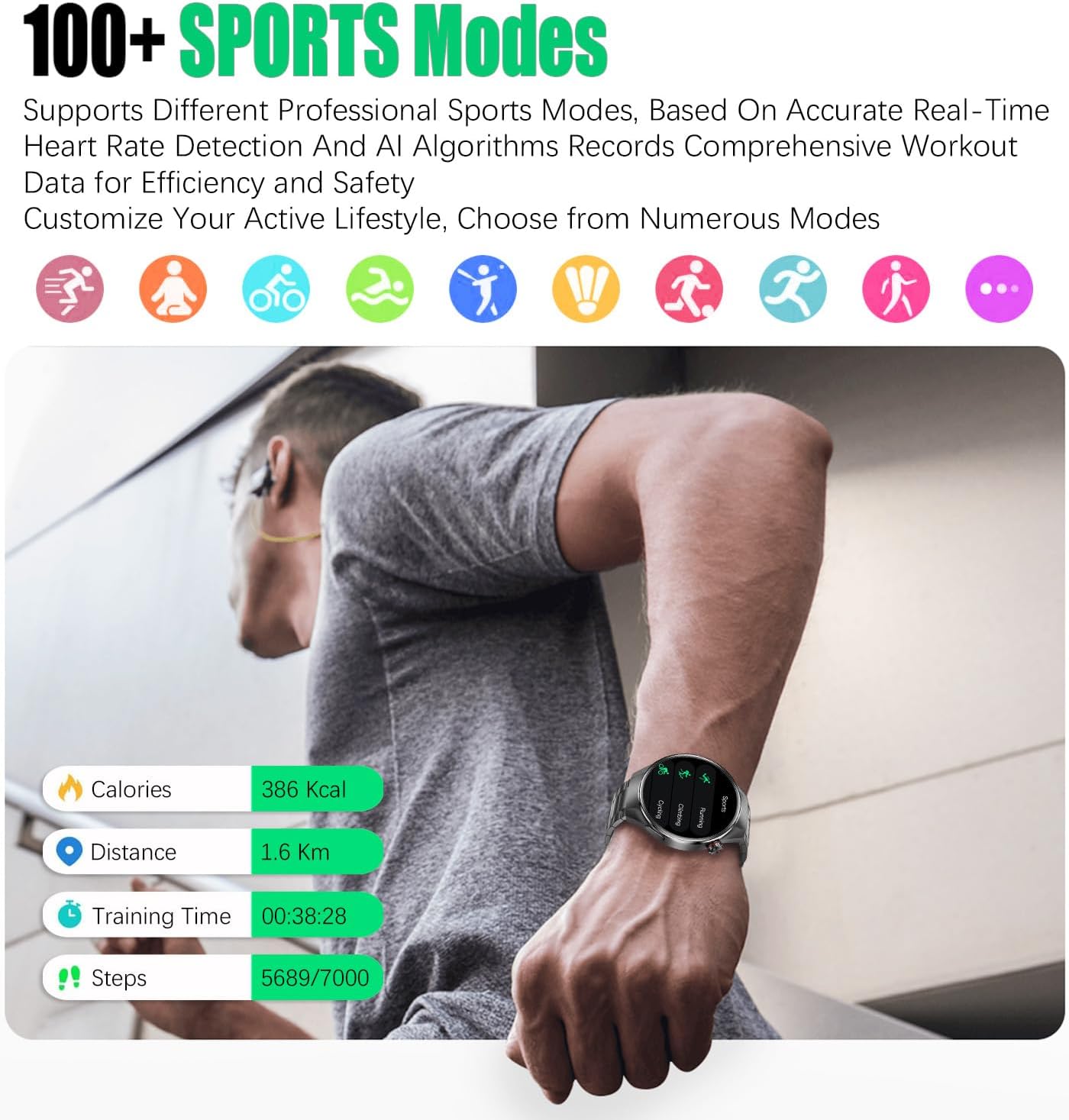
Figure 5: The smartwatch tracking fitness data during a run, showing calories, distance, training time, and steps.
4.2.4. Other Functions
The RT-G5Plus offers a range of additional features to enhance daily convenience:
- Music Control: Control music playback on your smartphone directly from the watch.
- Weather Forecast: View current weather conditions and forecasts.
- Voice Assistant: Activate your phone's voice assistant for hands-free control.
- Alarms & Timers: Set alarms and use stopwatch/timer functions.
- Find Phone: Locate your misplaced smartphone by making it ring.
- Customizable Watch Faces: Choose from a variety of pre-installed watch faces or create custom ones via the app.

Figure 6: An overview of additional features available on the smartwatch, including music control, weather, and various utility apps.
Video 2: This video provides a quick demonstration of the smartwatch's user interface, including swiping gestures, accessing control center functions like flashlight and audio mode, and navigating through settings.
5. Maintenance
5.1. Cleaning
Regularly clean your smartwatch and band to prevent skin irritation and maintain optimal performance. Use a soft, damp cloth to wipe the screen and watch body. For silicone bands, mild soap and water can be used. Ensure the watch is completely dry before wearing.
5.2. Water Resistance Guidelines
The RT-G5Plus is IP67 waterproof, meaning it can withstand sweat, rain, and splashes. It is suitable for hand washing and brief immersion in shallow water. However, it is not recommended for hot showers, saunas, diving, or high-pressure water activities, as steam or high water pressure may compromise the seals.
Video 3: This video highlights the smartwatch's ultra-thin design and IP68 waterproof rating, demonstrating its resilience to water exposure.
6. Troubleshooting
If you encounter any issues with your smartwatch, try the following steps:
- Restart the Smartwatch: Press and hold the power button to restart the device.
- Restart the App: Close and reopen the 'RDFit' app on your smartphone.
- Check Bluetooth Connection: Ensure Bluetooth is enabled on your smartphone and the smartwatch is within range.
- Re-pair Device: If connection issues persist, unpair the smartwatch from the app and your phone's Bluetooth settings, then re-pair it.
- Update App/Firmware: Check the 'RDFit' app for any available updates for the app or the smartwatch firmware.
7. Specifications
| Feature | Specification |
|---|---|
| Model Number | RT-G5Plus |
| Screen Size | 1.75 Inches AMOLED |
| Resolution | 466x466 IPS |
| Battery Capacity | 400 Milliamp Hours |
| Operating System | Android 4.4 or above, iOS 9.0 or above |
| Connectivity | Bluetooth |
| Water Resistance | IP67 |
| Memory Storage | 128 MB |
| Item Weight | 8 ounces |
| Manufacturer | RollsTimi |
8. Warranty and Support
For any issues or questions regarding your KALPADIVES Smartwatch RT-G5Plus, please do not hesitate to reach out to us on Amazon. Our customer support team is available to assist you with troubleshooting, warranty claims, or any other product-related inquiries.