
1. Introduction
This manual provides detailed instructions for the setup, operation, and maintenance of your KALPADIVES RT-G5Plus Smartwatch. Please read this manual thoroughly before using the device to ensure proper function and to maximize your user experience. Keep this manual for future reference.
2. Product Overview
2.1 Key Features
- 1.75-inch AMOLED HD Full Touch Screen
- Bluetooth Call Functionality
- Heart Rate Monitoring
- Blood Oxygen (SpO2) Monitoring
- Sleep Monitoring
- Over 100 Sports Modes
- IP67 Waterproof Rating
- Intelligent Notifications
- Voice Assistant Support
- Customizable Watch Faces
2.2 Watch Components
The KALPADIVES RT-G5Plus Smartwatch features a circular display, a side button (which may also function as an encoder), and sensors on the rear for health monitoring.

Image 2.2.1: Main product view of the KALPADIVES RT-G5Plus Smartwatch, highlighting its display and key functions.
Image 2.2.2: The smartwatch displaying its application menu.
3. Setup
3.1 Charging the Smartwatch
- Connect the magnetic charging cable to the charging contacts on the back of the smartwatch.
- Plug the USB end of the cable into a standard USB power adapter (5V/1A recommended).
- The watch display will indicate charging status. A full charge typically takes approximately 2 hours.
- The smartwatch has a 400mAh battery capacity.
3.2 App Installation
To unlock the full functionality of your smartwatch, download and install the companion application on your smartphone. The app is compatible with both Android and iOS devices. Refer to the packaging or quick start guide for the specific app name or QR code.
3.3 Pairing with Your Smartphone
- Ensure your smartwatch is charged and powered on.
- Enable Bluetooth on your smartphone.
- Open the companion application on your smartphone.
- Follow the in-app instructions to search for and connect to your KALPADIVES RT-G5Plus Smartwatch.
- Confirm the pairing request on both your smartphone and smartwatch if prompted.
4. Operating Instructions
4.1 Basic Navigation
- Touchscreen: Swipe left, right, up, or down to navigate through menus and features. Tap to select items.
- Side Button/Encoder: Press the side button to return to the home screen or wake the display. Rotate the encoder to scroll through lists or change watch faces.
4.2 Bluetooth Calls
Once paired with your smartphone, the smartwatch supports Bluetooth calls.
- Making Calls: Access the dial pad or contact list on your smartwatch to initiate a call.
- Receiving Calls: When a call comes in, the watch will display the caller ID. You can answer or reject the call directly from your wrist.
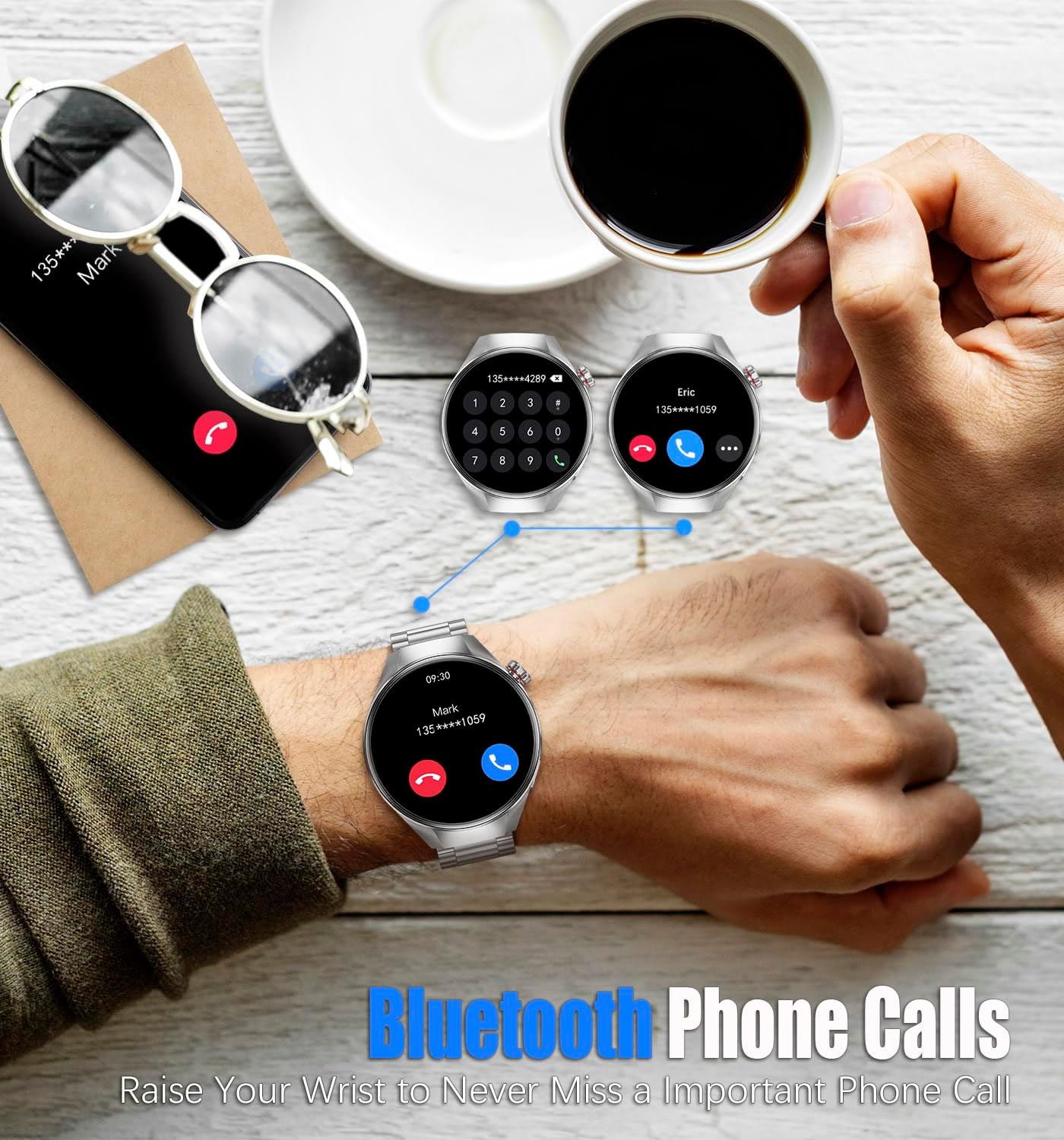
Image 4.2.1: The smartwatch displaying a call interface.
4.3 Health Monitoring
The smartwatch is equipped with sensors to monitor various health metrics.
- Heart Rate: Access the heart rate function to measure your current heart rate. The watch can also track heart rate continuously.
- Blood Oxygen (SpO2): Use the SpO2 feature to measure your blood oxygen saturation levels.
- Sleep Monitoring: Wear the watch during sleep to track sleep patterns, including deep sleep, light sleep, and wake times.

Image 4.3.1: Visual representation of heart rate, blood oxygen, and sleep monitoring features.
4.4 Sports Modes
The smartwatch offers over 100 professional sports modes to track your physical activities.
- Select a sports mode (e.g., running, cycling, walking) before starting your activity.
- The watch will record data such as calories burned, distance, duration, and steps.
- Review your workout data in the companion app for detailed analysis.

Image 4.4.1: Smartwatch displaying fitness tracking data during an activity.
4.5 Intelligent Notifications
Receive notifications for incoming calls, messages, and alerts from various social media applications directly on your smartwatch.
- Ensure the smartwatch is connected to your smartphone via Bluetooth.
- Enable notification permissions for the companion app and specific applications on your smartphone.
- The watch will vibrate and display the notification content.
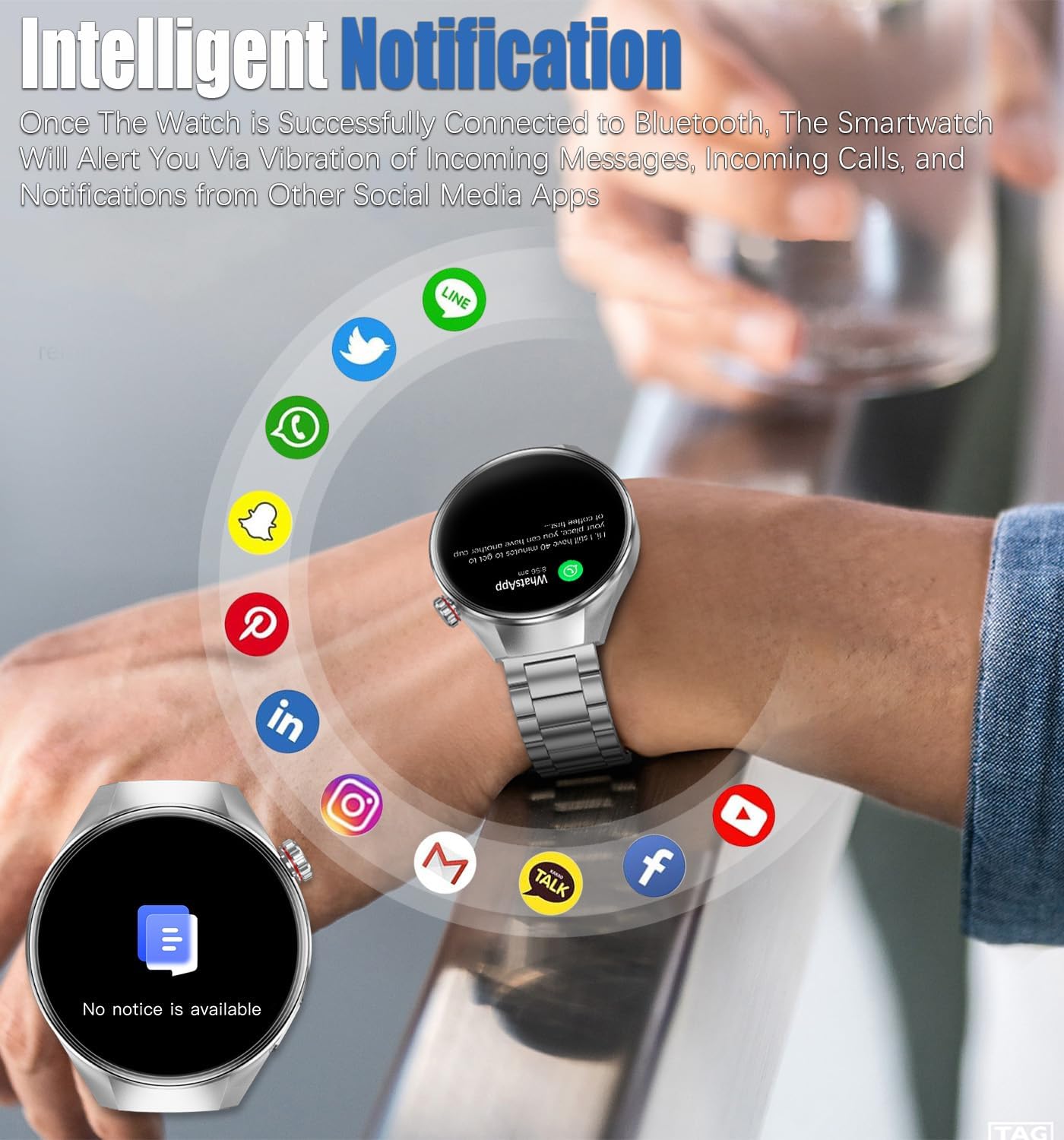
Image 4.5.1: Smartwatch displaying an incoming message notification.
4.6 Other Features
The KALPADIVES RT-G5Plus Smartwatch includes additional functionalities:
- Music Control: Control music playback on your smartphone.
- Weather Forecast: View current weather conditions and forecasts.
- Alarm Clock: Set alarms directly from your wrist.
- Timer/Stopwatch: Utilize built-in timing functions.
- Sedentary Reminder: Receive alerts to move after periods of inactivity.
- Remote Camera Control: Use the watch as a remote shutter for your smartphone camera.
- Voice Assistant: Activate your smartphone's voice assistant through the watch.

Image 4.6.1: Overview of additional features and applications on the smartwatch.
5. Maintenance
5.1 Cleaning
- Wipe the watch screen and body with a soft, lint-free cloth.
- For stubborn stains, dampen the cloth slightly with water. Avoid using harsh chemicals or abrasive materials.
- Clean the charging contacts regularly to ensure proper charging.
5.2 Water Resistance (IP67)
The KALPADIVES RT-G5Plus Smartwatch has an IP67 waterproof rating, meaning it is protected against dust ingress and can withstand immersion in water up to 1 meter for up to 30 minutes. It is suitable for daily use, such as hand washing or light rain. However, it is not recommended for swimming, diving, or exposure to hot water/steam (e.g., showers, saunas) as this may compromise the seal.
6. Troubleshooting
6.1 Common Issues and Solutions
- Watch not turning on: Ensure the watch is fully charged. Connect it to the charger for at least 30 minutes.
- Unable to pair with smartphone:
- Ensure Bluetooth is enabled on your smartphone.
- Make sure the watch is within range of your smartphone.
- Restart both the smartwatch and your smartphone.
- Clear previous Bluetooth connections on your smartphone.
- Notifications not received:
- Check if the watch is properly connected to the app.
- Verify that notification permissions are enabled for the app and specific applications on your smartphone.
- Ensure 'Do Not Disturb' mode is not active on either device.
- Inaccurate health data:
- Ensure the watch is worn snugly on your wrist, not too tight or too loose.
- Clean the sensor area on the back of the watch.
- Avoid excessive movement during measurements.
- Short battery life:
- Reduce screen brightness.
- Disable continuous heart rate monitoring if not needed.
- Limit frequent use of power-intensive features like calls or GPS (if applicable).
7. Specifications
| Feature | Specification |
|---|---|
| Model Number | RT-G5Plus |
| Screen Size | 1.75 Inches |
| Display Type | AMOLED |
| Resolution | 466x466 IPS |
| Battery Capacity | 400 Milliamp Hours (mAh) |
| Compatible System | Android & iOS |
| Connectivity Technology | Bluetooth |
| Waterproof Rating | IP67 |
| Item Weight | 8 ounces |
| Package Dimensions | 3.74 x 3.35 x 2.17 inches |
| Manufacturer | RollsTimi |
| First Available Date | April 19, 2025 |
| Wristband Size | 210 mm / 8.27 inch |
| Strap Width | 22 mm / 0.87 inch |
| Dial Thickness | 12 mm / 0.47 inch |

Image 7.1: Detailed dimensions and specifications of the smartwatch.
8. Warranty and Support
For warranty information and customer support, please refer to the documentation included with your product packaging or contact the manufacturer, RollsTimi, directly. You may also visit the product page on the retailer's website for additional support resources.