
Introduction
This manual provides detailed instructions for the safe and efficient use of your Generic M100 Clip-On Open Ear Bluetooth 5.4 Headphones. Please read this manual thoroughly before using the product and retain it for future reference.
Package Contents
Verify that all items listed below are present in your package:
- Generic M100 Clip-On Open Ear Bluetooth 5.4 Headphones (Left and Right Earbuds)
- Charging Station
- 1*Type-C Charging Cable
- User Manual (This document)

Image: The M100 clip-on open ear headphones, purple in color, are shown resting in their matching charging case. The case features an LED touch screen displaying an animated face and battery indicators.
Product Overview
The Generic M100 headphones are designed for comfort and functionality, featuring an open-ear design and advanced audio technology.
Key Features:
- Open Ear Wearing: Designed to sit comfortably on the ear without blocking the ear canal, allowing awareness of surroundings.
- Superior Audio Quality: High-fidelity lossless sound with advanced audio technology for clear and immersive audio.
- Bluetooth 5.4 Connectivity: Ensures fast, stable, and efficient wireless connection.
- Active Noise Cancellation: Built-in technology to reduce ambient noise for focused listening.
- LED Touch Screen: Integrated touch screen on the charging case for easy control and personalized display.
- Multifunctional Companion: Features for assisting in photo taking and liking TikTok videos.
- Waterproof Design: Provides protection against water splashes and sweat.
Components:
- Earbuds: Left and Right, with clip-on design.
- Charging Case: Houses the earbuds and features an LED touch screen.
- USB-C Port: For charging the case.
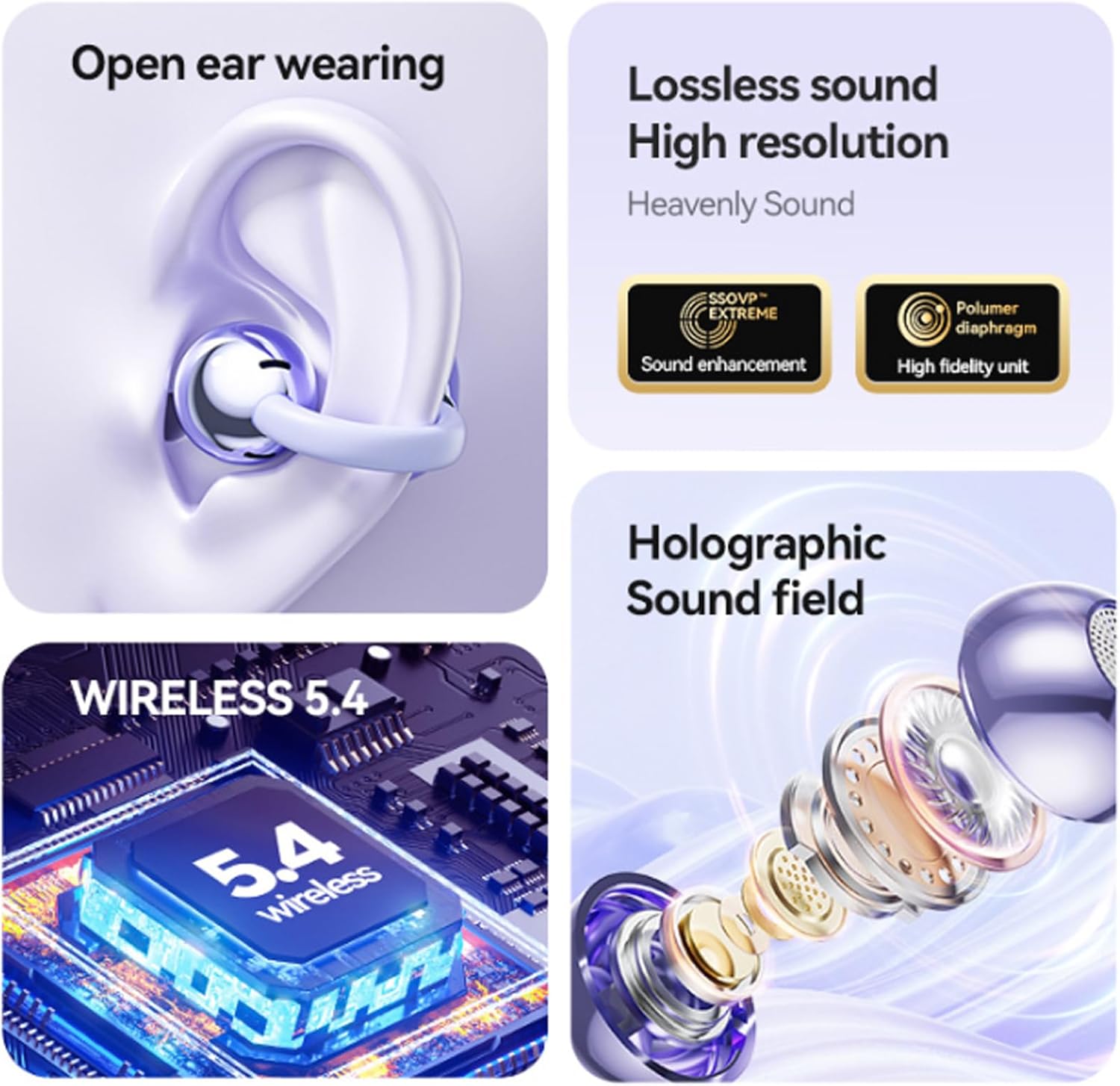
Image: A visual representation of the M100 headphones' key features, including how they sit on the ear for open-ear listening, the components contributing to lossless sound, the Bluetooth 5.4 chip, and a diagram illustrating the holographic sound field.

Image: A close-up diagram showing the precise fit of the M100 earbuds in the ear, highlighting the 'Accurate In Ear Insertion' and 'Strict and Leak Free Sound' features, which utilize directional transmission technology to reduce sound leakage.

Image: The M100 charging case, available in purple and black, featuring an LCD touch screen that displays media playback controls (play/pause, skip tracks) and battery status, indicating one-screen control functionality.

Image: A stylized image of the M100 earbuds against a cosmic background, emphasizing the 'Wireless V5.4 More stable' feature, indicating that the V5.4 chip module provides enhanced stability and a smoother, faster transmission experience.

Image: The M100 charging case positioned next to a modern smartphone, illustrating the 'Powerful Connection' and 'Widely compatible' features, indicating compatibility with various wireless devices such as mobile phones, tablets, and laptops.
Setup
1. Charging the Headphones and Case:
- Place both earbuds into the charging case.
- Connect the Type-C charging cable to the charging port on the case and plug the other end into a USB power source (e.g., wall adapter, computer USB port).
- The LED touch screen on the case will indicate the charging status. Ensure the case and earbuds are fully charged before first use.
2. Bluetooth Pairing:
- Open the charging case. The earbuds will automatically enter pairing mode.
- On your device (smartphone, tablet, etc.), enable Bluetooth.
- Search for available Bluetooth devices and select "M100" from the list.
- Once connected, the earbuds will indicate successful pairing (e.g., a voice prompt or LED indicator change).
- If pairing fails, place the earbuds back in the case, close it, and repeat the steps.
Operating Instructions
Wearing the Earbuds:
Gently clip the earbuds onto your ears, ensuring a comfortable and secure fit. The open-ear design allows for ambient sound awareness.
Touch Controls:
The M100 headphones feature intuitive touch controls on the earbuds for managing audio and calls. Refer to the diagram below for specific functions:

Image: A diagram illustrating the touch control functions on the M100 earbuds. It shows actions like long press for skipping songs or rejecting calls, double click for play/pause, answer/hang up, or volume adjustment, and three strikes for voice assistant activation.
- Play/Pause: Double click either earbud.
- Next Song: Long press the right earbud.
- Previous Song: Long press the left earbud.
- Answer/Hang Up Call: Double click either earbud.
- Reject Incoming Call: Long press either earbud.
- Volume Up/Down: Double click the right earbud for volume up, double click the left earbud for volume down (may vary, refer to specific model behavior).
- Activate Voice Assistant: Three strikes (triple tap) either earbud.
Special Functions:
- Wireless Remote Control for Photos: The headphones can assist in taking photos. Specific activation method may vary; typically involves a specific touch gesture (e.g., double-click or long-press) while the camera app is open and connected.
- TikTok Video Liking: The headphones offer a feature to easily like TikTok videos. This function is usually activated via a specific touch control gesture.
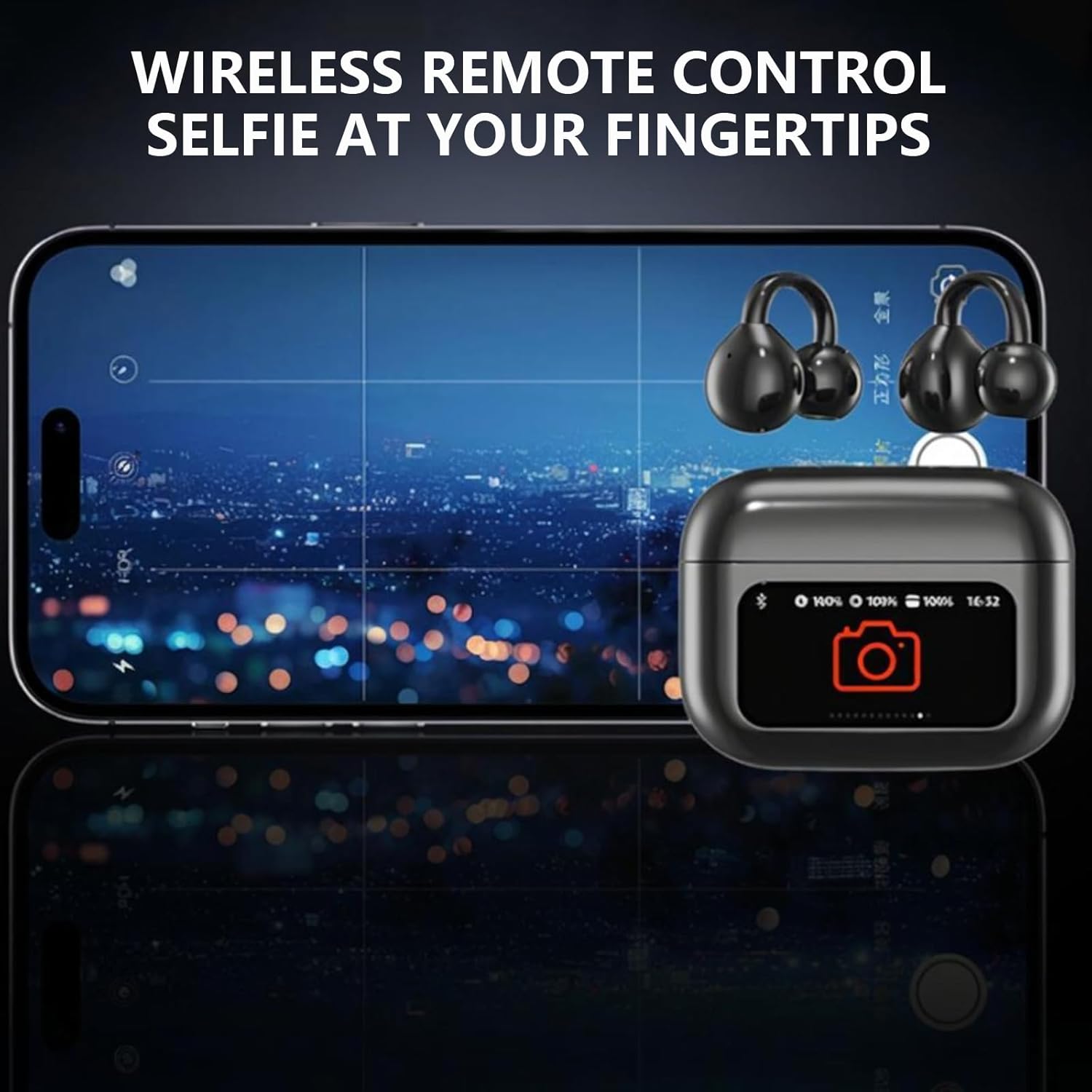
Image: A smartphone screen displaying a camera interface, with the M100 charging case showing a camera icon and battery status. This illustrates the 'Wireless Remote Control Selfie' feature, allowing users to trigger photo capture remotely using the headphones.
LED Touch Screen on Charging Case:
The LED touch screen on the charging case provides visual information and control options. It displays battery levels, charging status, and can be customized with different screensavers.

Image: The M100 charging case displaying a personalized animated face on its LED screen, with various screensaver options shown below. This highlights the 'Personalized Screensaver' feature, allowing users to customize the display.
Maintenance
Cleaning:
- Regularly clean the earbuds and charging case with a soft, dry, lint-free cloth.
- Do not use abrasive cleaners, alcohol, or chemical solvents.
- Avoid getting moisture into any openings.
Storage:
- When not in use, store the headphones in their charging case to protect them and keep them charged.
- Store in a cool, dry place, away from extreme temperatures and direct sunlight.
Battery Care:
- To prolong battery life, avoid fully discharging the battery frequently.
- Charge the device regularly, even if not in frequent use.
Troubleshooting
| Problem | Possible Cause | Solution |
|---|---|---|
| No Power / Not Charging | Low battery; faulty cable/adapter; poor connection. | Ensure the charging cable is securely connected. Try a different Type-C cable and USB power adapter. Clean charging contacts on earbuds and case. |
| Cannot Pair with Device | Bluetooth off; earbuds not in pairing mode; device too far; interference. | Ensure Bluetooth is enabled on your device. Place earbuds in case, close, then open to re-enter pairing mode. Move closer to your device. Turn off other Bluetooth devices nearby. |
| Sound is Low or Distorted | Volume too low; poor connection; earbud placement. | Adjust volume on both earbuds and connected device. Re-pair the earbuds. Ensure earbuds are correctly positioned on your ears. |
| Only One Earbud Works | Earbuds not properly synced; one earbud not charged. | Place both earbuds back in the charging case, close the lid, wait a few seconds, then open again to allow them to re-sync. Ensure both earbuds are charged. |
| Touch Controls Not Responding | Temporary software glitch; dirty touch sensor. | Clean the touch sensor area on the earbuds. Place earbuds back in the case and take them out again to reset. |

Image: A graphic demonstrating the noise reduction feature of the M100 headphones. It shows a waveform representing ambient noise, followed by a significantly reduced waveform labeled 'Noise reduction,' indicating the effectiveness of the active noise cancellation after optimization.
Specifications
| Feature | Detail |
|---|---|
| Model Name | M100 |
| Connectivity Technology | Wireless (Bluetooth) |
| Bluetooth Version | 5.4 |
| Bluetooth Range | 10 Meters (1E+1 Meters) |
| Noise Control | Active Noise Cancellation |
| Ear Placement | Open Ear |
| Form Factor | Clip On Earbuds |
| Control Type | Touch Control |
| Water Resistance Level | Waterproof |
| Frequency Range | 20Hz - 20,000Hz |
| Impedance | 40 Ohm |
| Audio Driver Type | Dynamic Driver |
| Material | Plastic |
| Item Weight | 1.92 ounces |
| Package Dimensions | 4.53 x 3.62 x 1.42 inches |
| Included Components | 1*Type-C charging cable, Charging Station, User Manual |
Warranty and Support
This product comes with a standard manufacturer's warranty. For specific warranty terms and conditions, please refer to the documentation provided with your purchase or contact the retailer.
For technical support, troubleshooting assistance, or any inquiries regarding your Generic M100 headphones, please contact the customer support team of your retailer or the manufacturer (aiworthy).


