
1. Introduction
Thank you for choosing the BENNTOP 400W Pure Sine Wave Car Power Inverter. This device is designed to convert 12V DC power from your vehicle's battery or cigarette lighter into 230V AC power, allowing you to operate and charge various electronic devices on the go. This manual provides essential information for safe and efficient use of your inverter. Please read it thoroughly before operation and retain it for future reference.
2. Product Overview
The BENNTOP 400W Pure Sine Wave Inverter delivers clean, stable, and quiet power, suitable for sensitive electronics. With a continuous output of 400W and a peak power of 800W, it offers versatile charging options through its EU AC outlet, two USB-A ports (QC 18W), and two USB-C ports (PD 30W).
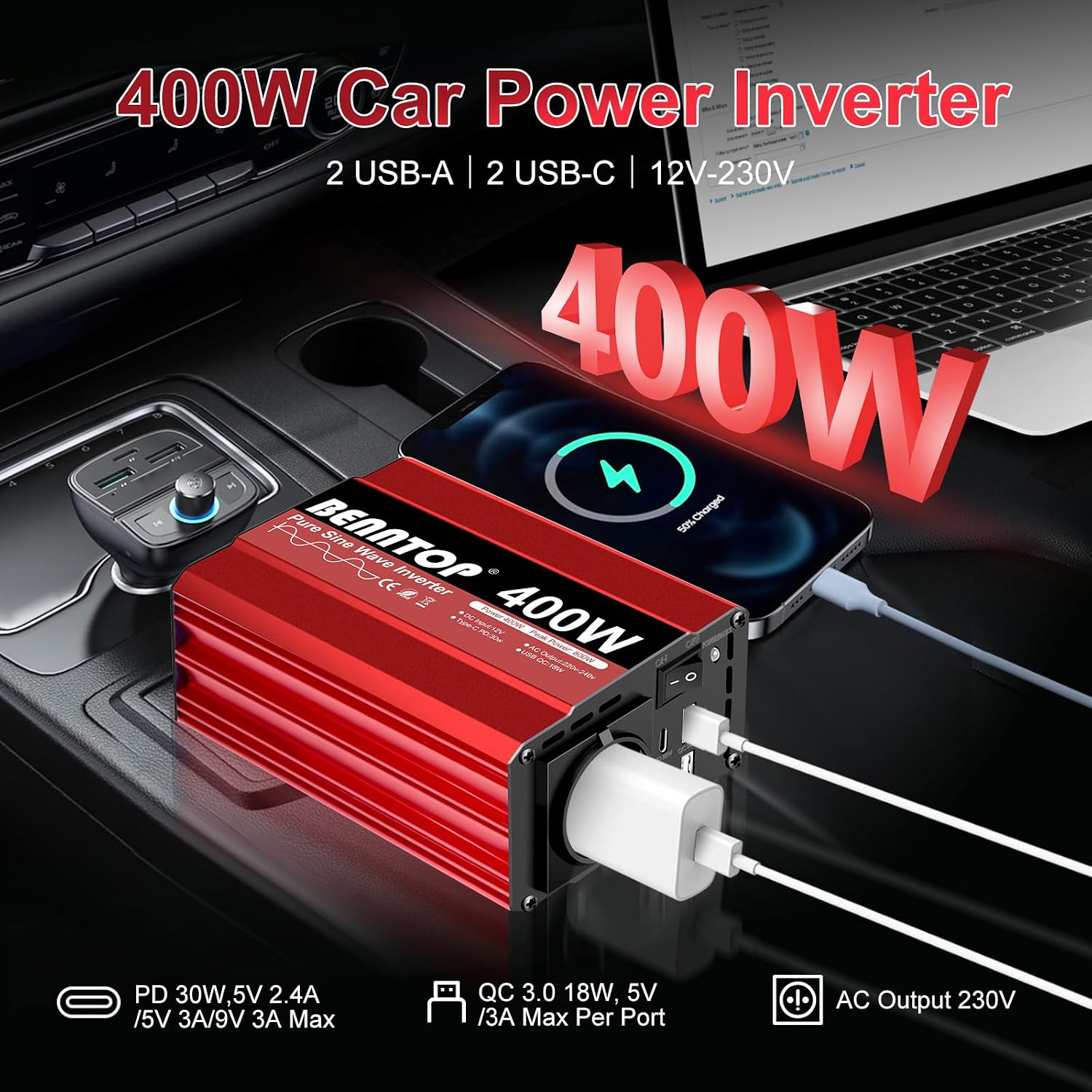
Image: The BENNTOP 400W Pure Sine Wave Inverter connected in a car, simultaneously charging a smartphone and a laptop, demonstrating its in-vehicle utility.
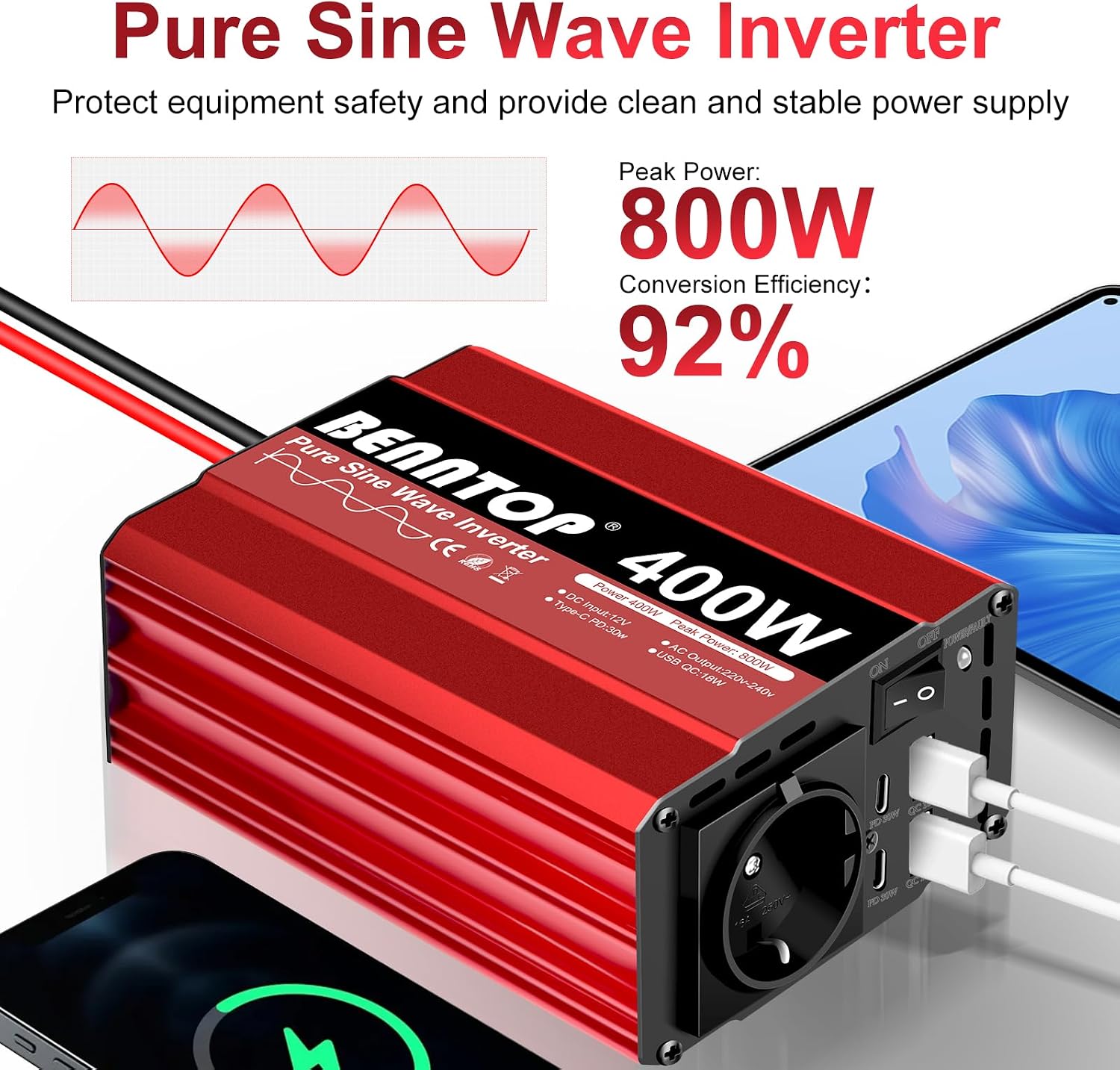
Image: A close-up of the BENNTOP 400W Pure Sine Wave Inverter highlighting its key specifications, including 400W continuous power, 800W peak power, and 92% conversion efficiency.
3. Package Contents
Please check the package for the following items:
- 1 x BENNTOP 400W Pure Sine Wave Power Inverter
- 2 x Battery Cables (Red for Positive, Black for Negative)
- 2 x Ground Cables
- 1 x User Manual
- 1 x Cigarette Lighter Adapter Cable
- 3 x Safety Fuses (40A)

Image: The complete package contents of the BENNTOP 400W Inverter, showing the inverter unit, cigarette lighter adapter, three 40A safety fuses, and battery connection cables.
4. Key Features
- Pure Sine Wave Output: Provides clean and stable power, ideal for sensitive electronics, reducing energy consumption and operational noise.
- High Power Output: 400W continuous power with an 800W peak power capability.
- Versatile Charging: Equipped with 1 EU AC outlet, 2 USB-A (QC 18W), and 2 USB-C (PD 30W) ports.
- High Efficiency: Conversion efficiency greater than 92%.
- Silent Cooling Fan: Intelligent silent cooling fan design activates when the inverter temperature exceeds 40°C, ensuring optimal performance and protection.
- Multiple Safety Protections: Built-in fuses provide comprehensive protection against overload, over-voltage, under-voltage, overheating, and short circuits.
- Durable Construction: Robust aluminum alloy casing offers enhanced protection against impacts.
- Wide Compatibility: Compatible with various 12V battery types including AGM, GEL, FLD, and Li batteries.

Image: The BENNTOP 400W Inverter featuring its silent cooling fan, depicted in a camping scenario to illustrate its low-noise operation.

Image: The BENNTOP 400W Inverter demonstrating compatibility with various 12V battery types, including AGM, GEL, FLD, and Lithium batteries.
5. Safety Instructions
To ensure safe operation and prevent damage to the inverter or connected devices, please observe the following safety guidelines:
- Ventilation: Ensure adequate ventilation around the inverter. Do not block the cooling fan or vents.
- Environment: Avoid exposing the inverter to water, rain, snow, or excessive moisture. Do not operate in dusty environments or near flammable materials.
- Connection: Always connect the inverter to a 12V DC power source. Connecting to a 24V or higher DC source will damage the unit.
- Polarity: Ensure correct polarity when connecting to a battery (Red to Positive, Black to Negative). Incorrect connection can cause severe damage.
- Load Capacity: Do not exceed the inverter's rated continuous power output of 400W. The peak power is 800W, but continuous operation above 400W can lead to overheating and shutdown.
- Cigarette Lighter Limit: Be aware of your vehicle's cigarette lighter maximum power output, typically 120W-180W. For loads exceeding this, connect directly to the battery.
- Sensitive Devices: The pure sine wave output is suitable for sensitive electronics. However, always check the power requirements of your devices.
- Disassembly: Do not attempt to disassemble or modify the inverter. Refer all servicing to qualified personnel.
- Children: Keep the inverter out of reach of children.

Image: A visual representation of the BENNTOP 400W Inverter's comprehensive safety features, such as protection against overload, short circuits, and various voltage and temperature anomalies.
6. Setup
The inverter can be connected in two ways: via the cigarette lighter socket or directly to a 12V battery.
6.1. Connecting via Cigarette Lighter Socket (for loads up to 150W)
- Ensure the inverter's power switch is in the OFF position.
- Insert the cigarette lighter adapter cable into the inverter's DC input terminals, ensuring correct polarity (red to positive, black to negative). Tighten the terminals securely.
- Plug the cigarette lighter adapter into your vehicle's 12V cigarette lighter socket.
- Turn on the inverter using the ON/OFF switch. The green indicator light will illuminate.
6.2. Connecting Directly to a 12V Battery (for loads up to 400W)
- Ensure the inverter's power switch is in the OFF position.
- Connect the red battery cable to the positive (+) terminal of the inverter and the black battery cable to the negative (-) terminal. Tighten the terminals securely.
- Connect the other end of the red battery cable to the positive (+) terminal of your 12V battery.
- Connect the other end of the black battery cable to the negative (-) terminal of your 12V battery.
- Connect the ground cable from the inverter's ground screw to a suitable chassis ground point on your vehicle or a reliable earth ground.
- Turn on the inverter using the ON/OFF switch. The green indicator light will illuminate.

Image: A detailed diagram illustrating the various ports and controls on the BENNTOP 400W Inverter, including the AC socket, USB ports, power switch, and battery connection points.
7. Operation
Once the inverter is properly connected and powered on (green indicator light is lit), you can connect your devices.
- AC Devices: Plug your 230V AC device into the EU AC outlet. Ensure the device's power consumption does not exceed 400W.
- USB Devices: Connect your USB-powered devices (smartphones, tablets, etc.) to the USB-A or USB-C ports. The inverter supports Quick Charge (QC 18W) and Power Delivery (PD 30W) for fast charging compatible devices.
- Monitoring: The inverter's indicator lights provide status feedback. A green light indicates normal operation.
Note: Some high-power appliances like microwaves, coffee machines, or power drills are not suitable for this 400W inverter. Refer to the 'Wide Application' image for examples of compatible and incompatible devices.

Image: An illustration of the BENNTOP 400W Inverter's broad compatibility with various electronic devices such as phones, laptops, and tablets, alongside examples of high-power appliances it is not designed for.
Video: This video demonstrates the BENNTOP 400W Pure Sine Wave Inverter in action, showing it charging a smartphone, tablet, and laptop from a power supply, then from a car's cigarette lighter, and finally connected to a car battery, highlighting its versatility and ease of use.
8. Maintenance
Regular maintenance ensures the longevity and optimal performance of your inverter.
- Cleaning: Keep the inverter clean and free from dust. Use a dry, soft cloth for cleaning. Do not use liquid cleaners.
- Ventilation: Periodically check that the cooling fan and vents are clear of obstructions.
- Connections: Ensure all cable connections are tight and free from corrosion.
- Storage: When not in use for extended periods, store the inverter in a cool, dry place away from direct sunlight and extreme temperatures.
9. Troubleshooting
If you encounter issues with your inverter, refer to the following common problems and solutions:
| Problem | Possible Cause | Solution |
|---|---|---|
| No power output / Inverter not turning on | Loose connections, low battery voltage, blown fuse, faulty cigarette lighter socket. | Check all cable connections. Ensure battery voltage is above 11V. Replace internal fuses if blown (refer to safety instructions). Try a different power source. |
| Overload shutdown | Connected device exceeds 400W continuous power. | Disconnect the device. Reduce the total load to below 400W. Restart the inverter. |
| Overheat shutdown | Poor ventilation, high ambient temperature, prolonged high-power operation. | Ensure adequate airflow around the inverter. Reduce ambient temperature if possible. Allow the inverter to cool down before restarting. |
| Device not charging via USB | Inverter not powered on, faulty USB cable, device incompatibility. | Ensure inverter is on. Try a different USB cable. Check device's charging requirements. |
10. Specifications
| Model Number | BPT-400W12V |
| Continuous Power | 400 Watts |
| Peak Power | 800 Watts |
| Input Voltage | 12 Volts DC |
| Output Voltage | 230 Volts AC |
| Output Waveform | Pure Sine Wave |
| Frequency | 50 Hz |
| Efficiency | 92% |
| USB-A Output | 2 x QC 18W |
| USB-C Output | 2 x PD 30W |
| Dimensions (L x W x H) | 15L x 12W x 7H centimeters |
| Weight | Information not available |
| Operating Temperature | -10°C to 40°C |
| Certifications | CE |
11. Warranty and Support
The BENNTOP 400W Pure Sine Wave Car Power Inverter comes with a 2-year warranty. Spare parts availability is guaranteed for 1 year. For technical support, warranty claims, or any questions regarding the product, please contact BENNTOP customer service through your purchase platform.