
1. Important Safety Information
Please read this instruction manual thoroughly before using the Dr. Senst DET-306 Infrared Forehead Thermometer. Keep this manual for future reference.
- Do not attempt to disassemble or repair the thermometer yourself.
- Keep the thermometer out of reach of children and pets.
- Avoid direct sunlight and high temperatures.
- Do not immerse the thermometer in water or other liquids.
- Ensure the probe is clean before each use to maintain accuracy.
- Consult a medical professional for any health concerns, regardless of the thermometer's readings.
2. Product Overview
The Dr. Senst DET-306 is a versatile infrared thermometer designed for accurate and hygienic temperature measurement. It features multiple measurement modes and a clear display.

Image: The Dr. Senst DET-306 Infrared Forehead Thermometer, showing its ergonomic design and digital display.
2.1 Components and Display

Image: Diagram illustrating the various components of the thermometer, including the Object/Body mode symbol, Digital display, Mode button, Memory symbol, IR sensor, Alarm signal, and indication that batteries are included.
- IR Sensor: For infrared temperature detection.
- Digital Display: Shows temperature readings, mode, and other indicators.
- Mode Button: Used to switch between measurement modes (forehead, ear, object).
- Start Button: Initiates a temperature measurement.
- Memory Symbol: Indicates stored measurements.
- Object/Body Mode Symbol: Shows the currently selected measurement mode.
- Alarm Signal: Visual and acoustic indicators for high temperatures.
- Patented Magnetic Probe Cover: Automatically switches between ear and forehead mode when attached or removed.
3. Features
The Dr. Senst DET-306 thermometer offers several advanced features for convenient and accurate temperature monitoring:

Image: Icons representing key features: 1-second measurement, body and object modes, high temperature alarm, BPA and Latex-free materials, 10 measurement memory, and LCD backlight.
- Four Measurement Modes: Forehead (adults), Forehead (children), Ear, and Object temperature.
- Fast and Precise: Delivers clinically accurate results in approximately one second.
- High Temperature Alarm: Visual and acoustic warnings for temperatures exceeding 37.5°C (99.5°F).
- 3-Color LED Display: Provides clear information about the measurement result through color changes (Green for normal, Yellow for elevated, Red for high).
- One-Button Operation: Simple and convenient to use.
- Large HD LED Screen: Clear display, easy to read even in the dark thanks to backlight.
- Mute Function: Allows silent operation to avoid disturbing sleeping individuals.
- Memory Function: Stores up to 40 previous measurements.
- Unit Conversion: Displays temperature in both Celsius (°C) and Fahrenheit (°F).
- Unique Probe Light: An integrated LED illuminates the ear canal for accurate ear measurements.
- Hygienic and Safe: Non-contact forehead measurement, BPA and Latex-free materials.
4. Setup
4.1 Battery Installation
The Dr. Senst DET-306 thermometer requires 2 AAA batteries, which are included with the device.
- Locate the battery compartment cover on the back of the thermometer.
- Slide the cover open in the direction indicated by the arrow.
- Insert two AAA batteries, ensuring the correct polarity (+ and -) as marked inside the compartment.
- Close the battery compartment cover securely.
4.2 Initial Use
After installing batteries, the thermometer is ready for use. It is recommended to allow the thermometer to acclimate to the room temperature for at least 30 minutes before taking measurements, especially if it has been stored in a significantly different temperature environment.
5. Operating Instructions
5.1 Power On/Off
- To Power On: Press the 'Start' button. The display will show all segments briefly, then the last measurement, and finally enter standby mode.
- To Power Off: The thermometer will automatically shut off after approximately 30 seconds of inactivity to conserve battery life.
5.2 Selecting Measurement Mode
The thermometer supports Forehead (Adult), Forehead (Child), Ear, and Object temperature measurement modes.
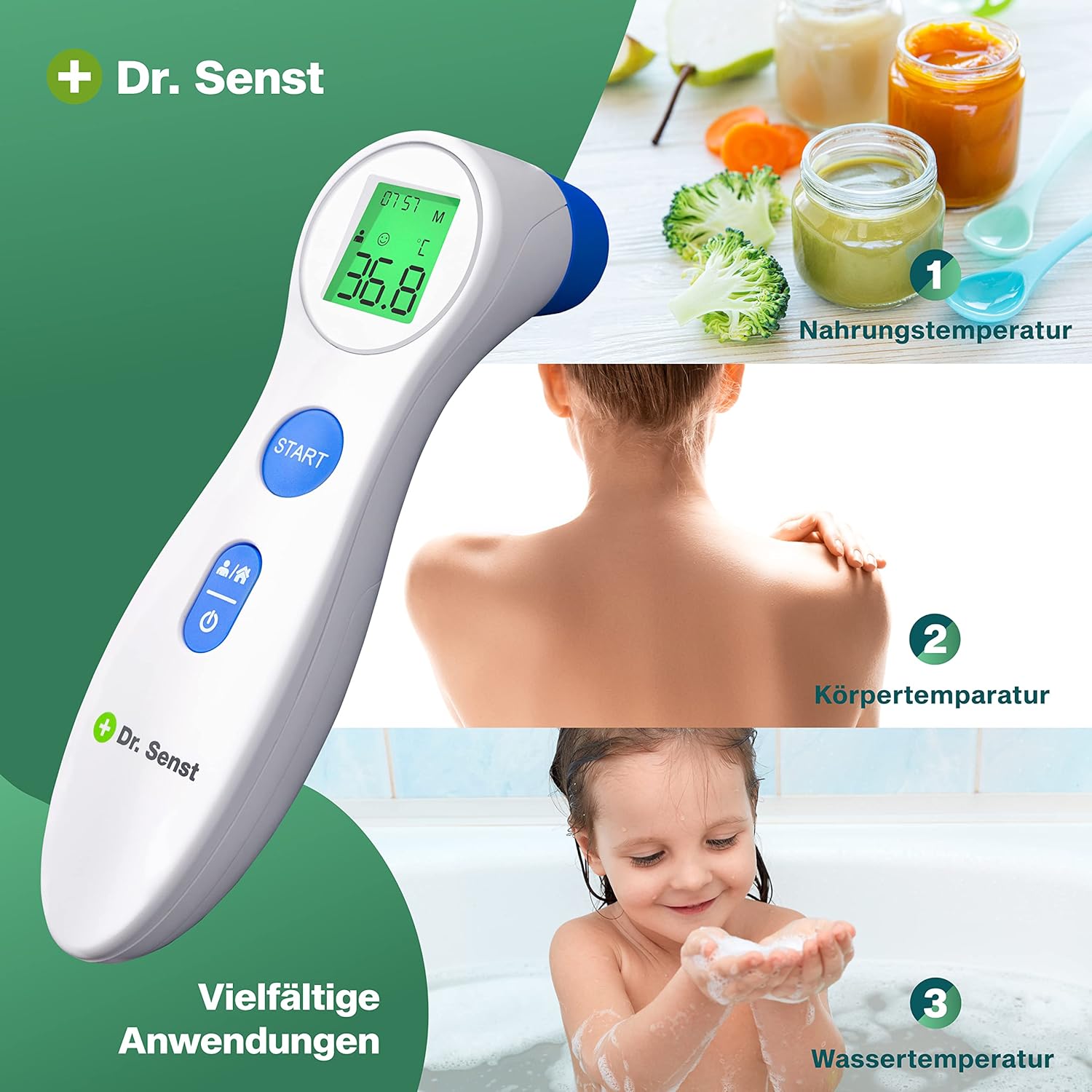
Image: Examples of diverse applications, including measuring food temperature (e.g., baby food), body temperature (e.g., back of a person), and water temperature (e.g., bath water).
- Forehead Mode: Ensure the magnetic probe cover is attached. Press the 'Mode' button to cycle through adult forehead, child forehead, and object modes. The corresponding icon will appear on the display.
- Ear Mode: Remove the magnetic probe cover. The thermometer will automatically switch to ear mode.
5.3 Taking a Measurement
5.3.1 Forehead Measurement (Adult/Child)
- Ensure the probe cover is attached and the correct forehead mode (adult or child) is selected.
- Position the thermometer at the center of the forehead, approximately 1-3 cm (0.4-1.2 inches) away from the skin.
- Press and release the 'Start' button.
- The measurement will be displayed in approximately one second.
5.3.2 Ear Measurement
- Gently remove the magnetic probe cover. The thermometer will automatically switch to ear mode.
- Carefully insert the probe into the ear canal. For children under 1 year, pull the ear straight back. For children 1 year to adult, pull the ear up and back.
- Press and release the 'Start' button.
- The measurement will be displayed in approximately one second.
5.3.3 Object Measurement
- Ensure the probe cover is attached and the object mode is selected.
- Point the thermometer at the object whose temperature you wish to measure, approximately 1-3 cm (0.4-1.2 inches) away.
- Press and release the 'Start' button.
- The measurement will be displayed in approximately one second.
5.4 Temperature Alarm and 3-Color Backlight
The display backlight changes color to indicate temperature status:

Image: The thermometer display showing three different backlight colors: Green for normal temperature (e.g., 36.8°C), Yellow for elevated temperature (e.g., 37.9°C), and Red for high temperature (e.g., 39.2°C).
- Green Backlight: Indicates a normal temperature.
- Yellow Backlight: Indicates an elevated temperature (e.g., 37.5°C - 37.9°C).
- Red Backlight: Indicates a high temperature (e.g., 38.0°C and above), accompanied by an audible alarm (if mute function is off).
5.5 Mute Function
To enable or disable the audible alarm, press and hold the 'Mode' button for a few seconds while the thermometer is in standby mode. A speaker icon on the display will indicate the mute status.
5.6 Memory Function
The thermometer automatically stores up to 40 previous measurements. To access the memory:
- With the thermometer powered on, briefly press the 'Mode' button repeatedly.
- Each press will cycle through the stored measurements, from most recent to oldest.
5.7 Unit Conversion (°C/°F)
To switch between Celsius and Fahrenheit:
- Ensure the thermometer is powered off.
- Press and hold the 'Start' button for approximately 5-7 seconds until the unit changes on the display.
- Release the button. The new unit will be saved.
6. Maintenance
6.1 Cleaning
- After each use, especially for ear measurements, clean the probe with an alcohol swab or a cotton swab moistened with alcohol (70% isopropyl alcohol).
- Wipe the body of the thermometer with a soft, dry cloth.
- Do not use abrasive cleaners or immerse the thermometer in water.
6.2 Storage
- Store the thermometer in its provided storage case when not in use.
- Keep it in a cool, dry place, away from direct sunlight and extreme temperatures.
- Remove batteries if the thermometer will not be used for an extended period to prevent leakage.
7. Troubleshooting
- No Power: Check battery polarity. Replace batteries if necessary.
- Inaccurate Readings: Ensure the probe is clean. Allow the thermometer to acclimate to room temperature. Ensure proper measurement technique (distance for forehead, correct ear insertion).
- 'Lo' or 'Hi' on Display: Indicates temperature is outside the measurable range.
- Error Message: Refer to the specific error code in the full manual (if available) or contact customer support.
8. Specifications
| Item Model Number | DET-306 |
| Brand | Dr. Senst |
| Power Source | 2 AAA batteries (included) |
| Measurement Range | Body: 32.0°C - 42.9°C (89.6°F - 109.2°F) Object: 0°C - 100°C (32°F - 212°F) |
| Accuracy | ±0.2°C (±0.4°F) for body temperature |
| Memory Capacity | 40 measurements |
| Display Type | Digital LCD with 3-color backlight |
| Automatic Shut-off | Approx. 30 seconds |
| Package Dimensions | 7.01 x 3.74 x 2.13 inches |
| Item Weight | 4.94 ounces |
| Included Components | Storage Case |
| Special Feature | High Accuracy |
| Specification Met | FDA |
9. Warranty and Support
For warranty information, technical support, or any questions regarding your Dr. Senst DET-306 Infrared Forehead Thermometer, please refer to the warranty card included with your product or contact Dr. Senst customer service through their official website or the retailer where the product was purchased.

