
1. Introduction
Thank you for choosing the RCA RPJ227 Mini Projector. This device is designed to provide a versatile and immersive viewing experience, featuring 1080p Full HD resolution, smart streaming capabilities with Roku, and multiple connectivity options. This manual provides essential information for setting up, operating, and maintaining your projector to ensure optimal performance and longevity.
2. Package Contents
Please verify that all items listed below are included in your package. If any items are missing or damaged, please contact customer support.
- RCA RPJ227 Mini Projector
- Roku Express Streaming Device (pre-installed or included separately)
- Remote Control (for projector)
- Roku Remote Control
- DC26V 2.3A Power Adapter
- HDMI Cable
- USB Cable
- User Manual (this document)

Figure 2.1: Contents of the RCA RPJ227 Mini Projector package.
3. Product Features and Overview
The RCA RPJ227 Mini Projector offers a range of features for a comprehensive home entertainment experience:
- 1080p FHD Resolution: Delivers sharp and clear images.
- Built-in Bluetooth: For wireless audio connectivity with external speakers.
- Reversible Tilt Stand: Allows for flexible placement on tabletops or ceiling mounts.
- 250 ANSI Lumens Brightness: Provides a clear picture in various lighting conditions.
- Adjustable Projection Size: Projects images from 36 to 200 inches.
- Keystone Correction: ±15° manual keystone correction for precise image alignment.
- Multiple Connectivity Options: Three HDMI ports, dual USB ports, AV input, and a 3.5mm audio jack.
- Quiet Operation: Dual-fan system designed to operate below 45dB.
- Integrated Speakers: Dual 5W speakers for direct audio output.

Figure 3.1: Front view of the RCA RPJ227 Mini Projector.

Figure 3.2: Dimensions of the RCA RPJ227 Mini Projector.
4. Setup Guide
4.1. Placement
Place the projector on a stable, flat surface. Ensure there is adequate ventilation around the unit. The projection distance will determine the screen size. For optimal viewing, project onto a smooth, light-colored wall or a dedicated projector screen.
4.2. Power Connection
- Connect the DC26V 2.3A power adapter to the DC IN port on the projector.
- Plug the power adapter into a standard electrical outlet.
- The power indicator light on the projector will illuminate.
4.3. Focus and Keystone Correction
After powering on the projector, adjust the focus and keystone to achieve a clear, rectangular image.
- Focus: Rotate the focus ring near the lens until the image appears sharp and clear.
- Keystone Correction: Use the keystone adjustment dial or menu option to correct trapezoidal distortion, ensuring the image corners are square. The projector supports ±15° manual keystone correction.

Figure 4.1: Example of adjustable screen sizes and 1080P HD picture quality.
4.4. Connecting External Devices
The projector offers various ports for connecting external devices:
- HDMI: Connect Blu-ray players, gaming consoles, laptops, or other HDMI-enabled devices using an HDMI cable. The projector has three HDMI ports.
- USB: Insert a USB flash drive into one of the dual USB ports to play media files (JPG, BMP, PNG images; MP3 audio; various video formats).
- AV: Use the AV input for older devices with composite video and stereo audio outputs.
- 3.5mm Audio Jack: Connect external headphones or speakers via the 3.5mm audio output.
4.5. Bluetooth Pairing (for Audio)
To connect external Bluetooth speakers or headphones:
- Ensure your Bluetooth audio device is in pairing mode.
- On the projector, navigate to the Bluetooth settings menu.
- Select your device from the list of available devices to pair.
4.6. Wi-Fi Setup (for Roku Streaming)
The projector integrates with Roku for smart streaming. Follow the on-screen instructions from the Roku interface to connect to your Wi-Fi network. This will enable access to streaming apps like Netflix, YouTube, Amazon Prime Video, and more.
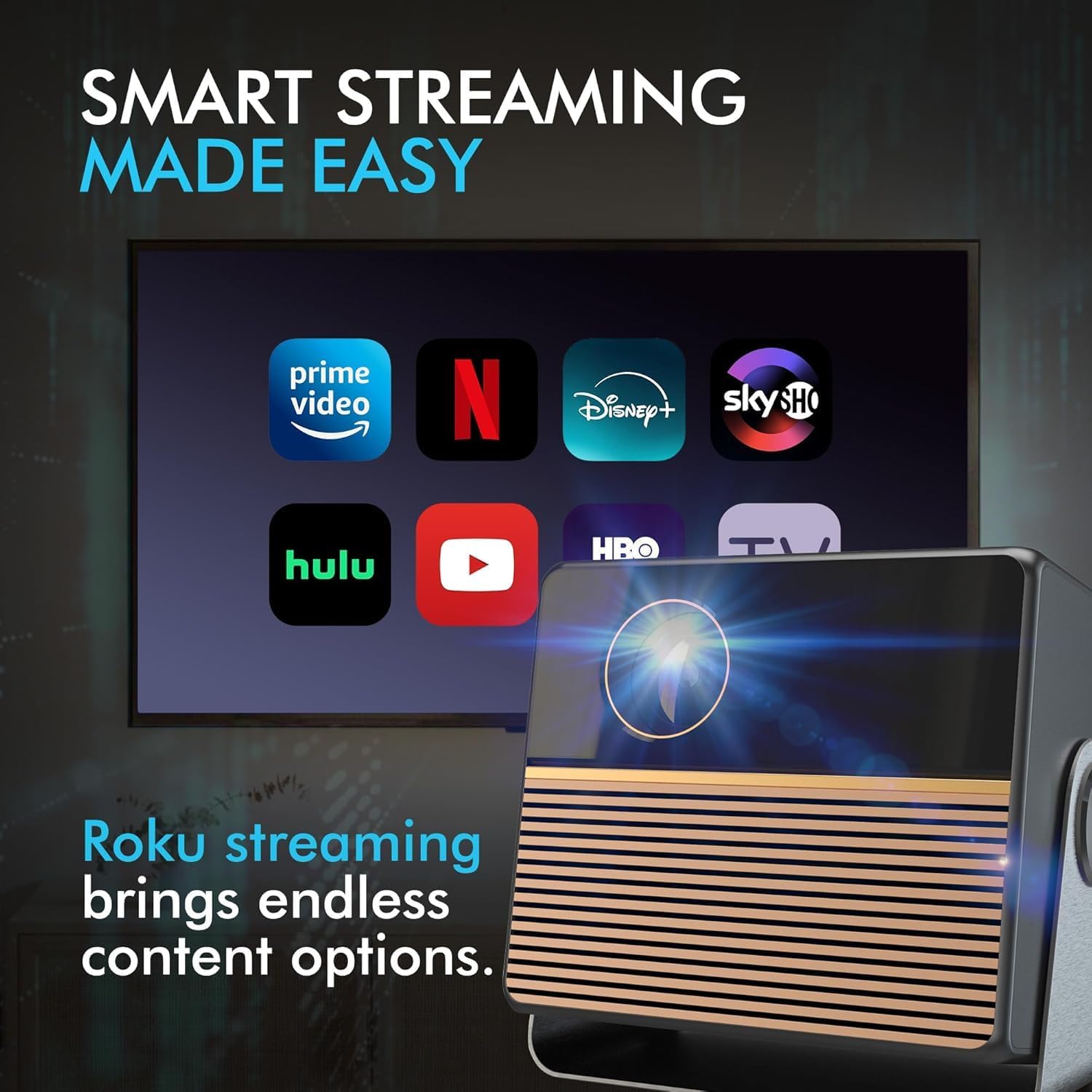
Figure 4.2: Smart streaming options available via Roku.
5. Operating Instructions
5.1. Power On/Off
Press the Power button on the projector or the remote control to turn the unit on or off.
5.2. Source Selection
Use the 'Source' button on the remote control or the projector's control panel to cycle through available input sources (HDMI 1, HDMI 2, HDMI 3, USB, AV, Roku).
5.3. Roku Streaming
Once the Roku interface is displayed, use the Roku remote control to navigate menus, select apps, and play content. Ensure a stable Wi-Fi connection for uninterrupted streaming.
5.4. Audio Output
The projector has built-in dual 5W speakers. For external audio, connect headphones or speakers to the 3.5mm audio jack, or pair a Bluetooth audio device as described in Section 4.5.
6. Maintenance
6.1. Cleaning
- Lens: Use a soft, lint-free cloth specifically designed for optical lenses. Do not use abrasive cleaners.
- Exterior: Wipe the projector's exterior with a soft, dry cloth. For stubborn marks, a slightly damp cloth can be used, followed by a dry cloth.
- Vents: Periodically check the ventilation openings for dust accumulation. Use a soft brush or compressed air to clear them, ensuring proper airflow.
6.2. Storage
When not in use for extended periods, store the projector in a cool, dry place, away from direct sunlight and extreme temperatures. It is recommended to use the original packaging or a protective case to prevent dust and damage.
7. Troubleshooting
If you encounter issues with your projector, refer to the following common problems and solutions:
| Problem | Possible Cause | Solution |
|---|---|---|
| No picture | Power cable disconnected; Incorrect input source; Device not powered on. | Check power connection; Select correct input source; Ensure connected device is on. |
| Image blurry | Focus not adjusted; Keystone not adjusted. | Adjust the focus ring; Adjust keystone correction. |
| No sound | Volume too low; Muted; Incorrect audio output selected; External device audio issue. | Increase volume; Unmute; Check audio settings; Test audio on external device directly. |
| Remote control not working | Batteries low/dead; Obstruction; Remote not pointed at sensor. | Replace batteries; Remove obstructions; Point remote directly at the projector's IR sensor. |
| Wi-Fi connection issues | Incorrect password; Router too far; Network interference. | Verify Wi-Fi password; Move projector closer to router; Restart router. |
8. Specifications
| Feature | Specification |
|---|---|
| Model | RPJ227 |
| Display Resolution (Native) | 1280x960 |
| Display Resolution (Maximum) | 1920 x 1080 (1080p Full HD) |
| Brightness | 250 ANSI Lumens |
| Projection Size | 36 - 200 inches |
| Aspect Ratios Supported | 16:9, 4:3 |
| Keystone Correction | ±15° Manual |
| Connectivity Technology | Bluetooth, Wi-Fi |
| Input Ports | 3 x HDMI, 2 x USB, 1 x AV |
| Output Ports | 1 x 3.5mm Audio Jack |
| Audio | Dual 5W Speakers |
| Noise Level | Below 45dB |
| Product Dimensions | Approx. 7.32 x 5.51 x 6.59 inches |
| Item Weight | Approx. 6 pounds |
9. Warranty and Support
For warranty information and technical support, please refer to the documentation provided with your purchase or contact the retailer/manufacturer directly. Keep your proof of purchase for any warranty claims.


