
1. Introduction
This manual provides essential information for the proper use and care of your Nautica Men's NCT Blue Ocean Chronograph Watch, Model NAPBOS501. Please read these instructions carefully to ensure optimal performance and longevity of your timepiece.
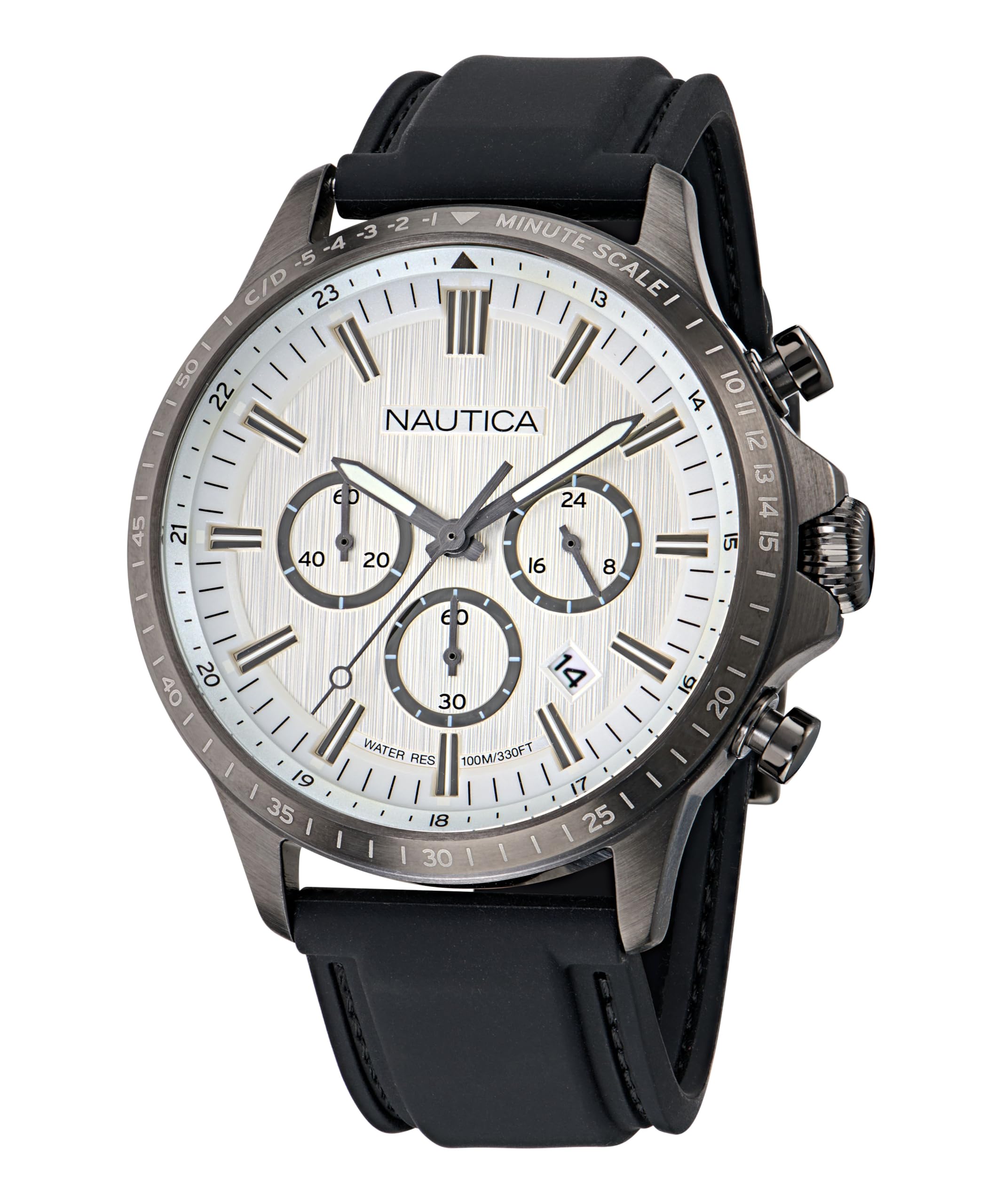
Image 1.1: Front view of the Nautica NCT Blue Ocean Chronograph Watch.
2. Product Features
- Case: IP Gunmetal 45mm recycled (90%) stainless steel case.
- Crystal: Durable mineral glass crystal.
- Dial: Silver dial with chronograph movement and date display at the 4 o'clock position.
- Hands: Luminous infill on hands for improved visibility in low light.
- Strap: Adjustable black 22x20mm silicone strap, designed to fit up to an 8-inch wrist circumference.
- Case Back: Secure screw-down case back.
- Crown: Screw-down crown for enhanced water resistance.
- Water Resistance: Water-resistant to 100 meters (330 feet).
3. Setup and Initial Operation
3.1 Setting the Time
- Unscrew the crown (A) by turning it counter-clockwise until it is free.
- Gently pull the crown out to position 2.
- Turn the crown clockwise or counter-clockwise to set the hour and minute hands. Ensure the AM/PM is correctly set if your watch has a 24-hour indicator or date changes at midnight.
- Once the time is set, push the crown back to position 0 and screw it clockwise until it is securely tightened to maintain water resistance.
3.2 Setting the Date
- Unscrew the crown (A) by turning it counter-clockwise.
- Gently pull the crown out to position 1.
- Turn the crown clockwise to adjust the date. Avoid setting the date between 9 PM and 3 AM, as this may interfere with the automatic date change mechanism.
- Once the date is set, push the crown back to position 0 and screw it clockwise until it is securely tightened.

Image 3.1: Side view illustrating the crown (A) and chronograph pushers (B, C).
4. Operating the Chronograph Function
Your Nautica watch features a chronograph (stopwatch) function for measuring elapsed time.
- Start/Stop: Press the upper pusher (B) to start the chronograph. Press it again to stop the measurement.
- Reset: While the chronograph is stopped, press the lower pusher (C) to reset all chronograph hands to their zero positions.
- Split Time (if applicable): Some chronographs allow for split time measurement. Refer to specific movement details if your model supports this.
5. Maintenance and Care
5.1 General Care
- Clean your watch regularly with a soft, dry cloth. For silicone straps, a damp cloth with mild soap can be used, then rinse and dry thoroughly.
- Avoid exposing your watch to extreme temperatures, direct sunlight for prolonged periods, or strong magnetic fields.
- Ensure the crown is always screwed down tightly to maintain water resistance, especially after setting the time or date.
5.2 Water Resistance
This watch is water-resistant to 100 meters (330 feet). This rating makes it suitable for swimming, snorkeling, and showering. However, it is not suitable for scuba diving. Do not operate the crown or pushers while the watch is wet or submerged, as this can compromise the water seal.
5.3 Battery Replacement
The watch is powered by a quartz movement and requires a battery. Battery life typically ranges from 2 to 3 years. When the battery needs replacement, it is recommended to take your watch to an authorized service center or a qualified watchmaker to ensure proper battery installation and re-sealing for water resistance.

Image 5.1: Back view of the watch, showing the screw-down case back and model number.
6. Troubleshooting
- Watch not running: Check if the crown is pushed in completely. If the watch still does not run, the battery may need replacement.
- Date not changing: Ensure the time is set correctly, especially the AM/PM cycle. Avoid setting the date between 9 PM and 3 AM.
- Chronograph hands not resetting to zero: This may indicate a need for calibration or service. Consult an authorized service center.
- Condensation under crystal: This indicates a loss of water resistance. Immediately take the watch to a qualified watchmaker for inspection and repair to prevent further damage.
7. Specifications
| Feature | Detail |
|---|---|
| Model Number | NAPBOS501 |
| Brand Name | Nautica |
| Display Type | Analog |
| Watch Movement Type | Quartz |
| Case Material Type | Stainless Steel (IP Gunmetal) |
| Case Diameter | 45 Millimeters |
| Case Thickness | 11.65 Millimeters |
| Crystal | Mineral Glass |
| Band Material Type | Silicone |
| Band Width | 22 Millimeters |
| Clasp Type | Buckle |
| Dial Color | Silver |
| Water Resistance Depth | 100 Meters (330 Feet) |
| Item Weight | 0.23 Kilograms (8.11 ounces) |
| Manufacturer | Timex |
8. Warranty Information
Your Nautica watch comes with a Limited Warranty. The terms and conditions of this warranty cover manufacturing defects under normal use. For specific details regarding the duration and coverage of your warranty, please refer to the warranty card included with your purchase or visit the official Nautica website. Keep your proof of purchase for warranty claims.
9. Support
For further assistance, service, or inquiries not covered in this manual, please contact Nautica customer support through their official website or the contact information provided with your watch packaging. When contacting support, please have your watch model number (NAPBOS501) and purchase details readily available.