
YuqiaoTime NF-8128
YuqiaoTime NF-8128 Ethernet Cable Tester User Manual
Model: NF-8128
1. Introduction
This manual provides detailed instructions for the safe and effective use of the YuqiaoTime NF-8128 Ethernet Cable Tester. The NF-8128 is designed for network cable testing, offering functionalities such as local alignment, remote alignment, and cable length measurement. Please read this manual thoroughly before operating the device.
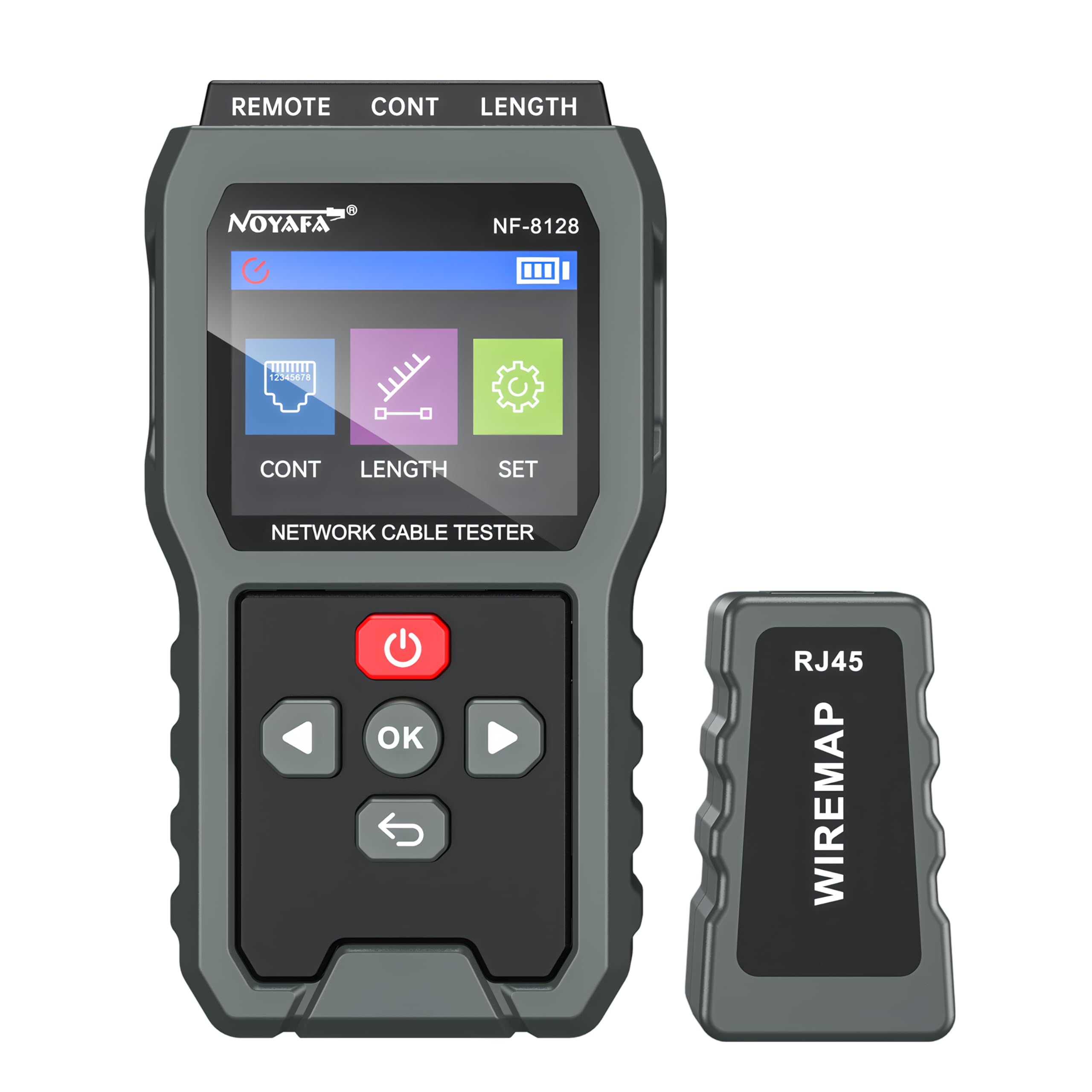
Figure 1: YuqiaoTime NF-8128 Ethernet Cable Tester (Main Unit and Remote Unit).
The image displays the main unit of the NF-8128 Ethernet Cable Tester alongside its remote unit. The main unit features a display screen, navigation buttons, and ports for cable connection. The remote unit is a compact RJ45 plug-in module.
2. Safety Information
To ensure safe operation and prevent damage to the device, please observe the following safety precautions:
- The meter is designed and produced strictly in accordance with GB4793, EN61010-1, EN61010-2-033, CAT III 1000V, CAT IV 600V. Otherwise, the protection provided by Insulation and Pollution Degree 2 Standards may be compromised. Use the meter as specified in the manual.
- Check the clamp meter and test leads before use, guarding against any damage or abnormal phenomenon. If any abnormal condition is found (e.g., bare test lead, damaged insulation, no display in LCD), do not use it.
- It is forbidden to use the meter without the battery cover in place, as this may lead to electric shock.
- Damaged test leads must be replaced by new ones of the same model or specifications.
- Do not contact bare wires, connectors, unused input terminals, or the circuit being measured when the meter is in operation.
- Exercise caution when measuring voltage higher than AC/DC 30V. Keep fingers within the finger protection position of the test lead to avoid electric shock.
- Set the function range switch at the maximum range position if the scope of the measured value cannot be defined.
- Refrain from applying voltage over the rated value indicated at the meter between terminals or between any terminal and grounding.
- The function switch must be set at the correct position prior to measurement. Disconnect the test lead from the circuit before converting the function switch. Do not perform gear conversion during measurement to prevent damage to the meter.
- Prior to measuring on-line resistance, diode, or circuit on-off, ensure the power of the circuits being measured is off and all capacitors are completely discharged.
- Do not rely solely on the low pass filter to detect dangerous voltage, as higher voltage may exist. First, measure voltage without the low pass filter to detect dangerous voltage, then select the LPF function if needed.
- Only use test leads with the same rated voltage, frequency, type, and current as the meter, and test leads approved by safety certification EN/IEC 61010-031 standard.
- Remove the test leads from the meter prior to opening the battery cover.
- Keep fingers behind the finger protection position of the probe if a probe is used.
- Refrain from storing or using the clamp meter in explosive, flammable environments with high temperature, high humidity, and strong electromagnetic fields.
- Refrain from changing the internal wiring in the clamp meter to prevent damage and danger.
- When the LCD displays the icon "[battery icon]", replace the battery promptly to ensure measurement accuracy.
- Power off the meter when measurement is completed. Remove the battery if the clamp meter will not be used for a long time.
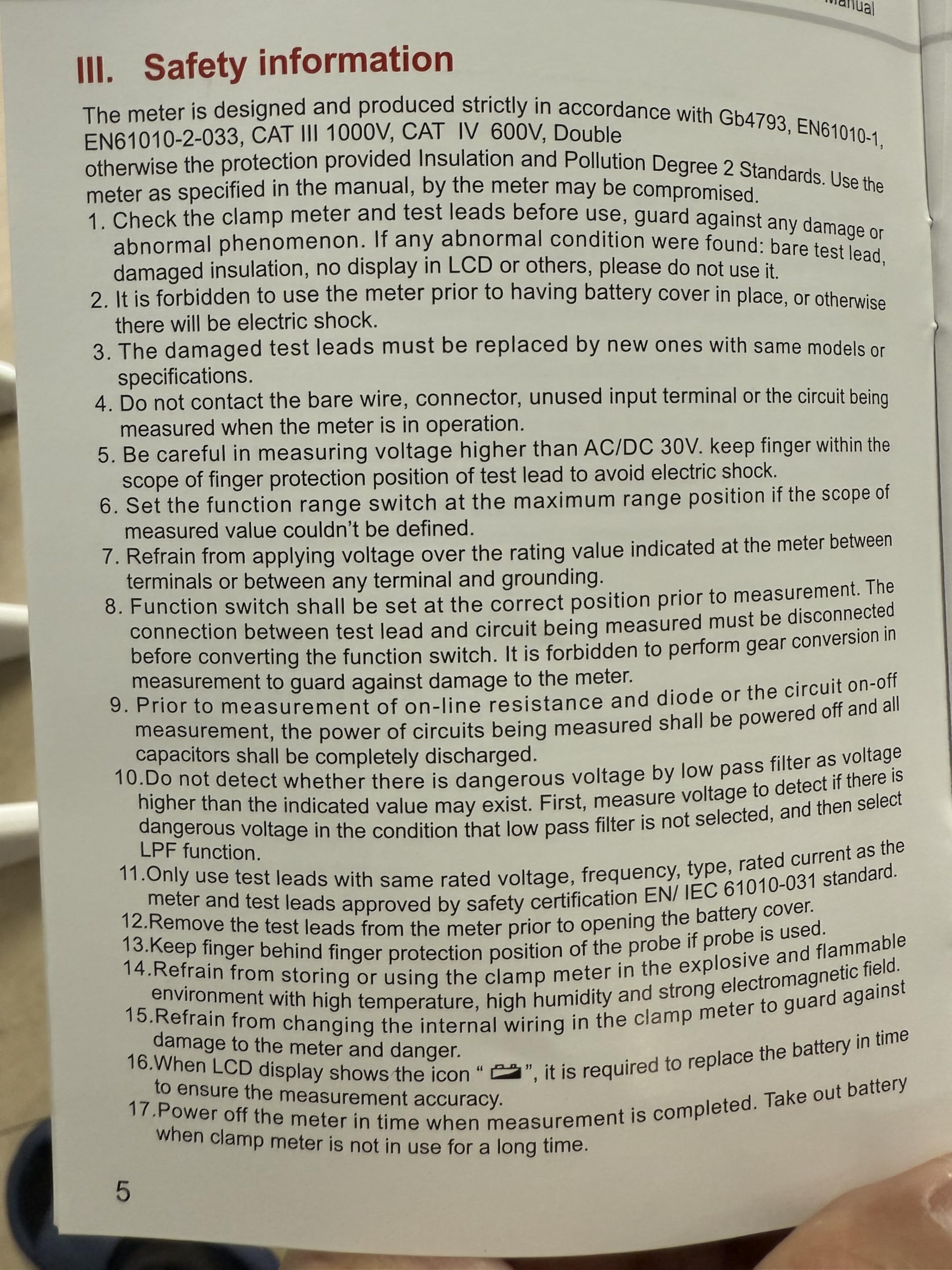
Figure 2: Excerpt from the NF-8128 Safety Information section.
This image shows a page from the product manual detailing important safety information and precautions for using the device, including warnings about voltage, battery replacement, and environmental conditions.
3. Product Overview
The YuqiaoTime NF-8128 is a versatile network cable tester designed for efficiency and accuracy. It features a main testing unit and a compact remote unit for comprehensive cable analysis.
3.1 Key Features
- Large Color Screen: Provides clear display of test results with a backlight function for visibility in various lighting conditions.
- Local Alignment: Tests cable continuity and wiring sequence directly from the main unit.
- Remote Alignment: Allows testing of installed cables with the remote unit at the far end.
- Cable Length Measurement: Accurately measures cable length up to 350 meters.
- Long Battery Life: Equipped with a 1500mAh battery for extended operation.
- Durable Design: Military-grade drop protection enhances device longevity.
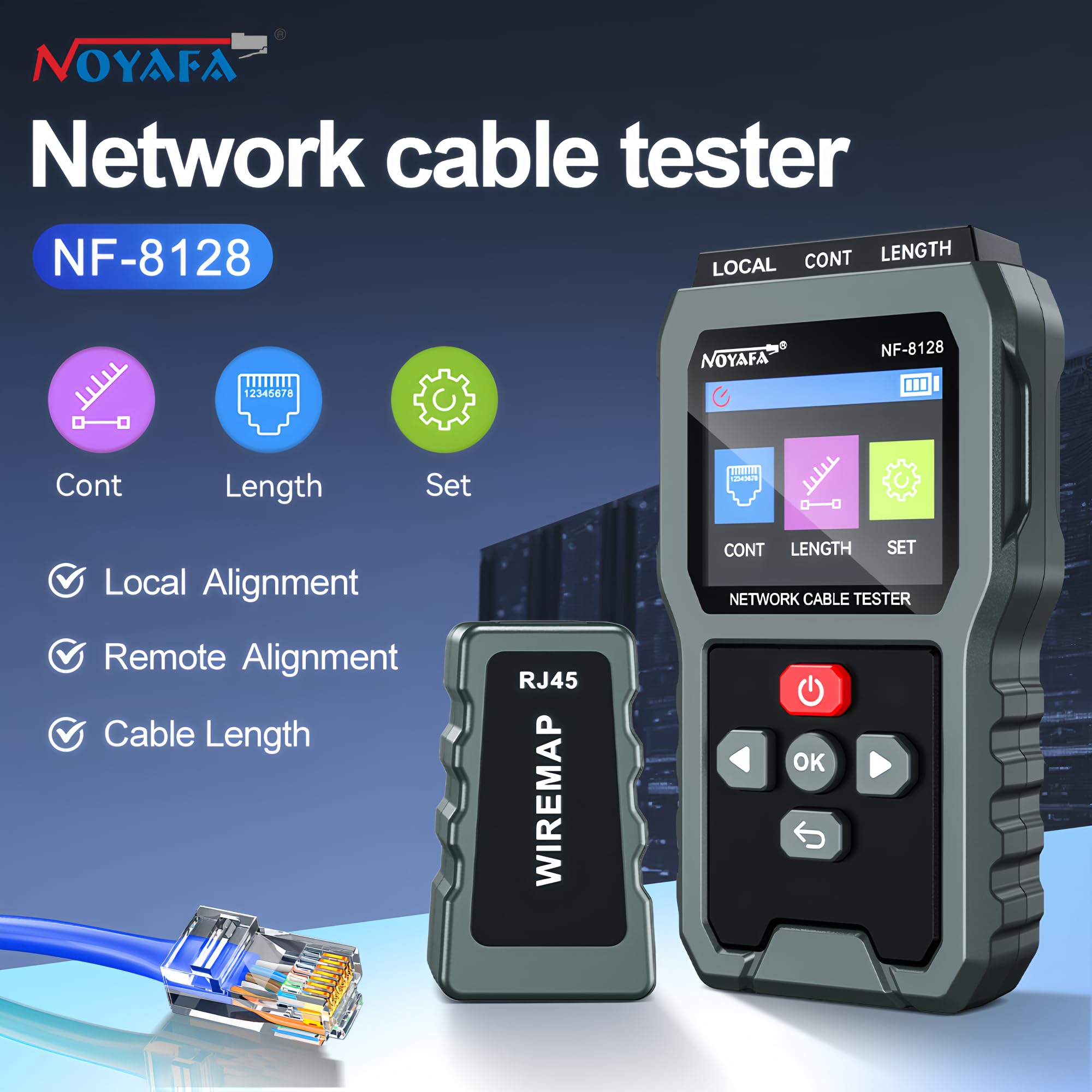
Figure 3: NF-8128 Main Unit Interface and Functions.
This image illustrates the NF-8128 main unit, highlighting its primary functions: Continuity (Cont), Length measurement, and Settings (Set). It also shows the local and remote alignment capabilities.
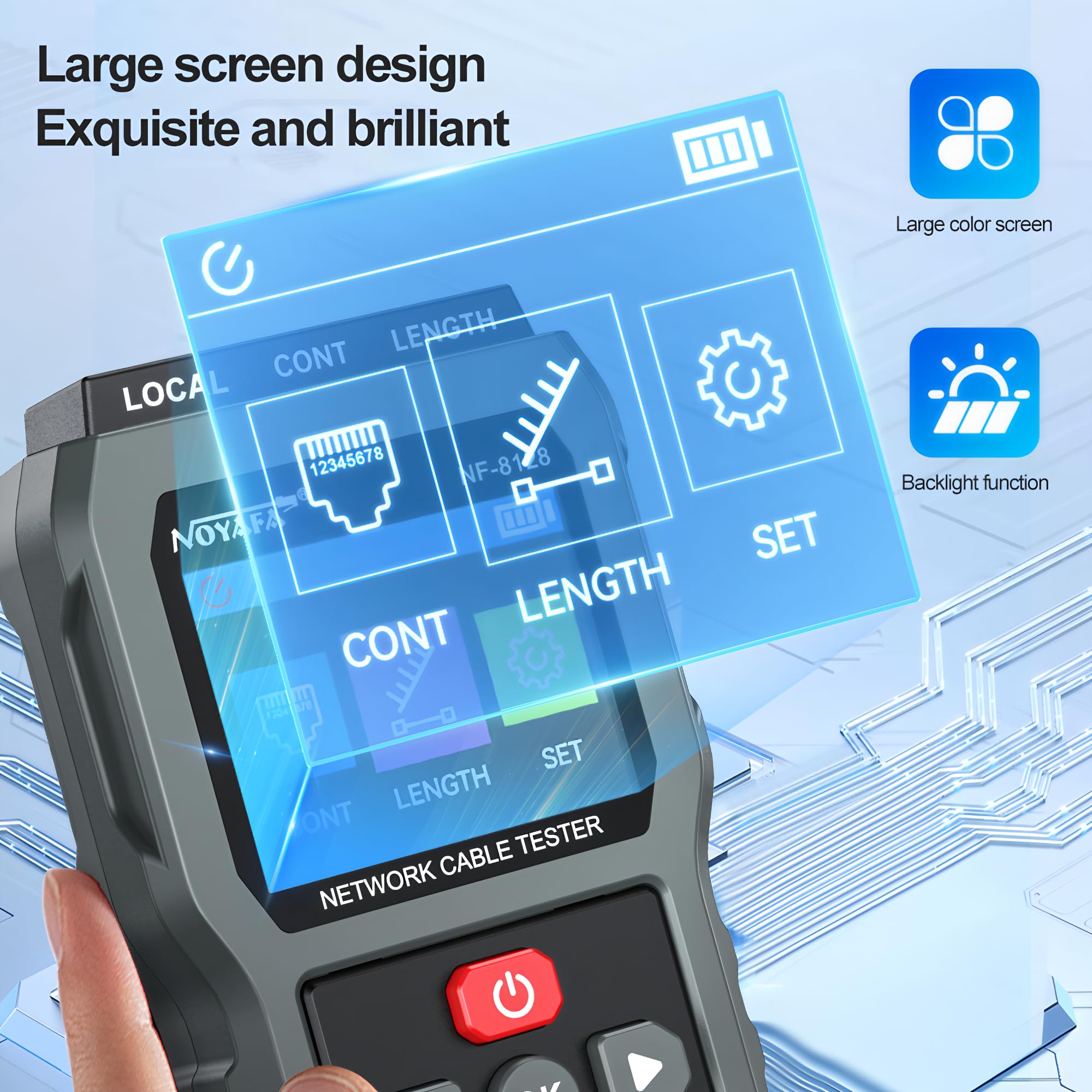
Figure 4: Large Screen and Backlight Feature.
The image demonstrates the NF-8128's large color screen and its backlight function, which improves readability in various lighting conditions.
4. Setup
4.1 Charging the Device
Before initial use, ensure the NF-8128 is fully charged. Connect the provided charging cable to the device and a suitable power source. The battery indicator on the screen will show charging status.
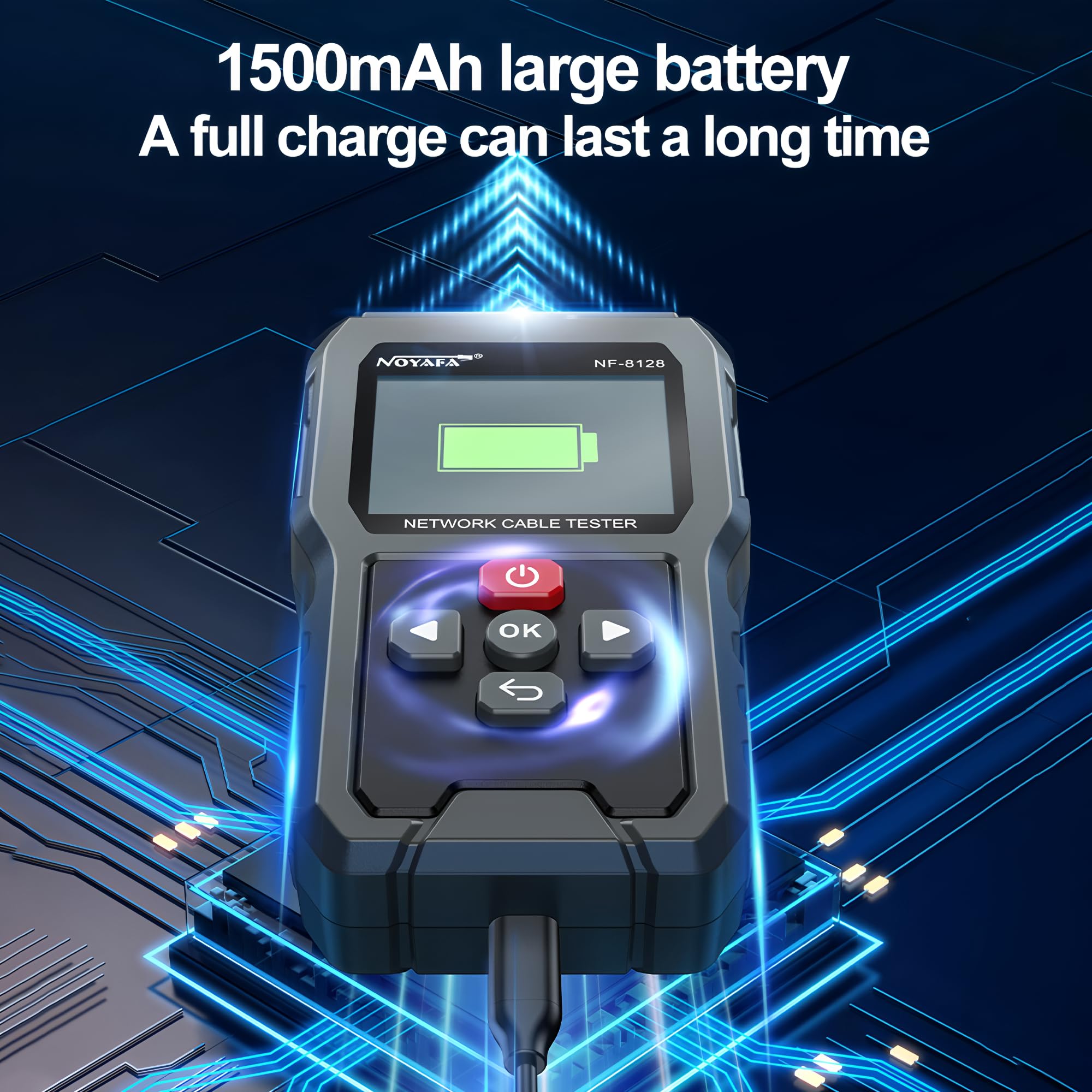
Figure 5: Charging the NF-8128.
This image shows the NF-8128 main unit connected to a charging cable, with the screen displaying a full battery icon, indicating its 1500mAh battery capacity.
4.2 Connecting Cables
For testing, connect the network cable to the appropriate RJ45 port on the main unit. For remote testing, connect one end of the cable to the main unit and the other end to the remote unit.
5. Operating Instructions
5.1 Local Alignment (Continuity Test)
The local alignment function checks the continuity and wiring sequence of a network cable. Connect one end of the cable to the main unit's RJ45 port. The screen will display the wiring status.
- Pass-through: Indicates correct wiring.
- Crossed: Wires are incorrectly crossed.
- Short Circuit: A short circuit is detected between wires.
- Disconnected: A wire is broken or not connected.
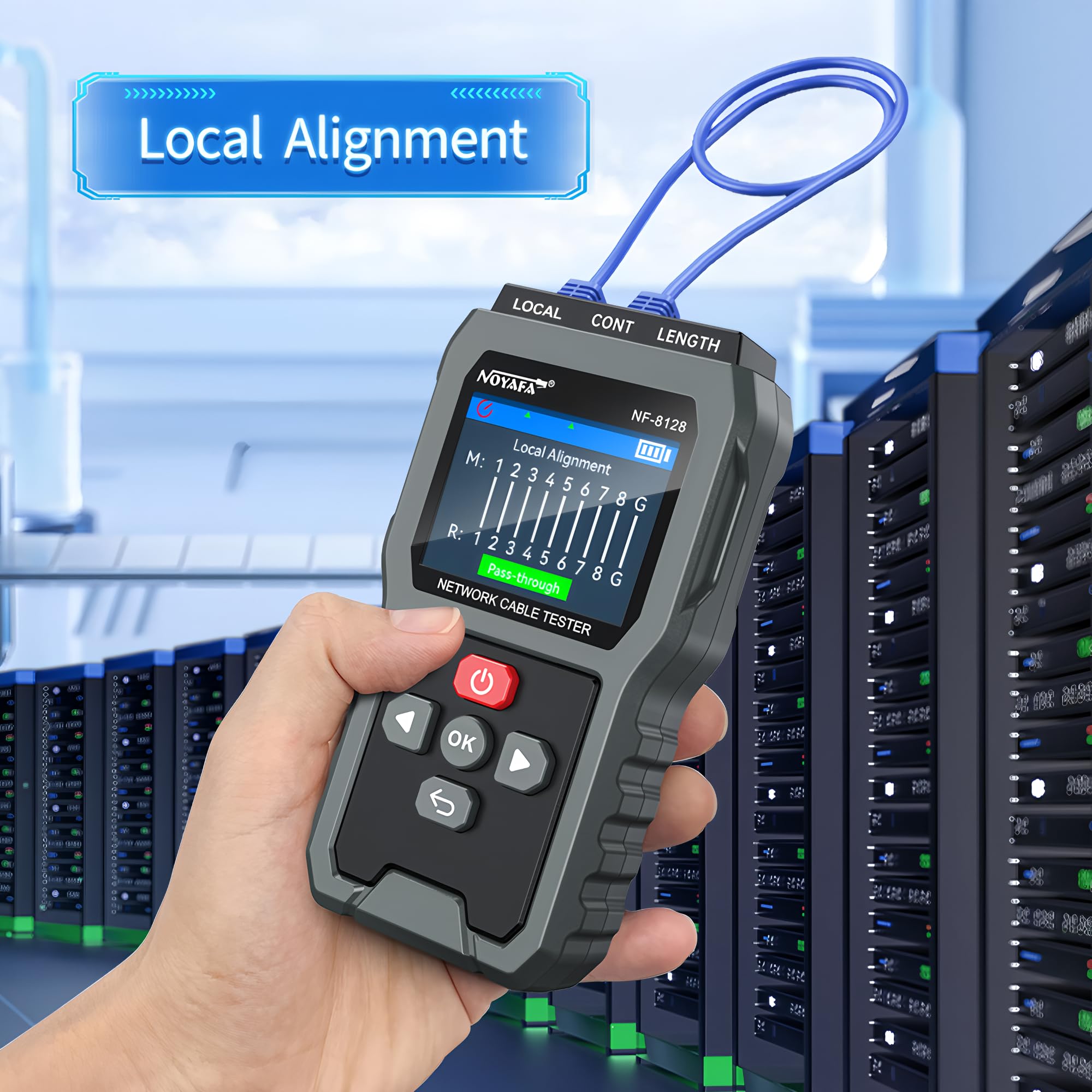
Figure 6: Local Alignment Test in Progress.
This image shows the NF-8128 main unit displaying "Local Alignment" results, indicating a "Pass-through" status for a connected network cable, signifying correct wiring.
5.2 Remote Alignment
For testing installed cables or longer runs, use the remote unit. Connect one end of the network cable to the main unit and the other end to the remote unit. The main unit will display the wiring map and any faults.
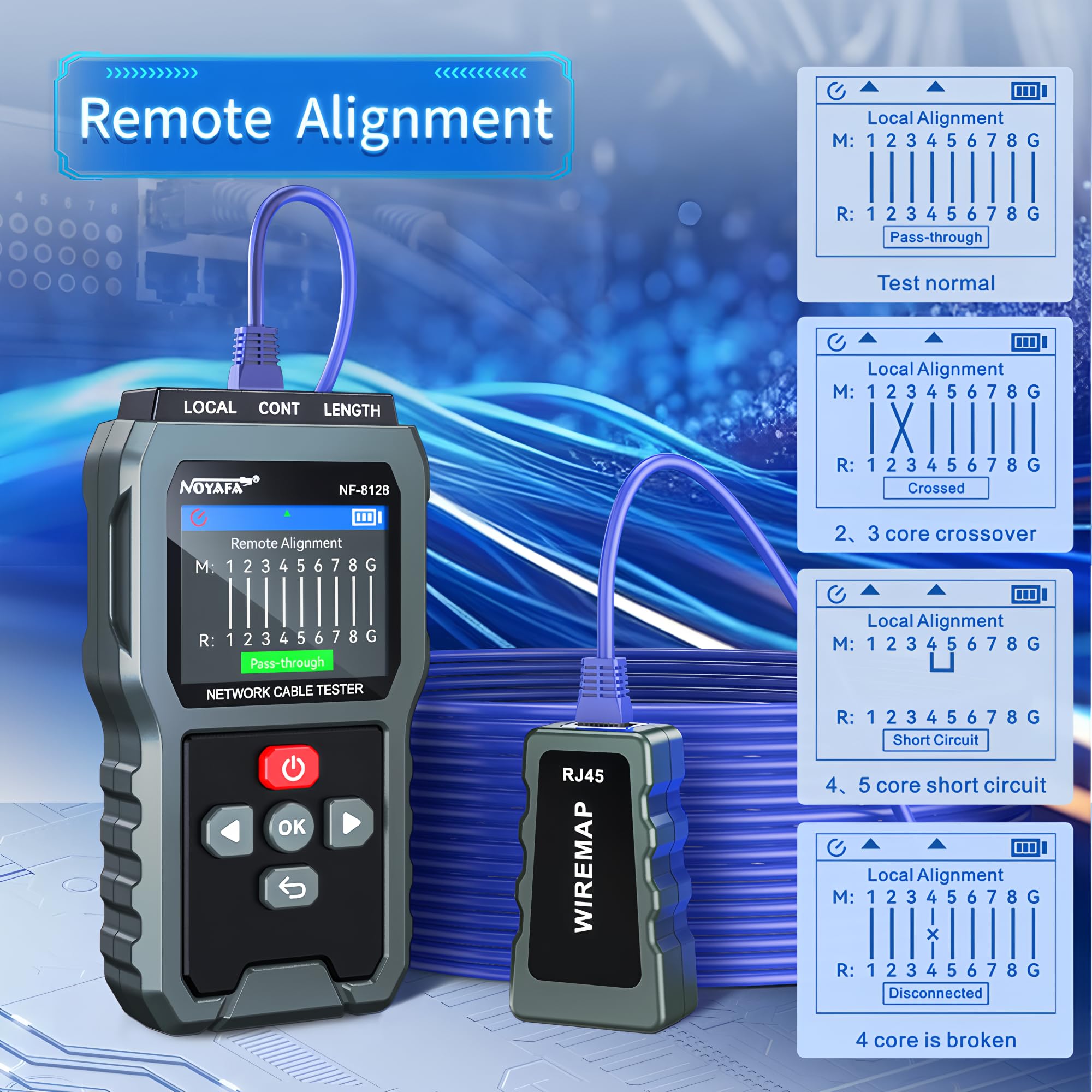
Figure 7: Remote Alignment Test and Fault Indications.
The image displays the NF-8128 main unit conducting a remote alignment test, showing various possible results such as "Pass-through," "Crossed," "Short Circuit," and "Disconnected" for different cable fault scenarios.
5.3 Cable Length Measurement
To measure cable length, select the "Length" function from the main menu. Connect the cable to the main unit. The device will display the length in meters. The NF-8128 can measure lengths up to 350 meters.
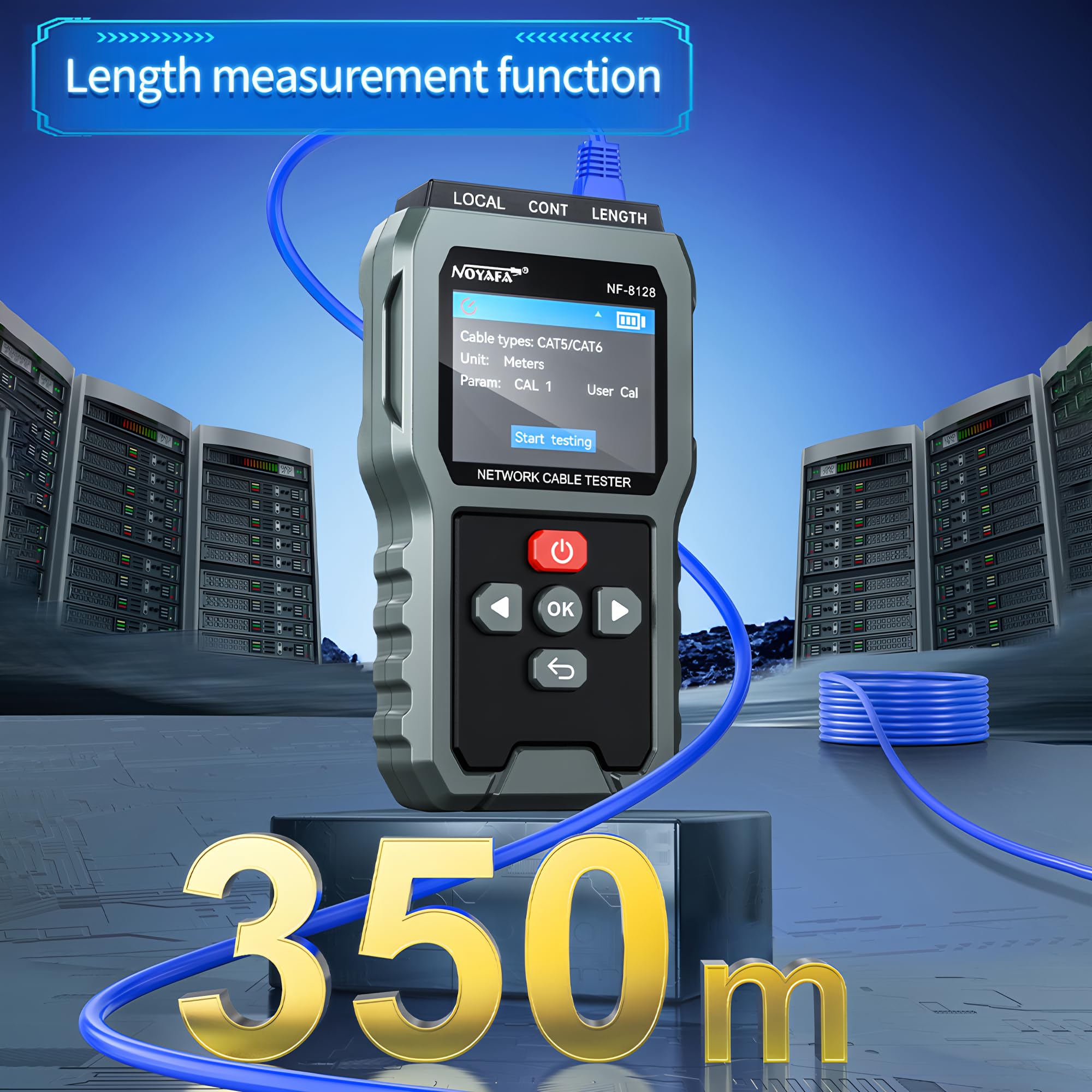
Figure 8: Cable Length Measurement Function.
This image shows the NF-8128 main unit displaying the "Length measurement function" screen, indicating cable type (CAT5/CAT6), unit (Meters), and a "Start testing" option, with a visual representation of a 350m cable.
5.4 Navigation and Settings
Use the directional buttons (up, down, left, right) and the "OK" button to navigate through the menu options. The "Set" menu allows configuration of various parameters, such as backlight duration and measurement units.
6. Maintenance
- Cleaning: Wipe the device with a soft, dry cloth. Do not use abrasive cleaners or solvents.
- Battery Care: Recharge the battery when the low battery indicator appears. If the device will not be used for an extended period, fully charge it and store it in a cool, dry place.
- Storage: Store the NF-8128 in a protective case to prevent damage from drops or impacts.
7. Troubleshooting
| Problem | Possible Cause | Solution |
|---|---|---|
| Device does not power on. | Low or depleted battery. | Charge the device fully. |
| Inaccurate length measurement. | Incorrect cable type selected in settings. | Verify and adjust the cable type setting. |
| No display or flickering screen. | Low battery or internal issue. | Charge the device. If problem persists, contact support. |
| Remote unit not detected. | Poor connection or faulty remote unit. | Ensure cable is securely connected. Test with a different cable or remote unit if available. |
8. Specifications
- Model: NF-8128
- Brand: YuqiaoTime
- Product Dimensions: 16.5 x 11 x 12 cm
- Item Weight: 1 kg
- Power Source: Battery Powered (1500mAh)
- Color: Grey
- Cable Length Measurement Range: Up to 350 meters
- Safety Standard: CE, CAT III 1000V, CAT IV 600V (as per safety information)
- Manufacturer: SHENZHEN NOYAFA TECHNOLOGY Co., LIMITED
- Country of Origin: China
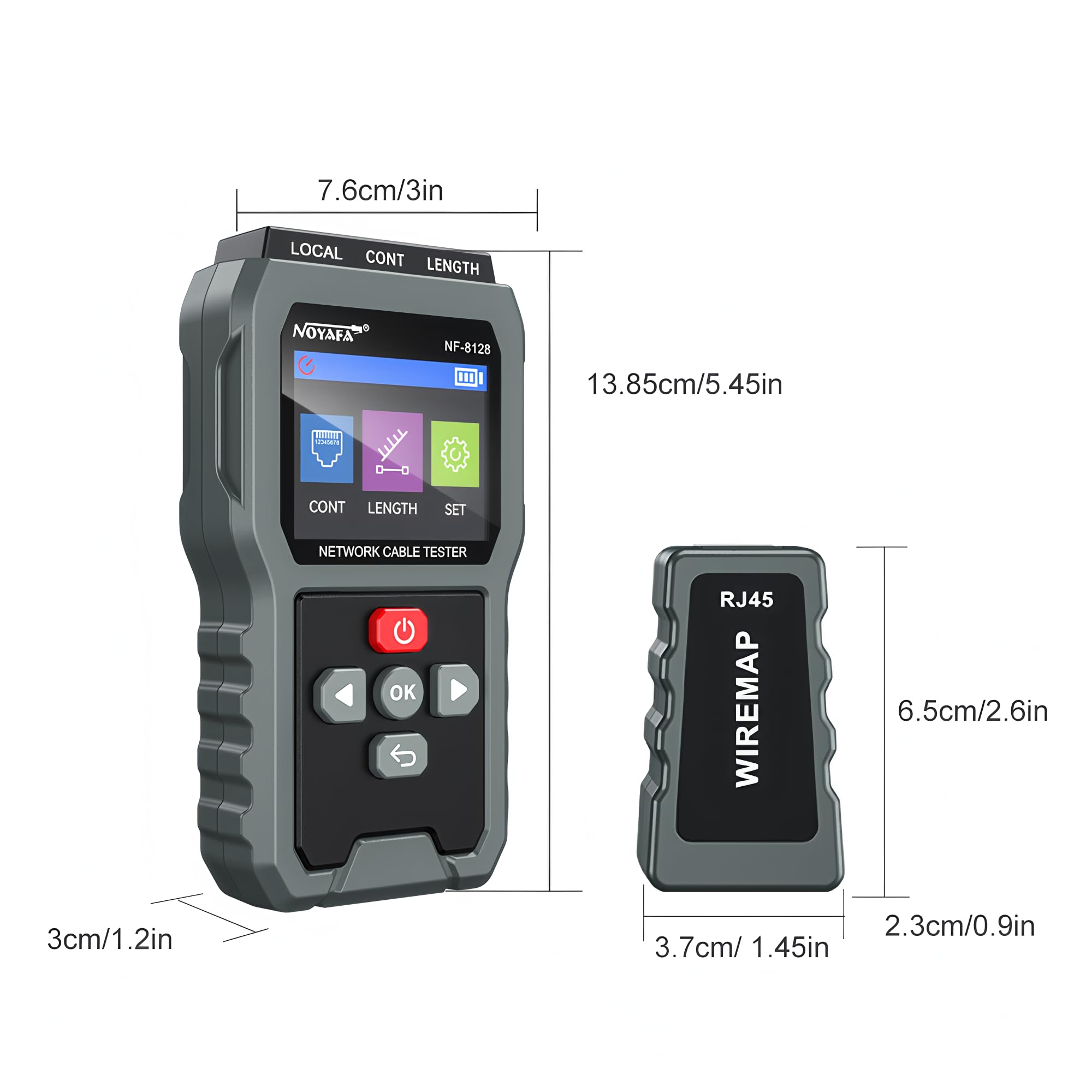
Figure 9: NF-8128 Product Dimensions.
This image provides a visual representation of the NF-8128 main unit and remote unit with their respective dimensions in centimeters and inches.
9. Application Scenarios
The NF-8128 Ethernet Cable Tester is suitable for various professional applications:
- Network Maintenance: For routine checks and troubleshooting of network infrastructure.
- Network Cable Installation: Verifying new cable installations for proper connectivity and length.
- Troubleshooting Cable Faults: Identifying breaks, shorts, or incorrect wiring in complex network environments.
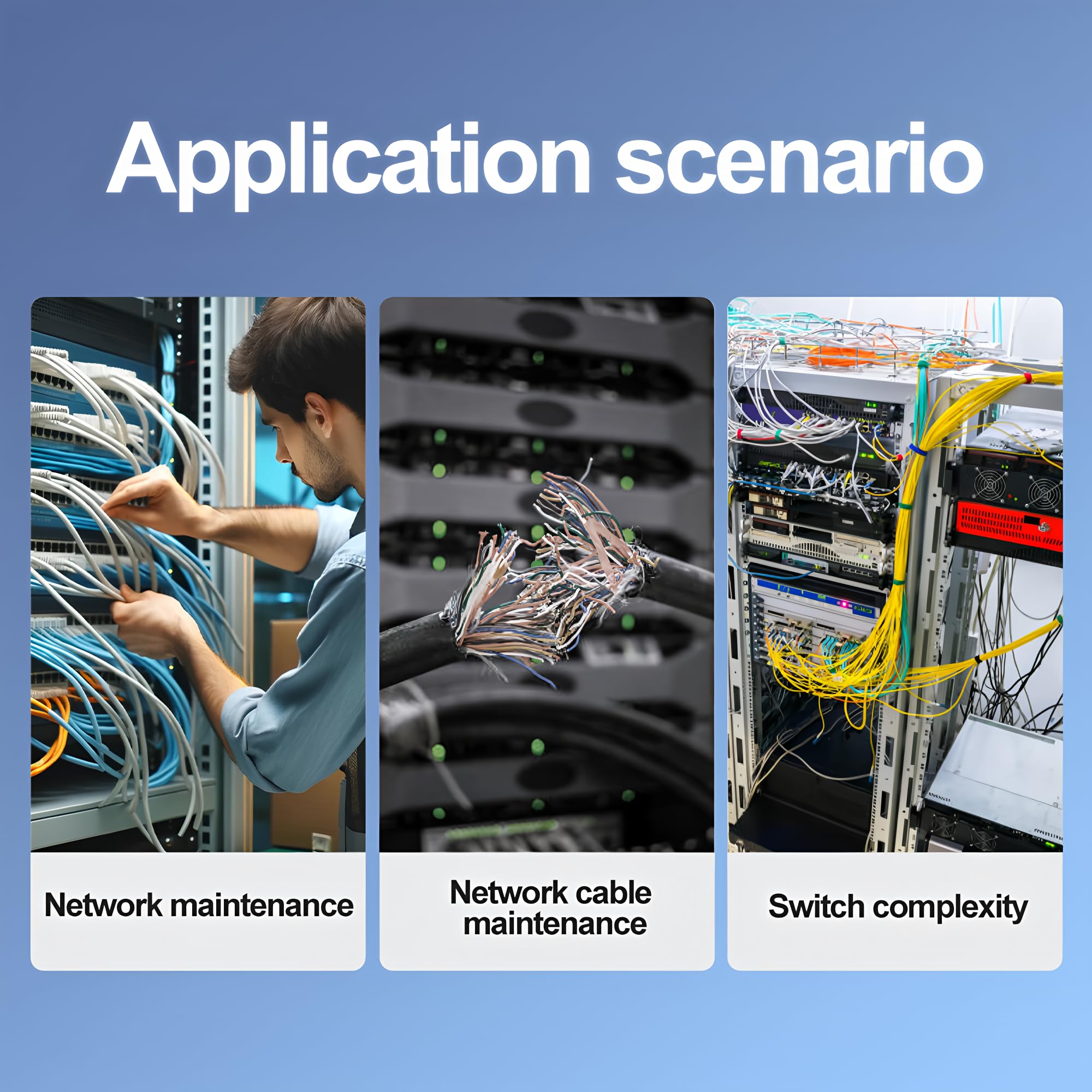
Figure 10: Typical Application Scenarios.
This image displays three common application scenarios for the NF-8128: network maintenance, network cable maintenance (showing a damaged cable), and managing switch complexity.