
1. Introduction
This manual provides essential information for the safe and efficient operation of your LYAYYDS Pure Sine Wave Hybrid Solar Inverter. This device is designed to convert DC power from solar panels or batteries into AC power for various household and office loads. It integrates an MPPT solar charge controller and an AC charger, offering a comprehensive solution for off-grid and hybrid solar power systems.
The 2KW model supports DC 12V, 24V, or 48V input and provides a stable 220V AC output. Please read this manual thoroughly before installation and use to ensure optimal performance and longevity of the inverter.

Image: Diagram illustrating the pure sine wave output, which is consistent with municipal power grids, ensuring a safe and stable power supply for sensitive electronic devices.
2. Safety Information
Always observe the following safety precautions to reduce the risk of electric shock, fire, or injury:
- Installation must be performed by qualified personnel.
- Ensure all wiring is correctly sized and connections are secure.
- Do not expose the inverter to rain, snow, spray, or any liquids.
- Do not disassemble the inverter. There are no user-serviceable parts inside.
- Ensure adequate ventilation around the inverter to prevent overheating.
- Keep children away from the inverter.
- Disconnect all power sources (AC, DC, and battery) before performing any maintenance or wiring.
3. Product Features
The LYAYYDS Hybrid Solar Inverter offers a range of advanced features for efficient power management:
- Pure Sine Wave Output: Provides high-quality AC power suitable for all types of loads, including sensitive electronics.
- Integrated MPPT Solar Charge Controller: Built-in 40A-160A MPPT controller (model dependent) for maximum power point tracking from solar panels, optimizing solar energy harvesting.
- AC Charger: Includes an AC charger compatible with grid or generator power for flexible battery charging.
- Multiple Charging Modes: Supports Solar priority, AC priority, Solar and AC mixed charging, and AC power priority.
- Dual Output Modes: Inverter output and AC power output to meet diverse application needs.
- HD LCD Display & LED Indicators: Provides dynamic display of system data and operating status, allowing configuration of battery charging current, AC/solar charging priority, and load current priority.
- Smartphone App Monitoring: WiFi and GPRS connectivity for intelligent monitoring via a smartphone app (available for iOS and Android). Supports BMS lithium battery communication and RS485/232 communication interface.
- High Conversion Rate: Smart chip with intelligent tracking algorithm for real-time tracking of peak voltage and current, achieving up to 99% charging conversion efficiency.
- Fan Cooling System: Thickened heat dissipation backplate and MOS tube design for stable operation in environments up to 60°C.
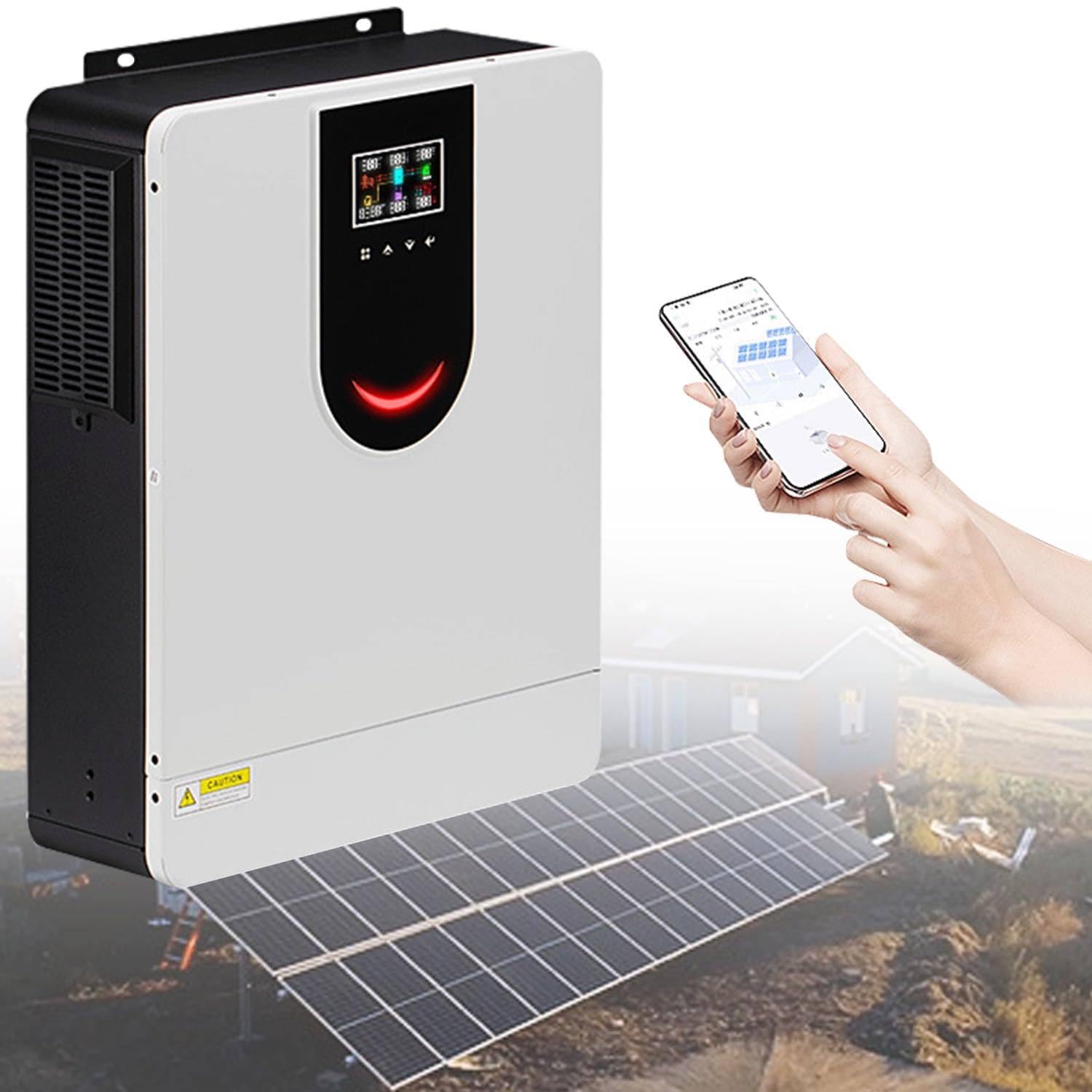
Image: The inverter is compatible with a wide range of household and office appliances, including laptops, pumps, speakers, fans, ovens, air conditioners, refrigerators, and hair dryers. Note: Different power appliances require inverters of appropriate power ratings.
4. Package Contents
Upon unpacking, please verify that all items are present and undamaged:
- 1 x LYAYYDS Hybrid Solar Inverter (2KW model)
- 1 x User Manual
- Necessary connection cables and accessories (may vary by model)
5. Setup & Installation
Proper installation is crucial for the safe and efficient operation of your hybrid solar inverter. Follow these general guidelines:
5.1 Mounting the Inverter
- Choose a dry, well-ventilated area away from direct sunlight, heat sources, and flammable materials.
- Ensure the mounting surface is strong enough to support the inverter's weight.
- Allow sufficient clearance around the inverter for proper airflow and cooling.
5.2 Wiring Connections
All wiring should comply with local electrical codes and standards. Ensure all connections are tight and secure to prevent loose connections and potential hazards.
- Battery Connection: Connect the battery bank to the DC input terminals. Observe correct polarity (+ to + and - to -).
- Solar Panel Connection: Connect the solar array to the PV input terminals. Ensure the PV array voltage and current are within the inverter's specifications.
- AC Input Connection: Connect the AC grid or generator power to the AC input terminals.
- AC Output Connection: Connect your AC loads to the AC output terminals.

Image: A detailed system connection diagram showing how solar panels, AC grid/generator, battery, and AC output loads are connected to the hybrid solar inverter for a household on/off-grid energy storage integrated system.

Image: This image highlights the industrial design, including a hidden wiring installation feature where the bottom cover can be removed for wiring, and a robust fan cooling system with a thickened heat dissipation backplate for stable operation.
6. Operating Instructions
Once installed, the inverter can be configured and operated through its LCD display, LED indicators, and smartphone app.
6.1 Powering On/Off
- To Power On: Ensure all connections are secure. Turn on the DC breaker for the battery, then the AC input breaker (if applicable), and finally the inverter's power switch.
- To Power Off: Turn off the inverter's power switch, then the AC input breaker, and finally the DC breaker for the battery.
6.2 LCD Display and Indicators
The inverter features an HD LCD display and three LED indicators to provide real-time system status and allow for configuration.

Image: A close-up of the inverter's large-size high-definition display screen, equipped with feedback buttons for user interaction and system data display.
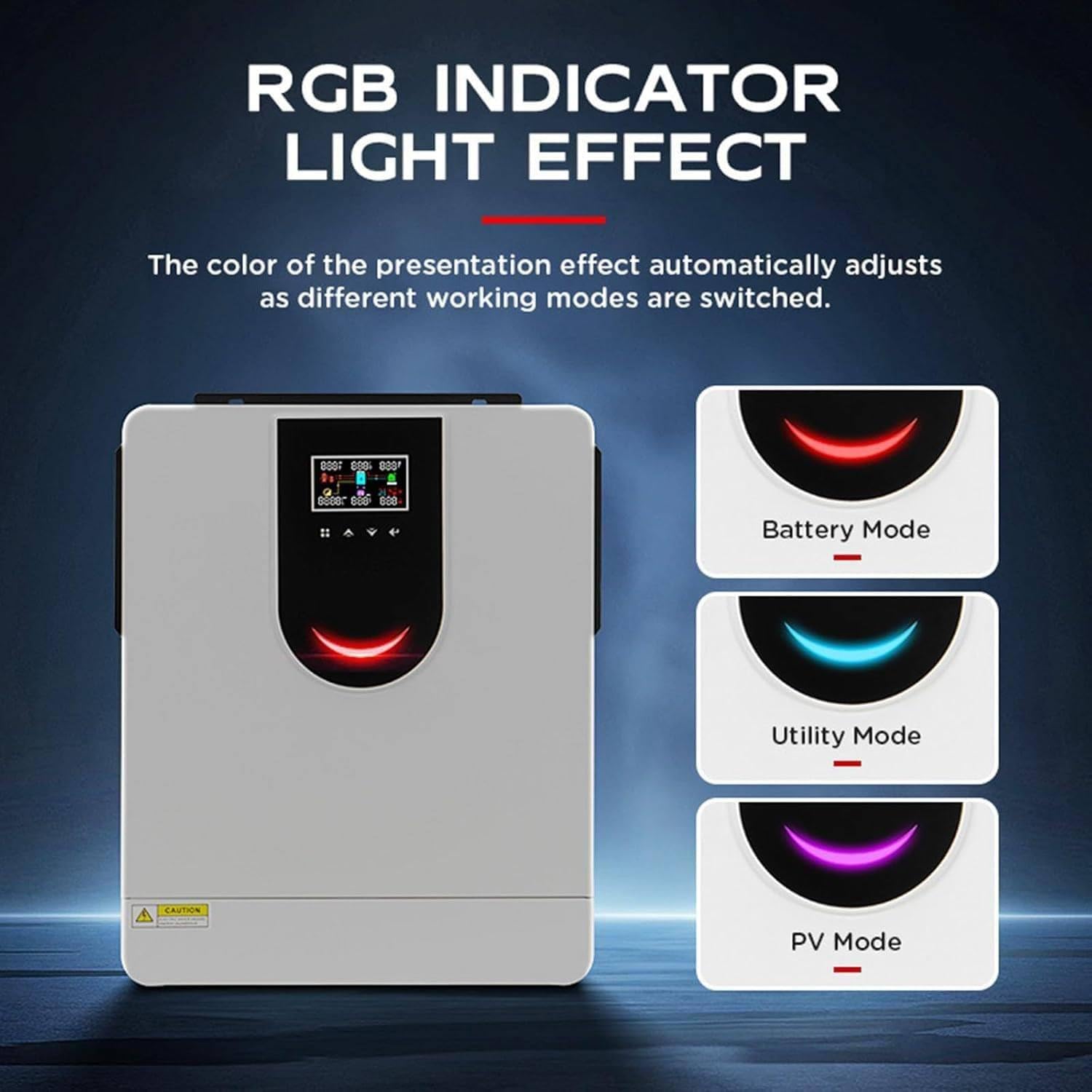
Image: The RGB indicator light on the inverter automatically adjusts its color to reflect different working modes: red for Battery Mode, blue for Utility Mode, and purple for PV Mode, providing clear visual feedback.
6.3 Charging Modes
The inverter supports four distinct charging modes, configurable via the LCD settings:
- Solar Priority: Solar power is prioritized for charging batteries and supplying loads. AC power is used only when solar power is insufficient.
- AC Priority: AC utility power is prioritized for charging batteries and supplying loads. Solar power is used only when AC power is unavailable.
- Solar and AC Mixed Charging: Both solar and AC power are used simultaneously to charge batteries and supply loads, optimizing charging efficiency.
- AC Power Priority: AC power is the primary source for loads, with the inverter only activating when AC power is absent.
6.4 Smartphone App Monitoring
Monitor and control your inverter remotely using the dedicated smartphone application. The app provides real-time data, historical records, and allows for remote configuration of settings.

Image: The inverter supports intelligent monitoring via a smartphone app (WiFi & GPRS) for iOS and Android, enabling remote management and data access. It also supports BMS lithium battery communication and RS485/232 interfaces.
7. Maintenance
Regular maintenance helps ensure the longevity and reliable operation of your inverter.
- Cleaning: Periodically clean the exterior of the inverter with a dry cloth. Ensure ventilation openings are free from dust and debris.
- Connections: Annually check all electrical connections for tightness and signs of corrosion.
- Environment: Ensure the operating environment remains within specified temperature and humidity ranges.
- Battery Inspection: Regularly inspect batteries for any signs of damage, leakage, or swelling.
Warning: Disconnect all power sources before performing any cleaning or maintenance.
8. Troubleshooting
This section provides solutions to common issues you might encounter. For problems not listed here, please contact customer support.
8.1 No Power Output
- Check if the inverter is powered on.
- Verify battery connections and voltage.
- Check AC input and output circuit breakers.
- Ensure solar panels are producing power (if in solar priority mode).
8.2 Overload Warning
- Reduce the connected load.
- Check if any appliance is drawing excessive current.
8.3 Battery Not Charging
- Verify solar panel connections and output.
- Check AC input connection and ensure grid power is available (if in AC charging mode).
- Ensure battery type and charging parameters are correctly set in the inverter's menu.
9. Specifications
| Feature | Specification (2KW Model) |
|---|---|
| Waveform | Pure Sine Wave |
| Rated Power | 2000W |
| Input Voltage (DC) | 12V / 24V / 48V (Configurable) |
| Output Voltage (AC) | 220V |
| MPPT Solar Charge Controller Current | 40A - 160A (Model Dependent) |
| PV Array MPPT Voltage Range | 60-450VDC |
| External Battery Type | Lead Acid / Lithium Battery |
| Item Weight | 17.6 pounds |
| Package Dimensions | 3.94 x 3.94 x 3.94 inches |
| Manufacturer | LYAYYDS |
| Date First Available | May 27, 2025 |
10. Warranty & Support
For warranty information and technical support, please refer to the warranty card included with your product or contact LYAYYDS customer service directly. Ensure you have your product model number and purchase date available when contacting support.