
ANJIELO SMART 67210W
ANJIELO SMART Wired Video Intercom System User Manual
Model: 67210W
1. Introduction
The ANJIELO SMART Wired Video Intercom System provides a secure and convenient way to monitor and communicate with visitors at your door. This system includes an outdoor HD camera unit and an indoor 7-inch color screen monitor, enabling two-way audio, video monitoring, and remote unlocking capabilities without the need for Wi-Fi or a mobile application.
It is designed for various applications, including residential homes, villas, apartments, and commercial spaces like offices, schools, banks, and hospitals, enhancing security and accessibility.

Image 1.1: The ANJIELO SMART Wired Video Intercom System, showing the outdoor camera unit and the indoor 7-inch monitor displaying a family scene.

Image 1.2: Diagram illustrating various application scenarios for the intercom system, including villas, hospitals, schools, offices, banks, and apartments.
2. Product Components
The ANJIELO SMART Wired Video Intercom System typically includes the following components:
- 1 x Outdoor HD Camera Unit
- 1 x Indoor 7-inch Color Screen Monitor
- Power Adapter
- Rain Cover for Outdoor Unit
- Connection Terminals
- Mounting Screws and Hardware
- ID Cards (for unlocking feature)
3. Key Features
- Wired Connectivity: Ensures stable and reliable communication without reliance on Wi-Fi networks.
- Two-Way Intercom: Allows clear audio communication between the indoor monitor and the outdoor unit.
- Night Vision Function: Equipped with infrared LED lights for clear visitor identification even in low-light or dark conditions.
- ID Card Unlocking: Supports convenient unlocking of connected electronic locks using provided ID cards.
- IP65 Waterproof Outdoor Unit: The aluminum alloy outdoor camera unit is designed with a rain cover, providing protection against water, dust, and vandalism.
- Monitoring Function: Allows users to view the outdoor area at any time from the indoor monitor.
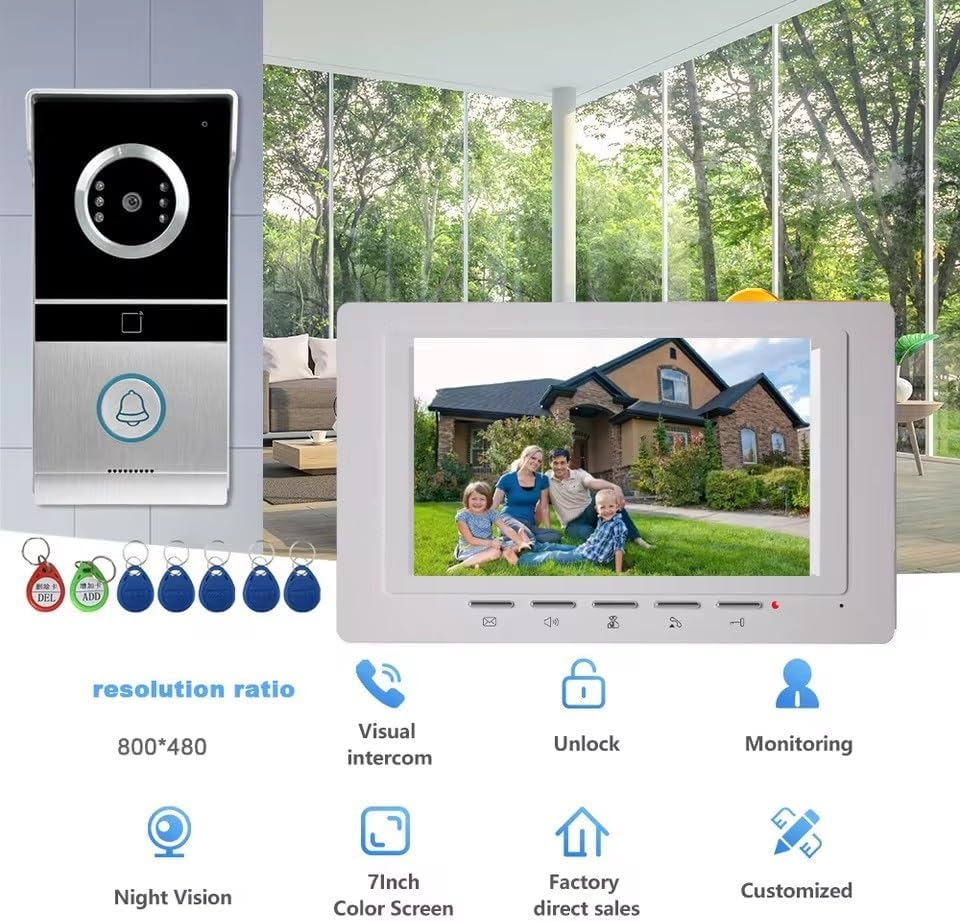
Image 3.1: Visual representation of key features including visual intercom, unlock, monitoring, night vision, 7-inch color screen, and factory direct sales.

Image 3.2: Comparison showing the clear visibility provided by the outdoor unit during both day and night, highlighting the night vision capability.
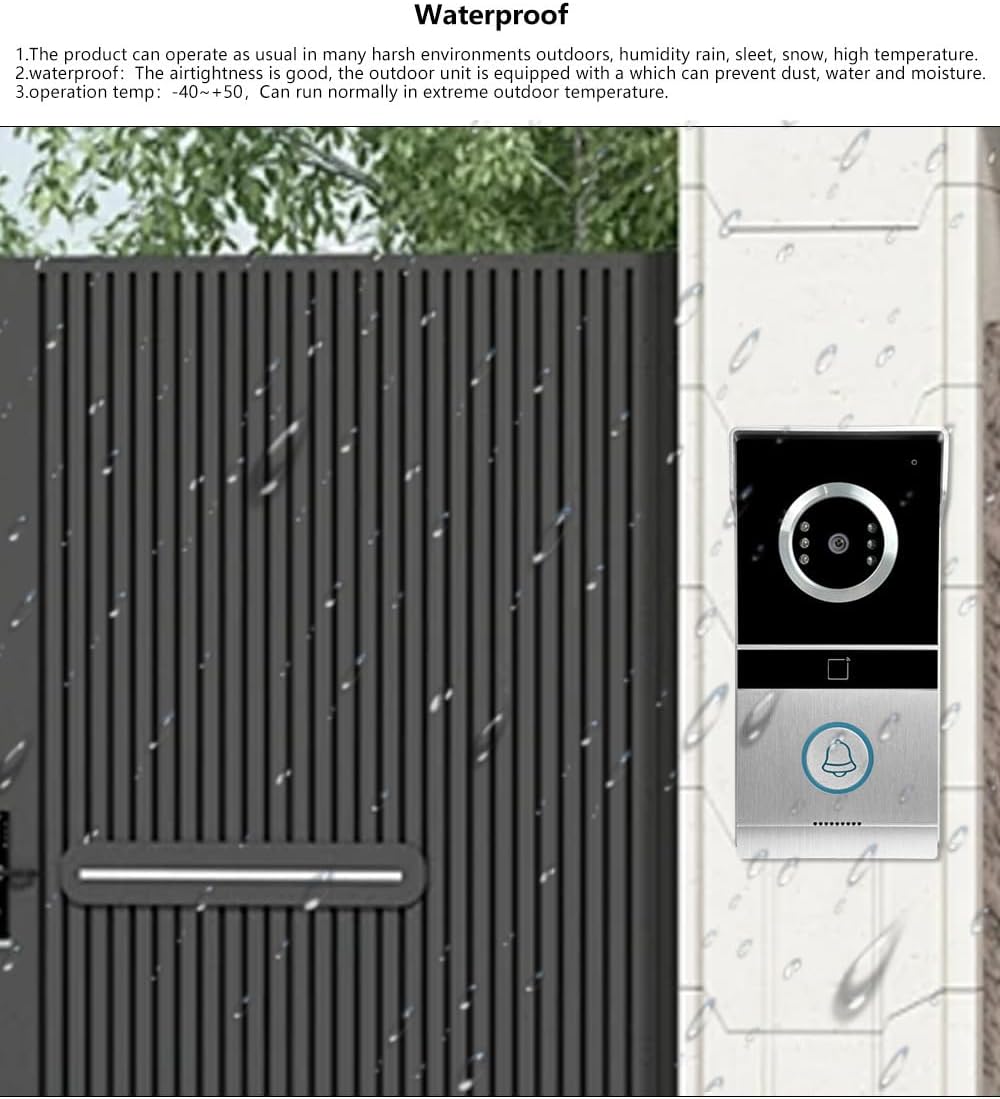
Image 3.3: The outdoor unit installed on a wall, demonstrating its waterproof design and ability to operate in various weather conditions.
4. Setup and Installation
This system is designed for DIY surface installation. Please ensure you have the necessary tools and follow safety precautions during installation.
4.1 Pre-Installation Test
Before permanent installation, it is crucial to test the system. Use the provided standard white test line to connect the outdoor unit and indoor monitor. The included test line is approximately 4 meters long. If a longer distance is required for testing, an extension line will be necessary. Verify that the intercom sound, video display, and brightness are functioning correctly.
4.2 Installation Steps
- Choose Location: Select appropriate locations for the outdoor camera unit (near the door, at an optimal height for viewing visitors) and the indoor monitor (conveniently accessible within the home).
- Prepare Wiring: The system uses a 4-wire setup. You will need to drill holes in the wall for routing the wiring between the outdoor unit and the indoor monitor. Ensure proper cable length and protection.
- Mount Outdoor Unit: Securely mount the outdoor camera unit using the provided screws and hardware. Install the rain cover to protect it from elements.
- Connect Wiring: Connect the 4-wire cable to the designated terminals on both the outdoor unit and the indoor monitor. Pay close attention to the wiring diagram provided in the full product manual (if available) to ensure correct polarity and connections.
- Mount Indoor Monitor: Securely mount the indoor monitor on the wall.
- Connect Power: Connect the power adapter to the indoor monitor and plug it into a power outlet.
- Final Test: After installation, perform a final test of all functions: calling, two-way intercom, video display, and unlocking.
5. Operating Instructions
5.1 Answering a Call
When a visitor presses the call button on the outdoor unit, the indoor monitor will ring and display the visitor's image. To answer, press the designated answer button on the indoor monitor. You can then see, hear, and speak to the visitor.
5.2 Two-Way Intercom
Once a call is established, you can engage in a two-way conversation with the visitor. The indoor monitor has built-in speakers and microphones for clear audio. The volume can be adjusted on the monitor.
5.3 Unlocking the Door
If an electronic lock is connected to the system, you can unlock the door directly from the indoor monitor. Press the "Unlock" button on the monitor to grant access to your visitor.

Image 5.1: The indoor monitor interface, indicating compatibility with various electronic lock types such as electronic locks, magnetic locks, bolt locks, and strike locks.
5.4 ID Card Unlocking
The outdoor unit supports ID card unlocking. To unlock the door, simply swipe a pre-programmed ID card over the designated sensor area on the outdoor unit. This provides a convenient keyless entry method.
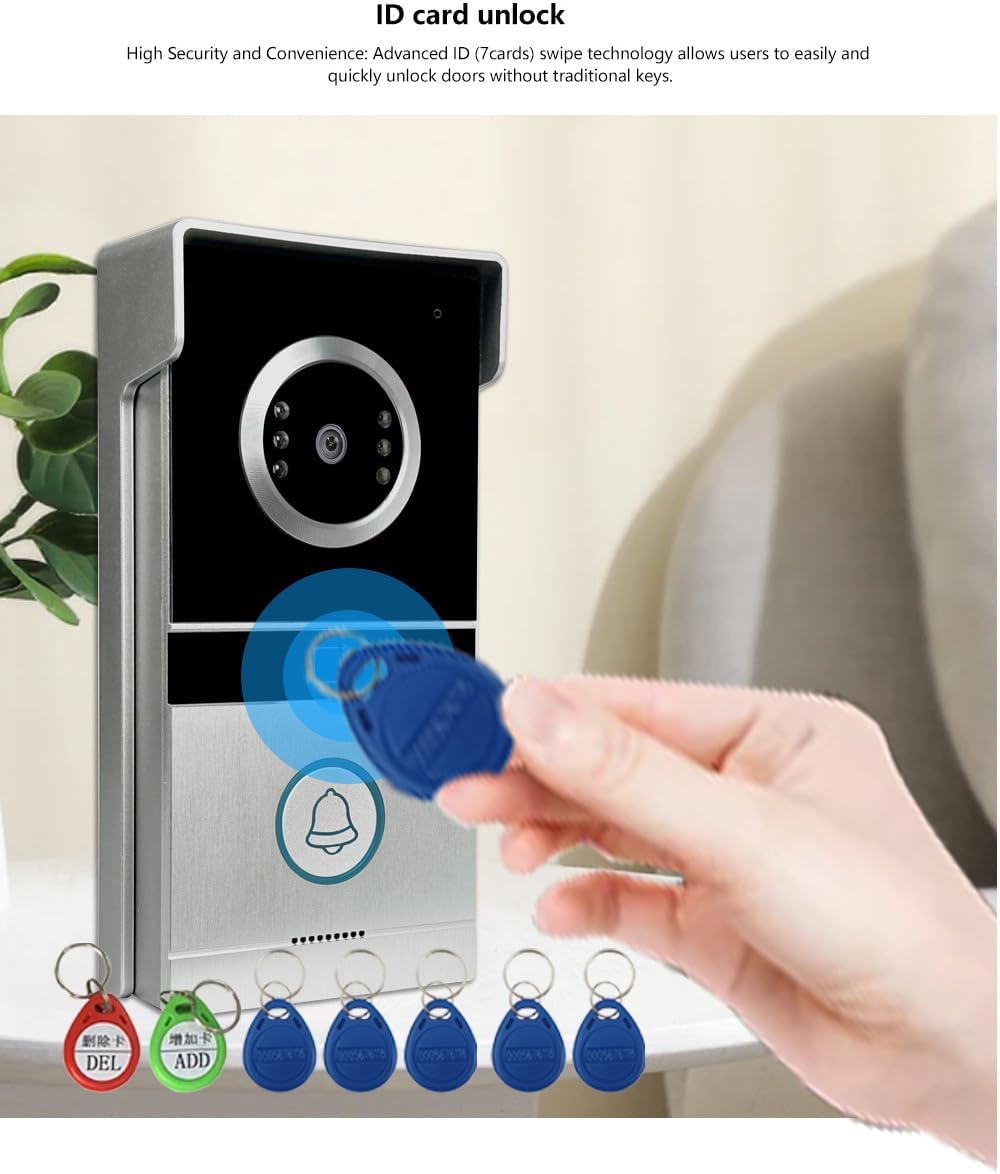
Image 5.2: A hand demonstrating the ID card unlocking feature by swiping an ID card over the outdoor unit's sensor.
5.5 Monitoring
You can initiate monitoring of the outdoor area at any time without a visitor pressing the doorbell. Press the monitoring button on the indoor unit to view the live feed from the outdoor camera.

Image 5.3: The indoor monitor mounted in a living room, showing its integration into a home environment and its display capabilities.
6. Maintenance
To ensure the longevity and optimal performance of your ANJIELO SMART Video Intercom System, follow these maintenance guidelines:
- Cleaning: Use a soft, dry cloth to clean the surfaces of both the outdoor unit and the indoor monitor. For stubborn dirt, a slightly damp cloth can be used, but avoid abrasive cleaners or excessive moisture.
- Outdoor Unit: Periodically check the outdoor unit for any obstructions to the camera lens or microphone/speaker openings. Ensure the rain cover is securely in place.
- Wiring: Inspect visible wiring periodically for any signs of wear, damage, or loose connections.
- Environmental Protection: While the outdoor unit is IP65 waterproof, extreme weather conditions (e.g., prolonged heavy rain, snow, or direct sunlight) should be considered for optimal placement and protection.
7. Troubleshooting
If you encounter issues with your intercom system, refer to the following common problems and solutions:

Image 7.1: Visual representation of common scenarios where the intercom system provides a solution, such as not being able to see out the door, no downstairs access, forgetting keys, or living alone.
- No Image on Monitor:
- Check if the indoor monitor is powered on.
- Verify all wiring connections between the outdoor unit and indoor monitor are secure and correct.
- Ensure the camera lens on the outdoor unit is clean and unobstructed.
- No Sound or Poor Sound Quality:
- Check the volume settings on the indoor monitor.
- Ensure the microphone and speaker openings on both units are not blocked.
- Verify wiring connections are secure.
- Door Unlocking Not Working:
- Ensure the electronic lock is correctly wired to the system.
- Check the power supply to the electronic lock (if separate).
- For ID card unlocking, ensure the ID card is properly programmed and swiped correctly over the sensor.
- Intermittent Operation:
- Inspect all wiring for damage or loose connections.
- Ensure the power supply is stable.
If problems persist after attempting these solutions, please refer to the full product manual or contact customer support.
8. Specifications
| Feature | Specification |
|---|---|
| Model Name | 68881F-S (Note: Product variant is 67210W) |
| Brand | ANJIELO SMART |
| Indoor/Outdoor Usage | Outdoor |
| Connectivity Technology | Wired |
| Power Source | Corded Electric |
| Video Capture Resolution | 1080p |
| Video Capture Format | MJPEG |
| Special Feature | 2-Way Audio |
| Mounting Type | Wall Mount |
| Product Dimensions (L x W x H) | 7 x 5 x 0.7 inches |
| Number of Items | 2 (Outdoor Unit, Indoor Monitor) |
9. Warranty and Support
9.1 Warranty Information
Specific warranty details for the ANJIELO SMART Wired Video Intercom System are typically provided with the product packaging or on the manufacturer's official website. Please refer to these sources for the most accurate and up-to-date warranty terms and conditions.
9.2 Customer Support
For technical assistance, troubleshooting beyond this manual, or warranty claims, please contact ANJIELO SMART customer support. Contact information can usually be found on the product packaging, the manufacturer's website, or through your point of purchase.
You may also visit the ANJIELO SMART Store on Amazon for additional product information and resources.
Ask a question about this manual
Ask about setup, troubleshooting, compatibility, parts, safety, or missing instructions. Manuals+ will review the question and use this page’s manual context to help answer it.