
1. Introduction
This manual provides essential instructions for the safe and efficient use of your Marg Global AC/DC Adapter, designed specifically for the ORIENTEK T36 Optical Fiber Fusion Splicer. Please read this manual thoroughly before using the adapter to ensure proper operation and to prevent damage to the device or the connected equipment.
2. Safety Information
WARNING: Failure to follow these safety instructions may result in fire, electric shock, or other injury or damage.
- Overheating Protection: The adapter includes built-in mechanisms to prevent overheating. Ensure adequate ventilation around the adapter during use. Do not cover the adapter.
- Overcurrent Protection: Designed with protection against excessive current. Use only with devices that match the adapter's output specifications.
- Short Circuit Protection: Features safeguards to prevent damage from short circuits. Avoid exposing the adapter or its cables to moisture or conductive materials.
- Overvoltage Protection: Equipped with protection against voltage spikes. Connect to a stable power source.
- Indoor Use Only: This adapter is intended for indoor use in dry locations. Do not expose to rain or moisture.
- Proper Handling: Do not drop, disassemble, or attempt to repair the adapter. Refer all servicing to qualified personnel.
- Cable Integrity: Regularly inspect the power cord for any signs of damage. Do not use if the cord is frayed or damaged.
3. Product Overview
The Marg Global AC/DC Adapter provides reliable power to your ORIENTEK T36 Optical Fiber Fusion Splicer. Its compact and lightweight design makes it convenient for various work environments.
3.1 Adapter Components
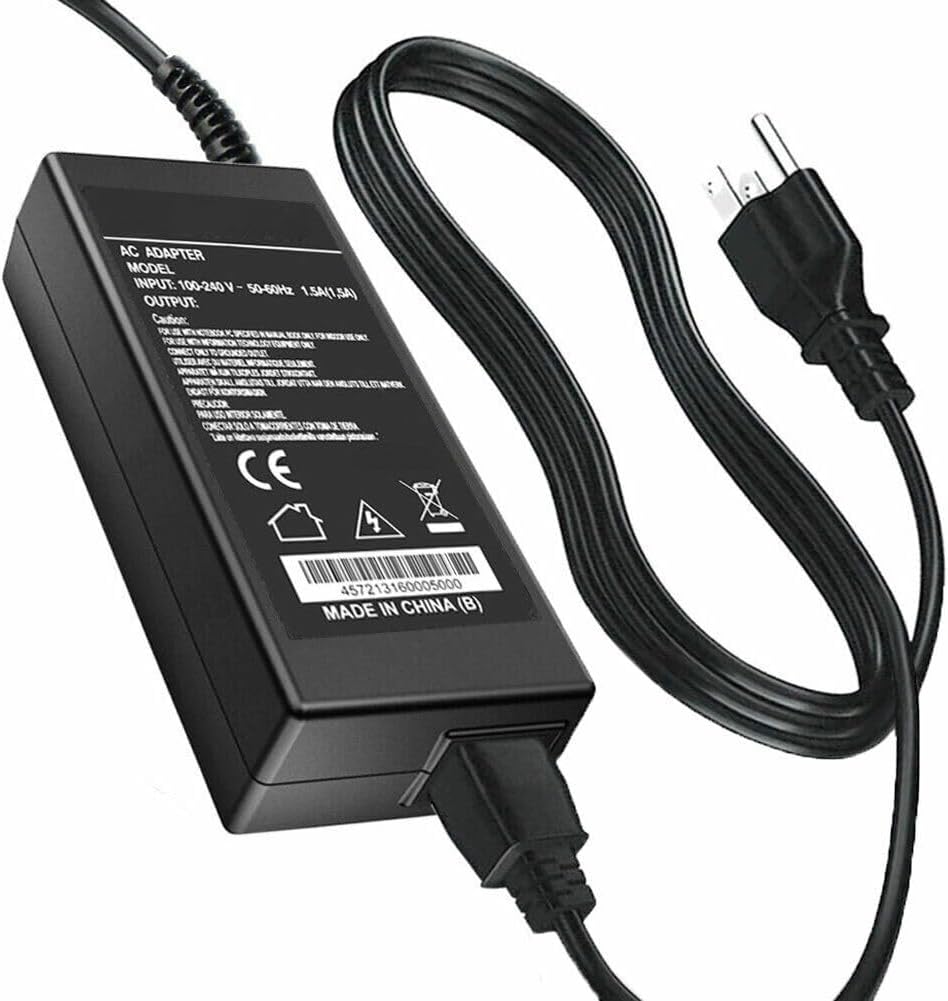
Figure 1: Marg Global AC/DC Adapter. This image shows the main adapter unit, the attached AC input cable with a two-prong plug, and the DC output cable with its connector. The adapter label displays input and output specifications, along with safety certifications.
The adapter consists of a main power brick, an AC input cable (to connect to a wall outlet), and a DC output cable (to connect to the ORIENTEK T36 Fusion Splicer).
3.2 Key Features
- Compatibility: Specifically designed for the ORIENTEK T36 Optical Fiber Fusion Splicer.
- Safety Features: Integrated protection against overheating, overcurrent, short circuits, and overvoltage.
- Compact Design: Lightweight and small for easy portability and storage.
- Quality Materials: Constructed with durable materials, including pure copper wire for enhanced reliability and charging efficiency.
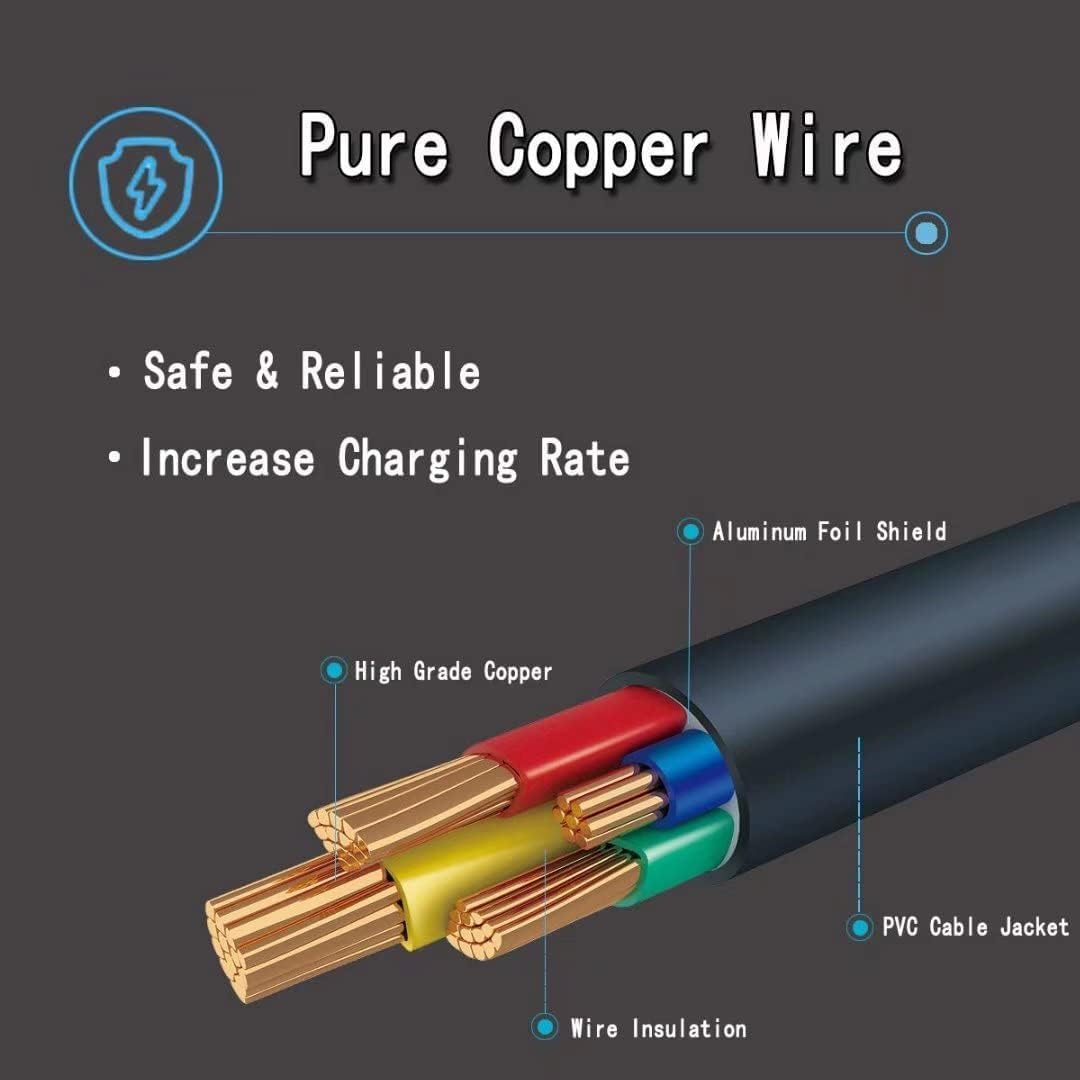
Figure 2: Pure Copper Wire Construction. This diagram illustrates the internal structure of the power cable, highlighting the use of high-grade copper conductors, wire insulation, aluminum foil shield, and a PVC cable jacket for safety and reliability.
4. Setup Instructions
- Unpack: Carefully remove the AC/DC adapter from its packaging.
- Inspect: Check the adapter and cables for any visible damage. Do not use if damaged.
- Connect to Splicer: Insert the DC output connector of the adapter firmly into the power input port of your ORIENTEK T36 Optical Fiber Fusion Splicer.
- Connect to Power Outlet: Plug the AC input cable (the two-prong plug) into a standard, grounded electrical wall outlet (100-240V AC, 50-60Hz).
- Verify Connection: Ensure all connections are secure before powering on the splicer.
5. Operating Instructions
Once the adapter is properly connected to both the power outlet and the ORIENTEK T36 Fusion Splicer, the splicer should be ready for operation according to its own user manual. The adapter provides continuous power for the splicer's functions.
- Ensure the adapter is placed in a well-ventilated area to prevent heat buildup.
- Avoid placing heavy objects on the adapter or its cables.
- Do not pull the cable to disconnect the adapter from the wall outlet; always grasp the plug.
6. Maintenance
The Marg Global AC/DC Adapter requires minimal maintenance. Follow these guidelines to ensure its longevity:
- Cleaning: Disconnect the adapter from the power source and the splicer before cleaning. Use a soft, dry cloth to wipe the exterior. Do not use liquid cleaners or solvents.
- Storage: When not in use, store the adapter in a cool, dry place, away from direct sunlight and extreme temperatures. Coil the cables loosely to prevent damage.
- Inspection: Periodically inspect the adapter and cables for any signs of wear, cuts, or damage. Replace the adapter if any damage is found.
7. Troubleshooting
If you encounter issues with your AC/DC adapter, refer to the following common problems and solutions:
| Problem | Possible Cause | Solution |
|---|---|---|
| Splicer not powering on. | Adapter not connected properly. Power outlet not working. Adapter or cable damaged. | Ensure all connections are secure. Test the outlet with another device. Inspect adapter and cables for damage; replace if necessary. |
| Adapter feels excessively hot. | Poor ventilation. Overload (device drawing too much power). | Ensure adapter is in a well-ventilated area. Verify the splicer's power requirements match the adapter's output. Disconnect and allow to cool. |
| Intermittent power to splicer. | Loose connection. Damaged cable. | Check all connections. Inspect cables for damage; replace adapter if cable is damaged. |
If the problem persists after trying these solutions, contact customer support.
8. Specifications
- Model Number: #B2237393819
- Input: 100-240V AC, 50-60Hz (Standard universal input)
- Output: (Please refer to the label on your specific adapter for exact output voltage and current, as this is crucial for compatibility.)
- Compatibility: ORIENTEK T36 Optical Fiber Fusion Splicer
- Color: Black
- Special Feature: Lightweight Design
- Manufacturer: Shenzhen Junchen Technology Co., Ltd
Note: Specifications are subject to change without notice.
9. Warranty and Support
This product is manufactured by Shenzhen Junchen Technology Co., Ltd. For warranty information and customer support, please refer to the documentation provided with your purchase or contact your retailer. Keep your proof of purchase for warranty claims.
For technical assistance or inquiries, please contact the seller, Marg Direct, through the platform where the purchase was made.