1. Introduction
Thank you for choosing the Gaiatop Portable Pedestal Fan FF-02. This versatile device combines a fan, LED light, and power bank into a compact, foldable design, suitable for various indoor and outdoor environments. Please read this manual thoroughly before use to ensure proper operation and maintenance.

Image: A family enjoying the portable fan during an outdoor picnic, demonstrating its versatility.
2. Safety Instructions
- Do not insert fingers or foreign objects into the fan grille.
- Keep the fan away from water or other liquids to prevent electric shock.
- Do not use the fan in high humidity environments.
- Ensure the power adapter voltage matches the local power supply.
- Keep out of reach of children.
- Do not attempt to disassemble or repair the fan yourself. Contact customer support if service is required.
- Charge the fan using the provided Type-C cable and a compatible 5V/2A adapter.
3. Package Contents
Please check the package for the following items:
- Gaiatop Portable Pedestal Fan FF-02 x 1
- Remote Control x 1
- Type-C Charging Cable (100cm) x 1
- Carry Case x 1
- User Manual x 1
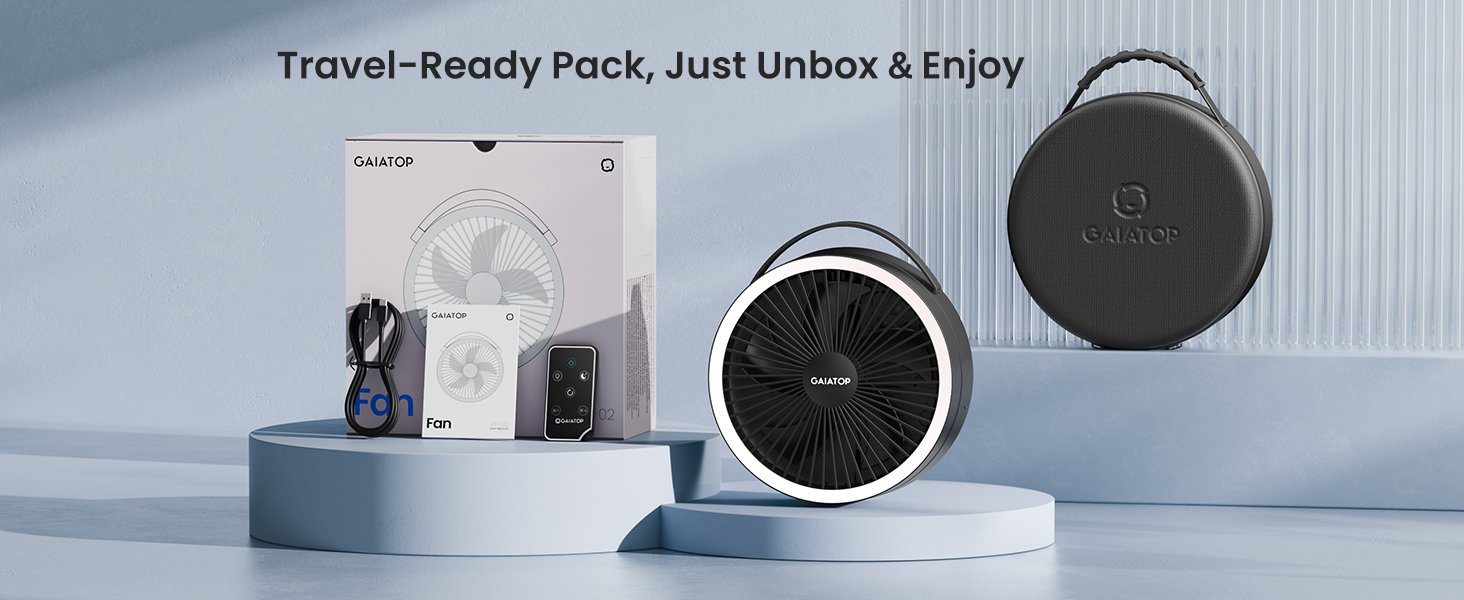
Image: All items included in the Gaiatop Portable Pedestal Fan FF-02 package, laid out neatly.
4. Product Overview
Familiarize yourself with the components of your Gaiatop Portable Pedestal Fan FF-02.

Image: The Gaiatop Portable Pedestal Fan shown in its folded, desk, and standing configurations, alongside its remote control and carry case.
Key Features:
- Foldable and Adjustable Height (3.6" to 36.4")
- 90° Horizontal Oscillation
- 270° Fan Head Rotation
- 4 Fan Speeds (Breeze, Soft, Strong, Natural)
- 3 Dimmable LED Light Levels
- 16000mAh Rechargeable Battery (up to 74h runtime)
- USB Output Port for Power Bank Function
- Integrated Remote Control
- Quiet Brushless Motor Operation
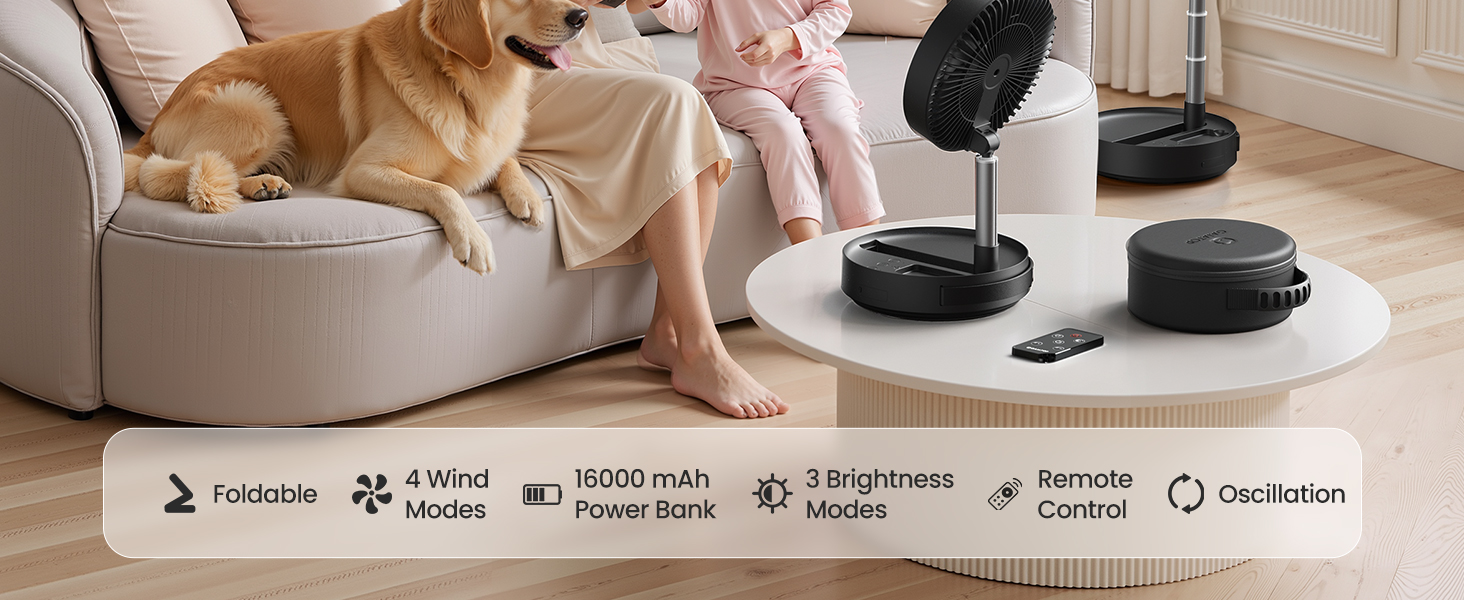
Image: An infographic summarizing the fan's main features: foldable design, 4 wind modes, 16000mAh power bank, 3 brightness modes, remote control, and oscillation.
5. Setup
Follow these steps to set up your Gaiatop Portable Pedestal Fan:
- Unpack: Remove the fan and all accessories from the carry case.
- Unfold: Gently pull the fan head upwards from the base. The telescopic rod will extend.
- Adjust Height: Continue pulling the telescopic rod to your desired height, up to 36.4 inches for standing mode, or keep it shorter for desk mode.
- Adjust Angle: Tilt the fan head to direct airflow as needed. The head can rotate 270 degrees vertically.
- Remote Control: The remote control is typically stored in a slot on the fan base. Ensure it is securely placed when not in use.
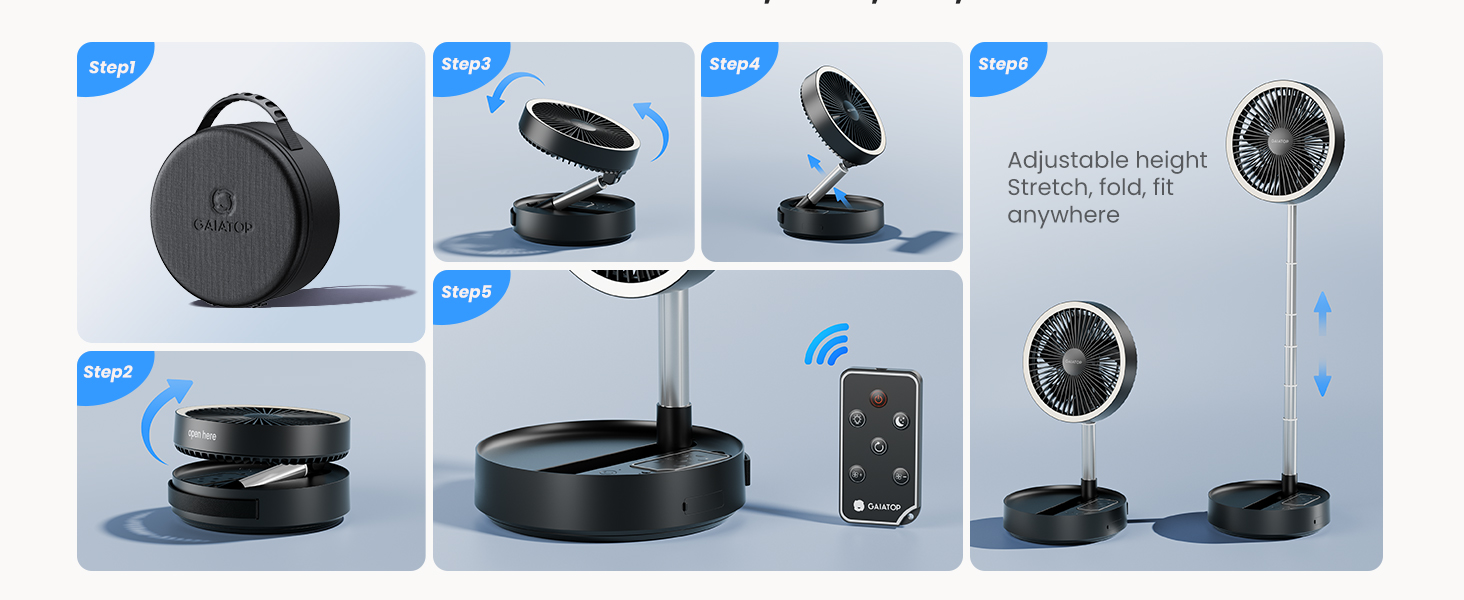
Image: A visual guide demonstrating the unfolding process, height adjustment, and remote control storage for the fan.

Image: The fan illustrating its adjustable height from a compact 3.5-inch desk fan to a 3-foot pedestal fan, along with its 180-degree head rotation capability.
6. Operating Instructions
6.1. Power On/Off
Press the power button on the fan base or the remote control to turn the fan on or off.
6.2. Fan Speed Adjustment
The fan offers 4 speed settings: Breeze, Soft, Strong, and Natural Wind. Press the fan speed button on the base or remote to cycle through the speeds.

Image: The fan's control panel showing indicators for 3 LED light brightness levels and 4 fan speed settings.
6.3. Oscillation Control
Press the oscillation button on the fan base or remote control to activate or deactivate the 90° horizontal oscillation feature.
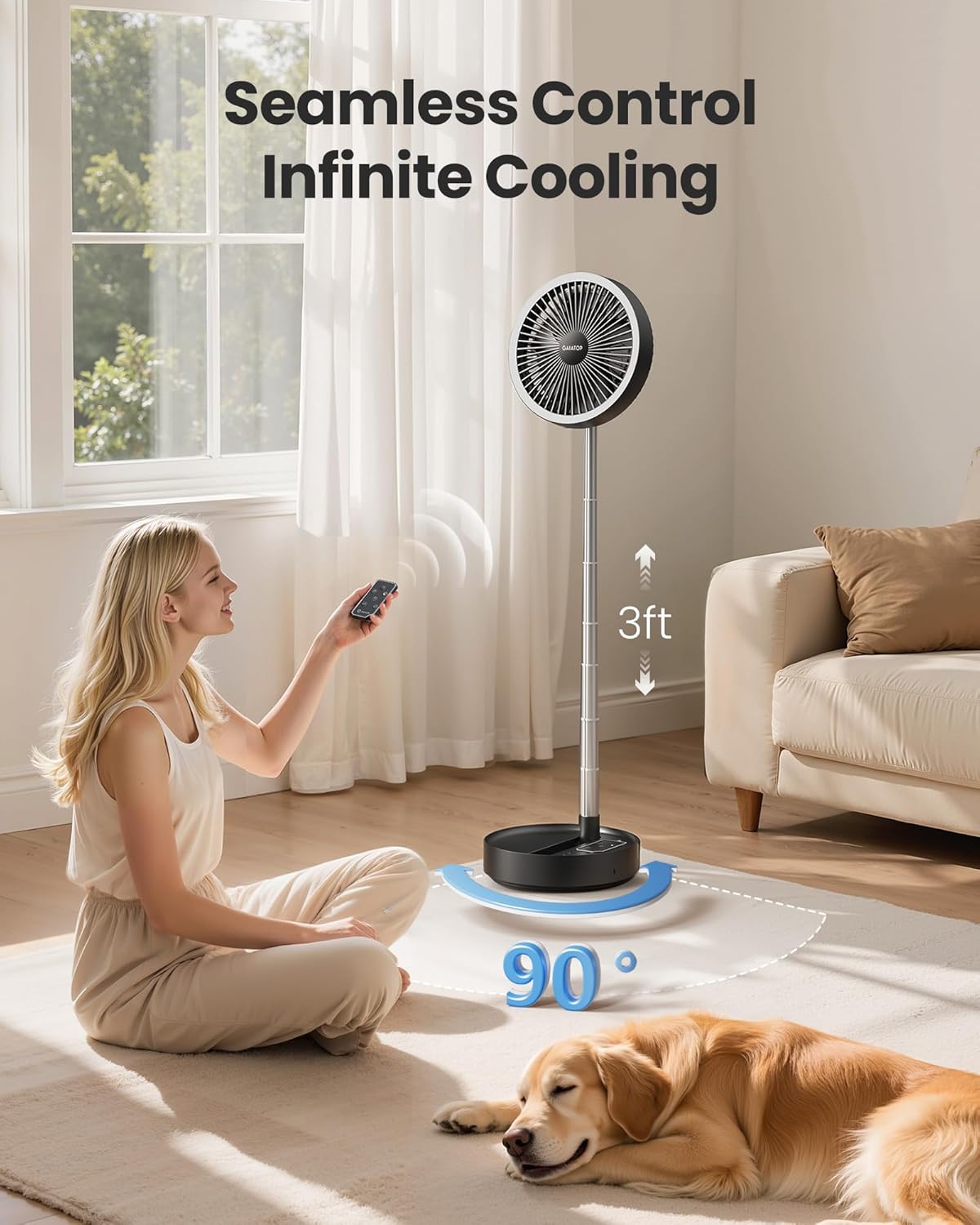
Image: A woman operating the fan with the remote control, illustrating the 90-degree oscillation feature.
6.4. LED Light Operation
The fan includes a dimmable LED light with 3 brightness levels:
- Level 1 (15 hours runtime): Suitable for indoor table lamp use.
- Level 2 (50 hours runtime): Ideal for outdoor camping.
- Level 3 (90 hours runtime): Best for a night light.
Press the light button on the fan base or remote to cycle through the brightness levels or turn the light off.
6.5. Power Bank Function
The fan features a built-in 16000mAh battery and a USB output port (Type-C, 5V/2A) to charge other devices like smartphones, headphones, or speakers.
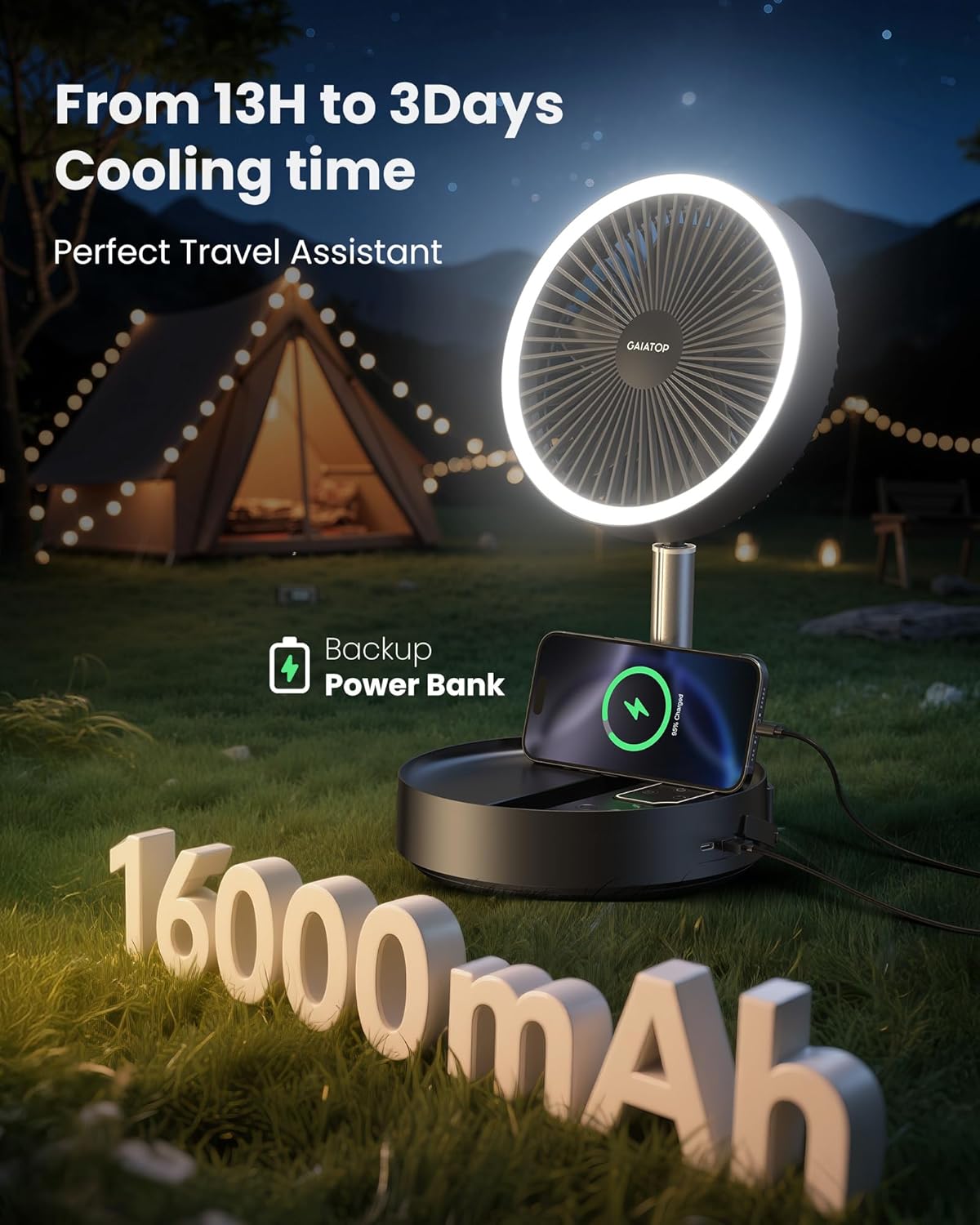
Image: The fan acting as a power bank, charging a smartphone in an outdoor camping scene, highlighting its 16000mAh battery capacity.
6.6. Remote Control Usage
The remote control allows convenient operation from a distance of up to 26 feet (8 meters). It can adjust fan speed, oscillation, sleeping mode, and turn lights on/off. Ensure the remote is pointed towards the fan's base for optimal signal reception.

Image: A close-up view of the fan's base with its integrated control buttons, and a hand using the remote control to operate the fan.
7. Charging
To charge the fan's internal 16000mAh battery:
- Connect the provided Type-C charging cable to the fan's charging port.
- Connect the other end of the cable to a 5V/2A USB power adapter (not included).
- The charging indicator lights on the base will show the charging status.
- A full charge takes approximately 12 hours.
The fan can operate while charging. Battery runtime varies by fan speed and light usage:
- Speed 1 (Gentle Breeze): Up to 74 hours
- Speed 2 (Soft Wind): Up to 43 hours
- Speed 3 (Cool Breeze): Up to 20 hours
- Speed 4 (Strong Airflow): Up to 13 hours

Image: The fan connected to a power source via its USB-C port, illustrating its charging process and indicating battery runtimes for various fan speeds, along with notes on energy efficiency and quiet operation.
8. Maintenance
8.1. Cleaning
To clean the fan, ensure it is powered off and unplugged. The fan grille features a detachable design for easy cleaning:
- Gently twist and remove the front grille.
- Wipe the fan blades and interior with a soft, damp cloth.
- The grille can be washed with water. Ensure it is completely dry before reattaching.
- Reattach the front grille by aligning and twisting it back into place.
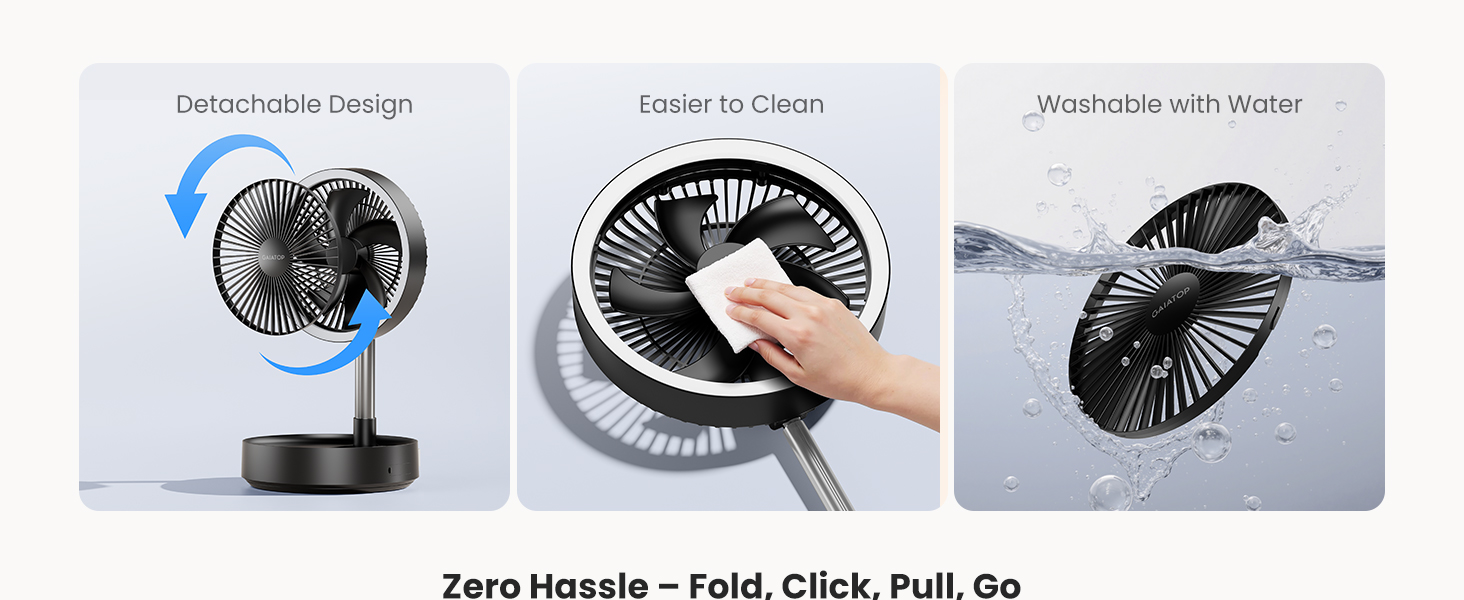
Image: A visual representation of how to detach the fan grille for cleaning, showing the fan blades being wiped and the grille being washed.
8.2. Storage
When not in use, fold the fan back into its compact form and store it in the provided carry case. Store in a cool, dry place away from direct sunlight.
9. Troubleshooting
| Problem | Possible Cause | Solution |
|---|---|---|
| Fan does not turn on. | Low battery or no power. | Charge the fan using the Type-C cable. Ensure the power adapter is working. |
| Remote control not working. | Remote battery depleted or obstruction. | Replace the remote control battery. Ensure no obstacles are between the remote and the fan base. |
| Fan makes unusual noise. | Obstruction in fan blades or loose parts. | Turn off and unplug the fan. Check for any foreign objects in the blades. Clean the fan. If noise persists, contact customer support. |
| LED light not working. | Light function not activated or fault. | Press the light button on the fan or remote. If still not working, contact customer support. |
| Cannot charge external devices. | Fan battery low or cable issue. | Ensure the fan is sufficiently charged. Try a different USB cable for the external device. |
10. Specifications
- Model: FF-02
- Brand: Gaiatop
- Power Source: Battery Powered (16000mAh Lithium Ion)
- Input Voltage: 5V
- Wattage: 11 Watts
- Fan Speeds: 4
- LED Light Levels: 3
- Oscillation: 90° Horizontal
- Fan Head Rotation: 270° Vertical
- Adjustable Height: 3.6 inches to 36.4 inches
- Product Dimensions (Folded): 7.87"D x 7.87"W x 3.5"H
- Item Weight: 3.52 pounds (1.6 kg)
- Motor Type: Brushless
- Control Method: Push Button, Remote Control
- Charging Time: Approximately 12 hours (with 5V/2A adapter)
- Max Runtime: Up to 74 hours (fan only, lowest speed)

Image: An internal view of the fan highlighting its high-velocity brushless motor, bionic blade design, and helix front grille, which contribute to enhanced wind and longer range.
11. Warranty and Support
Gaiatop is committed to providing high-quality products. This product comes with a standard manufacturer's warranty. For specific warranty details, please refer to the warranty card included in your package or contact Gaiatop customer support.
If you encounter any issues or have questions regarding your Gaiatop Portable Pedestal Fan FF-02, please contact our professional technical team and customer service support. We are available 24/7 to assist you.
Contact Information: Please refer to the contact details provided on the product packaging or the official Gaiatop website.