
1. Product Overview
The Xininyia Magnetic Charging Case is designed to provide efficient and secure charging for compatible COLMI Smart Rings. This compact and portable charging solution ensures your smart ring is always powered, featuring advanced protection mechanisms and a strong magnetic connection.

Image 1.1: The Xininyia Magnetic Charging Case in an open position, revealing the internal charging cradle and magnetic contact points designed for smart rings.
2. Compatibility
This charging case is specifically designed for smart rings equipped with a magnetic charging port. It is not compatible with smart rings that utilize wireless charging technology.
- Compatible with: COLMI R02, R03, R06, R11M Smart Rings (and other smart rings with a magnetic charging port).
- Not compatible with: Oura Ring, Galaxy Ring, Ultrahuman Ring, Ring Conn, or any smart ring requiring wireless charging.
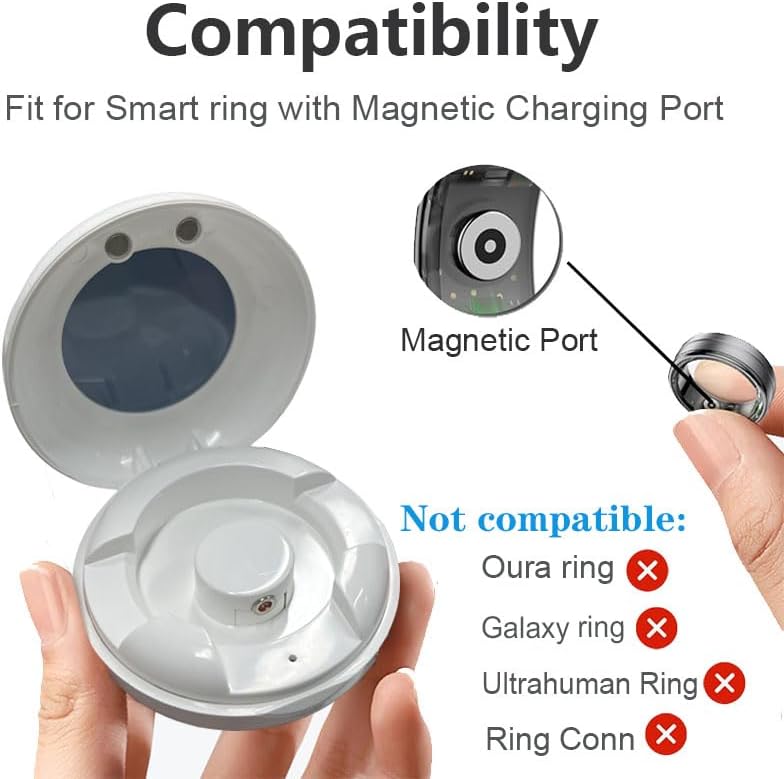
Image 2.1: Visual guide illustrating the magnetic charging port requirement for compatibility and listing specific smart ring models that are not supported.
3. Package Contents
Please verify that all items are present in your package:
- 1 x Xininyia Magnetic Charging Case
- 1 x Type C Charging Cable

Image 3.1: Contents of the package, including the magnetic charging case and the accompanying Type C cable.
4. Setup
- Initial Charge of the Case: Before first use, or if the charging case's internal battery is depleted, connect the provided Type C cable to the charging port on the case and plug the other end into a compatible USB power adapter (not included). The case has an internal battery that stores energy for portability.
- Screen Protector Removal: The charging case may come with a protective film over the transparent viewing window. Gently peel off this screen protector before use for a clear view of the charging status.

Image 4.1: Instructions for removing the screen protector and the proper placement of a smart ring into the charging case.
5. Operation
- Place the Smart Ring: Open the charging case and carefully place your compatible smart ring onto the central charging cradle. Ensure the magnetic charging port on your ring aligns with the magnetic contacts in the case. The strong magnetic design will help secure the ring in place.
- Initiate Charging: Close the lid of the charging case. Charging will begin automatically. The case features an indicator light that will illuminate to show that charging is in progress.
- Monitor Charging Status: The transparent window allows you to observe the charging indicator on your smart ring or the case itself.

Image 5.1: Representation of the charging case indicating a smart ring is charging, with a visual cue for charge level.
6. Key Features
- Efficient Fast Charging: Equipped with advanced fast charging technology and an optimized circuit design, this case ensures a stable and rapid power output to quickly charge your smart ring.
- Short-Circuit Protection: Multiple integrated protection mechanisms, including short-circuit, over-voltage, and over-current protection, safeguard your smart ring and the charging case from potential damage and overheating.
- Strong Magnetic Design: The built-in pure copper probe provides a solid magnetic connection, ensuring stronger adsorption and a more secure charging experience compared to other chargers.
- Portable Power: The charging case includes a built-in battery, allowing it to store energy and charge your smart ring on the go without needing to be plugged into a power source.

Image 6.1: Illustration highlighting the portability feature of the charging case due to its built-in battery.
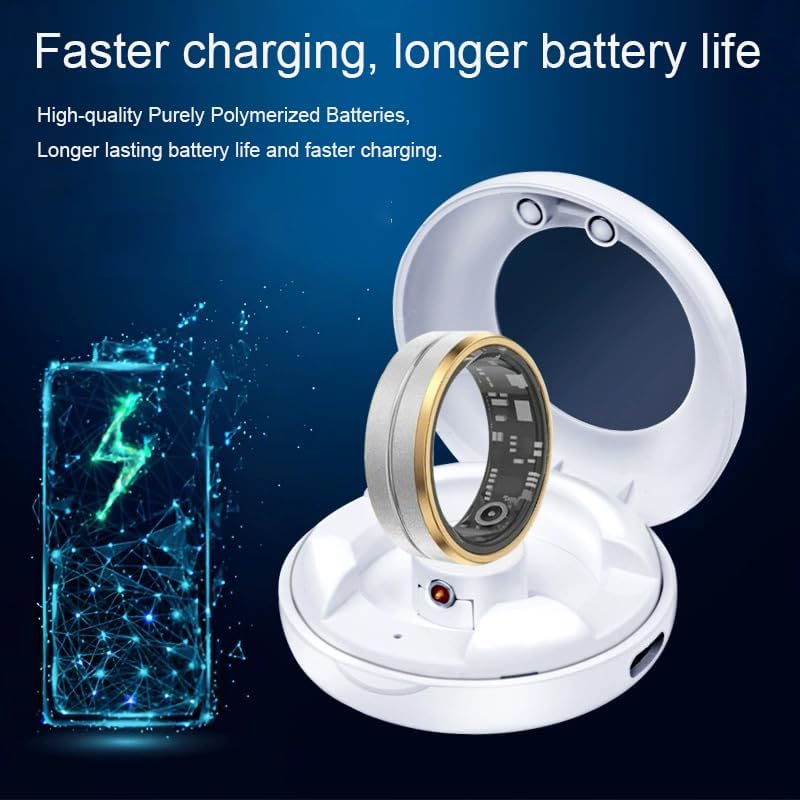
Image 6.2: Visual emphasizing the benefits of faster charging and extended battery life provided by the case.
7. Maintenance
- Cleaning: Use a soft, dry cloth to wipe the exterior of the charging case. Avoid using abrasive cleaners or solvents.
- Storage: Store the charging case in a cool, dry place away from direct sunlight and extreme temperatures.
- Handling: Handle the case with care to prevent drops or impacts, which could damage internal components.
8. Troubleshooting
- Smart Ring Not Charging:
- Ensure your smart ring is compatible with magnetic charging and not wireless charging.
- Verify the smart ring is correctly seated in the charging cradle and the magnetic contacts are aligned.
- Confirm the charging case itself has sufficient charge.
- Ensure the case lid is fully closed to initiate charging.
- Charging Case Not Charging:
- Check that the Type C cable is securely connected to both the charging case and the power adapter.
- Try using a different USB power adapter or power outlet.
- Inspect the Type C cable for any visible damage.
9. Specifications
| Brand | Xininyia |
| Manufacturer | Xinya |
| Model Compatibility | COLMI R02, R03, R06, R11M Smart Rings (with magnetic charging port) |
| Connector Type | USB Type C |
| Cable Length | 60 cm |
| Color | White |
| Item Weight | 1.58 ounces |
| Package Dimensions | 5.5 x 5 x 0.4 inches |
| Special Feature | Shock-resistant, Portable |
| Included Components | 1 x Charger, 1 x Type C cable |
10. Safety Information
- Do not expose the charging case to water or excessive moisture.
- Avoid extreme temperatures (hot or cold).
- Keep out of reach of children.
- Do not attempt to disassemble or modify the charging case.
- Use only the provided Type C cable or a certified equivalent.
11. Warranty and Support
For any issues or inquiries regarding your Xininyia Magnetic Charging Case, please contact Xininyia Customer Service directly. Refer to your purchase documentation for specific warranty terms and contact details.
Note: The product is equipped with short-circuit protection and has passed ROHS/CE certification, ensuring quality and safety.


