1. Introduction
Thank you for choosing the Steellumen Nova1Pro Active Noise Cancelling Headphones. These headphones are designed to provide a safe and immersive audio experience for children, featuring advanced noise cancellation and multiple volume limiting options. This manual provides essential information for proper setup, operation, and maintenance.
What's in the Box:
- Steellumen Nova1Pro Active Noise Cancelling Headphones x 1
- USB C Charging Cable x 1
- 3.5mm Audio Cable x 1
- User Manual x 1
- Carrying Pouch x 1
2. Important Safety Information
Please read all safety instructions before using the headphones to ensure safe and proper operation.
- Volume Levels: Prolonged exposure to loud sounds can cause permanent hearing damage. Always use the volume limiting feature and select an appropriate level (75dB, 85dB, or 94dB) for the listening environment.
- Charging: Use only the provided USB-C charging cable. Do not attempt to charge the headphones with damaged cables or in wet conditions.
- Cleaning: Clean the headphones with a soft, dry cloth. Do not use liquid cleaners or immerse the headphones in water.
- Disassembly: Do not attempt to disassemble or modify the headphones. This may void the warranty and pose a safety risk.
- Small Parts: Keep the headphones and accessories away from small children to prevent choking hazards.
- Environmental Conditions: Avoid exposing the headphones to extreme temperatures, direct sunlight, or high humidity.
3. Product Overview
Familiarize yourself with the components and controls of your Steellumen Nova1Pro headphones.

Image: Detailed diagram illustrating the various buttons, ports, and indicators on the Steellumen Nova1Pro headphones, including volume controls, power button, ANC button, microphone, LED indicator, USB-C charging port, and 3.5mm audio port.
Headphone Controls:
- Power Button: Long press to turn on/off. Short press to pause/play audio.
- Volume Up (+) Button: Short press to raise volume. Long press for next song.
- Volume Down (-) Button: Short press to lower volume. Long press for previous song.
- ANC Button: Press to activate/deactivate Active Noise Cancellation.
- Microphone: For calls and voice commands.
- LED Indicator Light: Displays power, charging, and pairing status.
- USB-C Charging Port: For charging the headphones.
- 3.5mm Audio Port: For wired connection using the included audio cable.
4. Setup
4.1 Initial Charging
Before first use, fully charge your headphones. Connect the provided USB-C charging cable to the headphone's USB-C port and the other end to a USB power adapter (not included) or a computer's USB port. The LED indicator will show charging status and turn off or change color when fully charged.
- Charging Time: Approximately 1.5 hours for a full charge.
- Quick Charge: 10 minutes of charging provides approximately 4 hours of use.
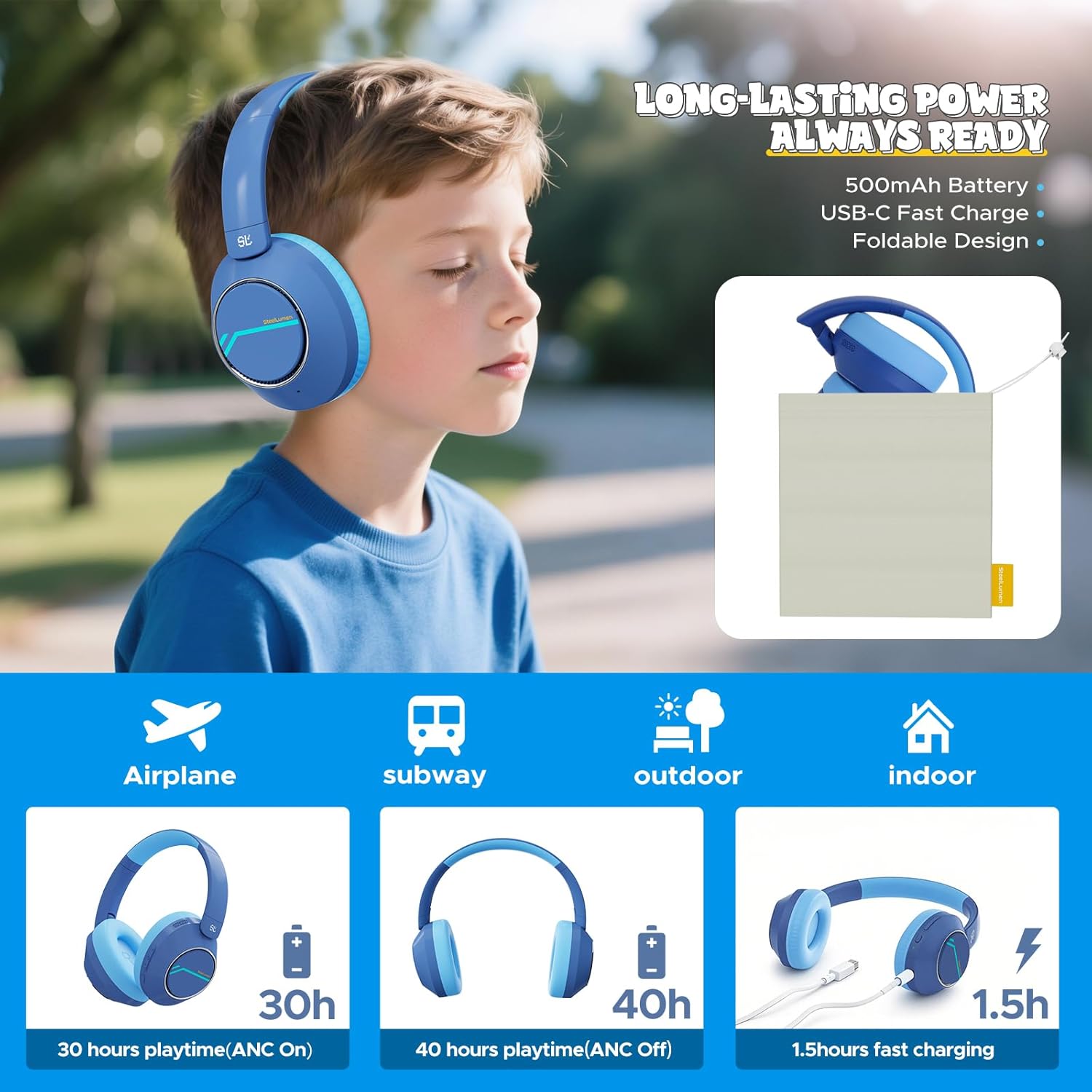
Image: A child resting with the Steellumen Nova1Pro headphones, illustrating the battery life of 30 hours with ANC on and 40 hours with ANC off, along with a 1.5-hour fast charging time.
4.2 Bluetooth Pairing
- Ensure the headphones are charged and turned off.
- Long press the Power Button until the LED indicator flashes blue and red, indicating pairing mode.
- On your device (smartphone, tablet, computer), enable Bluetooth and search for available devices.
- Select "Nova1Pro" from the list of devices.
- Once connected, the LED indicator will show a solid blue light or flash slowly.
4.3 Wired Connection
To use the headphones in wired mode, connect one end of the provided 3.5mm audio cable to the headphone's 3.5mm audio port and the other end to your audio source's 3.5mm jack. Note that Active Noise Cancellation is not available in wired mode.
5. Operating Instructions
5.1 Power On/Off
- Power On: Long press the Power Button until the LED indicator lights up.
- Power Off: Long press the Power Button until the LED indicator turns off.
5.2 Volume Control
- Increase Volume: Short press the '+' button.
- Decrease Volume: Short press the '-' button.
5.3 Active Noise Cancellation (ANC) Function
Press the dedicated ANC button to toggle Active Noise Cancellation on or off. A voice prompt will confirm the status. ANC helps reduce ambient noise, improving focus in noisy environments. Remember, ANC is not active in wired mode.

Image: A visual representation of the 42dB Active Noise Cancellation feature, showing a child happily wearing the headphones in a quiet bubble, shielded from surrounding noise.
5.4 Triple-Level Safe Volume Protection System
The Nova1Pro headphones offer three volume limiting modes to protect hearing. To switch between modes, press the '+' and '-' buttons simultaneously.
- 75dB (Quiet Bedtime Mode): Ideal for toddlers and quiet environments.
- 85dB (WHO-Recommended Study Standard): Suitable for general listening and study.
- 94dB (Outdoor/Travel Mode): For louder environments like airplanes or outdoor activities.

Image: A visual guide to the three volume modes: 75dB for online classes, 85dB for video calls, and 94dB for language practice, demonstrating the versatility of the headphones in various environments.
5.5 Call Management
When connected via Bluetooth, you can manage phone calls using the Power Button:
- Answer/End Call: Short press the Power Button.
- Reject Call: Long press the Power Button.
6. Maintenance
6.1 Cleaning
To maintain the condition of your headphones:
- Wipe the earcups and headband with a soft, slightly damp cloth.
- Do not use harsh chemicals, abrasive cleaners, or solvents.
- Ensure no moisture enters the ports or speaker grilles.
6.2 Storage
When not in use, store the headphones in the provided carrying pouch to protect them from dust and scratches. Store in a cool, dry place away from direct sunlight and extreme temperatures.
7. Troubleshooting
If you encounter issues with your headphones, refer to the following common problems and solutions:
| Problem | Solution |
|---|---|
| Headphones do not turn on. | Ensure the headphones are fully charged. Connect to a power source using the USB-C cable. |
| No sound or low volume. | Check if the headphones are properly paired (Bluetooth) or connected (wired). Adjust the volume on both the headphones and the connected device. Ensure the correct volume limiting mode is selected. |
| Bluetooth connection is unstable or drops. | Ensure the headphones are within 10 meters (33 feet) of the device. Avoid obstacles between the headphones and the device. Try unpairing and re-pairing the headphones. |
| Active Noise Cancellation (ANC) is not working. | Ensure the ANC button is pressed to activate the feature. ANC does not function in wired mode. |
| Microphone not working during calls. | Ensure the headphones are connected via Bluetooth. Check microphone settings on your connected device. |
8. Specifications
Detailed technical specifications for the Steellumen Nova1Pro headphones:
| Feature | Specification |
|---|---|
| Model Name | Nova1Pro |
| Noise Control | Active Noise Cancellation (42dB) |
| Connectivity Technology | Wireless (Bluetooth 5.4), Wired (3.5mm Jack) |
| Bluetooth Range | 10 Meters |
| Audio Driver Size | 40 Millimeters |
| Frequency Response | 20Hz - 20,000Hz |
| Impedance | 32 Ohm |
| Battery Life (ANC Off) | Up to 40 Hours |
| Battery Life (ANC On) | Up to 30 Hours |
| Charging Time | Approximately 1.5 Hours |
| Volume Limiting Modes | 75dB, 85dB, 94dB |
| Material | Acrylonitrile Butadiene Styrene (ABS), Leather |
| Item Weight | 12 ounces (approx. 340g) |
| Compatible Devices | Cellphones, Desktops, Laptops, Tablets, iPad |
9. Warranty and Support
Steellumen products are manufactured to high-quality standards. For warranty information or technical support, please refer to the contact details provided with your purchase documentation or visit the official Steellumen website. Please retain your proof of purchase for warranty claims.