Introduction
This manual provides detailed instructions for the installation, operation, and maintenance of your KINGMODEL 10A RC Bidirectional Brushed Electronic Speed Controller (ESC). This ESC is designed for use with 130/180 brushed motors in various RC models, including boats, tanks, and cars, and is compatible with 2S-4S LiPo batteries. Please read this manual thoroughly before use to ensure proper function and safety.
Safety Information
This product is intended for hobby use only. Always ensure correct polarity when connecting the battery to avoid damage to the ESC and other components. Do not exceed the specified voltage and current ratings. Keep the ESC away from water and moisture unless specifically designed for waterproof applications. Disconnect the battery when not in use.
What's in the Box
- 1x KINGMODEL 10A Bidirectional Brushed ESC
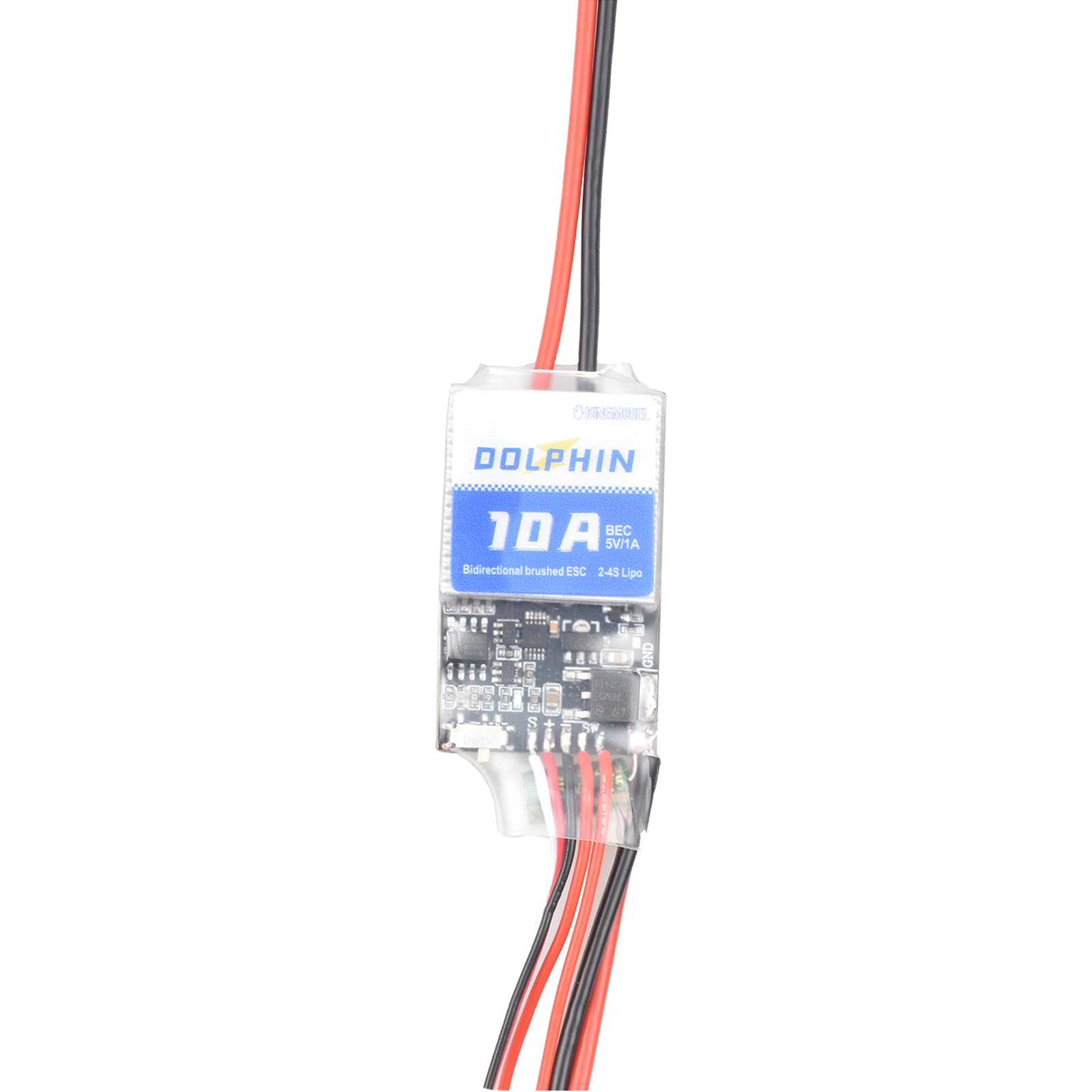
Image: The KINGMODEL 10A RC Bidirectional Brushed ESC, showing the main unit, power wires, motor wires, receiver connection, and an external switch.
Specifications
| Feature | Detail |
|---|---|
| Model | 10A Bidirectional Brushed ESC |
| Continuous Current | 10A |
| Burst Current (10S) | Not specified for 10A model |
| Battery Compatibility | 2S-4S LiPo |
| Motor Compatibility | 130/180 Brushed Motors |
| BEC Output | 1A/5V |
| Dimensions | 32 x 23 x 8 mm (approx.) |
| Weight | 11.9g (approx.) |
| Operating Modes | F/B/R (Forward/Brake/Reverse) and F/R (Forward/Reverse) |

Image: A detailed view of the ESC's internal circuit board, showing various components and solder points.
Setup
- Connect Motor: Connect the two motor wires from the ESC to your brushed motor. Polarity typically does not matter for brushed motors with ESCs, but if the motor spins in the wrong direction, reverse the connections.
- Connect Receiver: Plug the three-wire servo connector (usually black/brown, red, white/orange) from the ESC into the throttle channel (typically channel 2) of your RC receiver. Ensure correct orientation.
- Connect Battery: Connect your 2S-4S LiPo battery to the power input wires of the ESC. Ensure correct polarity (red to positive, black to negative). Incorrect polarity will damage the ESC.
- Mounting: Securely mount the ESC in your RC model using double-sided tape or zip ties, ensuring adequate airflow for cooling.

Image: The ESC with its various wires clearly visible, illustrating the connections for battery, motor, and receiver.
Operating Instructions
- Initial Calibration (if required):
- Turn on your RC transmitter and ensure the throttle trim is centered and throttle stick is at neutral.
- Connect the battery to the ESC. The ESC may emit a series of beeps.
- Move the throttle stick to full throttle, then to full reverse, and finally back to neutral. The ESC should recognize these positions and calibrate. Refer to your specific transmitter manual for throttle range settings.
- Mode Selection (F/B/R and F/R): The ESC supports two operating modes: Forward/Brake/Reverse (F/B/R) and Forward/Reverse (F/R). The method to switch between these modes is typically done via a jumper or a specific throttle sequence during power-up. Consult the product packaging or manufacturer's website for specific instructions on mode selection if not automatically detected.
- Normal Operation:
- With the ESC calibrated and connected, turn on your transmitter, then connect the battery to the ESC.
- The motor will respond to throttle inputs from your transmitter.
- In F/B/R mode, moving the throttle forward will engage forward motion. Moving it to neutral and then reverse will engage braking, followed by reverse motion.
- In F/R mode, moving the throttle forward engages forward motion, and moving it reverse engages reverse motion directly.
Maintenance
- Cleaning: Keep the ESC clean and free from dust, dirt, and debris. Use a soft brush or compressed air for cleaning.
- Inspection: Regularly inspect all wires and connectors for signs of wear, damage, or loose connections.
- Storage: Store the ESC in a dry, cool place away from direct sunlight and extreme temperatures. Disconnect the battery before storage.
- Heat Management: Ensure the ESC has adequate ventilation during operation to prevent overheating.
Troubleshooting
| Problem | Possible Cause | Solution |
|---|---|---|
| Motor does not respond to throttle. |
|
|
| ESC overheats. |
|
|
| Motor spins in wrong direction. | Motor wire polarity reversed. | Reverse the connection of the two motor wires. |
Warranty and Support
For warranty information and technical support, please refer to the retailer or manufacturer's official website where you purchased this product. Keep your proof of purchase for any warranty claims.