
1. Introduction
This manual provides detailed instructions for the installation and use of the TsuperU 7-inch Touch Screen Digitizer Replacement. This product is designed to restore touch functionality and display clarity to compatible Nissan vehicle infotainment systems.

Figure 1: TsuperU 7-inch Touch Screen Digitizer Replacement for Nissan Kicks and Versa.
2. Compatibility
This replacement digitizer is compatible with the following Nissan models and OEM part numbers:
- Nissan Kicks: 2018-2022 models (Platinum, Exclusive, Advance, SV, S, SR Sport Utility).
- Nissan Versa: 2020-2022 models (Sense, SV, S, SR, Platinum, Exclusive, Advance Sedan).
- OEM Part Numbers: 2591A5RL0A, 2591A5RL0B, 2591A5RL1A.
Important: Always verify the OEM part number and measure your existing screen diagonally to confirm it is a 7-inch display before purchasing.

Figure 2: Detailed compatibility information for Nissan models.

Figure 3: Guide for measuring screen size to ensure compatibility.

Figure 4: Visual guide to distinguish between compatible Bosch AIVICMFB0 hosts and incompatible Panasonic hosts. Ensure your unit matches the compatible Bosch host.
3. Product Features
The TsuperU 7-inch Touch Screen Digitizer Replacement offers several key features:
- High Sensitivity: Ensures precise and responsive touch input.
- Glare and Fog Prevention: Designed to maintain clear visibility in various lighting conditions.
- Durability: Reduces susceptibility to scratches and wear.
- High Resolution and Clarity: Provides a sharp and clear image for optimal viewing.
- OEM Standard: Meets OEM navigation system standards for light transmission, visibility, and touch accuracy.
- Upgraded Material: Constructed from new upgraded material for stable performance and extended service life.
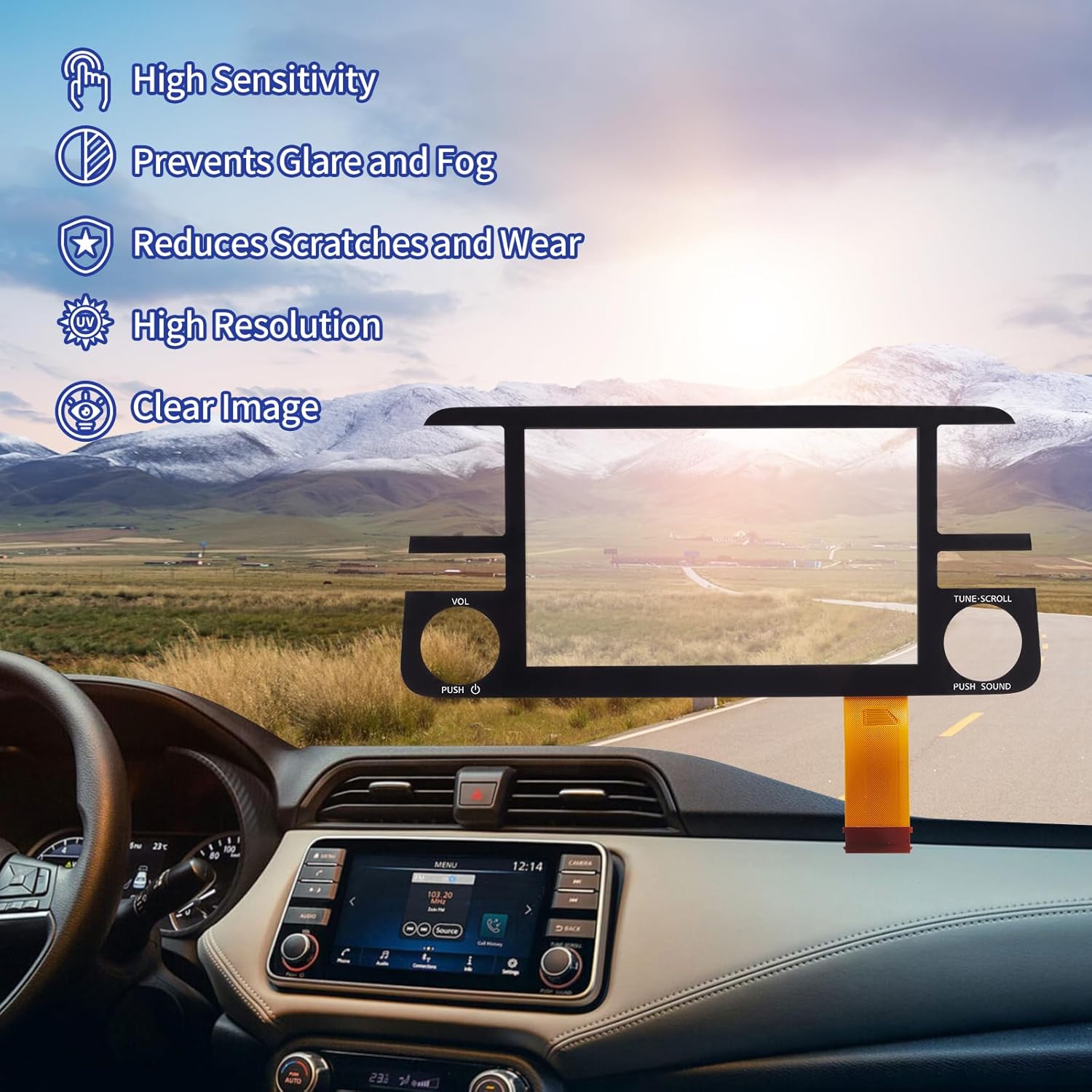
Figure 5: Visual representation of the product's enhanced features.

Figure 6: Overview of product advantages and quality attributes.
4. Installation Guide
This digitizer is designed for straightforward installation and is pre-stickered for convenience. It is compatible with both GPS-equipped and non-GPS 7-inch Nissan radios. Professional installation is recommended to ensure proper functionality and avoid damage.
4.1 Addressing Common Screen Issues
This replacement part effectively resolves issues such as:
- Cracked or chipped glass
- Delamination or bubbles
- Unresponsive touch functionality
- Garbled display or dead pixels
- Phantom or ghosted touches
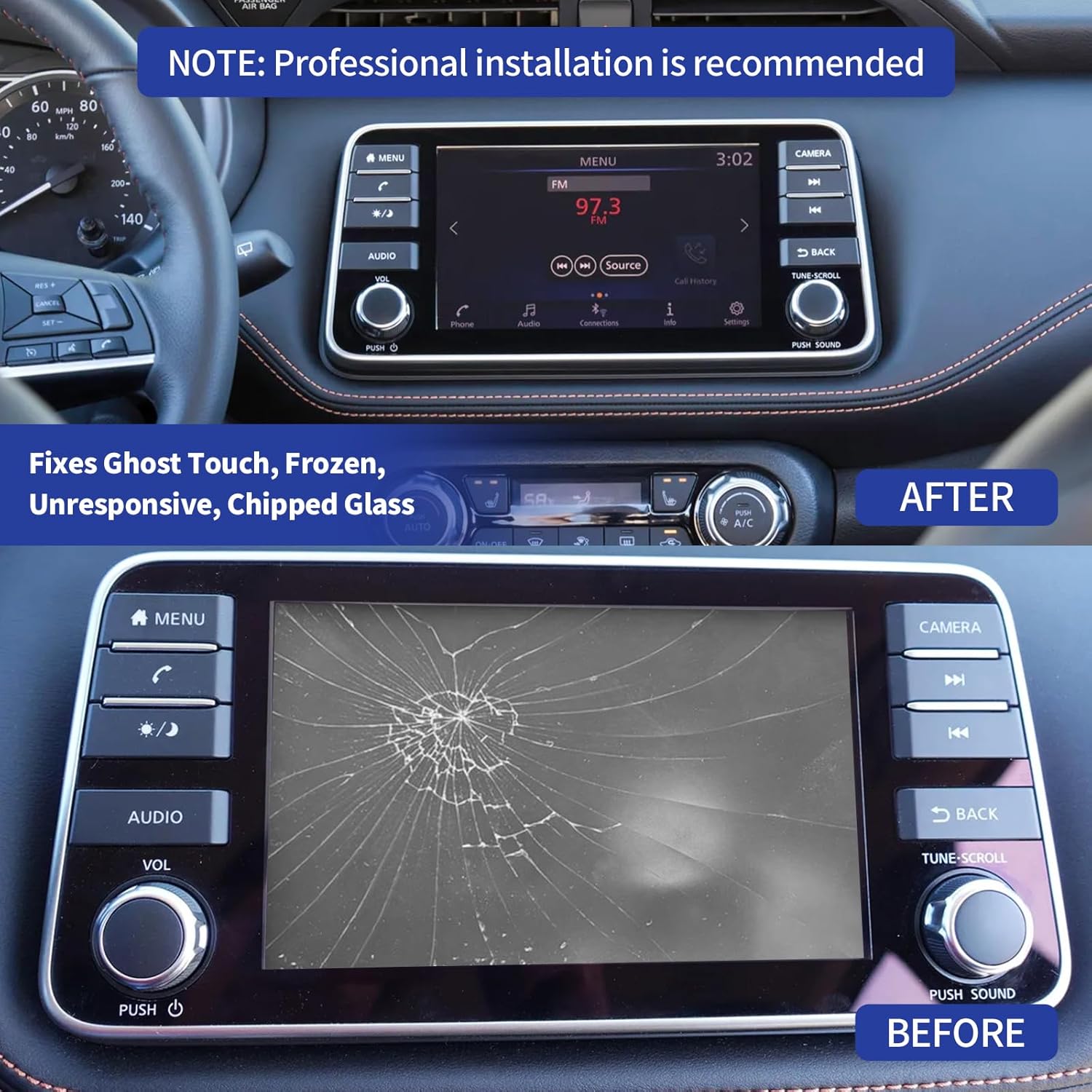
Figure 7: Illustration of a damaged screen (Before) and the restored screen after replacement (After).
4.2 What's in the Box
- One (1) TsuperU 7-inch Touch Screen Digitizer Replacement.
No videos were found that are specifically for the Nissan Kicks/Versa model. The provided videos are for Mazda models and are not relevant to this product.
5. Operating Instructions
Once installed, the TsuperU 7-inch Touch Screen Digitizer Replacement functions identically to the original equipment. Operate your vehicle's infotainment system as you normally would, utilizing the responsive touch interface for navigation, audio control, and other features.
- Touch Control: Interact with the screen by tapping, swiping, and pinching as supported by your vehicle's infotainment system.
- Display Clarity: The high-resolution display ensures all information, including navigation maps and media details, is clearly visible.
6. Maintenance
To ensure the longevity and optimal performance of your TsuperU touch screen digitizer, follow these maintenance guidelines:
- Cleaning: Use a soft, lint-free cloth and a screen-safe cleaning solution (e.g., distilled water or a specialized electronic screen cleaner) to gently wipe the screen. Avoid abrasive materials or harsh chemicals.
- Protection: Avoid placing heavy or sharp objects near the screen that could cause scratches or impact damage.
- Temperature: While designed for automotive environments, extreme temperatures can affect electronic components. Avoid prolonged exposure to direct sunlight in very hot conditions when possible.
7. Troubleshooting
If you encounter any issues with your TsuperU 7-inch Touch Screen Digitizer Replacement, consider the following troubleshooting steps:
- No Touch Response:
- Ensure all ribbon cables are securely connected. A loose connection is a common cause.
- Restart the vehicle's infotainment system (refer to your vehicle's owner's manual for instructions on how to reset the radio).
- Display Issues (e.g., garbled image, dead pixels):
- Verify the display cable connection.
- Confirm the digitizer is correctly seated within its frame.
- Ghost Touches/Phantom Inputs:
- Ensure the screen surface is clean and free of debris or moisture.
- A factory reset of the infotainment system might resolve software-related ghosting (consult your vehicle's manual).
If problems persist after attempting these steps, professional assistance may be required.
8. Specifications
| Specification | Detail |
|---|---|
| Brand | TsuperU |
| Display Size | 6.99 Inches (7-inch nominal) |
| Touch Screen Type | Capacitive |
| Connectivity Technology | USB (for internal connection) |
| Item Weight | 9.5 ounces (0.27 Kilograms) |
| Package Dimensions | 11.5 x 7.56 x 1.73 inches |
| Vehicle Service Type | Car |
| Mounting Type | Dashboard Mount (as part of existing radio unit) |
| Included Components | Touchscreen Digitizer |
9. Warranty and Support
This product comes with a 1-year warranty from the manufacturer, TsuperU. For warranty claims or technical support, please refer to the contact information provided with your purchase or visit the official TsuperU website.
For additional assistance, you may also contact the seller directly through the platform where the product was purchased.


